
Two creators can post videos in the same week, pull similar view counts, and end up with completely different amounts in their AdSense accounts. The difference is rarely about effort or production quality. It almost always comes down to YouTube RPM.
Most creators check their views first. Views feel like the scoreboard. But views only tell you how many people watched. RPM tells you how much each of those watches was worth. A channel pulling 100,000 views at $8 RPM earns more than a channel pulling 300,000 views at $2 RPM. That gap is not luck. It is the result of decisions around niche, format, audience geography, and video length that compound over time.
This guide breaks down exactly what RPM is, why it moves up and down, which niches consistently produce the highest rates, and the specific steps you can take to increase yours. If you have ever looked at your revenue tab and wondered why the number looks lower than you expected, this is where that question gets answered.
What Is YouTube RPM?
YouTube RPM stands for Revenue Per Mille, the amount you earn for every 1,000 views across your entire channel after YouTube takes its cut and every revenue source is counted. Mille is the Latin word for thousand, so RPM is simply your earnings per thousand views.
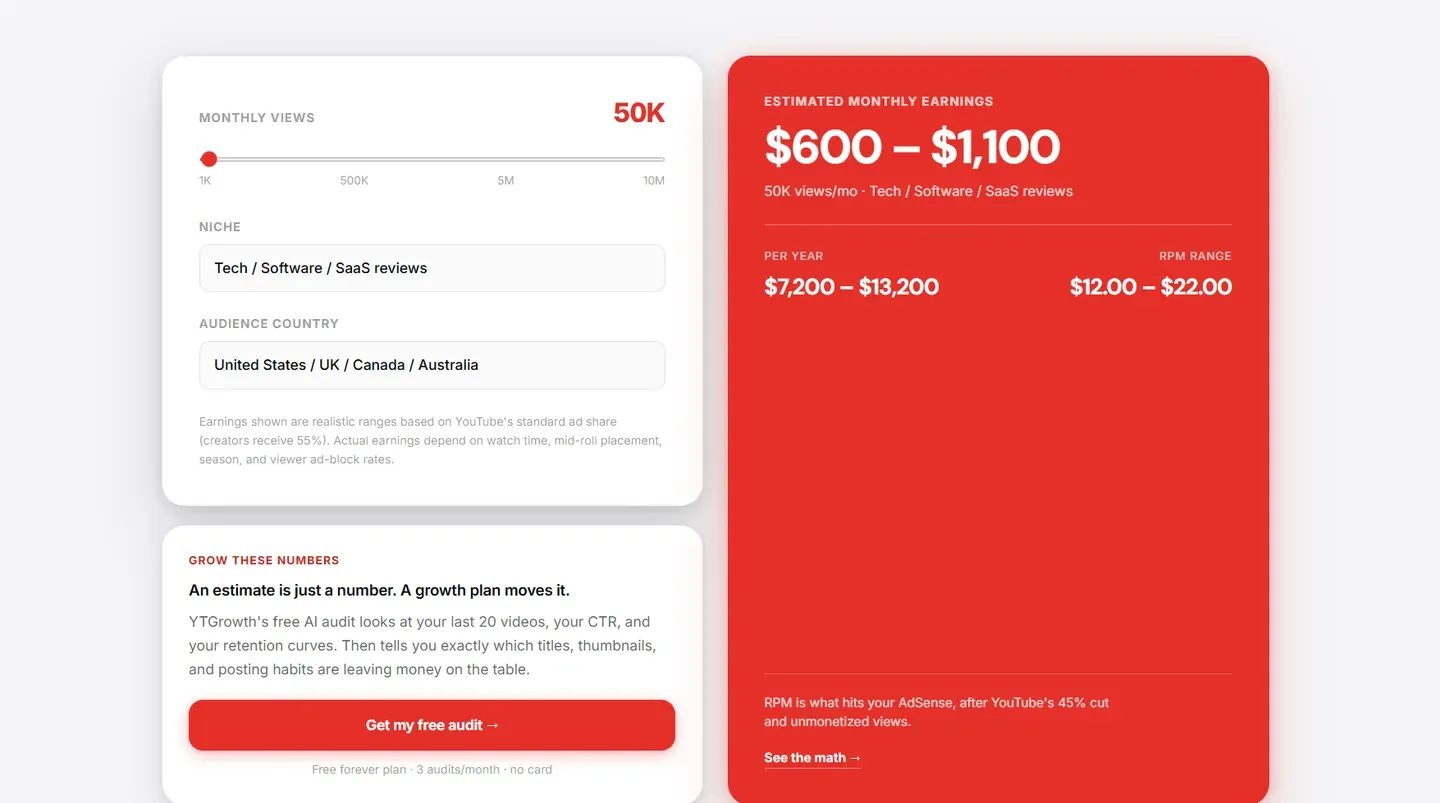
The formula is:
RPM = (Total Revenue ÷ Total Views) × 1,000
If your channel earned $400 from 80,000 views in a month, your RPM is $5. That means every 1,000 views generated $5 in your pocket across all sources.
The phrase "all sources" is what makes RPM distinctly different from CPM. RPM is not just your ad revenue divided by views. It includes every monetization stream YouTube offers.
| Revenue Source | Included in RPM | Included in CPM |
|---|---|---|
| Ad revenue (after YouTube's 45% cut) | Yes | No |
| YouTube Premium revenue | Yes | No |
| Channel memberships | Yes | No |
| Super Chat and Super Thanks | Yes | No |
This means two channels with identical CPM rates can show very different RPM figures depending on how diversified their revenue streams are. A channel with active memberships and consistent Super Chat during live streams will always show a higher RPM than a channel of the same size relying on ads alone.
It is just as important to know what RPM leaves out. RPM only counts money that flows through YouTube. Sponsorships, affiliate commissions, merchandise, digital products, and off-platform memberships are invisible to it, and for many mid-size creators those streams out-earn everything in the Revenue tab. RPM measures how well your channel turns views into platform revenue, not your total income as a creator.
For a deeper look at how CPM works from the advertiser side, the YouTube CPM guide covers the full breakdown.
How to Find Your RPM in YouTube Studio
Your RPM sits inside the Revenue tab of your Analytics dashboard. Here is exactly how to get to it and what to look for once you are there.
- Open YouTube Studio and click Analytics in the left sidebar.
- Click the Revenue tab at the top of the analytics screen.
- Scroll down and click See More to expand the full revenue data view.
- Select RPM from the metric dropdown to isolate your revenue per thousand views.
That gives you your overall channel RPM for the selected date range. The diagnostic work starts when you filter the data.
- Filter by video: Click into individual videos from the Revenue tab to see which content generates the strongest per-video RPM. A video pulling 50,000 views at $8 RPM is more valuable than a video pulling 200,000 views at $1 RPM. Knowing which topics and formats produce your highest RPM tells you exactly where to focus your next uploads.
- Filter by traffic source: Search traffic consistently generates higher RPM than browse or suggested feed traffic because search viewers have stronger purchase intent. If most of your views come from browse, your RPM will reflect that. Shifting more content toward keyword-targeted topics is one of the clearest paths to improving your overall rate.
- Filter by geography: Your audience location breakdown directly affects your RPM. Open the Geography filter and check what percentage of your views come from high-CPM markets like the US, UK, Canada, and Australia. A channel with 70% of its views from those four markets will show a significantly different RPM from one with the same view count but a majority of viewers from lower-CPM regions.
Check these three filters together every month. Patterns in your highest-RPM content are the clearest signal of where your channel's monetization strength sits.
Pro Tip: Sort your video list by RPM rather than views once a quarter and look at the top 10. Most creators discover the same uncomfortable pattern: their highest-RPM videos are not their highest-viewed videos. Those high-RPM topics are usually narrower, more search-driven, and aimed at higher-intent viewers. Build your next three uploads around the format the top 3 share, not around what got the most views overall.
CPM and RPM YouTube: Understanding the Gap
Every monetized creator notices that their dashboard shows two different numbers for CPM and RPM, with CPM sitting higher than RPM every single time. That gap is not a discrepancy. It is the system working exactly as designed.
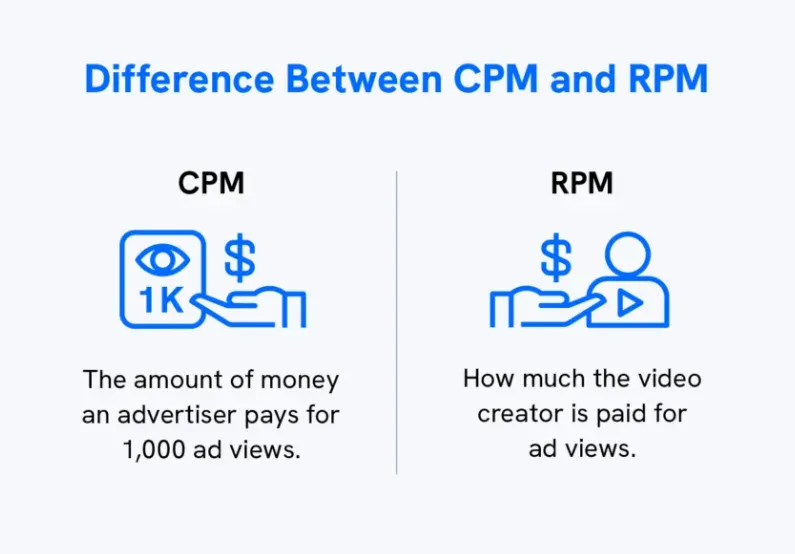
CPM is what advertisers pay YouTube per 1,000 ad impressions before anything is deducted. RPM is what you receive per 1,000 total views after YouTube takes its 45% revenue share, after views where no ad ran, and after non-monetized playbacks are counted. A channel showing $12 CPM might show $5 RPM. That difference is normal.
As a quick mental model, RPM lands around CPM × 0.55 after YouTube's 45% share, then settles a little lower once unmonetized and ad-free views are counted. It is an estimate rather than a formula to bank on, but it explains why a $12 CPM rarely puts $12 in your pocket.
| Metric | What It Measures | YouTube's Cut Applied | Unmonetized Views Included |
|---|---|---|---|
| CPM | Advertiser spend per 1,000 ad impressions | No | No |
| RPM | Creator earnings per 1,000 total views | Yes | Yes |
Tracking RPM and CPM side by side tells you something specific. If your CPM is strong but your RPM is low, the problem is not advertiser demand. The problem is on your side: too many unmonetized views, ad formats disabled, or a low ratio of monetized playbacks to total views.
That is a fixable problem. If both numbers are low, the issue is advertiser demand for your content category, which is a different problem with a different solution.
Average YouTube RPM by Niche
Average RPM varies more by content category than most creators expect. The same 100,000 views can generate $100 on one channel and $2,000 on another. The difference is entirely down to what those views are worth to advertisers and how many revenue streams the channel has active.
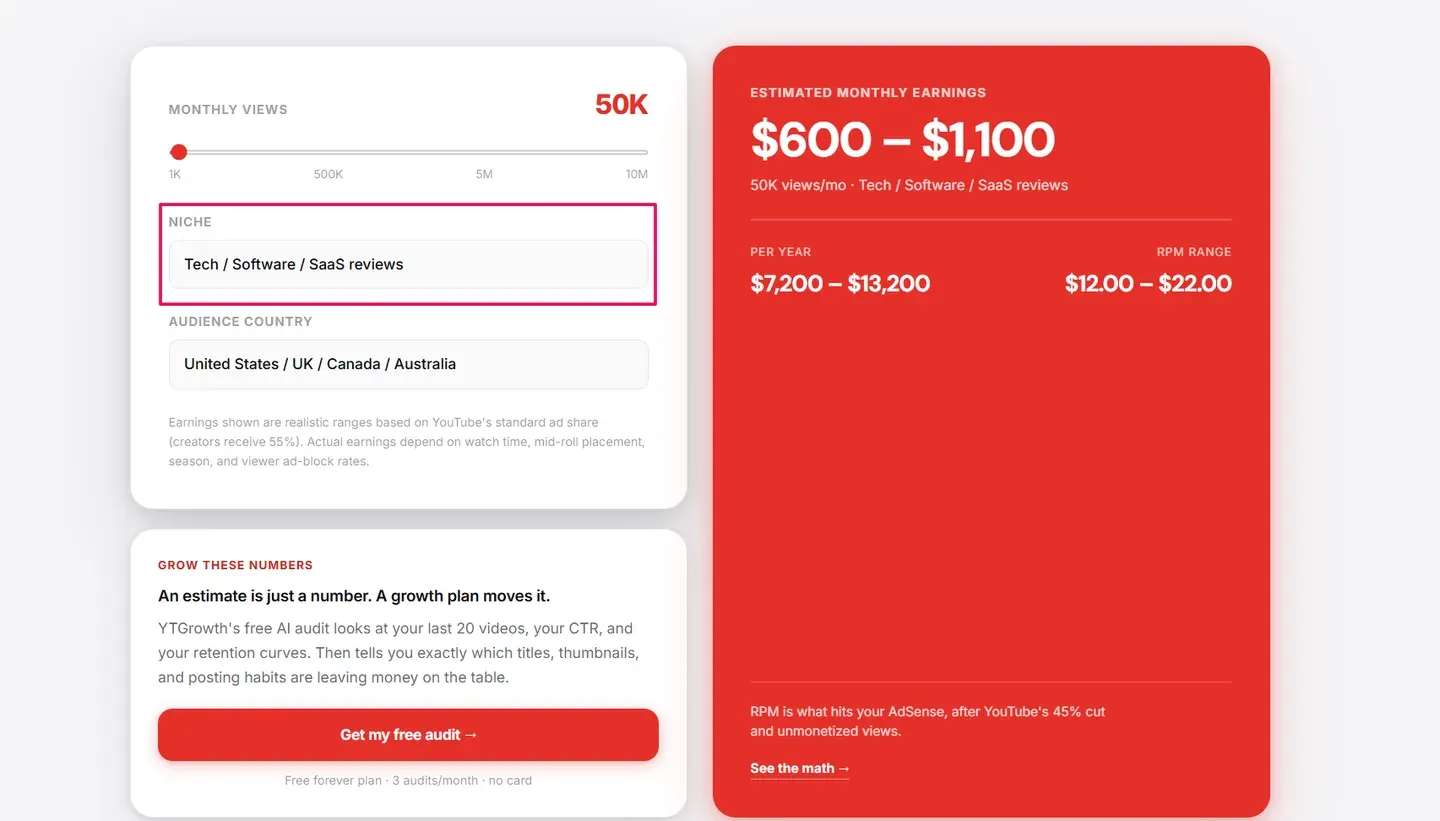
Here are the verified benchmarks across the main content categories in 2026:
| Niche | Average RPM Range |
|---|---|
| Finance | $8 to $20 |
| B2B Software and SaaS | $6 to $15 |
| Business and Marketing | $5 to $12 |
| Health and Fitness | $2 to $7 |
| Education and Tutorials | $2 to $6 |
| Technology and Gadgets | $2 to $6 |
| Food and Cooking | $1.50 to $4 |
| Vlogging | $1 to $3 |
| Gaming | $1 to $3 |
| Entertainment | $0.50 to $2 |
These are global ranges for long-form content with a mixed international audience. A channel in any category with a majority of US, UK, Canadian, or Australian viewers will consistently sit toward the upper end of its range. A channel with the same view count but a majority of viewers from lower-CPM regions will sit at the lower end regardless of niche.
YouTube Shorts RPM sits in a completely different category. Shorts operates on a pooled revenue model where ad income from the Shorts feed is distributed across eligible creators based on their share of engaged views that month.
Verified creator data puts Shorts RPM between $0.03 and $0.08 per 1,000 views in 2026, roughly 95% lower than long-form content in the same niche. Shorts are a discovery and growth tool. They are not a reliable revenue driver at most channel sizes.
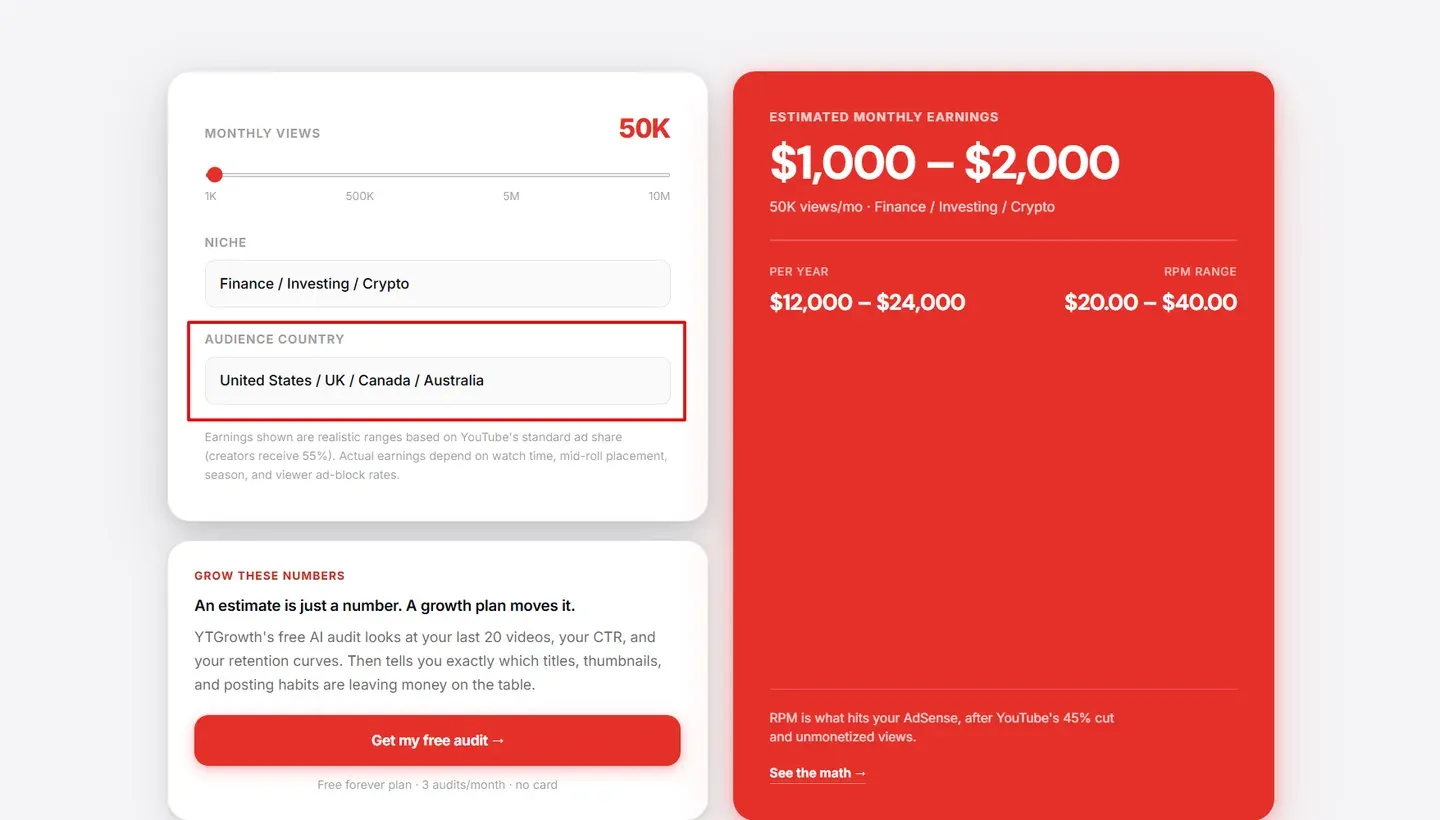
If you want to estimate what your channel could realistically earn based on your niche and audience country before making any content changes, the free YouTube Money Calculator runs the numbers by niche and geography with no signup required. To work backward from a subscriber target instead, the YouTube subscriber money calculator estimates earnings by audience size.
Pro Tip: If your channel sits at the lower end of your niche's RPM range and your audience geography skews away from tier-one markets, do not chase a niche pivot first. Add memberships, enable Super Thanks on every upload, and place mid-rolls manually on every video over 8 minutes. Those three changes lift the existing RPM without changing what you create. A niche pivot rebuilds the audience from scratch and should be the last move, not the first.
Highest RPM on YouTube: Which Niches Lead
The highest RPM numbers follow a consistent pattern driven by one factor: how much a single converted viewer is worth to an advertiser.
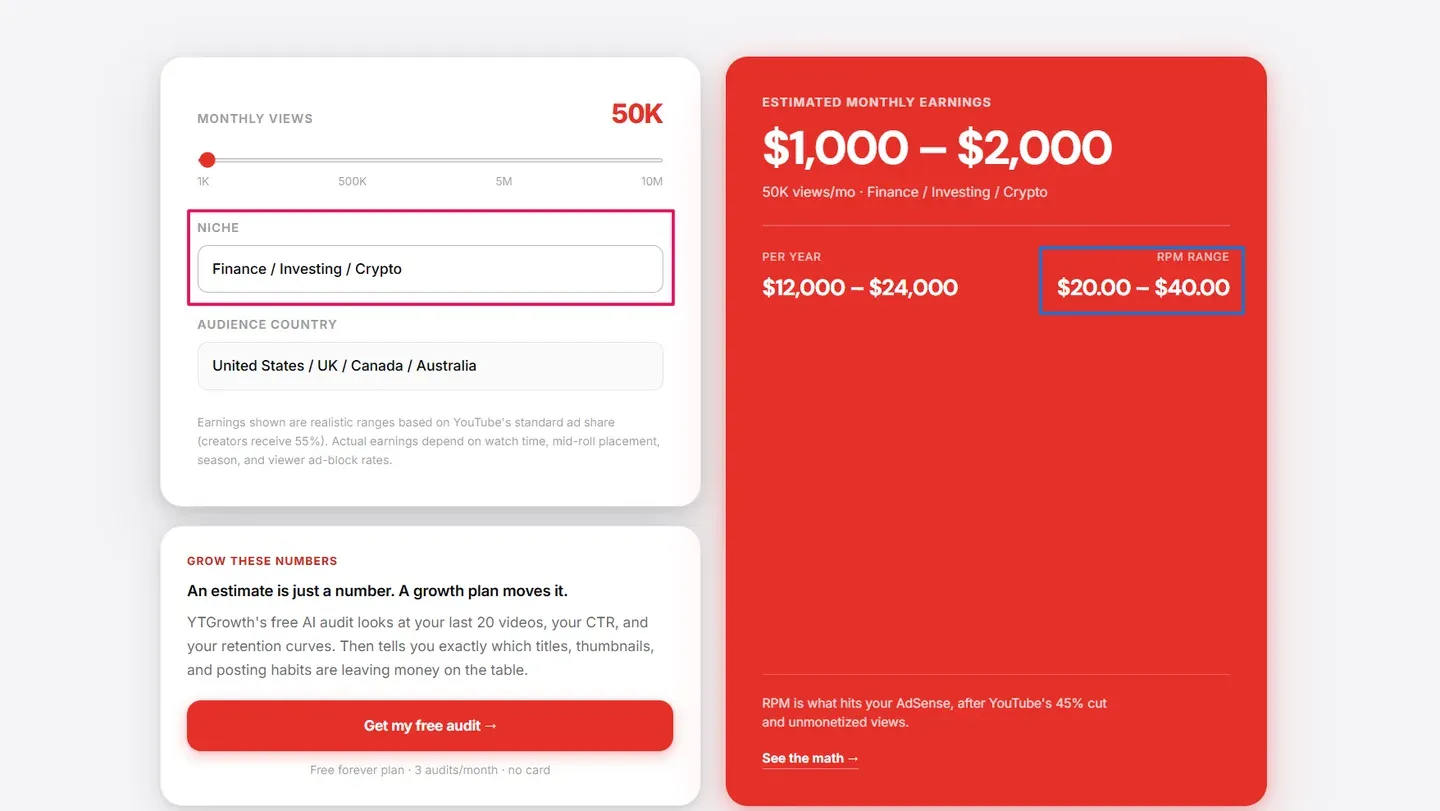
A credit card company acquiring one customer through a YouTube ad can generate thousands of dollars in lifetime revenue. A gaming peripheral brand acquiring one customer generates a one-time purchase of $80. That economic gap is why the highest RPM benchmarks look the way they do.
| Niche | Global RPM Range | US Audience RPM Range |
|---|---|---|
| Personal Finance and Investing | $8 to $20 | $10 to $25 |
| Legal | $7 to $18 | $10 to $22 |
| B2B Software and SaaS | $6 to $15 | $8 to $18 |
| Real Estate | $5 to $14 | $8 to $16 |
| Business and Marketing | $5 to $12 | $7 to $14 |
These five categories consistently occupy the top RPM positions year after year. The gap between them and entertainment or gaming is not closing.
The highest-RPM opportunity most creators overlook is not a full niche pivot. It is finding the high-value angle within their existing content. A cooking channel covering meal prep for busy professionals attracts different advertisers than one covering budget recipes. A gaming channel covering PC builds or streaming income attracts higher advertiser bids than one covering standard gameplay.
If you want to know which content in your existing library is already generating your strongest revenue signals and which topics your closest competitors are targeting in higher-paying sub-niches, the Channel Audit and Competitor Analysis features in ytgrowth.io surface that data directly from your channel.
To scout those higher-paying angles before you film, run your sub-topic ideas through the free keyword research tool. The terms with real search demand and advertiser-heavy intent are where a small RPM lift hides inside the niche you already cover.
Pro Tip: Look at your top 10 highest-RPM videos and identify the closest sub-niche they share. That sub-niche is almost always more valuable to advertisers than your channel's main category average. Build the next quarter's uploads around that sub-niche rather than your broader topic, and your channel-level RPM will lift without losing your existing audience.
YouTube RPM by Country
Your audience's location can swing your RPM more than your niche does. A viewer in the United States is worth several times a viewer in a tier-three market, because advertisers in high-income countries bid far more to reach them. The same video, same niche, same view count, earns a different amount depending on where its viewers sit.
Here is how typical 2026 RPM breaks down by audience country for long-form content, blended across niches. A high-value niche like finance or B2B sits at or above the top of each range; entertainment or gaming sits below it.
| Audience Country | Typical RPM (2026) | Tier |
|---|---|---|
| United States | $6 to $20+ | Tier 1 |
| Australia | $5 to $15 | Tier 1 |
| United Kingdom | $5 to $16 | Tier 1 |
| Canada | $5 to $14 | Tier 1 |
| Germany | $3 to $8 | Tier 2 |
| United Arab Emirates | $2 to $6 | Tier 2 |
| Brazil | $1 to $3 | Tier 3 |
| India | $0.80 to $3 | Tier 3 |
The United States, United Kingdom, Canada, and Australia sit at the top of every RPM-by-country table, and the reason is economic, not technical. Advertisers in those markets have larger budgets and pay more to acquire a customer, so they bid harder for each impression. A channel that shifts its audience toward those four countries lifts its RPM without changing anything about its content.
This is why audience geography, not subscriber count, often decides which channels earn a living. A creator with 30,000 mostly-US viewers can out-earn one with 300,000 mostly tier-three viewers on the same topic. For the full picture by niche and market, our finance earnings by country pages break the numbers down country by country.
Pro Tip: Open the Geography filter in your Revenue tab and check what share of your views come from the US, UK, Canada, and Australia. If it is under half, your single biggest RPM lever is not a new ad format, it is content that pulls more tier-one viewers: search-driven, English-language, and universally relevant rather than region-specific.
What Determines Your YouTube Channel RPM
Understanding your channel RPM requires looking beyond niche alone. Five factors move the number up or down independently of what content category you are in.
Audience Geography
Where your viewers are located is the single biggest variable in your RPM outside of niche, which is why the country table above matters as much as the niche one. If most of your views come from outside tier-one markets, that alone caps your RPM regardless of how strong your content is. The fix is not a settings change. It is content that pulls more US, UK, Canadian, and Australian viewers into the mix.
Video Length and Mid-Roll Ad Placement
Videos over eight minutes qualify for mid-roll ads. Mid-rolls add additional ad impressions within a single view, which increases revenue per view directly. The impact on your RPM is significant. A ten-minute video with two mid-rolls placed at natural breaks can generate two to three times the revenue of a five-minute video in the same niche with the same view count. Whether your niche typically clears that threshold varies more than most creators expect: our study of 30,360 uploads found three of fourteen niches sit below eight minutes by default.
Since May 2025 YouTube runs a hybrid model: it automatically adds mid-rolls at natural breakpoints on top of any you place by hand, and leaving both on is what maximizes revenue now. In YouTube's own testing, channels that kept automatic slots enabled alongside manual ones earned about 5 percent more than manual-only, and switching automatic off can now cost you revenue.
Ad Formats Enabled
Every ad format disabled is a pool of advertisers removed from the auction for your content. Skippable ads, non-skippable ads, bumper ads, and display ads each attract different advertiser budgets. Enabling all formats maximises the competition for your inventory, which pushes your RPM higher.
Revenue Stream Diversification
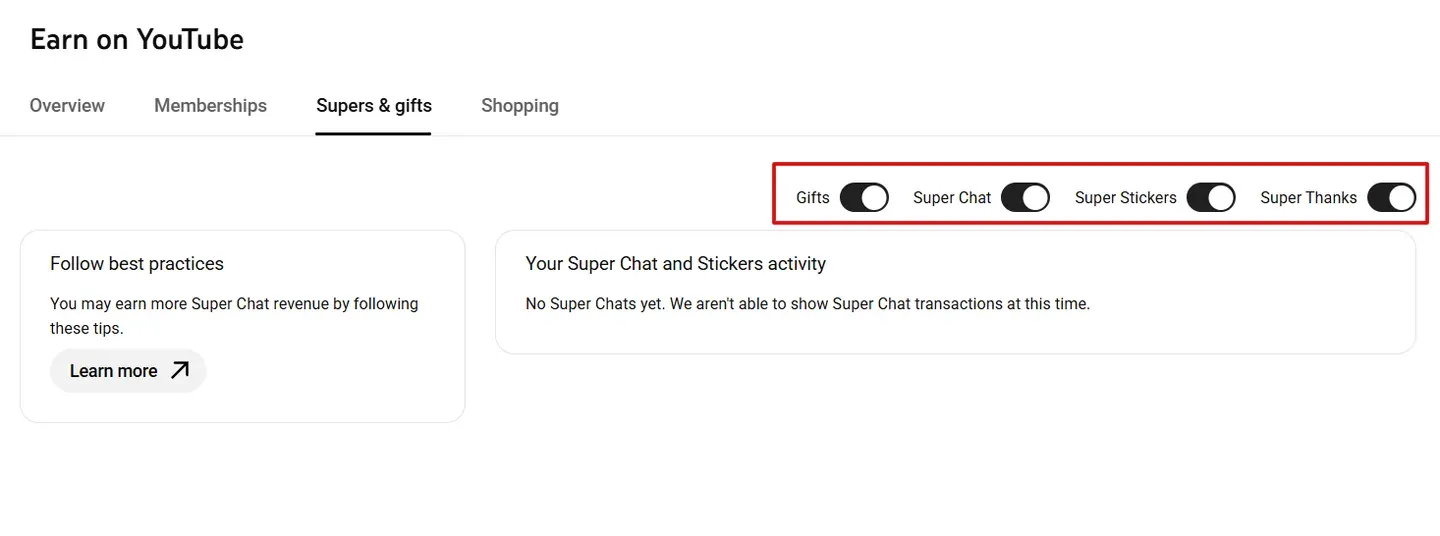
This is the factor that separates RPM from CPM most clearly. A channel with active memberships, Super Thanks enabled, and consistent Super Chat during live streams will show a higher RPM than a channel of identical size and niche relying on ads alone, because RPM counts every revenue source.
In low-CPM months like January and February, membership revenue stabilises your RPM in a way that ad revenue alone cannot.
Seasonality
Ad budgets follow a predictable annual cycle. RPM peaks between October and December as brands compete aggressively for holiday shoppers. January brings a 30 to 50 percent drop across almost every niche as budgets reset. The creators who plan their highest quality uploads and any monetization pushes around Q4 consistently outperform those who upload at a flat rate year round.
Pro Tip: Plan your most ambitious uploads for the October to mid-December window every year. Save your highest-effort scripts, your strongest sponsorship integrations, and your launch announcements for that period. The same content that pulls $5 RPM in March can pull $8 to $12 RPM in November because the auction is more competitive. Q4 is the only time of year the bid environment alone pays you a 50 to 100 percent bonus.See what your channel could earn at a higher RPMThe free YouTube Money Calculator models revenue by niche, audience country, and CPM tier, so you can project what your channel would earn before making any content changes. No signup required.Try the Calculator →
How to Increase Your YouTube RPM
Knowing what affects your RPM is one thing. Having a specific sequence of actions to move it is another. The five steps below target the levers with the most direct impact on the number you see in your Revenue tab.
1. Enable Every Ad Format on Every Video
Go to YouTube Studio, click Content, select a video, click Monetization, and confirm that every available ad format is switched on. Skippable ads, non-skippable ads, bumper ads, and display ads each draw from a different advertiser pool.
Disabling any one of them removes an entire category of bidders from your inventory auction. Most creators have at least one format switched off without realising it. Check every video, not just new uploads.
2. Push Video Length Past Eight Minutes and Turn On Both Mid-Roll Types
Eight minutes is the threshold for mid-roll eligibility. Every minute past that threshold is a chance to add another ad impression to a single view. When you enable mid-rolls, keep both automatic and manual placement switched on, a change from the old advice to place them all by hand.
Since May 2025 YouTube inserts its own mid-rolls at natural breaks, and its placement has improved to the point where manual-only setups can now earn less. Let YouTube fill the natural pauses and add your own only where you know a strong break sits, so no ad fires mid-sentence and more of them complete.
3. Improve Audience Retention Past the 50 Percent Mark
Mid-roll ads only generate revenue if they play. A viewer who closes the video before a mid-roll fires produces zero mid-roll revenue regardless of how many you placed. Aim for at least 50 percent of your audience watching past the midpoint of the video.
That threshold ensures your mid-rolls have a realistic chance of completing. Strong hooks in the first 30 seconds and clear value signposting through the video are the two most reliable retention levers.
4. Add Memberships and Super Thanks to Every Eligible Video
Channel memberships and Super Thanks are direct RPM multipliers. They add revenue to the same view count without requiring more traffic. Enable Super Thanks on every video that qualifies. Set up at least one membership tier even if your audience is small.
A channel earning $2 in membership revenue per 1,000 views on top of $4 in ad revenue shows $6 RPM rather than $4. That difference compounds across every video in your library.
5. Create Content That Attracts YouTube Premium Subscribers
YouTube Premium revenue is distributed based on watch time from Premium subscribers. The demographic most likely to hold a Premium subscription is the 25 to 45 age group with disposable income.
Content targeting that audience, career development, personal finance, productivity, technology, and professional skills, generates Premium revenue on top of standard ad revenue.
Check your Revenue Sources breakdown in YouTube Studio to see what percentage of your current RPM comes from Premium. Channels that consistently attract this demographic often see Premium contribute 15 to 25 percent of total revenue.
Pro Tip: Open the Revenue Sources panel in YouTube Studio and check what percentage of your earnings come from YouTube Premium specifically. If Premium contributes less than 10 percent, your audience demographic likely skews younger or toward markets where Premium adoption is low. That is a recoverable gap. Adding even one piece of content per month aimed at the 25 to 45 disposable-income demographic gradually shifts the mix and pulls your overall RPM up.
Frequently Asked Questions
What is a good RPM for YouTube in 2026?
An RPM between $3 and $5 puts most channels in solid territory globally. Below $2 suggests a low-CPM niche, a majority of viewers from lower-CPM regions, or ad formats not fully enabled.
Above $5 is strong for most content categories. Finance and legal channels regularly see $8 to $20. The right benchmark is not a global average. It is the average for your specific niche and audience geography.
Why is my YouTube RPM lower than my CPM?
This is normal. YouTube RPM is always lower than CPM because YouTube takes a 45% cut before paying creators, not every view is monetized, and RPM divides by total views rather than just monetized playbacks.
If the gap is unusually large, check whether all your ad formats are enabled and what percentage of your views are coming from non-monetized sources.
How do I calculate RPM from CPM?
There is no exact formula, but a useful estimate is RPM ≈ CPM × 0.55, which accounts for YouTube's 45% revenue share. The real number usually lands a little lower because RPM divides by all views, including the ones where no ad ran.
To measure your own RPM directly, take total revenue, divide by total views, and multiply by 1,000. You can read the result straight from the Revenue tab in YouTube Studio.
How does US YouTube RPM compare to other regions?
Viewers in the US generate significantly more revenue per view than most other markets. A channel with a majority US audience can see RPM two to five times higher than the same channel with equivalent views but a majority of viewers from lower-CPM regions.
The US, UK, Canada, and Australia consistently sit at the top of every RPM by country breakdown because advertisers in those markets have larger budgets and higher customer acquisition costs. YouTube reads where your viewers are, not where you are, so a VPN or your own location changes nothing about your rate.
Does YouTube Shorts RPM work the same way as long-form?
No. Shorts RPM operates on a fundamentally different model. Long-form RPM comes from direct ad revenue on your specific videos. Shorts revenue comes from a shared monthly pool distributed across eligible creators based on their share of engaged views.
Most creators see Shorts RPM between $0.03 and $0.08 per 1,000 views. That is roughly 95% lower than long-form content in the same niche. Use Shorts for growth, not revenue.
How Much Does YouTube Pay Per 1,000 Views?
That figure is your RPM. The global average for long-form sits around $2 to $8 per 1,000 views, but it swings hard on two things: your niche and your audience's country. A finance channel with a US audience can clear $20 per 1,000 views, while a gaming channel with a tier-three audience may see under $1.
Your own number is in the Revenue tab: total revenue divided by total views, times 1,000.
Why Did My RPM Suddenly Drop?
The most common cause is seasonal. RPM falls 30 to 50 percent every January as advertiser budgets reset after Q4, then recovers through the year. If the drop lines up with the calendar, it is almost always this.
Other causes are a traffic shift toward browse or lower-CPM countries, a spike in barely-monetized Shorts views diluting your average, or an ad format getting switched off. Filter the Revenue tab by month, geography, and format to find which one moved.
Does Made-for-Kids Content Earn a Lower RPM?
Yes, and by a wide margin. Content marked made for kids cannot run personalized ads under children's privacy rules, and personalized ads are where most advertiser competition and revenue sit. A made-for-kids video often earns a fraction of the RPM the same topic would earn aimed at a general audience.
If your whole channel is set to made for kids, expect an RPM below your niche benchmark regardless of geography or format. It is one of the few factors that can override a strong niche.
RPM Is the Score That Counts
Most creators spend years optimizing for views. Views feel like progress. But a channel earning $8 RPM on 50,000 monthly views is out-earning a channel pulling 300,000 views at $1 RPM. The view count gap is six to one. The revenue gap is nothing.
RPM is not a metric you check after the fact. It is a signal that tells you whether your niche, your audience geography, your video format, and your monetization setup are working together or against each other.
The creators who build sustainable income on YouTube are not always the ones with the most subscribers. They are the ones who understood early that every content decision, what topic to cover, how long to make the video, which audience to target, is also a revenue decision. That is what YouTube RPM measures. Not how many people watched. How much each of those watches was worth.