The best microphone for YouTube is not the most expensive one, and it is not whatever sits at the top of an affiliate list. It is the one that fits how you really film, and getting that wrong is the fastest way to lose the viewers your thumbnail and title just earned.
A creator at a desk needs a completely different mic from a vlogger walking through a city, and both of them will beat the person who bought a $400 studio mic and set it up wrong. This guide skips the spec-sheet worship and does the one thing those lists do not: it matches a microphone to your real setup and budget, then tells you what the big channels genuinely use.
We will cover the quick answer for every kind of creator, the microphone types in plain language, the honest USB versus XLR question, the best picks by category and by what you make, the accessories that matter more than the mic itself, and the settings that pull pro-quality sound out of cheap gear. By the end you will know exactly which microphone to buy, why, and how to make it sound far better than its price tag suggests.
Why Your Microphone Matters More Than Your Camera
Here is the truth that every successful creator learns eventually: viewers forgive bad video, but they will not forgive bad audio. A slightly soft, grainy picture reads as authentic. Hollow, echoey, hiss-filled sound reads as amateur, and people click away within seconds. That reaction is more than impatience: it is the single most important number on your channel quietly taking a hit.
When a viewer leaves in the first thirty seconds, your audience retention drops, and retention is the metric the YouTube algorithm watches most closely when it decides whether to show your video to more people. Bad audio does not just sound bad, it shrinks your reach, and you can watch it happen in your YouTube Analytics retention graph.
This is why so many experienced creators say they would upgrade their microphone before their camera every single time. A $100 mic that keeps viewers watching does more for your growth than a $1,000 camera that does not, because the algorithm rewards the watch, not the resolution. If you are serious about growing the channel, audio is the cheapest high-leverage upgrade you can make.
Pro Tip: open a video you have already published and watch the first ten seconds with your eyes closed. If the audio alone does not hold your attention, that is the version most of your audience is quietly judging you on.
Pick Your Microphone in 30 Seconds
Before the deep dive, here is the shortcut none of the other guides give you. Find the row that matches how you film, and you already have your answer. Everything after this just explains the why.
| Your setup | Best type of mic | Budget |
|---|---|---|
| Phone only, just starting | Wired lavalier (clip-on) | $0 to $60 |
| At a desk with a PC (talking-head, gaming, voiceover) | USB mic | $40 to $150 |
| Filming to a camera (vlogs, sit-down videos) | On-camera shotgun | $80 to $250 |
| Moving around or interviewing (outdoor, run-and-gun) | Wireless lavalier | $150 to $320 |
| Faceless or voiceover, want pro sound | XLR or hybrid dynamic | $250 to $400 |
| Building a permanent studio | XLR dynamic + audio interface | $500+ |
If you only read this far, you already have a better answer than most buying guides give you in 3,000 words. But the right pick inside each of those rows depends on a few things worth understanding, so let us break them down.
The Microphone Types, Explained Fast
Every microphone for YouTube falls into a handful of categories, and the jargon scares people off for no reason. Here is what each one really means for you.
- Dynamic mics are the rugged ones. They ignore background noise and room echo, which makes them forgiving in an untreated room, the reason podcasters and streamers love them. The legendary Shure SM7B is a dynamic mic.
- Condenser mics are the sensitive ones. They capture more detail and a richer, fuller sound, but they also pick up your keyboard, your fan, and your room, so they reward a quiet, treated space. Most USB mics for YouTube are condensers.
- USB mics plug straight into your computer and just work. No extra gear, no setup headache. This is the right starting point for almost every desk-based creator.
- XLR mics use the professional connector and need an audio interface to reach your computer. More cost and more cables, but more control and a clear upgrade path. This is the studio route.
- Lavalier (lav) mics are the tiny clip-on mics you pin to your shirt. They keep the audio close to your mouth no matter where you move, which is why they are the staple for vlogging and interviews.
- Shotgun mics mount on your camera and point where it points, capturing what is in front and rejecting what is to the side. The go-to for filming yourself or a scene to a camera.
One more piece of jargon worth thirty seconds: the polar pattern, which is just the shape of what a mic listens to. The only one most creators need is cardioid, a heart-shaped pattern that picks up what is in front and ignores what is behind. It does ninety percent of the work for talking to a camera or a screen. Omnidirectional (hears everything) suits lavaliers, and the rest are edge cases you can safely ignore until you have a specific reason not to.
USB vs XLR: The Honest Answer
This is the question that paralyzes beginners, and the honest answer is simple: for most YouTubers, USB is the right call, and it stays the right call for a long time. A good USB mic for YouTube sounds excellent, costs less, and removes every barrier between you and recording. You plug it in and you talk. That convenience is worth more than people admit, because the gear you really use beats the gear that intimidates you into not recording.
XLR earns its place when you need more than one mic, want a specific high-end mic that only comes in XLR, or are building a permanent setup you will not outgrow. But it is a system, not just a mic: a $400 XLR mic needs an audio interface, a cable, and often a stand or arm, so the real cost is closer to $550 before you record a word.
The clean middle path that has taken over in 2026 is the hybrid mic, like the Shure MV7+, which offers both USB and XLR in one body. You start on USB today and grow into XLR later without rebuying, so if you are torn between the two, a hybrid removes the decision entirely.
Rule of thumb: if you record at a desk and cannot decide, buy a USB cardioid mic. It is the right answer for the large majority of YouTube videos, and you will not outgrow it for years.
The Best Microphones for YouTube, by Category
These are the honest picks across the price range. We do not earn a commission on any of them, so the list is built on what performs, not what pays. Each pick is chosen on sound quality for the money, how easy it is to set up, and how well it suits a specific way of filming, not spec sheets. Match a pick to the row you found in the quick-answer table above.
| Category | Pick | Type | Price | Best for |
|---|---|---|---|---|
| Best overall | Shure MV7+ | Hybrid USB/XLR dynamic | ~$279 | One mic you will not outgrow for years |
| Best under $50 | Fifine AM8 | USB/XLR dynamic | ~$50 | The cheapest genuinely good mic in 2026 |
| Best budget hybrid | Samson Q2U | USB + XLR dynamic | ~$70 | A beginner mic with a real XLR upgrade path |
| Best beginner USB | Rode NT-USB Mini | USB condenser | ~$99 | Clean desk sound with almost no setup |
| Best USB | Elgato Wave:3 | USB condenser | ~$150 | Streamers who want the cleanest USB sound |
| Best XLR / studio | Shure SM7B | XLR dynamic | ~$399 | A permanent broadcast-grade studio |
| Best wireless | DJI Mic 2 | Wireless system | ~$320 | Vloggers filming to a camera on the move |
| Best wireless lavalier | Rode Wireless GO II | Clip-on wireless | ~$280 | Run-and-gun filming and interviews |
| Best on-camera shotgun | Rode VideoMic NTG | Shotgun | ~$250 | Sit-down videos and scenes shot to a camera |
| Best budget on-camera | Rode VideoMicro II | Shotgun | ~$79 | A cheap on-camera jump from phone audio |
| Best for gaming | HyperX QuadCast | USB condenser | ~$140 | Desk gaming on a boom arm |
If you want a single recommendation to stop the research spiral: the Shure MV7+ is the safest buy for most serious creators because it sounds broadcast-grade, forgives an untreated room, and works on USB now and XLR later. If money is tight, the Fifine AM8 is the best mic under $50 in 2026, a USB and XLR dynamic that sounds far cleaner than its price, with the Samson Q2U a step up around $70 and the Maono PD300X a close alternative to both. Everything else on the list is the right answer for a specific job rather than a general one.
The Quick Price Ladder
If you would rather shop by budget than by category, here is the same shortlist ranked by spend.
- Around $50: Fifine AM8, or a clip-on lavalier if you film on a phone.
- Around $70 to $100: Samson Q2U or Rode NT-USB Mini, the sweet spot for most desk creators.
- Around $150: Elgato Wave:3 for the cleanest USB sound.
- Around $250 to $320: DJI Mic 2 or Rode Wireless GO II for moving and vlogging.
- $300 and up: Shure MV7+ or Shure SM7B for a permanent, broadcast-grade studio.
Warning: a sensitive condenser like the Blue Yeti in a bare, echoey room will sound worse than a cheap dynamic. If your space echoes, fix the room or buy a dynamic mic, do not reach for a more sensitive one.See what is really holding your channel backA new mic helps, but only if audio is your weak link. Run a free channel audit to find the retention and packaging gaps costing you reach, so you upgrade the thing that truly moves your views.Start my audit, $5 →
The Best Mic for What You Really Make
The category list tells you what is good; this tells you what is right for your content. The best microphone for YouTube gaming is not the best one for a travel vlog, so match the mic to the job.
- Gaming and streaming: you are at a desk and you want to ignore the clatter of a keyboard, so a USB condenser on a boom arm or a dynamic mic wins. The HyperX QuadCast is the popular pick; the Elgato Wave:3 is the cleaner-sounding one. A dynamic like the SM7B is the upgrade once you want to sound like a broadcast.
- Talking-head and tutorials: a desk USB mic is perfect. Start with the Samson Q2U or a Blue Yeti, step up to the Wave:3 or MV7+ when you want richer sound. Cardioid pattern, six to eight inches away, and you are done.
- Vlogging: you are moving, so a wireless lavalier or an on-camera shotgun is the answer. The Rode VideoMicro II is the cheap on-camera fix; the DJI Mic 2 or Rode Wireless GO II is the wireless lav that keeps your voice close as you walk.
- Voiceover and faceless channels: your voice is the entire product, so this is the one place to spend. A dynamic XLR or hybrid mic in a treated corner gives you the warm, intimate sound those channels live on. The MV7+ or SM7B is the standard here.
- Podcasts and interviews: dynamic mics, one per person, on arms. The Rode PodMic and SM7B are the genre staples because they reject room noise and crosstalk.
- Music and ASMR: these are the exceptions that want a sensitive condenser. Music channels need the fine detail a large-diaphragm condenser like the Rode NT1 captures, and ASMR creators often run two mics for binaural, ear-to-ear sound. Both only pay off in a quiet, treated room.
Can You Just Use Your Phone?
Yes, to start, and there is no shame in it. A modern phone records perfectly usable audio when your mouth is close to it in a quiet room, and an honest video shot on a phone beats a perfect one you keep delaying, since consistency is what grows a channel. The problem is distance: the moment the phone is more than a foot or two away, it scoops up the whole room and your voice goes hollow.
The fix costs almost nothing. A wired lavalier mic for YouTube, like the Rode smartLav+ or a cheap clip-on under $30, plugs into the phone and puts the capsule inches from your mouth, which is the single biggest jump in audio quality you will ever buy for the money.
On an iPhone or Android, just check the mic matches your phone's connector (USB-C, Lightning, or a 3.5mm jack with an adapter) before you buy. That one upgrade beats any in-app setting, so use the phone, just get the mic off it and onto your shirt.
Quick Tip: if you have no mic at all yet, hold the phone at chest height and about an arm's length away, not out in front of your face, and record in a small, soft room. Distance and echo wreck phone audio far more than the phone itself.
What Microphones Do Top YouTubers Use?
This is the question everyone searches and few guides answer straight, so here it is. At the top end, the Shure SM7B is the most common mic in big creator and podcast studios, the one you see on the boom arm in nearly every high-end setup. Talking-head and tech creators lean on it or its hybrid sibling the MV7+. Vloggers and run-and-gun creators live on the Rode Wireless GO II and DJI Mic 2 because they move. On-camera sit-down channels use Rode VideoMic shotguns.
But here is the honest part the affiliate lists leave out: their microphone is not why they grew. They bought the SM7B after the channel took off, not before. The mic is a result of success, not the cause of it. Buy the one that fits your setup and budget today, make great videos with it, and upgrade when the channel pays for it. Chasing a creator's gear list before you have their content is buying the trophy before the race.
The Accessories That Matter More Than the Mic
This is where most people waste money, because they spend it all on the mic and none on the things that make the mic sound good. In rough order of impact:
- Room treatment. The highest-ROI fix there is, and it can be free. A bare room with hard walls echoes, and no mic fixes echo after the fact. Record in a smaller room, add soft furnishings, a rug, curtains, or a closet full of clothes, and a $50 mic in a treated space beats a $400 mic in a bare one.
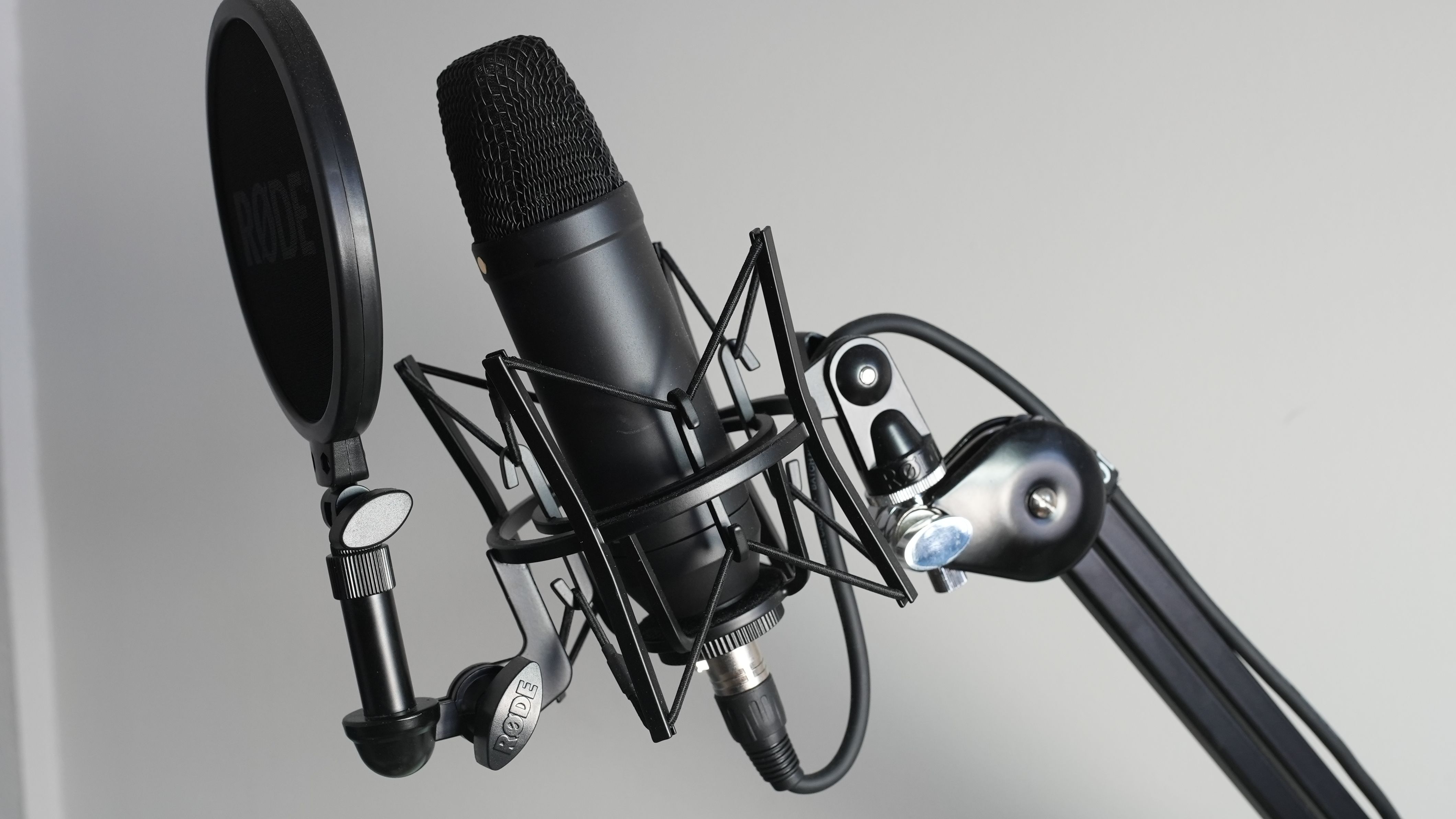
- A pop filter. A few dollars, and it kills the harsh bursts of air on hard P and B sounds that make speech sound amateur. Essential for any condenser mic you talk close to.
- A shock mount. Stops desk bumps and keyboard thuds from traveling up the stand into your recording. Many mics include one.
- A boom arm. Gets the mic to your mouth without crowding your desk and lets you position it correctly, which matters more than the mic model. Worth more than an extra $100 of microphone.
- An audio interface, only if you go XLR. The Focusrite Scarlett series is the standard. Skip it entirely on USB.
Get Pro Audio From Any Mic
The settings matter as much as the gear, and these few habits will make a budget mic sound like a far more expensive one. The single most important is proximity: a cheap mic close to your mouth beats an expensive mic across the room every time, because closeness is what separates your voice from the room. Get the mic six to eight inches away and angled slightly off-axis to avoid breath noise, and most of your audio problems disappear.
From there, set your gain so your voice peaks comfortably below the maximum without clipping, monitor with headphones while you record so you catch problems live instead of in editing, and record a backup track when the stakes are high.
Then avoid the classic mistakes that undo good gear: buying an expensive mic for an untreated room, sitting too far from it, ignoring your levels until export, and over-processing the audio until it sounds robotic. Clean audio recorded right needs almost no fixing.
Pro Tip: before you buy anything, record yourself on whatever you own right now and listen on headphones. Half the time the problem is not your mic, it is your distance and your room, and fixing those two for free tells you exactly how much mic you really need.
Frequently Asked Questions
What microphone do most YouTubers use?
At the larger end, the Shure SM7B is the most common studio mic, with its hybrid sibling the Shure MV7+ close behind for creators who want both USB and XLR. Vloggers and mobile creators mostly use wireless lavaliers like the Rode Wireless GO II and DJI Mic 2. That said, most successful creators bought those mics after they grew, so do not treat a big channel's gear as a requirement for starting.
Are USB microphones good enough for YouTube?
Yes, easily. A good USB mic for YouTube sounds excellent and removes every setup barrier, which is exactly what most creators need. USB is the right choice for the large majority of YouTubers and stays right for years. You only need XLR when you want multiple mics, a specific high-end mic, or a permanent studio you will not outgrow.
What is the best budget microphone for YouTube?
The Fifine AM8 is the best budget pick in 2026 at around $50, a USB and XLR dynamic that rejects room noise and sounds far above its price. The Samson Q2U is a close second near $70 and also offers both connections. If you film on a phone, a wired clip-on lavalier under $30 is the best money you can spend, since getting the mic close to your mouth matters more than the mic itself.
Should I use a lavalier or a shotgun mic?
Use a lavalier if you move around or film interviews, because it keeps the audio close to your mouth wherever you go. Use a shotgun mounted on your camera for sit-down videos and scenes filmed to a single camera, since it captures what is in front and rejects the sides. If you are mostly at a desk, skip both and use a USB mic.
What is the best microphone for YouTube voiceovers?
A dynamic mic like the Shure SM7B or the hybrid MV7+, recorded in a treated space, gives the warm, intimate, room-free sound voiceover and faceless channels rely on. Dynamic mics are forgiving of an untreated room, which makes them more reliable than a sensitive condenser for spoken-word content where your voice is the whole product.
Is a phone microphone good enough to start?
To start, yes. A modern phone records usable audio when it is close to your mouth in a quiet room, and starting beats waiting. Add a cheap wired lavalier to get the capsule onto your shirt and the quality jumps immediately. Upgrade to a dedicated USB or wireless mic once the channel is rolling.
What is the best YouTube microphone under $50?
The Fifine AM8 is the standout under $50 in 2026. It is a USB and XLR dynamic that rejects room noise and sounds far cleaner than its price, which makes it the cheapest mic most creators can use without apology. If you film on a phone, a wired clip-on lavalier under $30 is the better spend, since getting the capsule close to your mouth matters more than the mic.
Is the Blue Yeti still worth it in 2026?
It can be, but only in a quiet, treated room. The Blue Yeti is a sensitive condenser, so in a bare, echoey space it picks up the whole room and sounds worse than a cheap dynamic like the Fifine AM8 or Samson Q2U. If your room echoes, choose a dynamic mic instead. The same caution applies to the Audio-Technica AT2020 and other condensers.
Buy Ears, Not Specs
The best microphone for YouTube was never the one with the longest spec sheet or the highest price. It is the one that suits how you film, sits close to your mouth, and lives in a room that does not fight it. A creator who understands proximity and treats their space will out-sound someone with triple the budget and none of the habits, every time.
So find your row in the quick-answer table, buy the pick that matches it, spend a little on a pop filter and a softer room rather than a fancier capsule, and get the mic close. Do that, and your audio stops being the thing that loses viewers in the first ten seconds and becomes what it should be: the invisible quality that keeps them watching to the end.