YouTube is the second largest search engine in the world, and most creators are treating it like a content dumping ground. They upload, add a few tags, write a rushed description, and wonder why their videos never rank. The problem is not the content. It is the absence of a system.
YouTube search engine optimization has evolved far beyond metadata. The algorithm no longer rewards the channel that stuffs the most keywords into a title. It rewards the channel that holds attention, earns clicks, and satisfies the intent behind every search query. That shift has made the right tool stack the difference between a channel that grows and one that stalls at the same view count for months.
This guide breaks down the five pillars of YouTube video SEO and the specific tools that serve each one. From keyword research to competitor intelligence to the secret CTR stack that most creators overlook entirely, every recommendation in this guide exists to give the algorithm exactly what it needs to push your content to a wider audience.
The New Era of YouTube SEO: Why Keywords Aren't Enough
For years, YouTube SEO meant one thing: stuff your title, description, and tags with as many keywords as possible and hope the algorithm picked you up. That approach is dead. The platform has shifted from rewarding metadata density to rewarding user satisfaction, and the gap between creators who understand that and those who do not is visible in every search result.
Quick Tip: YouTube's algorithm prioritizes 'Key moments for audience retention' as a primary signal for further promotion. Tags are secondary. Titles matter. But what keeps your video ranking is whether people watch it.
The four pillars of modern YouTube video SEO are Keyword Research, Optimization, Competitor Analysis, and CTR Improvement. Each pillar addresses a different layer of how YouTube decides which videos to surface, and weakness in any one of them limits what the other three can achieve.
Tools are what bridge the gap between creative instinct and actionable data. A creator who understands their retention drop-off points, knows which keywords their competitors are ranking for, and can test thumbnail variations against real click data is not guessing. They are operating with a systematic advantage, and that is what this guide is built to give you.
1. The All-in-One Giants: VidIQ vs. TubeBuddy vs. YTGrowth
VidIQ and TubeBuddy have dominated the best SEO tools for YouTube conversation for years, and for good reason. Both tools integrate directly into the YouTube Studio UI, giving creators access to keyword data, competitor insights, and optimization suggestions without leaving the platform. But both were built for a version of YouTube SEO that has evolved significantly, and their limitations are becoming harder to ignore.
VidIQ
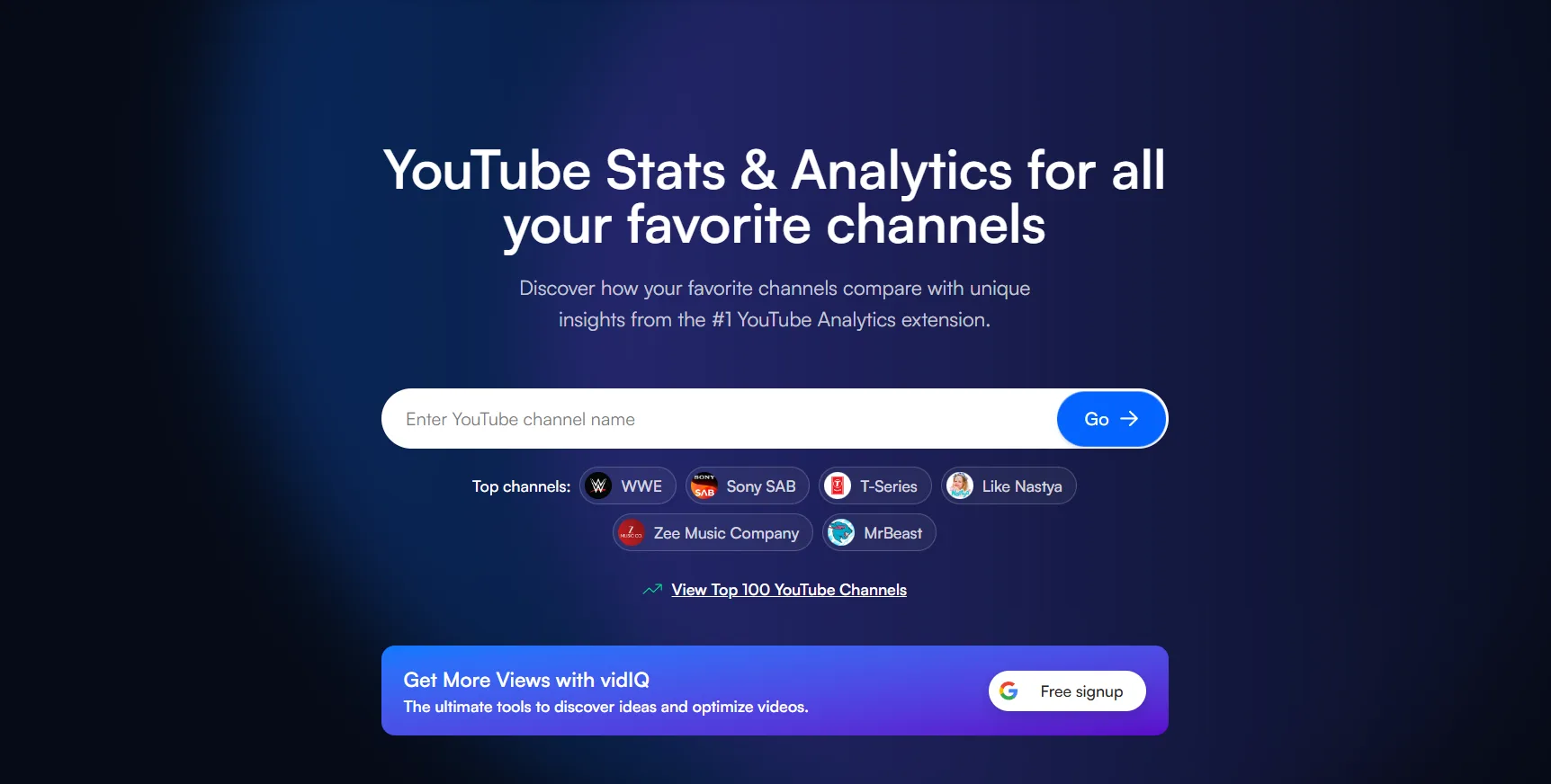
VidIQ's strongest feature is its Velocity metric, which tracks views per hour to identify topics gaining traction in real time. Its VidIQ keyword search functionality surfaces keyword scores that combine search volume and competition into a single actionable number, making it easier to prioritize which terms to target. For the full breakdown of what it costs and where it frustrates people, see the full vidIQ review.
Best for: Creators who want real-time trend data and a broad overview of keyword performance across their niche.
TubeBuddy
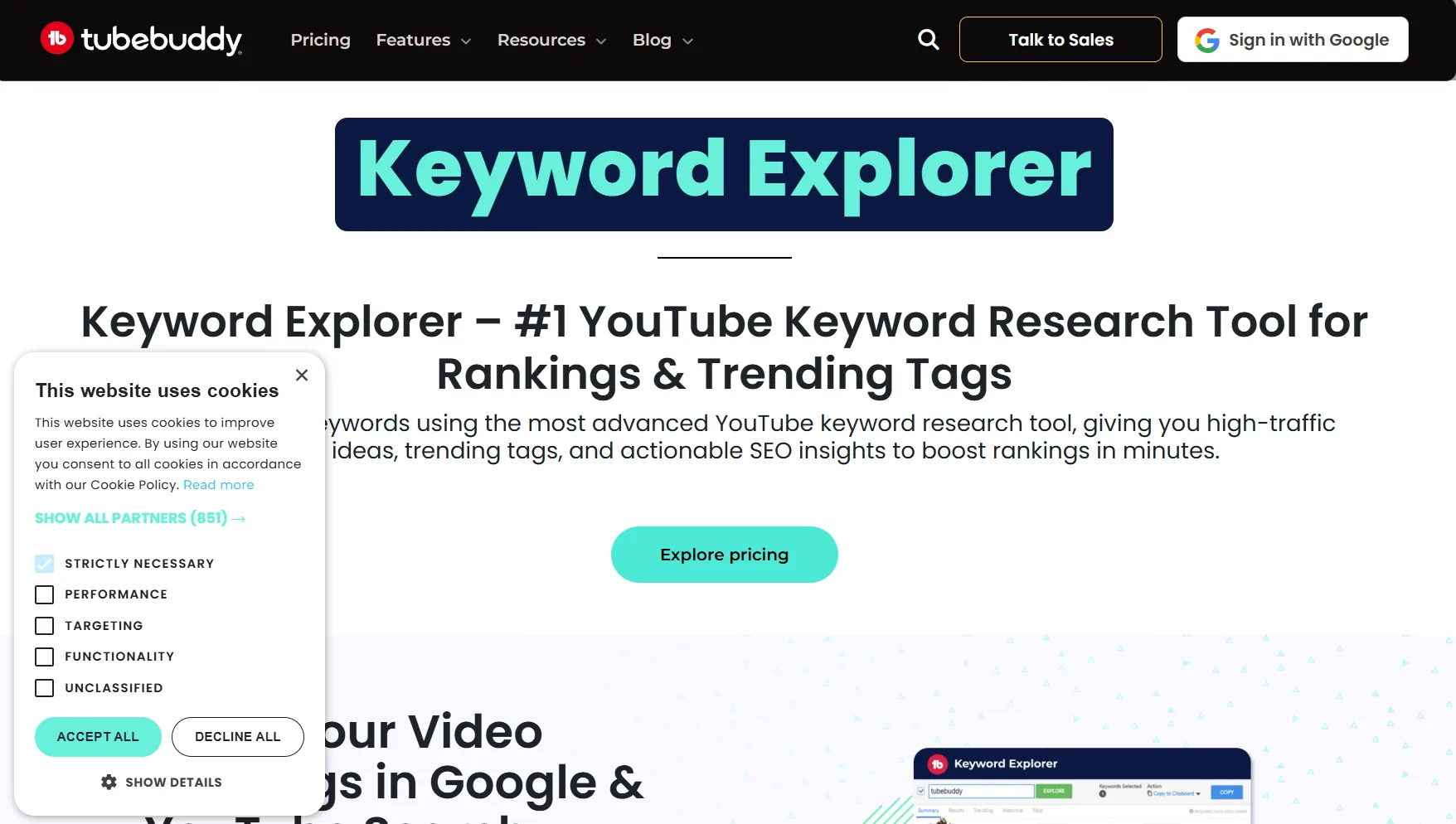
TubeBuddy SEO tools lean heavily toward productivity and testing. Its bulk processing features allow creators to update tags, descriptions, and cards across multiple videos simultaneously. Its Thumbnail A/B Testing tool, available on the Legend plan, is its most powerful differentiator.
TubeBuddy's Legend plan Thumbnail A/B Testing can increase CTR by up to 40% through iterative design.
Best for: Established creators managing large video libraries who need workflow efficiency and CTR testing at scale.
YTGrowth
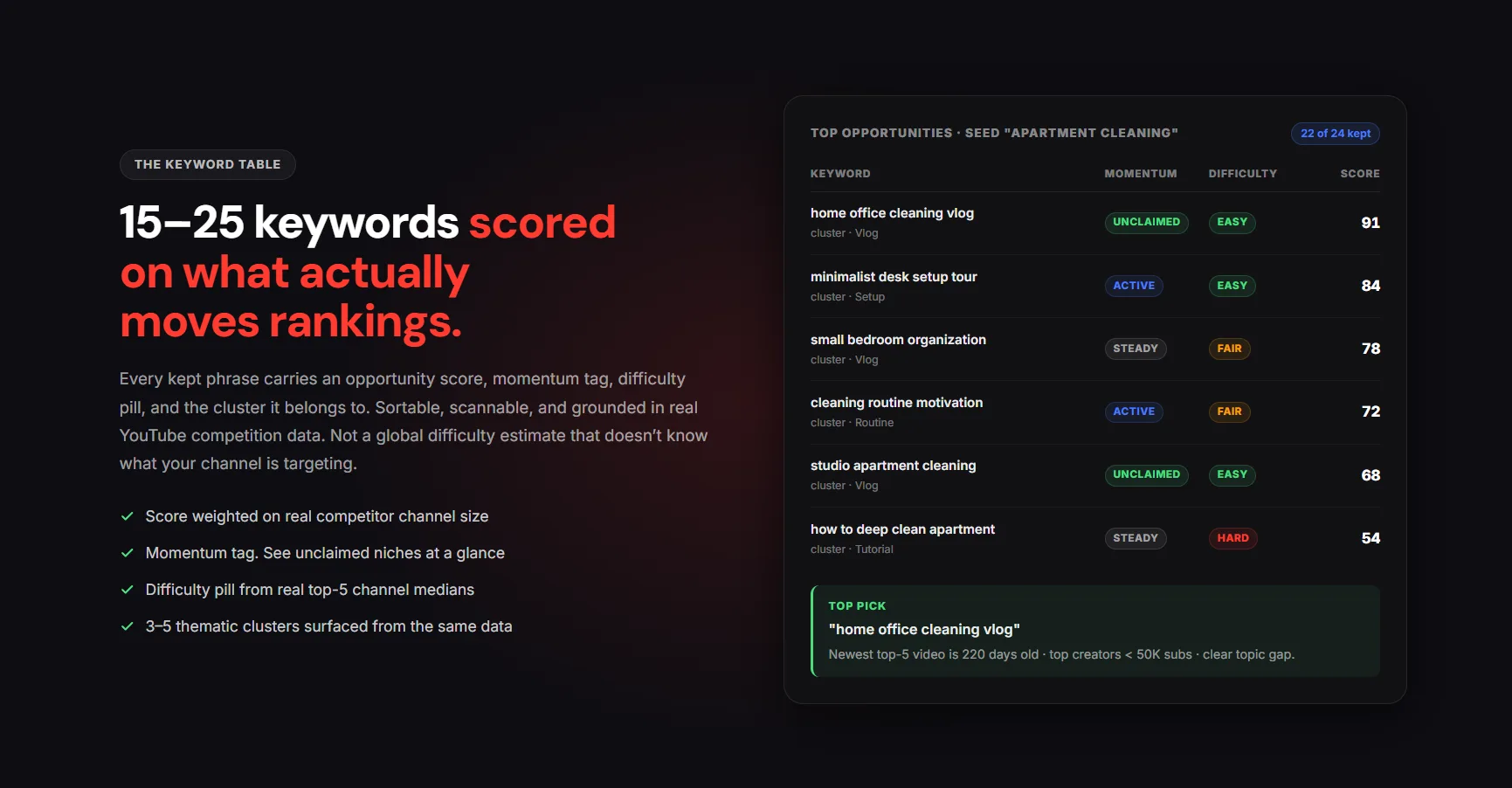
VidIQ and TubeBuddy give you data and leave you to figure out the rest. YTGrowth was built to close that gap entirely. Every feature on the platform is designed to convert raw YouTube data into decisions a creator can act on immediately.
The Keyword Explorer does not just show search volume. It filters keywords by intent and builds topic clusters, so you are not just targeting individual terms but owning entire subject areas the algorithm associates with your channel.
Competitor Analysis goes beyond surface metrics. It reverse-engineers the strategy behind every top-performing video in your niche, showing you exactly what is working and why, before you spend a single hour of production time.
Thumbnail IQ applies computer vision to score your designs against proven CTR principles before you publish, removing the guesswork from the most important click decision a viewer makes.
Best for: Creators who want focused growth intelligence rather than a broad dashboard of metrics to interpret on their own.
Run all four pillars from one platformKeyword Explorer, Competitor Analysis, SEO Studio, Thumbnail IQ. Pull a real audit of your channel in 30 seconds. Free to start.Try YTGrowth free →2. Precision Keyword Research: Finding the 'Low-Hanging Fruit'
The biggest mistake creators make with YouTube keyword research tool selection is using web SEO tools to make YouTube decisions. A keyword that ranks well on Google does not automatically have search volume on YouTube. The two platforms serve different intent, and your research workflow needs to reflect that distinction.
Google Trends
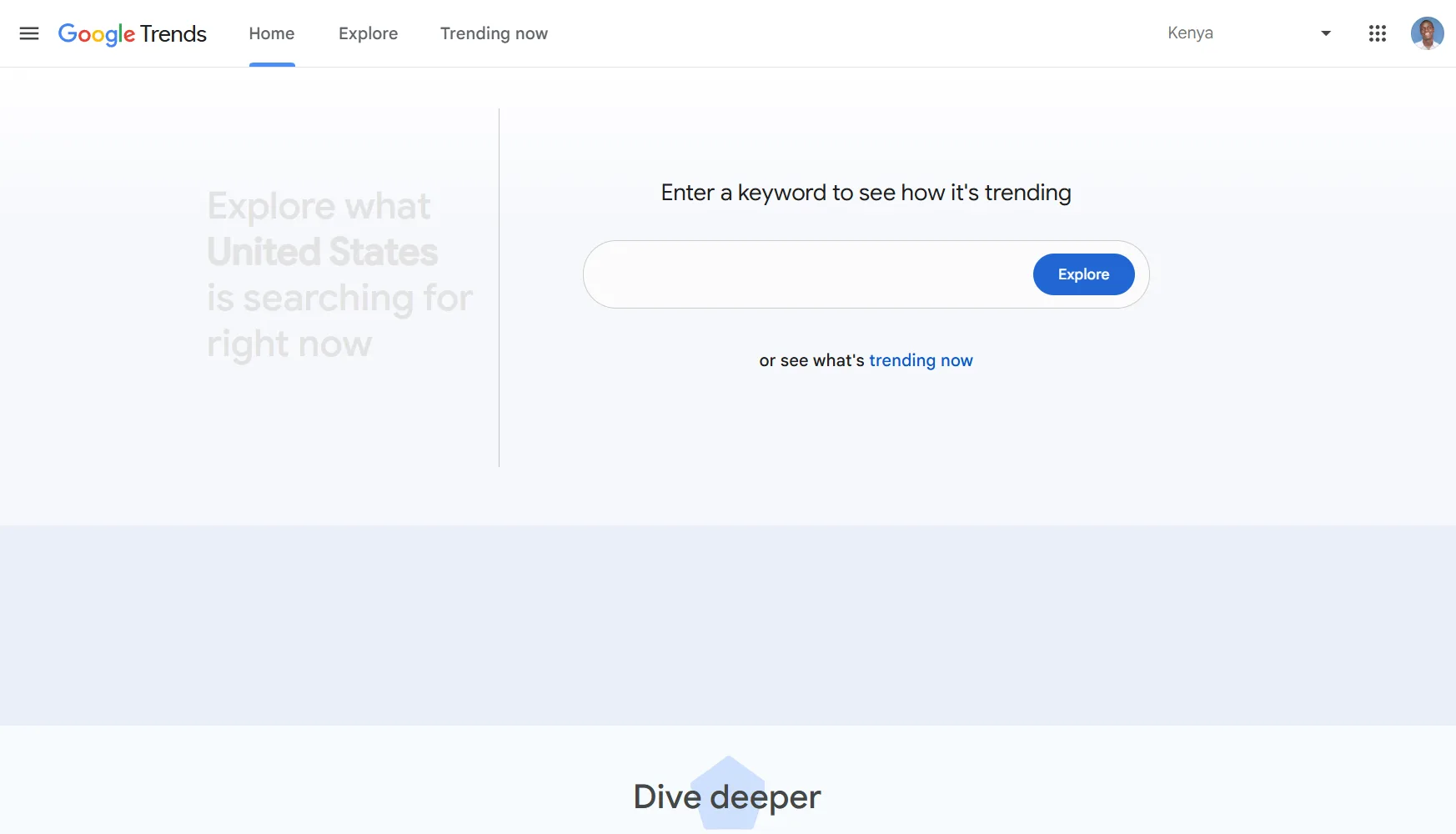
Google Trends is free, widely available, and significantly underused by most creators. The key is toggling from 'Web Search' to 'YouTube Search' inside the platform, which gives you platform-specific demand data rather than general web interest.
Google Trends allows users to toggle specifically between 'Web Search' and 'YouTube Search' to see platform-specific demand, making it one of the most accurate free validation tools available.
How to use it: Enter your target topic, switch the filter to YouTube Search, and look for consistent or rising interest over a 12-month window. Seasonal spikes tell you when to publish. Flat lines tell you what to avoid.
Ahrefs YouTube Keyword Tool
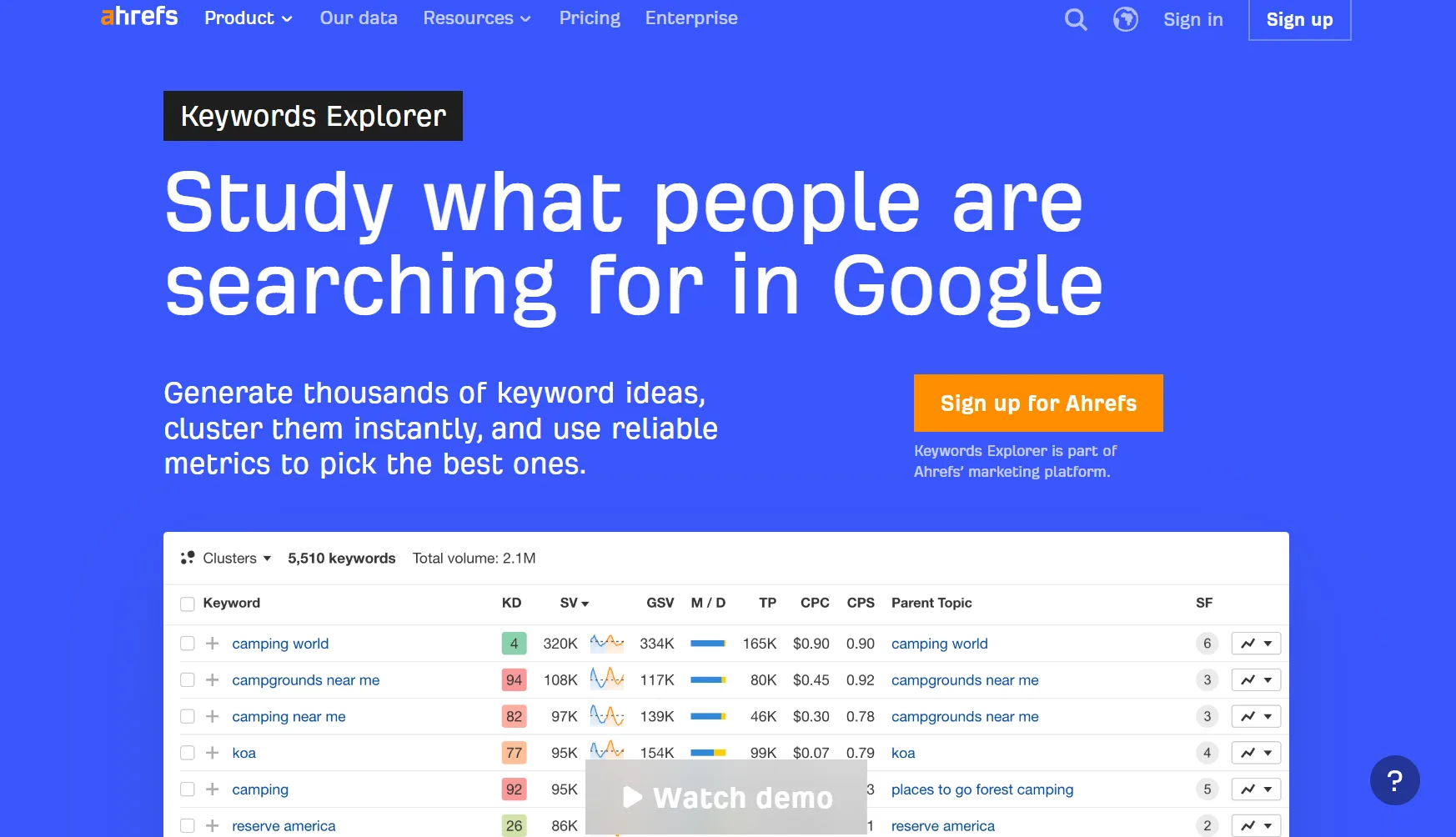
Ahrefs provides hard search volume data and keyword difficulty scores specifically for YouTube, making it one of the most reliable paid options for creators who want precision over estimation. It removes the guesswork from targeting by showing you exactly how competitive a keyword is before you build a video around it.
How to use it: Filter by keyword difficulty below 20 and search volume above 1,000. These are your low-hanging fruit opportunities, terms with real demand and limited competition from established channels.
KeywordTool.io
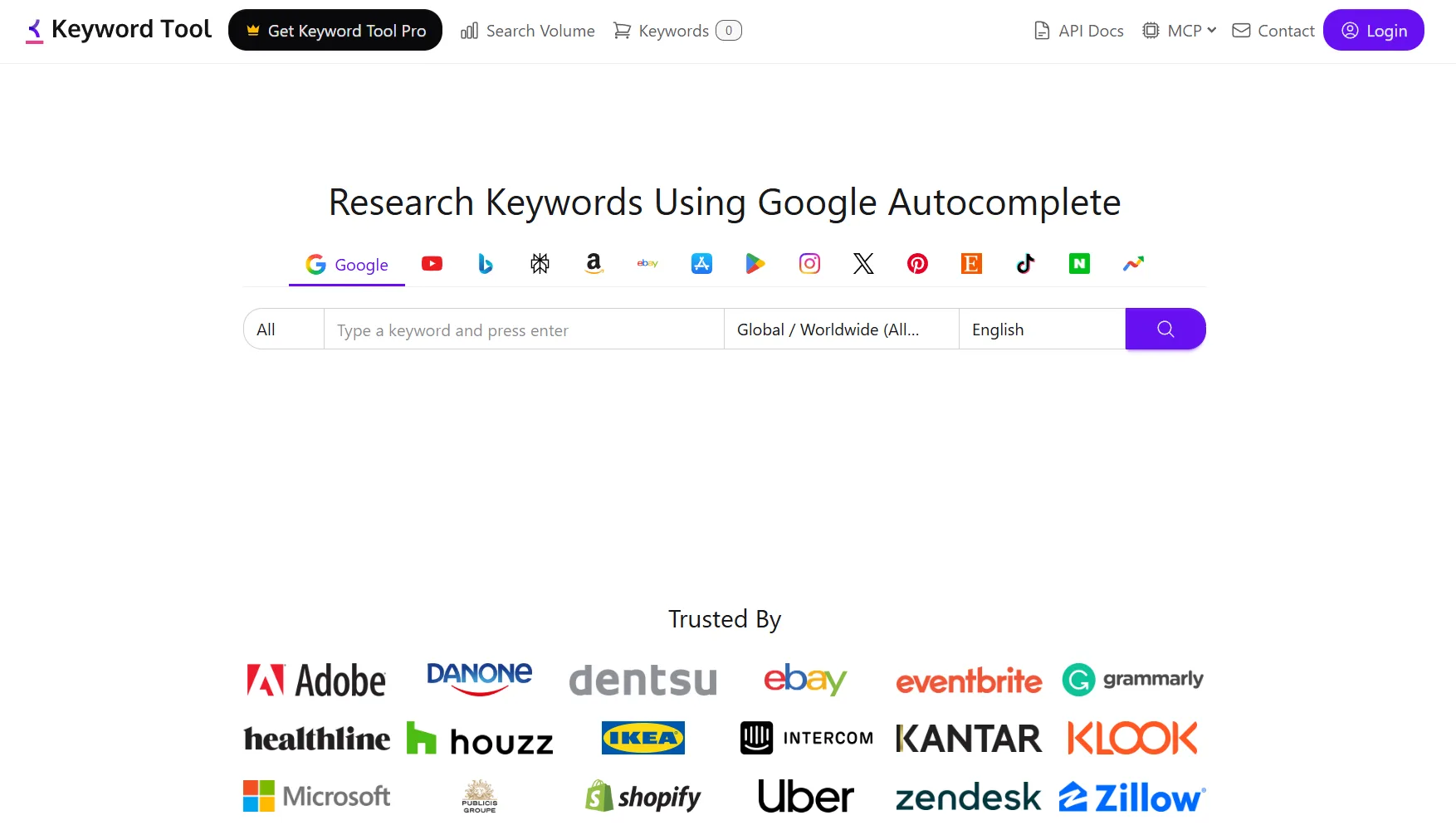
KeywordTool.io mines YouTube's autocomplete data to surface long-tail keyword variations that most creators miss entirely. These are the phrases real people type into the search bar, and targeting them gives you access to highly specific intent that broader keywords cannot capture.
How to use it: Enter your seed keyword, select YouTube as the platform, and export the full autocomplete list. Filter for phrases that match your content angle and cross-reference volume in Ahrefs before committing to a title.
The SEO tools for YouTube workflow that works is not about picking one tool. It is about using each one at the right stage of your research process, from trend validation to volume confirmation to long-tail discovery.
3. Competitor Intelligence: Learning From the Leaders
The fastest way to grow a YouTube channel is to study what is already working in your niche and build on it deliberately. Competitor intelligence is not about copying. It is about identifying the content gaps, keyword opportunities, and audience triggers that top channels have already validated, so you are not starting from zero every time you plan a video.
Most creators approach competitor research by watching a few videos and making assumptions. That is guesswork dressed up as strategy. The channels that grow consistently are pulling real data, studying title patterns, upload cadences, engagement ratios, and the specific topics that caused subscriber spikes, then using that information to make production decisions before a single frame is filmed.
YTGrowth's Competitor Analysis gives you that data instantly. Enter any competitor's channel URL and the platform pulls their last 30 videos, maps their growth patterns, and shows you exactly when and why their subscriber count moved.
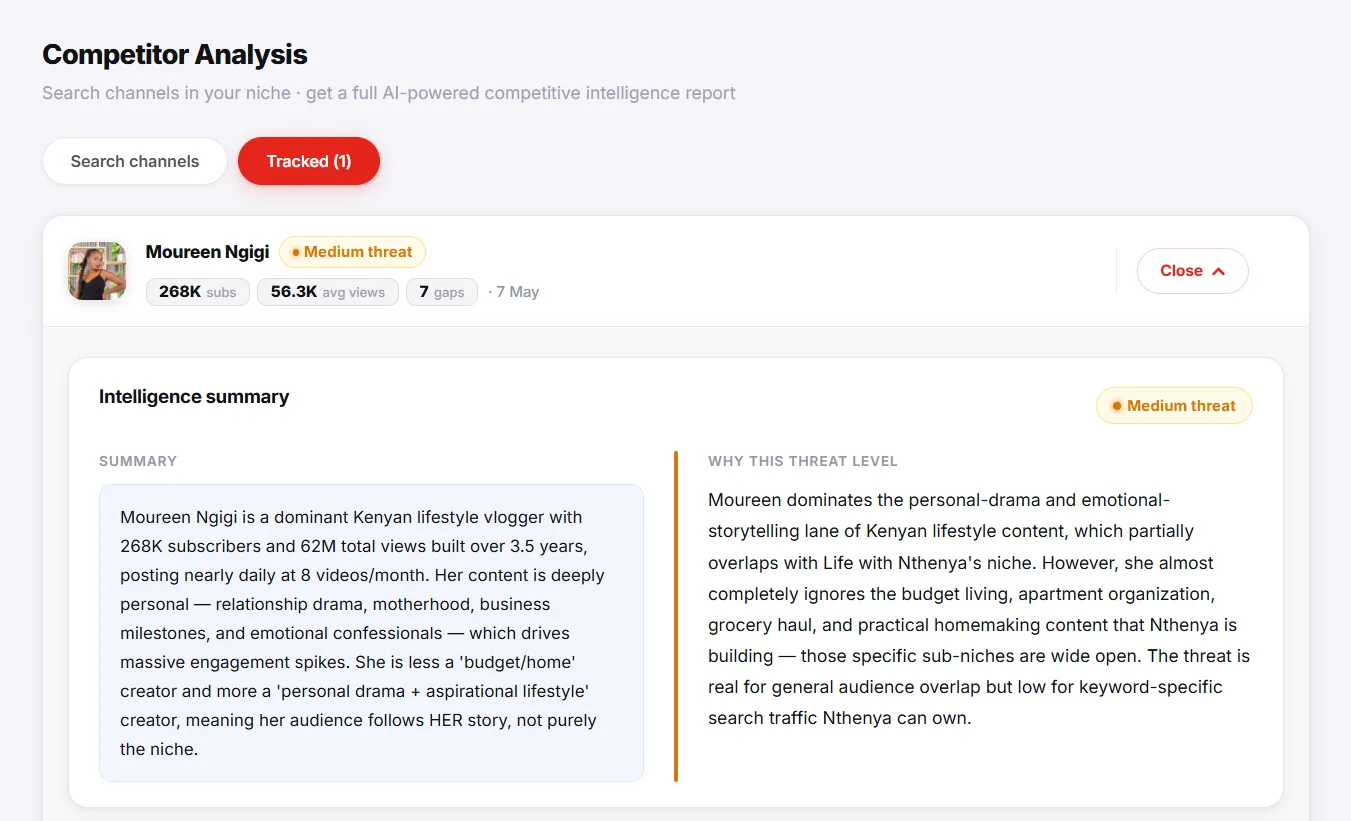
Pro Tip: The real output is the content gap report. YTGrowth surfaces the topics your competitor's audience wants but they have never covered, and delivers them as ready-to-use video titles with target keywords attached.
Tag Extractors add another layer by revealing the hidden metadata behind any top-ranking video, showing how high-performing content is categorized and discovered. Most creators never access this data, which means the ones who do carry a structural advantage in how they plan and position every upload.
4. The 'Secret' SEO Stack: AI and Visual Psychology
Most creators think of SEO AI tools for YouTube as keyword generators and nothing more. The reality is that the most powerful SEO signals on YouTube, CTR and retention, are influenced more by design and AI-assisted content structure than by any metadata field. This is the layer of optimization that most creators never reach, and it is where the biggest gains are hiding.
AI: Title Generation and Content Structure
A title written on instinct is a guess. A title selected from 15 AI-generated variations, each tested against different emotional triggers and search intents, is a data-informed decision. Claude and ChatGPT are now standard tools for serious creators, used to generate title variations, rewrite descriptions around target keywords, and summarize video transcripts into SEO-friendly Chapter timestamps.
Generic AI tools work, but they are not optimized for YouTube's specific ranking signals. YTGrowth's SEO Studio scores every title against the actual click-through rates of top-ranking videos in your niche so you are not just generating "good copy," you are generating titles validated against the algorithm that decides who wins the impression.
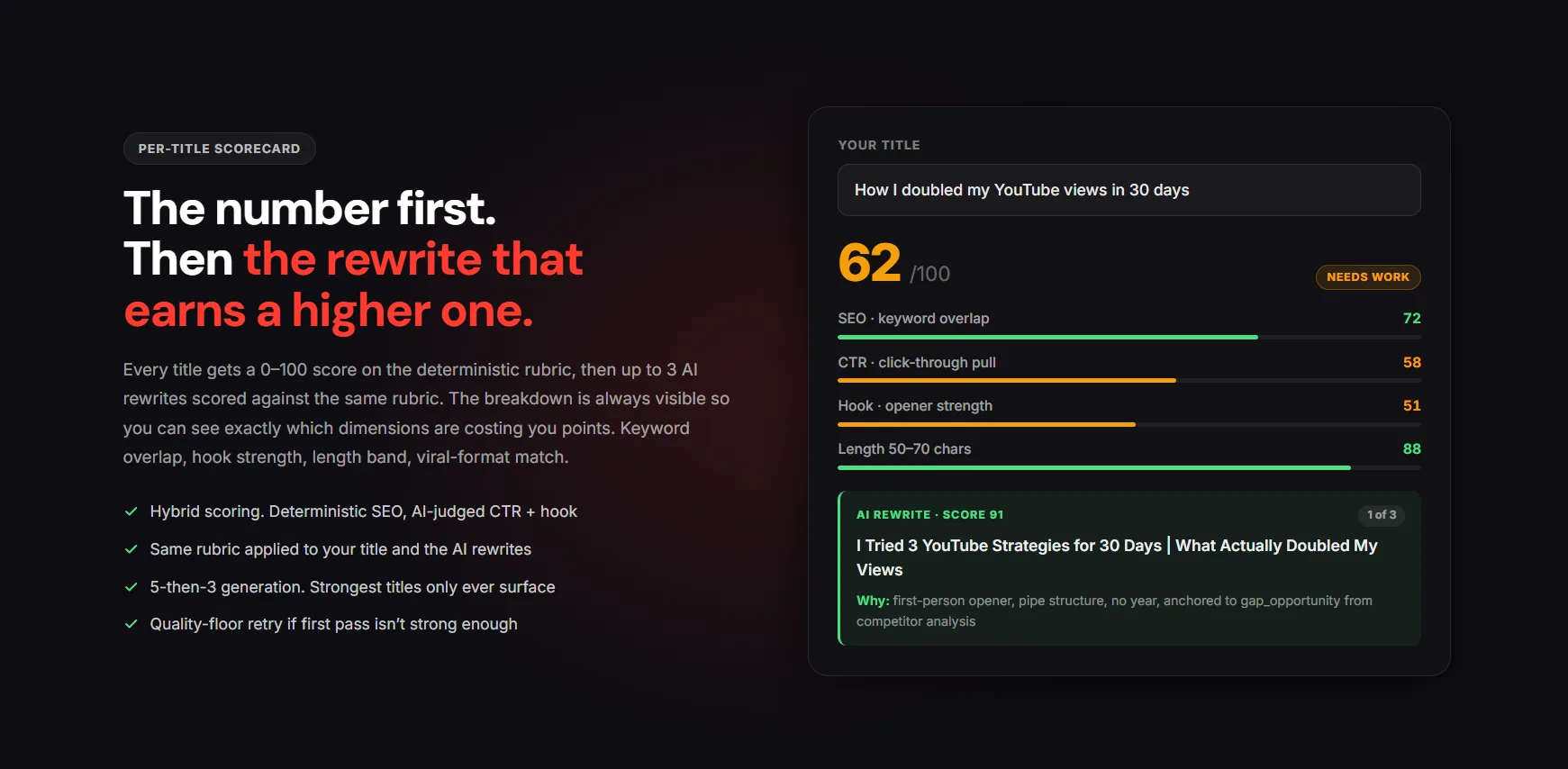
What this looks like in practice:
- Generate 15 or more title variations per video and select the highest-intent option.
- Rewrite descriptions using target keyword clusters rather than casual summaries.
- Summarize transcripts into structured Chapters for Google SERP visibility.
Video Chapters appear directly in Google Search results, expanding the real estate your video occupies on the SERP and increasing the likelihood of a click from outside YouTube entirely.
Design: Thumbnail Psychology
Thumbnails are technically an SEO asset because CTR is a primary ranking signal. A weak thumbnail kills a well-optimized video before a single person clicks. Canva is the standard tool for building high-contrast, high-CTR designs that stop the scroll, and the same principles apply whether you are optimizing for long-form or SEO tools for YouTube Shorts.
The catch: design alone tells you nothing about how the thumbnail will perform against the videos competing for the same impression. YTGrowth's Thumbnail IQ scores your thumbnail against the top-ranking videos in your niche using both algorithmic signals (contrast, face presence, text density) and AI vision analysis so you know whether your design is competitive before you upload, not after the CTR data comes in three days later.
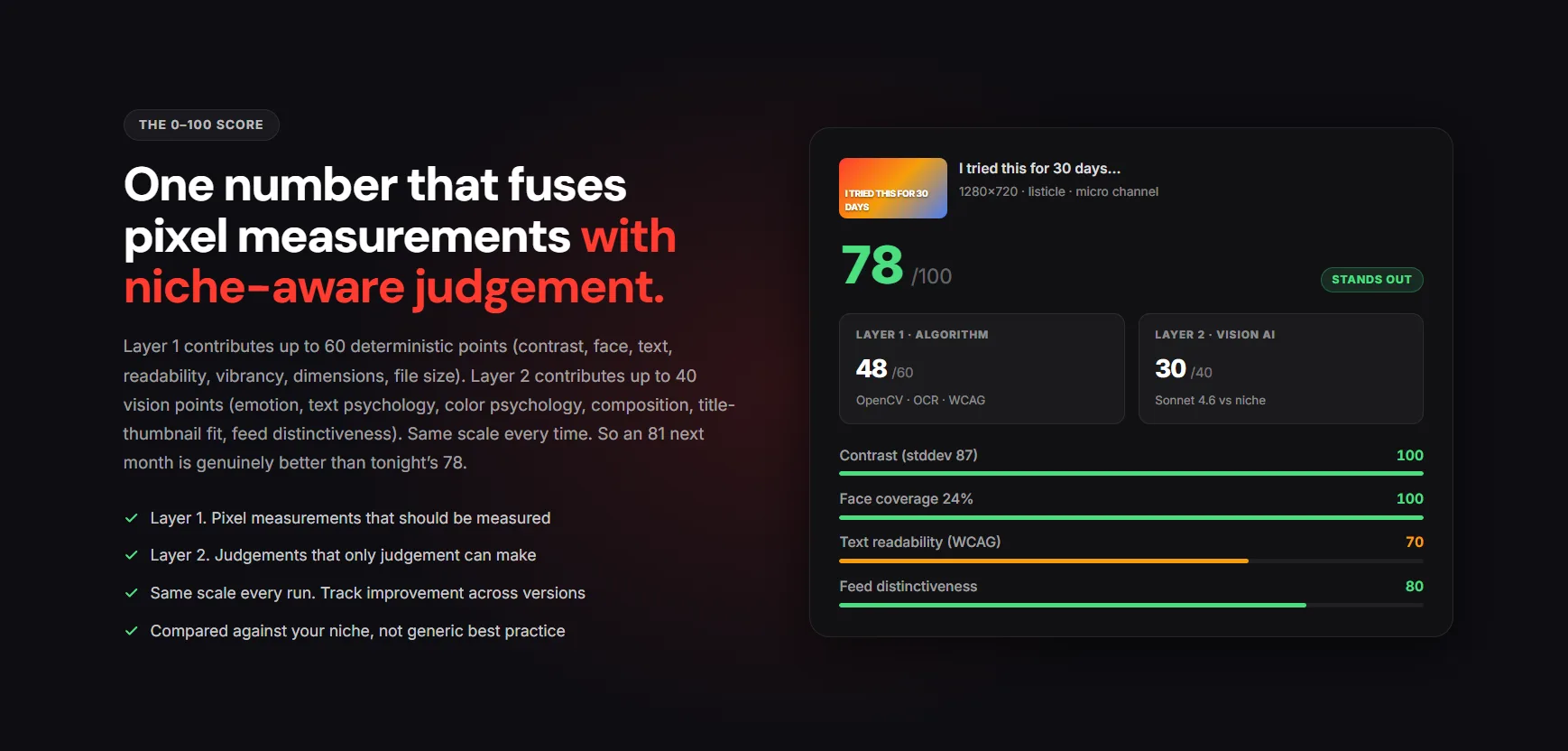
Use these design rules to start, then validate with a score:
- Use Blue/Orange or Yellow/Black contrast pairings for maximum feed visibility.
- Keep text to three words or fewer.
- Create a visual question the title alone cannot answer.
The shift here is from "I think this thumbnail looks good" to "this thumbnail outperforms 78% of the top videos in this niche on the metrics that drive clicks." That is the difference between guessing and ranking. The 2026 SEO blueprint goes deep on the specific 6% CTR benchmark that flips the algorithm into Suggested distribution.
Captions: Accessibility and Indexability
Rev and Otter.ai generate high-accuracy SRT caption files that YouTube's algorithm can index in full. Auto-generated captions contain errors that reduce indexability. Clean SRT files give the algorithm a complete, accurate transcript to crawl, which strengthens keyword association and improves discoverability across both YouTube and Google Search.
- Upload SRT files manually rather than relying on auto-captions.
- Ensure captions are timestamped accurately to support Chapter generation.
- Clean transcripts also improve accessibility, expanding your potential audience.
5. The Ultimate Tool: Mastering Native YouTube Analytics
Every tool in this guide costs money at some level. The most important one is completely free and already sitting inside your YouTube Studio dashboard. Native YouTube Analytics gives you direct access to the behavioral data the algorithm uses to make promotion decisions, and most creators scroll past it without understanding what they are looking at.
If you outgrow Studio and need competitor or cross-channel data, our YouTube analytics tools roundup compares the dedicated options.
The 30-second mark is the single most important data point in your entire YouTube video SEO strategy. If audience retention drops sharply in the first half-minute, YouTube's algorithm stops recommending that video regardless of how well the title and description are optimized. A perfectly keyworded video with a weak hook is invisible. The retention curve does not lie, and checking it after every upload should be non-negotiable.
Pro Tip: If audience retention drops significantly in the first 30 seconds, YouTube's algorithm will stop recommending the video regardless of keyword optimization.
The 'How Viewers Find Your Video' report is where keyword strategy gets refined. It shows you exactly which search terms are driving traffic to each video, which ones are underperforming, and where there are gaps between the keywords you targeted and the ones delivering views. That data directly informs your next round of title and description decisions.
Retention dips tell you where your script structure is breaking down. A consistent drop at the two-minute mark across multiple videos means something in your content structure is losing people at the same point every time. Identifying that pattern and fixing it in your next script is worth more than any external YouTube search engine optimization tool you could purchase. The retention engineering blueprint walks through the 15-second hook structure that prevents most early drop-offs.
Conclusion: Building Your 48-Hour Optimization Workflow
Every tool in this guide serves a specific role. Put them together in the right order and you have a repeatable system that compounds over time.
- Research. Google Trends and YTGrowth Keyword Explorer to find low-competition, high-volume opportunities.
- Optimize. AI title generation and YTGrowth SEO Studio to build intent-driven metadata.
- Design. Canva and YTGrowth Thumbnail IQ to create and score high-CTR visuals before publishing.
- Review. Native YouTube Analytics to identify retention drop-offs and refine your next upload.
The creators who win on YouTube are not the most talented ones in their niche. They are the most systematic. Consistency plus data equals growth, and now you have both.