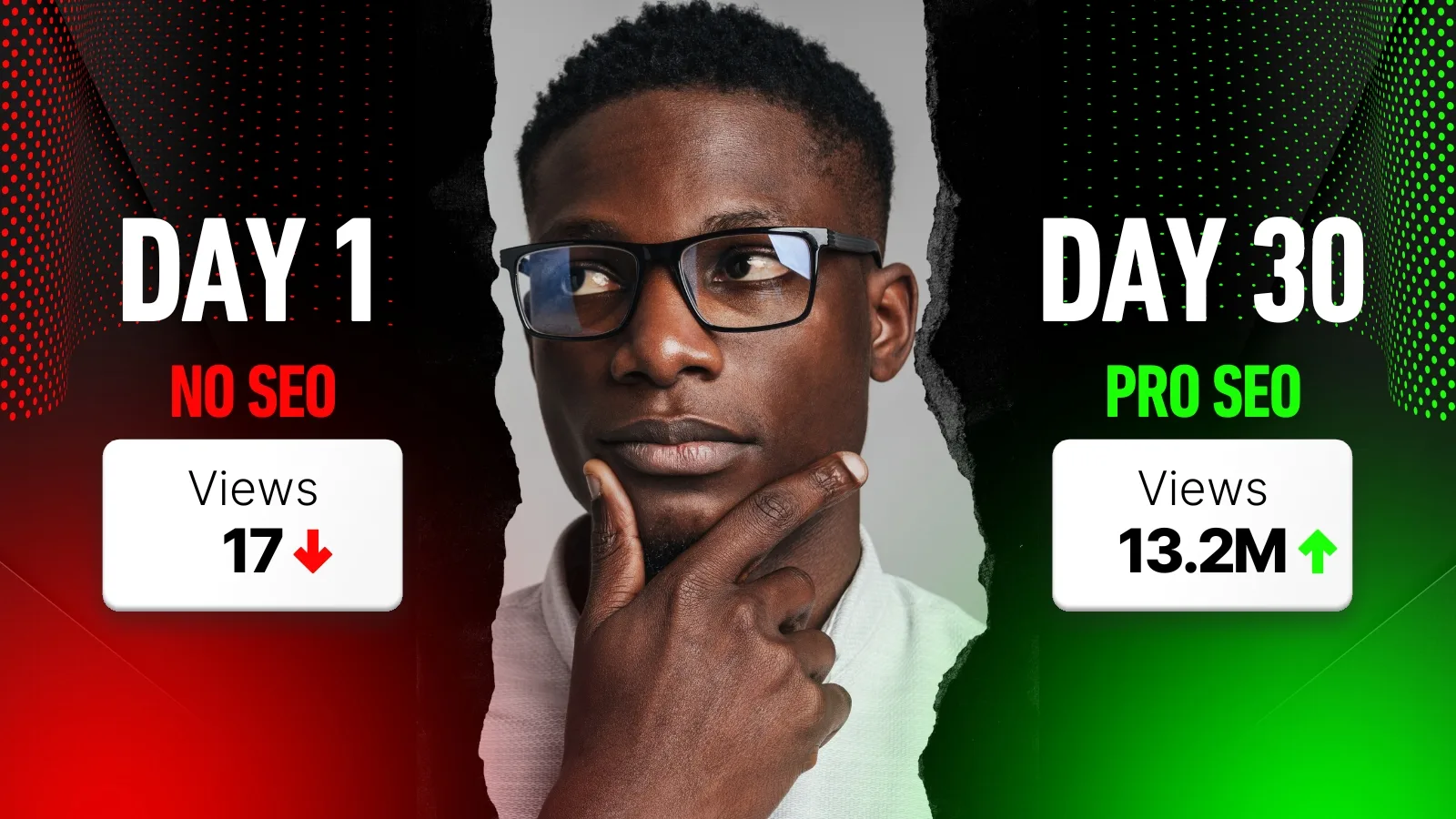
The algorithm does not care how long you spent editing your video. It does not reward production quality, upload frequency, or the number of tags you stuffed into the metadata box. It rewards one thing: viewer behavior. How many people clicked, how long they stayed, and whether they went on to watch something else on the platform afterward.
The creators breaking through the 'Suggested Video' ceiling are not the ones with the most polished content. They are the ones who have engineered their videos to hit two specific benchmarks: a CTR above 6% and an Average View Duration above 50%. Cross both thresholds and YouTube's algorithm starts distributing your content through Browse and Suggested features, channels that no keyword strategy alone can unlock.
This guide is a technical blueprint for getting there. Every step covers a different layer of what modern YouTube SEO best practices demand, from retention engineering to metadata structure to engagement signals, built around one core YouTube SEO strategy: satisfy the viewer so completely that the algorithm has no choice but to promote your content.
The Retention-First Era: Why CTR and Watch Time Now Outrank Every Keyword
Keywords tell YouTube what your video is about. CTR and retention tell YouTube whether your video is worth watching. In 2026, the second signal carries significantly more weight than the first, and the creators who have not made that mental shift are optimizing for a version of the algorithm that no longer exists. If the relevance side of that pairing is new to you, our complete YouTube SEO primer walks through the metadata layer first.
The two-pillar system that drives YouTube SEO ranking today is straightforward: CTR determines how many people choose to watch, and Audience Retention determines how much of it they consume. Neither pillar works without the other. A high CTR with poor retention tells the algorithm your thumbnail is overpromised. Strong retention with a low CTR means your content is good but invisible. Both numbers need to be healthy simultaneously.
Pro Tip: If your CTR exceeds 6% and your Average View Duration surpasses 50%, YouTube will begin pushing your video to Suggested and Browse features automatically.
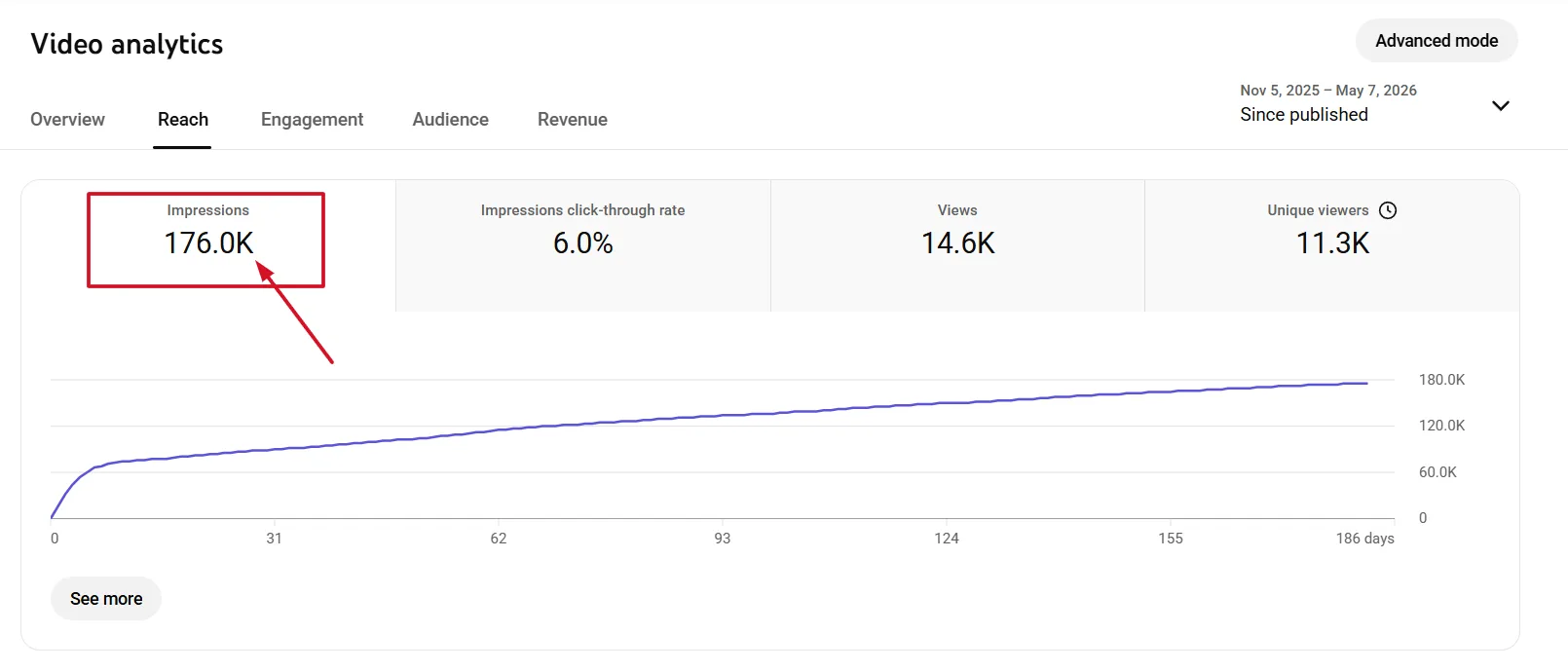
Session Watch Time adds a third dimension that most creators overlook entirely. YouTube does not just want viewers to watch your video. It wants them to stay on the platform afterward, moving from your content to the next video in their session. Channels that contribute to longer platform sessions get rewarded with broader distribution, which is why linking to playlists and using End Screens strategically is an SEO decision, not just a retention one.
| 2015 YouTube SEO | 2026 YouTube SEO |
|---|---|
| Keyword stuffing in tags | Intent-driven title and description |
| Metadata quantity | Viewer satisfaction metrics |
| Upload frequency | Retention rate and session time |
| Tag matching | CTR and AVD benchmarks |
The cross-platform opportunity makes this even more valuable. Videos that hit the retention benchmarks also tend to rank in Google Search, appearing in Video Results and Key Moments features that extend your reach well beyond the YouTube platform itself.
Step 1: Conduct High-Intent Keyword Research
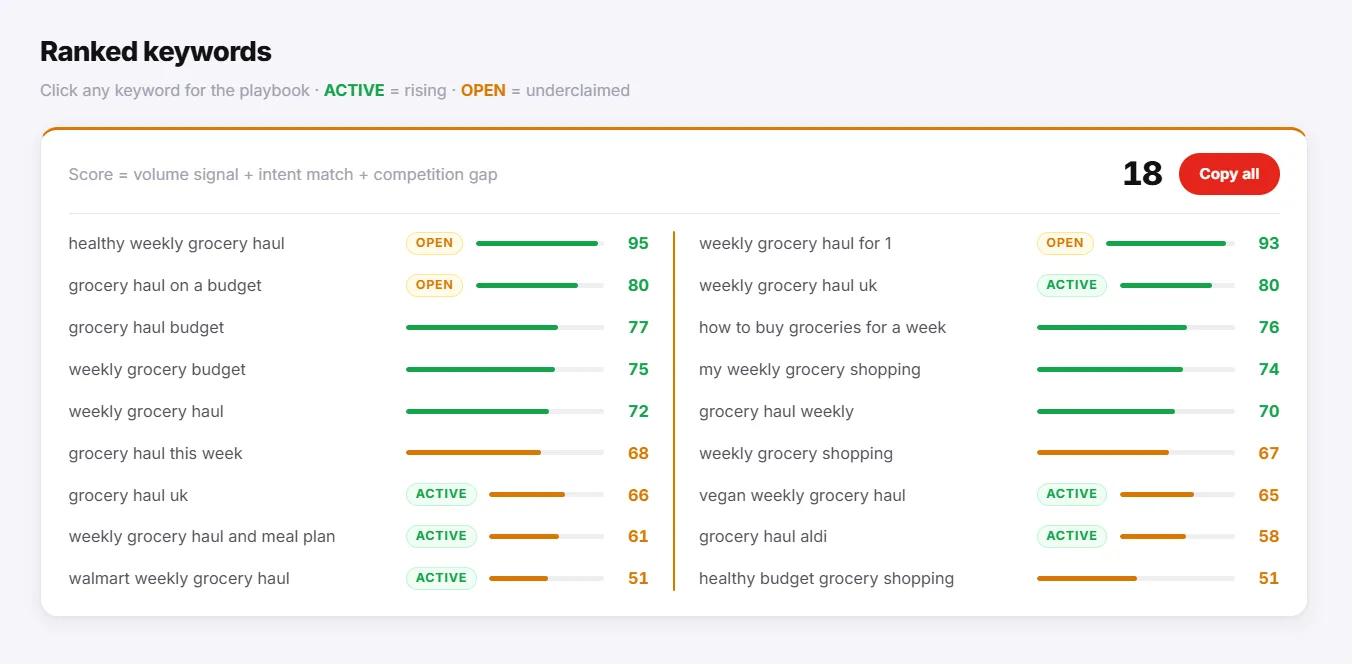
Not all keywords are equal on YouTube. A term with high search volume on Google does not automatically carry the same demand on YouTube, and targeting the wrong platform's data is one of the most common reasons well-produced videos never find an audience. The goal is to find keywords with genuine video intent, terms that people are actively searching for on YouTube and that Google itself recognizes as deserving a video result.
Autocomplete
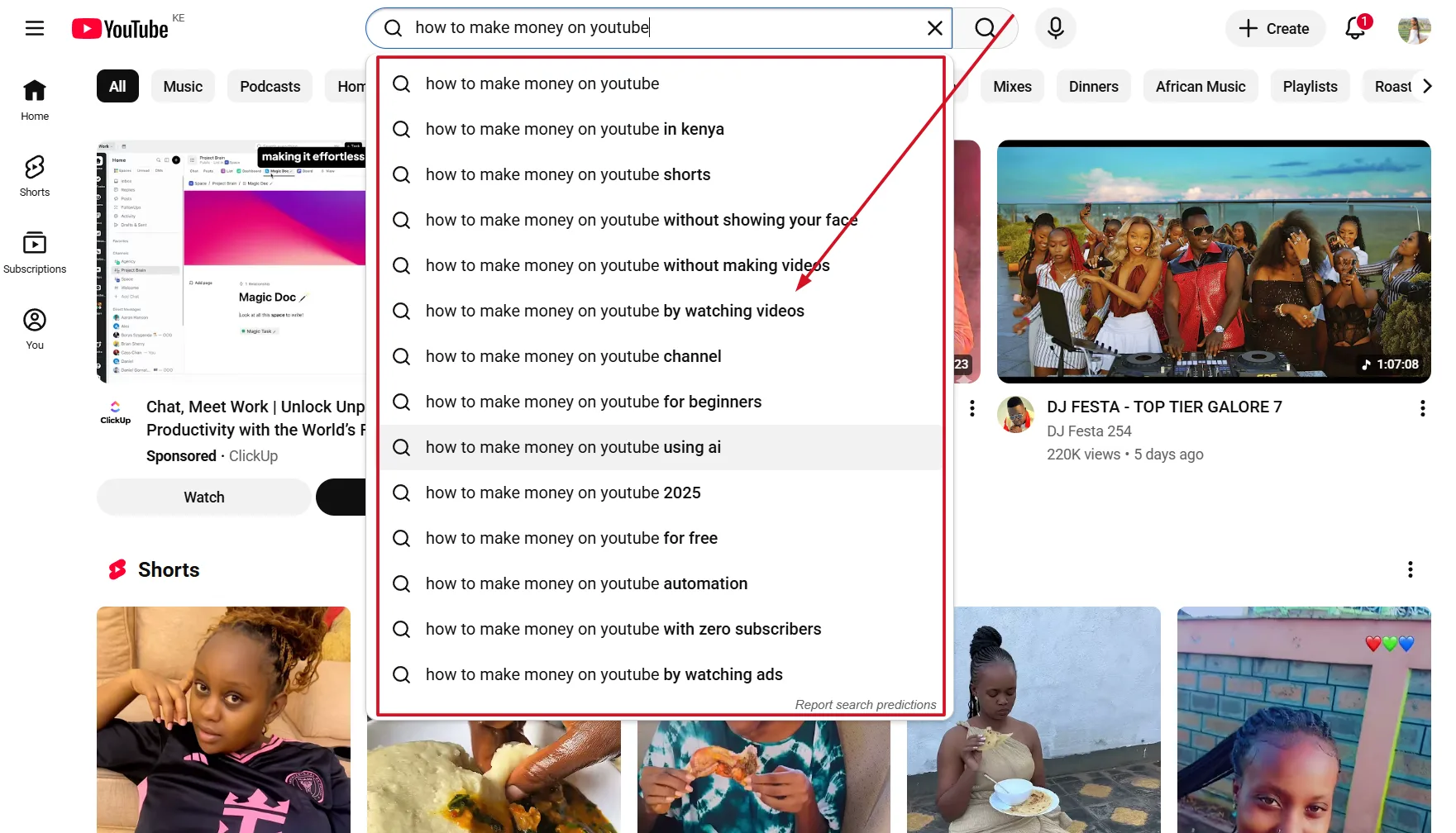
YouTube's search bar is the most accurate real-time data source available for free. Start typing your target topic and the autocomplete suggestions that appear are pulled directly from actual user queries. These are not estimated terms. They are what real people are typing right now, which makes them the highest-confidence starting point for any YouTube video SEO best practices keyword workflow.
Competitor Research
Sort any competitor's channel by 'Most Popular' and study the videos driving their highest view counts. These are evergreen topics with proven audience demand in your niche. Cross-reference the titles against YTGrowth's Keyword Explorer to identify the search terms behind their top performers, then build your own angle around the same demand. Competitor Analysis automates the same workflow end-to-end if you want to skip the manual sort.
Google Video Results
Search your topic on Google. If Video results appear on the first page, that keyword is a high-priority target for cross-platform traffic.
This is the clearest signal that a keyword carries video intent on both platforms simultaneously. Ranking for these terms means your video appears in YouTube Search and Google Search, doubling your distribution without any additional effort.
Tool Recommendation: YTGrowth's Keyword Explorer filters by search intent and builds topic clusters around your seed keyword, surfacing the low-competition, high-volume opportunities that standard research methods consistently miss. The 5-pillar tool stack compares it against VidIQ, TubeBuddy, Ahrefs, and the rest if you want the side-by-side.
Step 2: Optimize Metadata for Crawlers and Humans
Metadata is the context layer that tells YouTube's crawler what your video is about before a single person watches it. Getting it right does not guarantee ranking, but getting it wrong guarantees you will not rank regardless of how good the content is. Every element needs to serve two audiences simultaneously: the algorithm that indexes it and the human who decides whether to click.
| Element | Best Practice |
|---|---|
| Title | Primary keyword in the first 3 words, under 60 characters total |
| Description (first 2 lines) | Hook sentence with primary keyword before the 'Show More' cutoff |
| Description (body) | 200 or more words, LSI-rich, natural keyword integration |
| Tags | Start with exact match keyword, then broad category terms |
| File name | Renamed to target keyword before upload |
Follow these steps in order before every upload:
- Place your primary keyword at the very beginning of your title, within the first three words where possible, and keep the full title under 60 characters.
- Write the first two lines of your description as a standalone hook. These lines appear before the 'Show More' cutoff and are the only description text most viewers will read.
- Write a minimum of 200 words in the description body using LSI keywords that naturally relate to your primary term.
- Build your tag list starting with the exact match keyword, then move outward to broader category terms and related phrases.
Pro Tip: Rename your raw video file to your target keyword before uploading, for example how-to-grow-youtube-channel.mp4. This is one of the most overlooked YouTube title and description best practices signals available, and it costs nothing but thirty seconds of your time before every upload.
The YouTube optimization best practices that separate ranking videos from buried ones are rarely dramatic. They are the sum of small technical decisions made consistently across every upload, and metadata discipline is where that consistency starts. SEO Studio automates the title, description, and tag pass against the live niche if you would rather skip the manual checklist.
Score every title against the live YouTube nicheSEO Studio runs the 6-dimension rubric, generates 3 AI rewrites, and pushes the winner back to YouTube with one click. Free to try.Try SEO Studio →Step 3: Engineer High-CTR Visuals
A video that never gets clicked never gets watched, and a video that never gets watched never ranks. CTR is the first gate every piece of content has to pass through, and thumbnails are the primary driver of whether that gate opens. Before a viewer reads your title, they have already made a subconscious decision about your thumbnail, which means design is not a creative afterthought. It is a core part of your YouTube SEO strategy.
Thumbnail design principles to follow on every upload:
- Use high-contrast color pairings like Yellow, Red, and Blue to stand out against both YouTube's light and dark mode interfaces.
- Apply the Rule of Thirds when composing your thumbnail, placing the focal point off-center to create visual tension that draws the eye.
- Use close-up faces with clear, exaggerated emotions. Human faces trigger instinctive attention responses faster than any graphic element.
- Keep text to three words or fewer and test legibility at small scales. Most viewers encounter thumbnails at mobile size first.
- Maintain consistent brand elements across every thumbnail so returning viewers recognize your content instantly in a crowded feed.
Emotional triggers like close-up faces or 'Before vs. After' compositions drive clicks through psychological curiosity, creating an open loop in the viewer's mind that only the video can close.
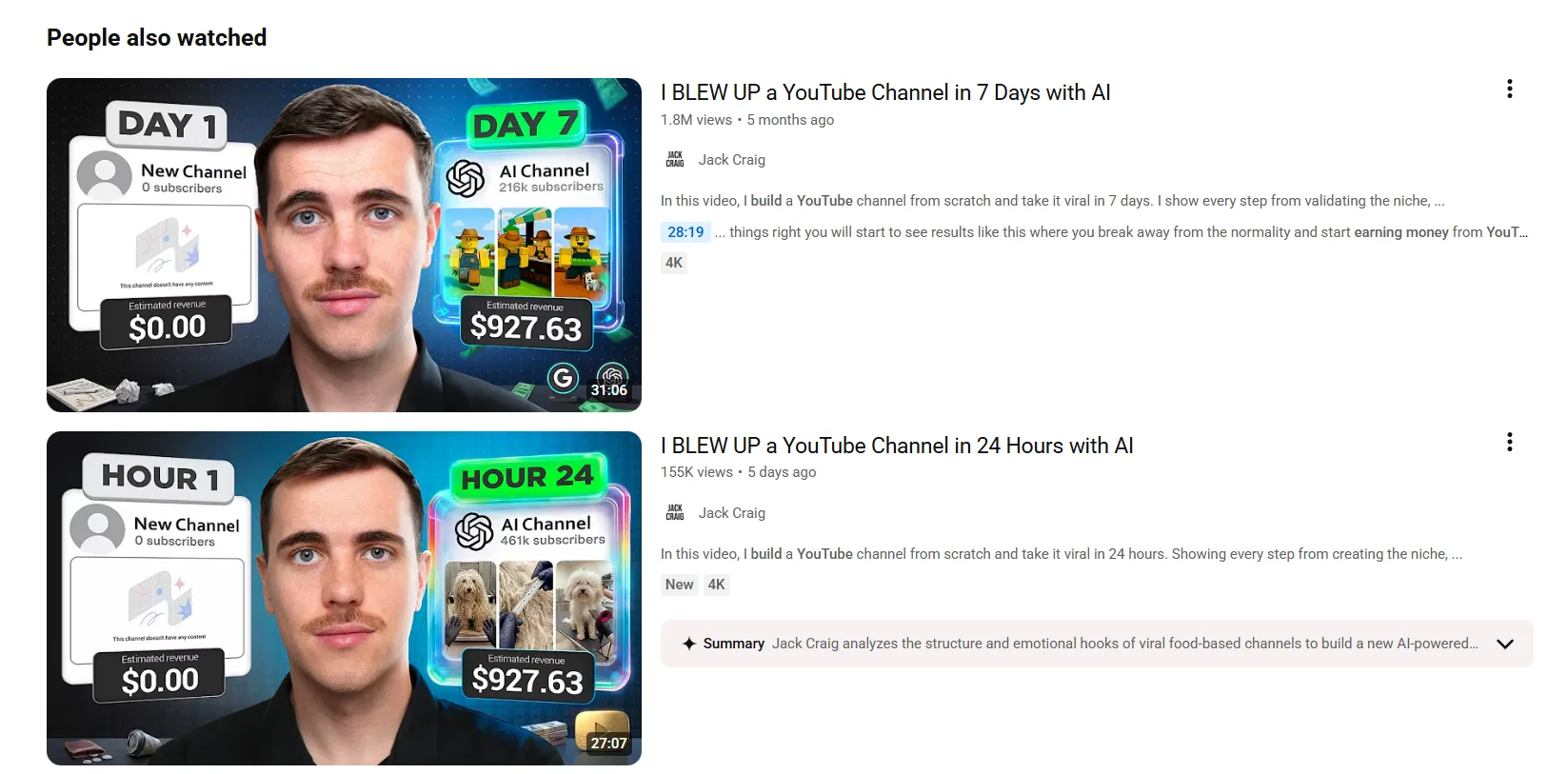
Brand consistency compounds over time in a way that individual thumbnail optimization never will. A viewer who has watched three of your videos begins to recognize your visual style before they read the title, and that recognition converts to clicks at a significantly higher rate than cold traffic. Building a repeatable thumbnail template is not a shortcut. It is a long-term CTR asset that strengthens with every upload. Score every design against the top performers in your niche with Thumbnail IQ before you publish.
Step 4: Master Retention Engineering and Video Structure
Metadata gets your video found. Retention determines whether it stays found. YouTube's algorithm treats Average View Duration as a continuous performance signal, meaning a video that holds attention gets distributed further over time while a video that loses viewers early gets buried regardless of how well it was optimized before upload. The structure of your content is not a creative decision. It is a ranking decision.
The 15-Second Hook
The first 15 seconds are critical. State exactly what the viewer will learn to prevent bounce and signal high quality to the algorithm.
Skip the intro music, the channel branding, and the "welcome back" opener. None of that serves the viewer in the first 15 seconds and all of it costs you retention. Open with the value proposition immediately: what the viewer will know, be able to do, or understand by the end of the video. That single structural change has a direct impact on your YouTube SEO ranking because it keeps people watching long enough for the algorithm to register genuine engagement.
Video Chapters
Video Chapters allow your video to appear in Google's 'Key Moments' search results, increasing visibility in standard SERPs.
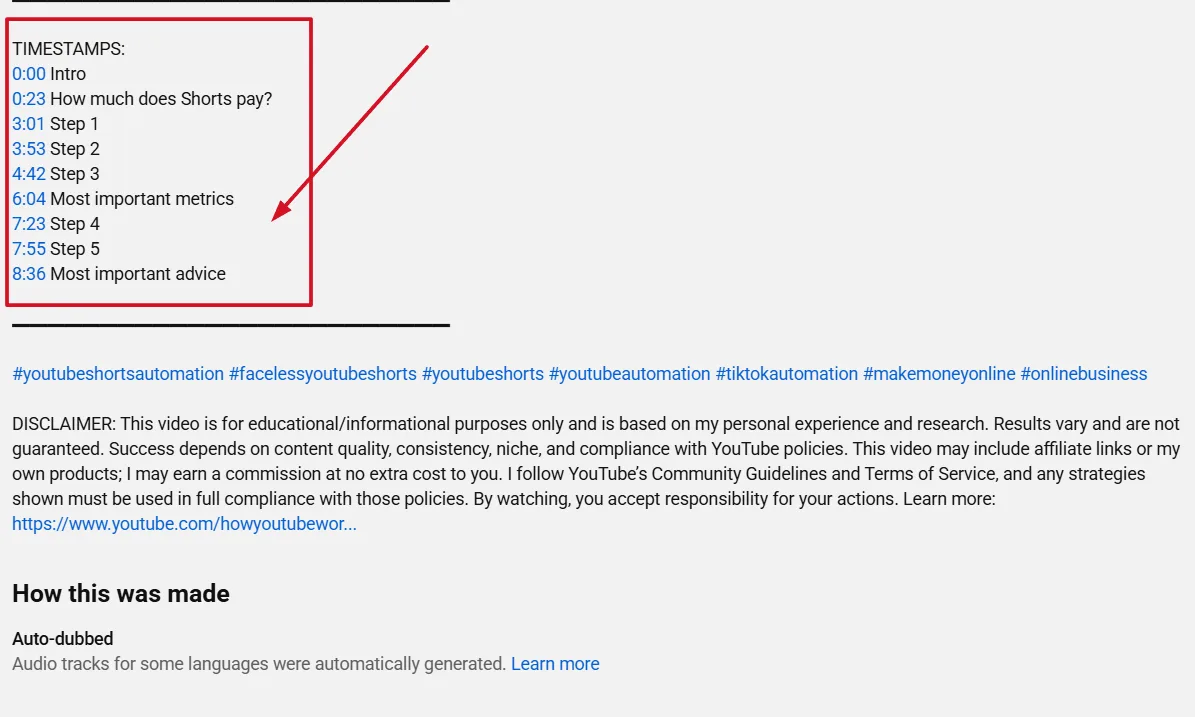
Chapters are both a retention tool and an SEO asset. They give viewers a clear map of your content, reducing abandonment from people who are unsure whether the video covers what they need. Add timestamps manually in the description starting at 0:00, and YouTube will generate the Chapter markers automatically across both the video player and Google Search results.
Session Watch Time
Retention does not end when your video does. YouTube tracks what a viewer does after they finish watching, and channels that keep viewers on the platform through End Screens, Cards, and Playlist links are rewarded with broader distribution. Link every video to a relevant playlist in the End Screen and use Cards at natural transition points to surface related content. Every additional minute a viewer spends on YouTube after watching your video strengthens your channel's algorithmic standing.
Step 5: Stimulate Engagement Signals
Likes, comments, and return views are not vanity metrics. They are behavioral signals that tell YouTube's algorithm your content is generating genuine audience activity, and channels with strong engagement patterns get prioritized in recommendations over channels with passive viewership. Turning a one-time viewer into an active engager is one of the highest-leverage actions you can take after every upload.
- The Pinned Comment. Immediately after publishing, pin a comment that asks your audience a specific question related to the video topic. A pinned question gives viewers a reason to engage rather than scroll past the comment section entirely, and a thread with early replies signals activity to the algorithm within the first 24 hours when distribution decisions are most heavily weighted.
- The Heart Notification. When you Heart a comment, YouTube sends that user a direct notification, often bringing them back to the video for a second view and boosting total engagement. Work through your comment section within the first few hours of every upload and Heart every substantive response.
- The Specific CTA. Replace generic 'Like and Subscribe' asks with content-specific prompts. "If this helped you hit your first 1,000 subscribers, drop a comment below" outperforms a generic subscribe request every time because it gives the viewer a reason to act that is tied directly to the value they just received.
- Engagement Hack. Select the correct video Category in YouTube Studio before publishing and uploading in a minimum of 1080p. Category selection strengthens the algorithm's understanding of your content's context, and higher resolution files signal technical quality that contributes to overall channel authority.
Frequently Asked Questions
What CTR and retention should I aim for to rank on YouTube?
A click-through rate above 6% and an Average View Duration above 50%. Cross both at the same time and YouTube starts distributing the video through Browse and Suggested features on its own. Either number alone is not enough: strong CTR with weak retention reads as an overpromised thumbnail, and strong retention with weak CTR means good content nobody is finding.
How do I find keywords with real YouTube search intent?
Three sources beat generic keyword tools: YouTube autocomplete, which reflects real queries typed right now, sorting a competitor's channel by Most Popular to see proven demand in your niche, and checking whether Google Video results appear for the term, which signals cross-platform intent.
Where should my target keyword go in the title?
Within the first three words where possible, with the full title kept under 60 characters. Front-loading the keyword serves both the crawler indexing the video and the viewer scanning search results on mobile, where longer titles get cut off.
Do video chapters help SEO?
Yes. Chapters let a video appear in Google's Key Moments search results, extending visibility beyond YouTube itself, and they reduce viewer abandonment by giving people a clear map of what the video covers before they commit to watching.
What thumbnail principles drive CTR?
High-contrast color pairings, the Rule of Thirds for composition, close-up faces with clear emotion, text kept to three words or fewer, and consistent brand elements across every upload. Consistency compounds: a viewer who recognizes your visual style clicks at a higher rate than cold traffic ever does.
Does engagement like comments and likes affect YouTube ranking?
Yes. Likes, comments, and return views are behavioral signals, not vanity metrics, and channels with strong engagement patterns get prioritized in recommendations over channels with passive viewership. A pinned question and hearting early replies within the first few hours both help surface that activity to the algorithm.
How is YouTube SEO in 2026 different from older keyword-based tactics?
Older YouTube SEO optimized for metadata quantity: keyword-stuffed tags, matching phrases, high upload frequency. Current YouTube SEO optimizes for viewer satisfaction metrics instead: CTR, Average View Duration, and session watch time, with intent-driven titles and descriptions replacing tag stuffing entirely.
How often should I upload for the algorithm to favor my channel?
Whatever schedule you can sustain without exception. Consistency signals to YouTube that a channel is active and reliable, which factors into how aggressively new content gets distributed. An irregular schedule you cannot maintain hurts more than a modest one you never miss.
The Consistency Loop
The five steps in this guide are not a one-time setup. They are a repeatable system that compounds in value every time you run through it. The creators who dominate YouTube SEO best practices rankings are not doing anything dramatically different from what this guide outlines. They are doing it consistently, on every upload, without exception.
The benchmarks to keep front of mind are a CTR above 6% and an Average View Duration above 50%. Every decision in your production and optimization workflow, from the hook to the thumbnail to the metadata, should be evaluated against those two numbers. When both are healthy, the algorithm works for you. When either drops, your Analytics will tell you exactly where the problem is.
The algorithm favors channels that upload on a predictable schedule. Consistency signals to YouTube that your channel is active and reliable, which factors into how aggressively it distributes your content to new audiences. Pick a schedule you can sustain and treat it as a non-negotiable.
Use YouTube Analytics after every upload to identify what worked, what dropped retention, and which keywords are driving traffic. That data is your next optimization brief, and running through it before your next video is what separates channels that grow from channels that plateau.
And once you cross 1,000 subscribers and 4,000 watch hours, the same retention engineering that ranks your videos also unlocks ad revenue. The YouTube Partner Program guide walks the path from there.