Video tagging is not a keyword dump at the bottom of an upload form. It is a structured signal system that tells two largely separate machines what your content is about: the YouTube algorithm and Google's search index.
Each platform reads metadata differently and rewards a different approach. A tag strategy built only for YouTube leaves Google indexing entirely to chance.
This guide covers the full workflow. From the YouTube tags best practices that feed YouTube's own ranking to video metadata tagging for the web, every layer is covered in one repeatable process.
Why YouTube Tags Still Matter More Than Platforms Admit
YouTube has publicly stated that tags play a minimal role compared to titles and descriptions in determining search rankings. That statement gets misread constantly as "tags do not matter." It does not say that.
Tags are not the primary ranking signal for Search. They are, however, a primary signal for Suggested Video placement, where the majority of views on YouTube come from. A video with precise tagging gets placed next to relevant content in the Suggested feed; a video with sloppy or generic tags does not.
The distinction matters because Suggested and Search are two different distribution systems running inside the same platform. Optimizing only for Search and ignoring tag structure means leaving the larger traffic source completely unaddressed.
1. First Tag Must Be the Exact Target Keyword
The first tag in your tag box carries more weight than every other tag combined. It is the primary signal the algorithm reads when deciding what a video is about, and it needs to be your exact target keyword written precisely as a viewer would type it into the search bar.
Generic tags at this position are one of the most common mistakes in tagging. A cooking channel uploading a video on homemade sourdough bread and opening with the tag "food" or "cooking" has told the algorithm almost nothing. The correct first tag is "homemade sourdough bread recipe" because that is the specific query the video is built to answer.
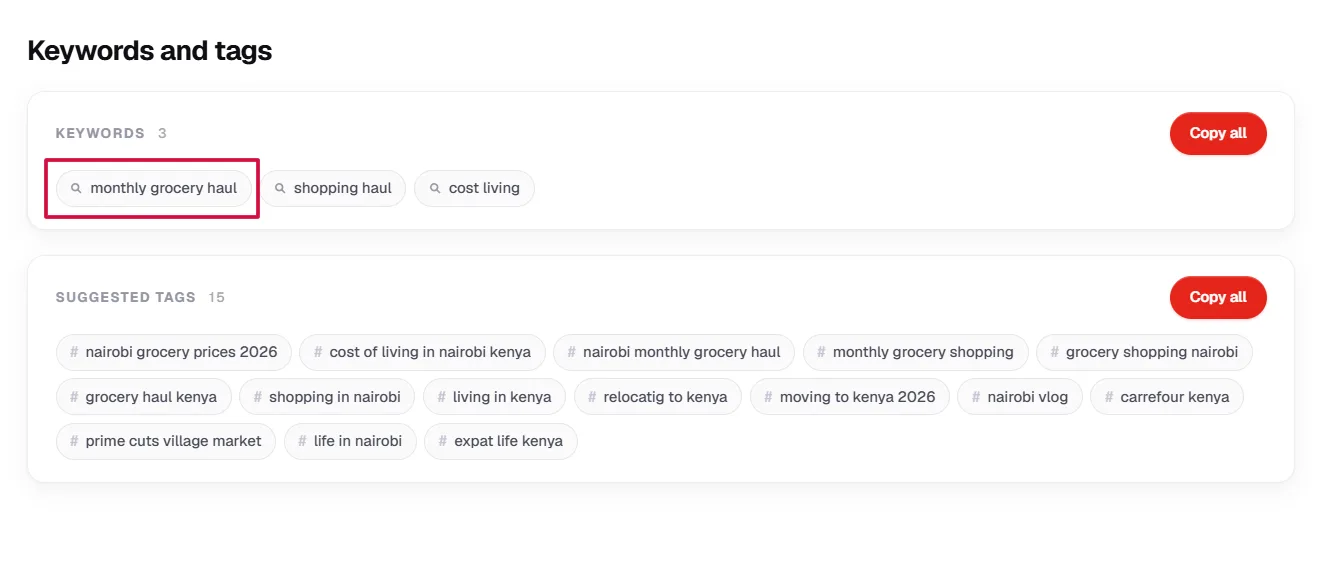
The exact match principle matters beyond Search. When the algorithm decides which videos to stack in the Suggested feed, it reads the first tag as a primary categorization signal. A precise first tag increases the probability that your video appears next to content targeting the same audience, which is where most channels' views come from.
Think of the first tag as a declaration, not a description. It is not summarising the video in general terms. It is staking a claim on a specific query and telling the algorithm exactly where this video belongs.
Pro Tip: Use YTGrowth's SEO Studio to find the exact phrasing your target audience is typing before you set your first tag. The difference between "sourdough bread recipe" and "homemade sourdough bread recipe" can mean the difference between ranking and being invisible.
2. Tags 2 to 5: Broad Variations and Secondary Keywords
Tags 2 to 5 build outward from the anchor set by the first tag: broad variations and secondary keywords that capture related searches without pulling the algorithm away from the core topic.
Using the sourdough example, if the first tag is "homemade sourdough bread recipe," tags 2 to 5 might include "sourdough bread from scratch," "sourdough starter recipe," "artisan bread at home," and "sourdough for beginners." Each one targets a slightly different search query from the same audience without contradicting the primary signal.
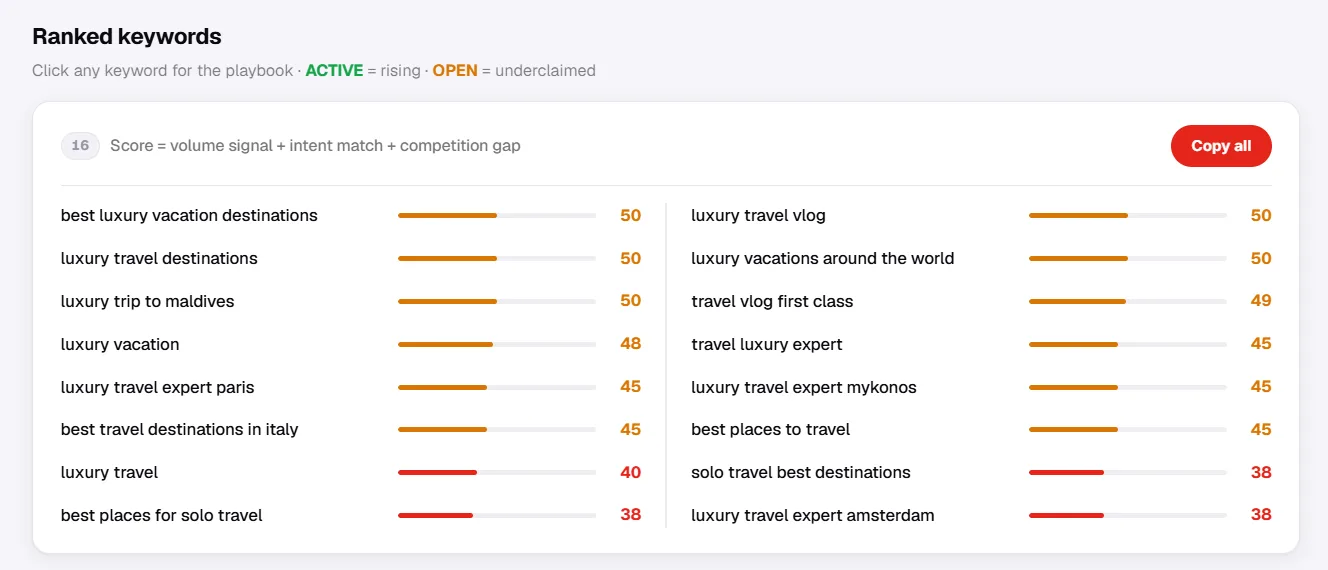
The logic behind this tier: no single viewer segment searches the same way. One person types "homemade sourdough bread recipe." Another types "sourdough for beginners." Both are the same viewer at different points of the same journey, and tags 2 to 5 ensure the video surfaces for all of them.
Avoid drifting into unrelated territory at this stage. Tags 2 to 5 that stray too far from the first tag send a mixed signal to the algorithm and reduce the precision of Suggested Video placement.
Pro Tip: Run your primary keyword through keyword research that ranks secondary variations by search volume and competition before finalising tags 2 to 5, so you are targeting variations with actual search demand behind them.
3. Tags 6 to 10: Contextual and Topic Based Tags
Tags 6 to 10 serve a completely different purpose from the first five. They are not keyword variations. They are neighborhood tags that tell the algorithm which content category the video belongs to and which other videos it should appear alongside.
Where tags 1 to 5 target viewer search queries, tags 6 to 10 target algorithmic categorization. A video on homemade sourdough bread might use "bread baking," "home cooking," "baking for beginners," and "kitchen skills" here. None of these are queries the video is trying to rank for, they are context signals that place the video inside a broader content ecosystem.

This distinction separates a tagging strategy from a keyword list. Keywords target humans searching for something specific. Contextual tags target the algorithm's categorization system, which determines which audience segment gets the video served to organically through Browse and Suggested.
Getting this tier right has a compounding effect. A video correctly categorized through contextual tags gets placed next to established content in the same ecosystem, inheriting some of its audience relevance, which feeds into watch time signals and back into broader distribution.
Pro Tip: Look at the tags top competitors in your niche use and note the contextual tags they share. Those shared tags define the neighborhood. Getting into that neighborhood is the goal of tags 6 to 10.
4. The 200 to 300 Character Sweet Spot
YouTube allows up to 500 characters in the tag box. That limit is not a target. It is a ceiling, and pushing toward it is one of the most damaging mistakes in tagging.
A tag set approaching 500 characters almost always contains weak, generic, or redundant tags added to fill space rather than signal intent. The algorithm rewards precision, not volume: a focused set of 8 to 10 well-chosen tags sitting between 200 and 300 characters sends a cleaner signal than 25 tags sprawling toward the limit.
The 200 to 300 character range forces a discipline that improves metadata optimization across the channel. Every tag has to earn its place. If a tag can't be justified as a search query variation, a secondary keyword, or a contextual signal, it doesn't belong in the set.
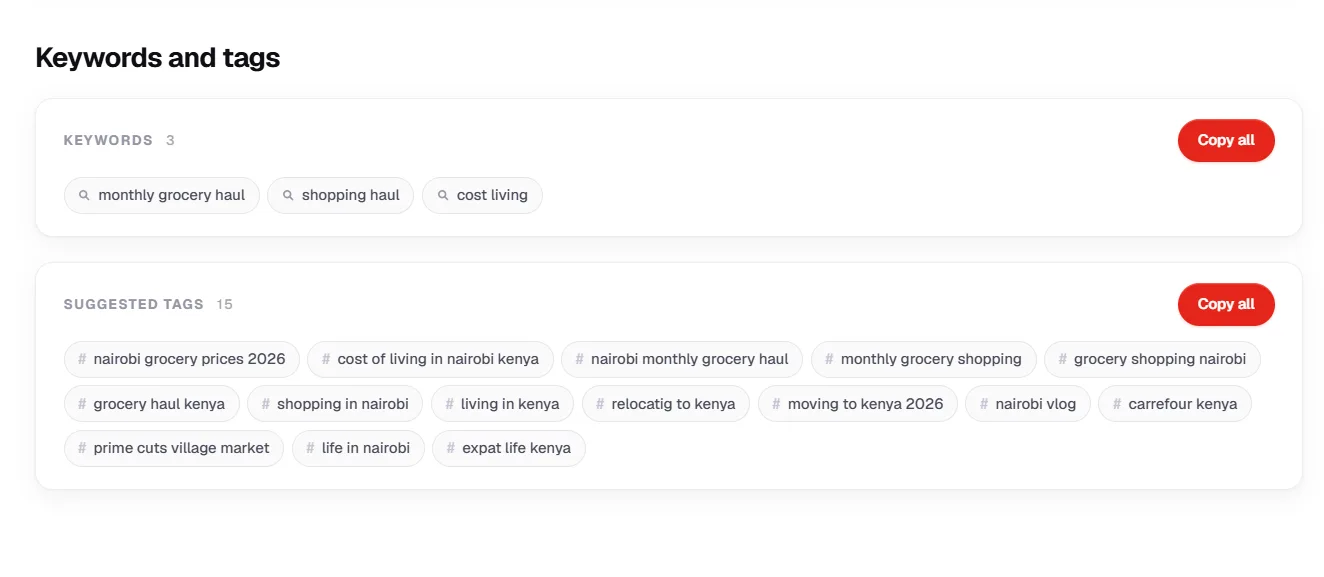
Checking character count before publishing takes thirty seconds and is one of the simplest quality checks in a tagging workflow. Most upload interfaces display the running count in real time. Use it as a guardrail, not a progress bar.
Pro Tip: If you are consistently hitting above 350 characters, audit the tag set for single word tags and generic terms. Those are almost always the culprits. Replace them with compound phrases that carry real search intent.
One rule applies across all three tiers: compound phrases outperform single words every time. "Beginner home workout no equipment" gives the algorithm a precise signal. "Fitness" gives it nothing.
Never add the names of popular YouTubers or unrelated trending topics to chase traffic. YouTube flags this as manipulative metadata, and the consequence is a shadowban across both Search and Suggested. No short-term view spike is worth that.
Score your titles, descriptions and tags before you publishSEO Studio checks every metadata field against search demand and competitor patterns, then tells you exactly what to tighten.Open SEO Studio →5. VideoObject Schema: Making Your YouTube Videos Discoverable on Google
Every YouTube video lives inside YouTube's ecosystem. But when that same video is embedded on a blog post, landing page, or website, it enters a second discovery system: Google Search. VideoObject Schema is the structured data that connects the two.
Without it, Google has no direct signal for what the embedded video covers, it guesses from surrounding page text. With VideoObject Schema implemented, Google reads a machine-level declaration of the video's title, topic, thumbnail, and upload date, the same way YouTube's algorithm reads the tag box.
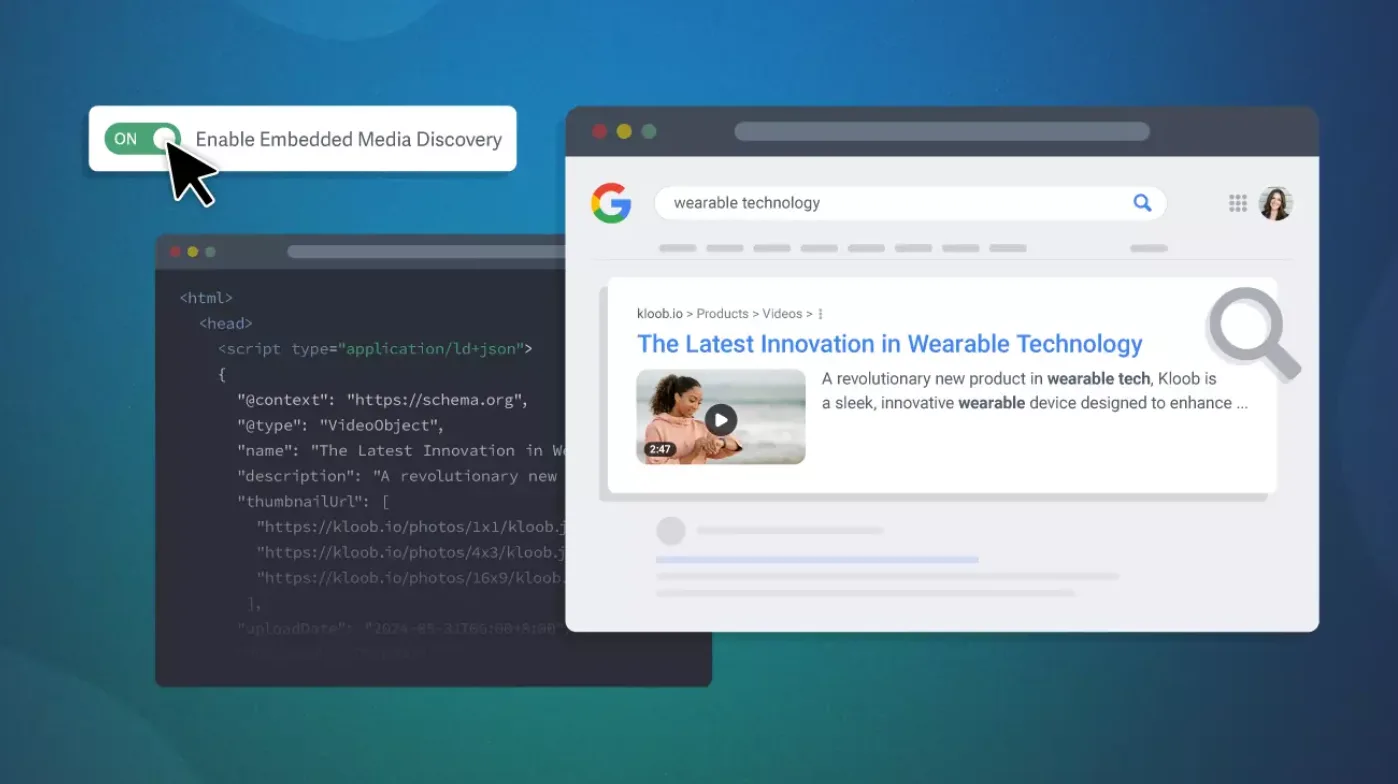
The payoff shows up in search results. A page with correctly implemented VideoObject Schema becomes eligible for video rich results: thumbnail previews, video carousels, and enhanced snippets, which pull significantly higher click-through rates than standard links. A video embedded without Schema is invisible to all of these.
For creators who also publish on a website or blog, this is the most important piece of tagging outside YouTube itself. The video is already made. Schema ensures it gets discovered twice.
Pro Tip: Test every Schema implementation using Google's Rich Results Test tool after embedding a video. A single missing field disqualifies the entire markup from generating rich results.
6. Mandatory Schema Fields: thumbnailUrl, uploadDate, description, and name
A VideoObject Schema markup only works if the required fields are complete. Google requires four mandatory fields before the markup qualifies for rich results: name, description, thumbnailUrl, and uploadDate. Missing any one and the entire markup is ignored.
The name field is the video title as it should appear in Google Search results. It doesn't need to match the YouTube title word for word, but it should target the same primary keyword. A YouTube title optimized for click-through rate and a Schema name field optimized for search ranking can work together rather than duplicating each other.
The description field is a concise summary, not a copy-paste of the YouTube description. Google uses this field for snippet generation in search results, so it needs to be tight and keyword focused. Two to three sentences covering what the video delivers is enough.
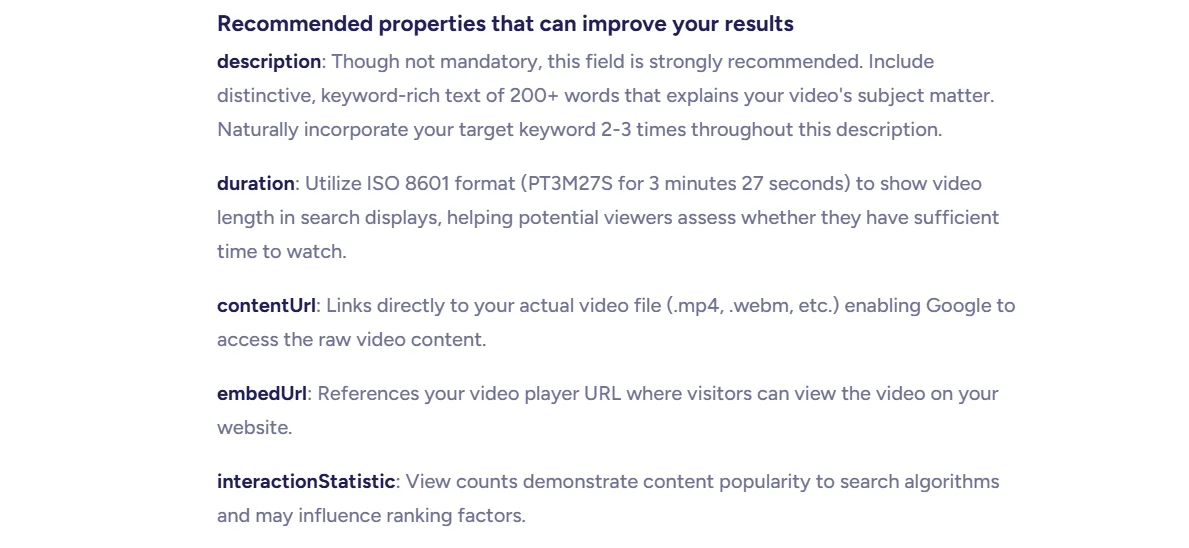
The thumbnailUrl field points Google to the image it should display in video rich results. The strongest approach is to use the same custom thumbnail uploaded to YouTube, building visual recognition across both ecosystems.
The uploadDate field establishes when the content was published. Google factors recency into ranking decisions, particularly for time-sensitive queries. A video embedded on a page with no uploadDate in the Schema loses that recency signal entirely.
Pro Tip: Keep a four field checklist and run through it before publishing any page with an embedded YouTube video. The most common Schema failure is not incorrect data but a missing field that was overlooked during upload.
7. HTML5 Video Tag Optimization: Title Attributes and Alt Text
When a YouTube video is embedded on a page using an iframe, the embed code carries metadata most creators never touch. The title attribute on the iframe element is one of the simplest and most overlooked tagging opportunities in the entire workflow.
A standard embed code sets the title attribute to the YouTube video title by default. That's a starting point, not a finished product. The attribute should be rewritten to include the target keyword for that specific page, which may differ from the YouTube title.
A video titled "I Tested Every Budget Camera Under $300" might sit on a blog post targeting "best budget cameras 2026." The iframe title attribute should reflect the page keyword, not just echo the YouTube title.
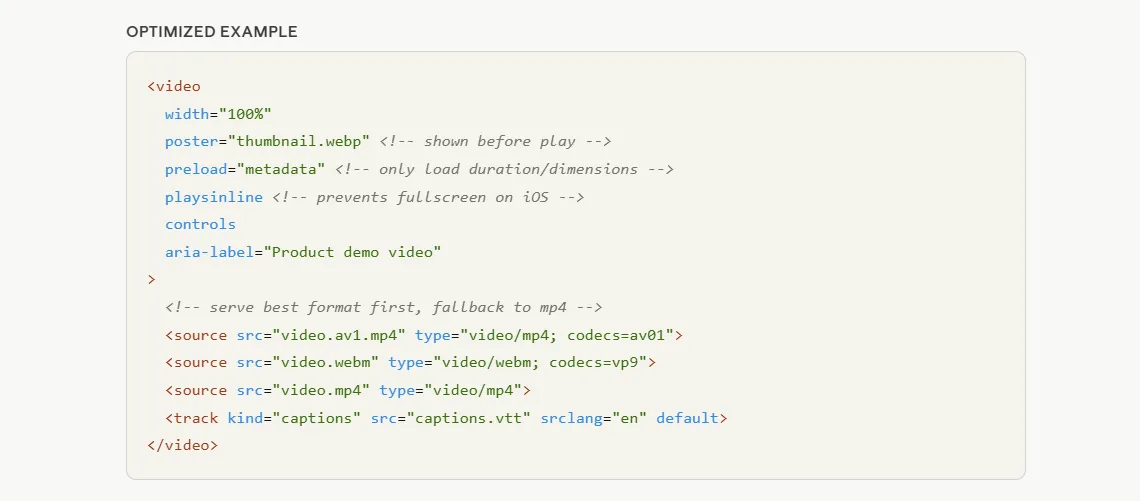
Alt text applies when a video fails to load or a screen reader encounters the embed. From an accessibility standpoint it's a requirement; from an SEO standpoint it's another metadata field Google can index. A descriptive alt text containing the page keyword reinforces the same relevance signal the Schema and title attribute already send.
Google now has three separate signals from the same page: the VideoObject Schema, the iframe title attribute, and the surrounding page content. When all three align on the same keyword, the relevance signal is significantly stronger than any one alone.
Pro Tip: After embedding a YouTube video, view the page source and check the iframe title attribute manually. If it still reads as the default YouTube title, rewrite it to match the page's target keyword.
Two Layers of the Same Signal
Video tagging is not a one-platform task and not a one-time task. The tag box on YouTube and the Schema markup on a website are two layers of the same signal system, each speaking to a different machine and driving a different discovery channel.
The priority-order method keeps YouTube tags precise and focused. VideoObject Schema makes the same video discoverable through Google Search. Built together as one workflow, every video published works across two ecosystems instead of one.
Done at this level, tagging doesn't leave discovery to chance. It is a repeatable system that compounds with every upload.