
Most creators trying to fix a stalling channel start with the wrong problem. They redesign thumbnails when retention is the real issue. They improve production quality when weak SEO is the reason nobody finds the video. They post more frequently when existing videos are not converting new viewers into subscribers at all.
Fixing the wrong problem wastes months of uploads. This guide starts with a three-metric diagnostic you can run in YouTube Studio right now to identify exactly which problem applies to your channel. Then it covers each reason with a specific, actionable fix and closes with a priority order so you know where to start first.
By the end you will know how to diagnose your channel, which of the 10 reasons is holding you back, and the exact sequence to fix them.
How to Diagnose Your Channel Before Fixing Anything
Every growth problem on YouTube shows up in one of three metrics inside YouTube Studio. Checking these three numbers before making any changes tells you exactly which section of this guide applies to your channel.
Here is what each metric tells you:
| Metric | Where to Find It | What a Low Number Means |
|---|---|---|
| Impressions CTR | Analytics, Reach tab | Thumbnails and titles are not converting. Viewers are seeing your content but not clicking. |
| Average View Duration | Analytics, Engagement tab | Retention is failing. Viewers are clicking but leaving before the video delivers value. |
| New vs Returning Viewers | Analytics, Audience tab | Channel is not reaching new audiences. Existing subscribers are watching but no new viewers are finding you. |
Check all three before you change anything. A channel with strong CTR but low retention has a content problem, not a packaging problem. A channel with strong retention but no new viewers has an SEO or discoverability problem, not a quality problem. The metric that is lowest relative to your niche benchmark is where you start.
Average CTR across YouTube sits between 2% and 10% depending on niche and channel size. Average view duration benchmarks vary by video length but anything below 40% is a retention problem worth addressing immediately.
Pro Tip: Run this diagnostic after every 5 uploads, not just when growth stalls. Catching a declining metric early means a smaller fix. Catching it after 30 videos means undoing months of content habits.
The 10 reasons below cover a channel that has been flat or stuck for a while, not a sharp, sudden drop from a previously normal baseline. If your numbers were fine until recently and then fell off fast, a sudden view drop has its own causes, worth ruling out before assuming one of these 10 applies.
Reason 1: Your Niche Is Too Broad
The YouTube algorithm matches content to audiences based on patterns it detects across your uploads. When your videos cover different topics every week, the algorithm cannot identify a consistent audience to recommend your content to. That is not an algorithm problem. It is a signal problem you created.
A broad channel confuses both the algorithm and the viewer. A potential subscriber who watches your finance video and then sees that your next upload is a travel vlog has no reason to subscribe. They came for one thing and your channel does not reliably deliver it.
A tight niche does not mean a small topic. It means a consistent audience signal. "Personal finance for recent graduates" is a tight niche. "Finance" is not. "PC gaming tutorials for beginners" is a tight niche. "Gaming" is not. The more specifically the algorithm can identify who your viewer is, the more aggressively it distributes your content to that audience.
How to Fix It
Audit your last 20 videos. If a new visitor landing on your channel page cannot identify your topic within 10 seconds, your niche is too broad. Pick the one content category your best-performing videos fall into and make that your lane going forward. You do not need to delete old content. You need to stop adding to the noise.
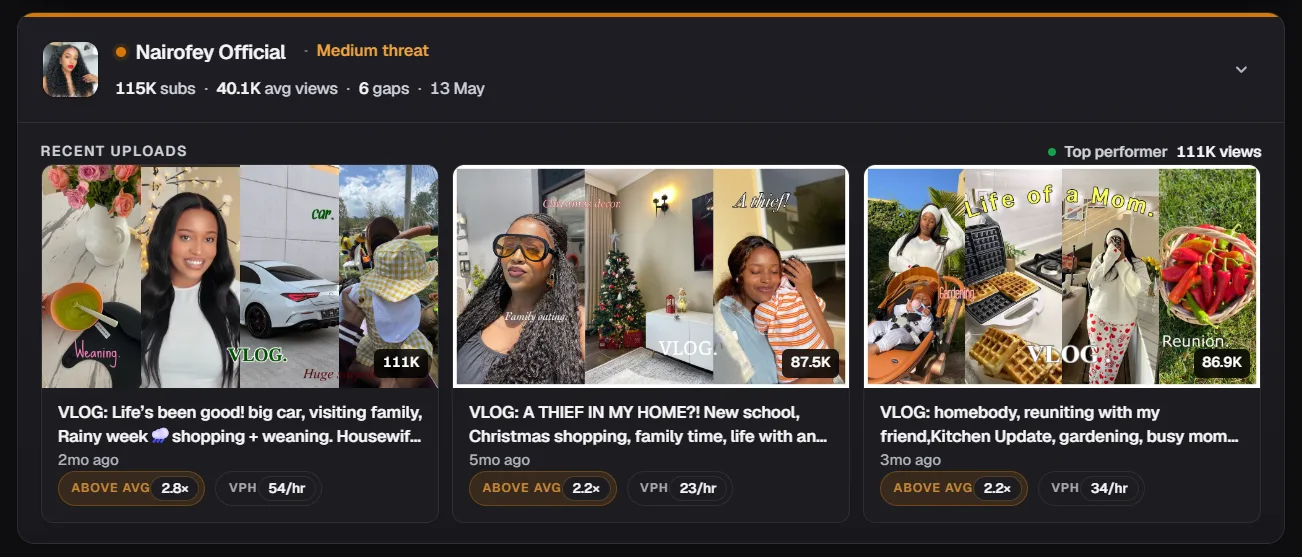
Pro Tip: Use Competitor Analysis to study the three fastest-growing channels in your space. Check how tightly focused their content is and how consistent their topic signal is across their last 30 uploads. That consistency level is your benchmark.
Reason 2: Your Thumbnails and Titles Are Not Converting
A video with a low click-through rate is a video the algorithm stops distributing. YouTube measures how often viewers click your video after seeing it in their feed or search results. If that rate is low, YouTube interprets it as a signal that your content is not relevant or appealing to the audience it served it to, and reduces how often it shows it.
The average CTR across YouTube sits between 2% and 10%. Below 4% on a channel under 10k subscribers is a packaging problem. The content may be strong but the thumbnail and title are losing the two-second decision viewers make before clicking anything.
The most common CTR killers:
- Thumbnails with too much text, low contrast, or no clear focal point
- Titles that describe the video instead of selling the reason to watch it
- Thumbnail and title combinations that do not reinforce the same message
- Faces with neutral expressions instead of high-emotion reactions that signal the video's energy
How to Fix It
Open YouTube Studio, go to the Reach tab, and sort your videos by CTR. Find your lowest performers and update their thumbnails first. Changing a thumbnail on an existing video resets its distribution test with the algorithm. A stronger thumbnail on an old video can revive traffic that has completely stopped.
For new uploads, test your thumbnail concept before publishing. Thumbnail IQ scores your thumbnail against niche benchmarks using a two-layer analysis of visual hierarchy and algorithm signals, so you know whether it is competitive before a single impression is wasted.
Reason 3: Your Audience Retention Is Too Low
Retention is the metric YouTube weights most heavily when deciding whether to recommend a video to a wider audience. A video that holds viewer attention signals quality. A video that loses viewers in the first 30 seconds signals the opposite, and YouTube stops distributing it regardless of how strong the thumbnail or title is.
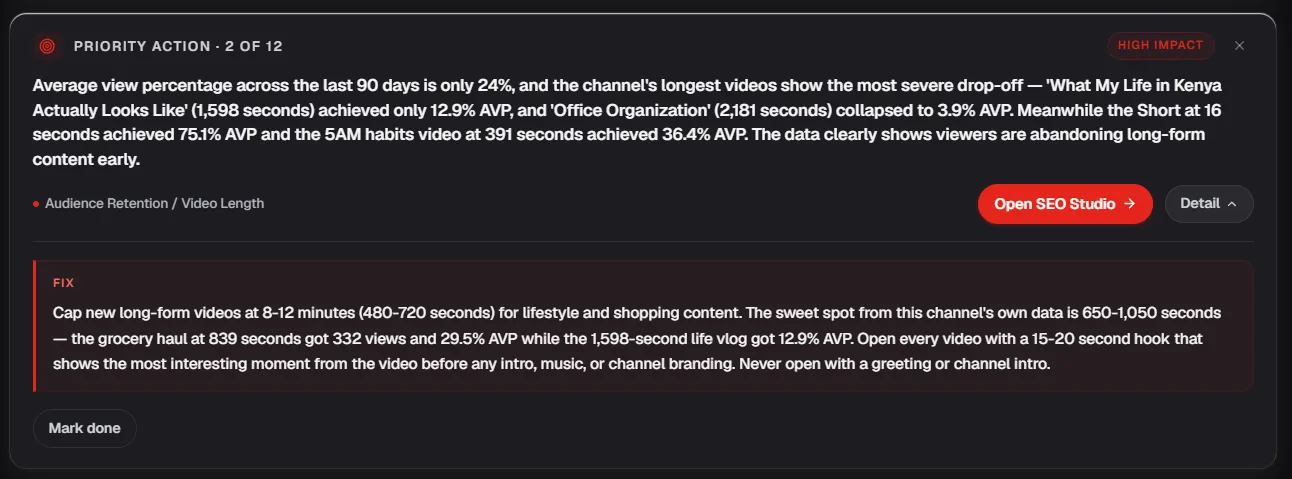
Check your retention graph in YouTube Studio under the Engagement tab. A healthy retention curve drops slightly at the start, stabilizes through the middle, and holds reasonably through the end. A curve that drops sharply in the first 30 seconds tells you the intro is failing. A sudden drop at a specific timestamp tells you exactly where the content lost the viewer. Average view duration below 40% across a channel is a structural retention problem, not a one-off bad video.
The three most common retention killers:
- Slow intros: Starting with "hey guys welcome back to my channel" before delivering any value is the fastest way to lose a viewer in the first 10 seconds. The first 30 seconds of every video should either answer the question the title promised or create enough curiosity to make leaving feel like a loss.
- No pattern interrupts: Viewers watching a static talking head with no cuts, graphics, or changes in pacing will drift. A pattern interrupt every 60 to 90 seconds (a cut, a graphic, a change in camera angle) resets attention and keeps the retention curve stable through the middle of the video.
- Poor content structure: Videos that meander without a clear sequence lose viewers because there is no forward momentum. Every section of a video should set up the next one. The viewer should always feel they are heading somewhere worth staying for.
Pro Tip: Watch your own videos in YouTube Studio with the retention graph open in a second tab. Every time the graph drops, pause and identify what was happening in the video at that exact moment. That is your edit list for the next upload.
Reason 4: Your SEO and Metadata Is Weak
YouTube is the second largest search engine in the world. Every video you upload is an indexable piece of content that can appear in search results for years after publishing. Weak metadata means YouTube cannot accurately categorize your video, which limits both its search ranking and its suggested feed placement.
Most creators treat the title, description, and tags as an afterthought filled in during upload. That approach leaves your video competing blind against channels that researched their keywords before they filmed a single frame. YouTube SEO is what separates a video that pulls views for years from one that disappears in a week.
The metadata fields that matter most:
- Title: Your primary keyword should appear in the first half of the title. Viewers and the algorithm both read left to right. A keyword buried at the end of a long title carries less weight than one placed at the front.
- Description: The first two to three lines carry the most SEO weight. Place your primary keyword and one supporting keyword variation in the opening sentences. Write the rest of the description for the viewer, not the algorithm.
- Tags: Use 8 to 10 specific tags combining your primary keyword, long-tail variations, and niche-specific phrases. Avoid single-word tags and irrelevant trending terms.
- Chapters: Timestamped chapters in the description give YouTube additional keyword signals about the specific topics covered in the video. They also improve viewer experience by making long videos easier to navigate.
How to Fix It
Research your primary keyword before you write the title and before you film. A video built around a keyword with proven search demand and manageable competition will outperform a well-produced video with no keyword strategy behind it every time.
SEO Studio gives you keyword volume, competition scoring, and full metadata optimization recommendations in one place so your SEO is built into the video from the start rather than added as an afterthought at upload.
Reason 5: You Are Not Posting Consistently
Consistency on YouTube works on two levels. The algorithm favors channels that publish on a predictable schedule because it can anticipate when new content is coming and prime its recommendation systems accordingly. Viewers develop watching habits around channels that show up reliably. Break that rhythm and you lose momentum with both.
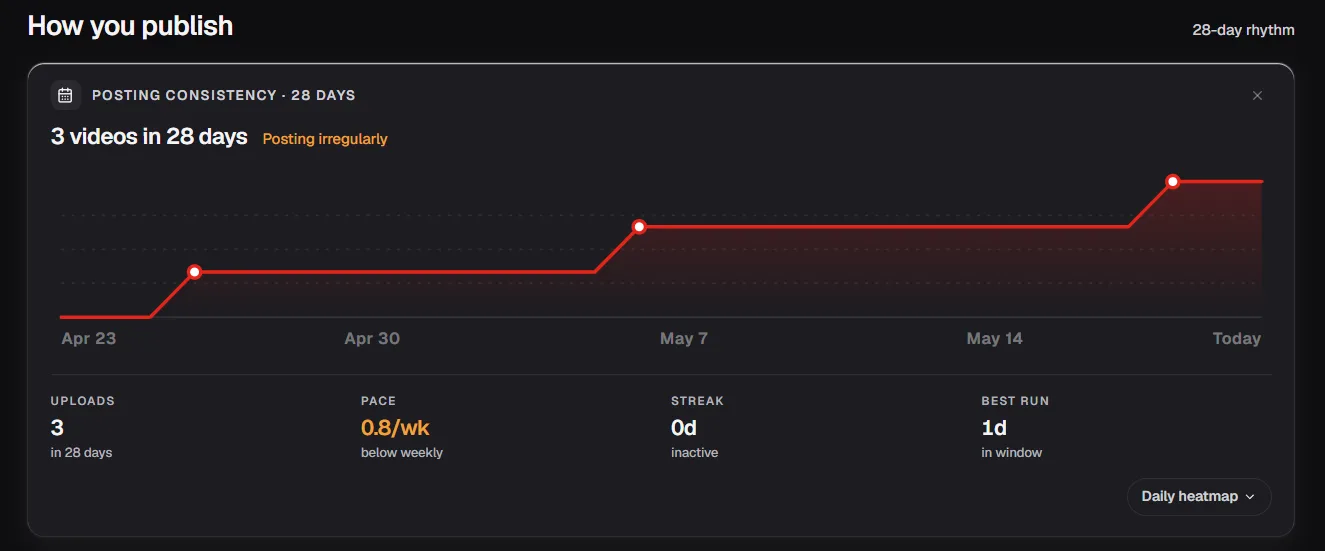
The most common consistency mistake is choosing an unsustainable schedule. A creator who commits to three videos per week and maintains it for two weeks before dropping to one per month does more damage to their channel than a creator who commits to one video per week and maintains it for a year without missing.
How to Fix It
Pick the upload frequency you can maintain at your current production capacity, not the one you wish you could maintain. One video per week is enough to build algorithmic momentum. One video per fortnight works if the quality is consistently strong. The schedule matters less than the reliability.
Build a content buffer before you commit to a public schedule. Having four to six videos filmed and edited before you announce an upload day means a busy week at work does not break your consistency streak. Momentum lost takes longer to rebuild than momentum maintained.
Pro Tip: Batch your filming sessions rather than filming one video at a time. Filming three videos in one session and editing them across the week is more time-efficient than setting up and breaking down your filming space three separate times. It also removes the weekly decision fatigue of figuring out what to film next.
Reason 6: Your Content Is Not Delivering Value
Value on YouTube means one of three things: the video teaches the viewer something useful, entertains them genuinely, or solves a specific problem they came looking for an answer to. A video that does none of these reliably will not hold attention, will not convert viewers into subscribers, and will not be recommended by the algorithm to new audiences.
The most honest way to audit your own content for value is to watch your last three videos as a first-time viewer with no emotional investment in the channel. Identify the moment you would stop watching if you did not make the video. That moment is your value problem.
The most common value failures:
- Videos that take too long to reach the point the title promised
- Content that covers what every other video in the niche covers with no unique angle or additional depth
- Videos built around what the creator wants to say rather than what the viewer came to learn or watch
How to Fix It
Before scripting any video, write down one sentence answering this question: what does the viewer leave knowing or feeling that they did not before clicking play. If you cannot answer that in one sentence, the video concept needs more development before you film it.
Study the comment sections of your best-performing videos. The questions viewers ask and the specific moments they reference tell you exactly what landed and what they wanted more of. Build your next video around the answers to those comments.
Reason 7: You Are Only Attracting Returning Viewers
A channel that only retains its existing audience is not growing. It is maintaining. Subscriber counts plateau, view counts stabilize, and the algorithm stops expanding your reach because it has no signal that new audiences are responding to your content.
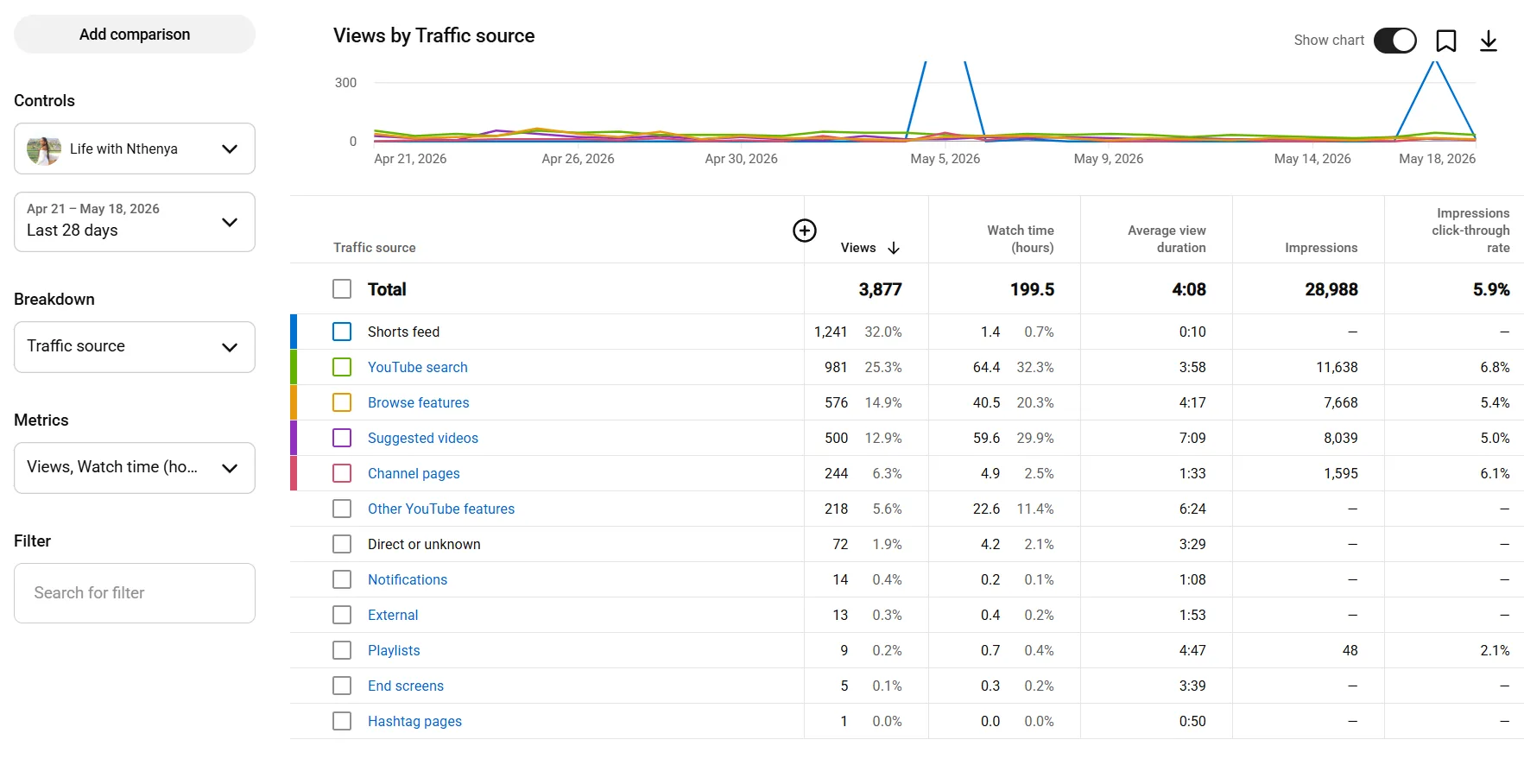
Check the Audience tab in YouTube Studio and find the new versus returning viewers graph. A healthy growing channel pulls a consistent percentage of new viewers on every upload. If returning viewers account for more than 70% of your views consistently, your content is not reaching beyond your existing subscriber base.
New viewers come from two primary sources: search traffic and suggested feed placement. Search traffic requires strong SEO and keyword-targeted content. Suggested feed placement requires strong CTR and retention signals that tell the algorithm your content is worth showing to audiences similar to your existing viewers.
How to Fix It
Add at least one search-optimized video to your upload schedule every month. These are videos built around specific keyword phrases with proven search volume rather than topics your existing audience already knows you for. Search-optimized content pulls in viewers who have never heard of your channel and converts the best ones into subscribers. The Video Ideas tool surfaces high-search, low-competition angles for your niche so you have a steady supply of new-viewer topics to script from.
Review your traffic sources in the Reach tab of YouTube Studio. If search traffic accounts for less than 20% of your total views, your content strategy is too heavily weighted toward your existing audience and not enough toward new viewer acquisition.
Reason 8: Your Audio or Video Quality Is Below the Threshold
Production quality has a floor on YouTube, not a ceiling. Viewers will tolerate average video quality if the content delivers genuine value. They will not tolerate poor audio under any circumstances. Bad audio is the single fastest reason viewers abandon a video regardless of how strong the content is.
The minimum threshold is not expensive. It is clear. A viewer should be able to hear every word without straining, see the subject without squinting, and follow the content without being distracted by technical problems. Below that threshold, retention drops in the first 60 seconds and never recovers regardless of what the rest of the video contains.
The most common quality problems and their fixes:
- Echoey or muffled audio: Record in a small, soft-furnished room. A wardrobe filled with clothes is one of the most effective and cheapest acoustic treatments available. A basic lapel microphone connected to a phone eliminates most audio problems for under $30.
- Poor lighting: A single window providing natural light from the front is enough for a watchable video. A basic ring light solves the problem for under $20. Filming with a light source behind you creates a silhouette that drops perceived production quality immediately.
- Shaky or unfocused footage: A phone on a basic tripod produces stable, focused footage. Handheld filming without stabilization reads as unpolished regardless of the camera quality.
Pro Tip: Fix audio before upgrading any other piece of equipment. A $30 lapel microphone paired with a phone camera produces more watchable content than a $1,000 camera with no microphone improvement. Viewers forgive average video. They do not forgive average audio.
Reason 9: You Are Ignoring Your Analytics
Every upload generates data that tells you exactly what worked, what failed, and what to do differently on the next video. Creators who skip this step are making the same fixable mistakes on every upload without knowing it because they never looked at the evidence sitting in their YouTube Studio dashboard.
Analytics do not require hours of analysis. They require a consistent 10-minute review after every upload that covers three specific checkpoints.
The 10-minute post-publish analytics routine:
- Check CTR in the first 48 hours: The first 48 hours is when YouTube tests your video against a sample audience. A CTR below 4% in that window means the thumbnail or title needs updating before the test period closes and distribution slows. If CTR and retention already look fine and impressions are still capped, that points to a different problem than packaging.
- Check the retention graph at the 48-hour mark: Identify the timestamp where the largest viewer drop occurs. Watch the video from 30 seconds before that timestamp to understand what caused the drop. Apply that learning to the next video's script or edit.
- Check traffic sources after seven days: Identify whether views are coming from search, suggested feed, browse features, or external sources. A video pulling strong search traffic but weak suggested feed placement has good SEO but needs stronger CTR and retention to trigger broader algorithmic distribution. If suggested traffic has dropped off specifically, that has its own separate set of causes worth checking before assuming it's a packaging problem.
Tracking these three data points consistently across every upload builds a clear picture of what your specific audience responds to. That picture is more valuable than any generic YouTube growth advice because it is built entirely from your own channel's real performance data.
Reason 10: You Have Not Given It Enough Time
Every creator who has built a substantial YouTube channel went through a period where the data showed almost nothing. Flat view counts, single-digit subscriber gains, and videos that pulled fewer than 100 views in the first month are not signs of a failing channel. They are the normal early stage of every channel that eventually grows.
YouTube's recommendation system needs a body of content to work with before it can accurately categorize your channel and match it to a consistent audience. A channel with five videos gives the algorithm very little signal. A channel with fifty videos across a focused niche gives it enough pattern data to start distributing content more aggressively to the right viewers.
The compound effect on YouTube is real but it is slow. Your tenth video benefits from the audience signal your first nine videos built. Your fiftieth video benefits from everything that came before it. Creators who quit at twenty videos never reach the point where that compounding starts to show in their analytics. The same compounding sits at the core of how every channel grows from zero.
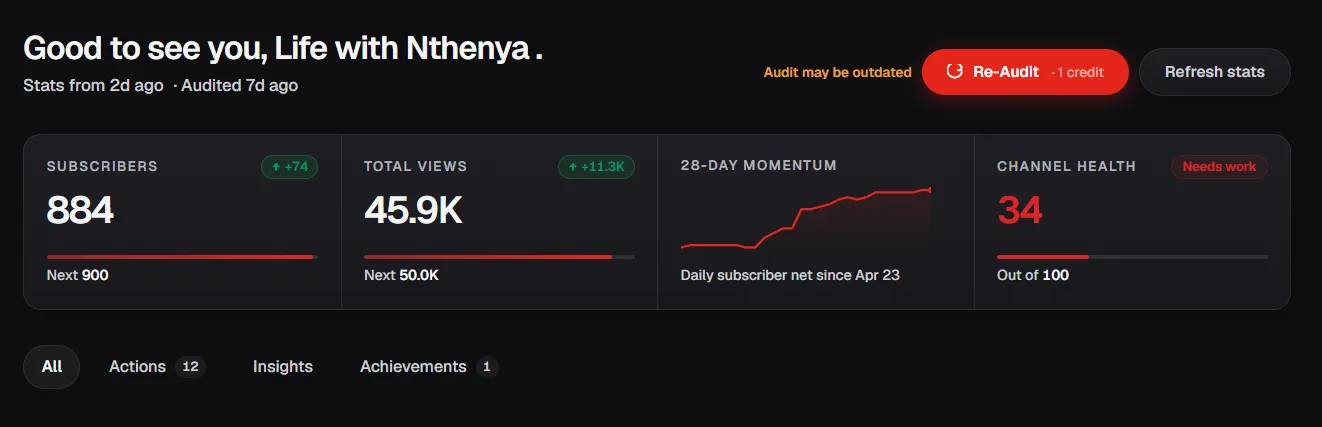
What realistic growth looks like:
- Months 1 to 3: Minimal views, minimal subscribers. The algorithm is still learning your channel.
- Months 4 to 6: Gradual improvement if niche, SEO, and consistency are in place.
- Months 7 to 12: Compounding begins for channels that have maintained consistency and quality.
- Month 12 and beyond: Channels with strong fundamentals start seeing algorithmic amplification on new uploads.
The creators who succeed on YouTube are not the most talented ones. They are the ones who stayed consistent long enough for the platform's mechanics to work in their favor.
Get a 10-dimension audit of your channel in minutesChannel Audit runs your channel against CTR, retention, SEO, competitor benchmarks, and content patterns, then tells you exactly which of the 10 reasons above is hurting you most and what to fix first. Free to try.Try Channel Audit →The Priority Order for Fixing Your Channel
Most creators who read a list of growth problems try to fix everything simultaneously. That approach spreads effort across ten problems and solves none of them properly. Growth improvements compound when you fix the highest impact problem first, stabilize it, then move to the next.
Here is the priority order based on impact level and what each fix unlocks for the problems below it:
| Priority | Problem | Impact | Fix First If |
|---|---|---|---|
| 1 | Niche too broad | Very High | Your analytics show no consistent audience pattern |
| 2 | Weak SEO and metadata | Very High | Less than 20% of traffic comes from search |
| 3 | Low CTR on thumbnails and titles | High | CTR is below 4% in the first 48 hours |
| 4 | Low audience retention | High | Average view duration is below 40% |
| 5 | Only attracting returning viewers | High | Returning viewers exceed 70% of total views |
| 6 | Inconsistent posting | Medium | Upload gaps exceed 2 weeks regularly |
| 7 | Content not delivering value | Medium | Comments show confusion or disengagement |
| 8 | Audio or video below threshold | Medium | Retention drops in the first 60 seconds consistently |
| 9 | Ignoring analytics | Medium | You have never run a post-publish review |
| 10 | Not enough time | Low | Channel is under 6 months old with under 30 videos |
Fix priorities 1 and 2 before touching anything else. A channel with a clear niche and strong SEO gives every other improvement a foundation to build on. Strong thumbnails on a channel the algorithm cannot categorize will not move the needle. Strong retention on videos nobody finds will not either.
Work down the table in order. Each fix creates the conditions the next one needs to work properly.
Fix the Right Problem First
A YouTube channel that is not growing is not a lost cause. It is a diagnostic problem. Every reason in this guide shows up as a measurable signal in your YouTube Studio analytics before it becomes an irreversible pattern.
Run the three-metric diagnostic at the top of this guide before changing anything. Identify which number is furthest from its benchmark. That is your starting point. Fix it completely before moving to the next priority on the table.
The creators who turn stalling channels around are not the ones who overhaul everything at once. They are the ones who identify the single highest-impact problem, fix it with a specific and measurable change, and track whether that change moves the relevant metric before touching anything else.
Growth on YouTube is not a mystery. It is a sequence of fixable problems. Start with the right one.