The frustration is real. A creator can have thousands of views, a growing subscriber count, and consistent uploads, yet still sit far below the monetization threshold with no clear explanation for why progress feels so slow.
The problem is almost always a misunderstanding of how YouTube watch hours accumulate. Views and hours are not the same metric, and the strategies that drive one do not automatically drive the other. Shorts rack up impressions. Trending content spikes and fades.
Neither moves the needle on YouTube watch hours for monetization in any meaningful way. Getting 4000 watch hours on YouTube is a retention and format problem. This guide gives you the mathematical framework to solve it faster than generic advice ever will.
The 4,000-Hour Reality Check: What Counts?
The single biggest reason creators stall on their way to 4000 watch hours on YouTube is spending months optimizing for the wrong metric. Shorts views feel like progress. A viral clip with 50,000 views feels like momentum. Neither contributes a single minute toward the YouTube Partner Program threshold, and understanding that distinction early saves months of misdirected effort. The full YouTube Partner Program guide walks through the application path once you cross the line.
YouTube Partner Program Requirements:
- 1,000 subscribers
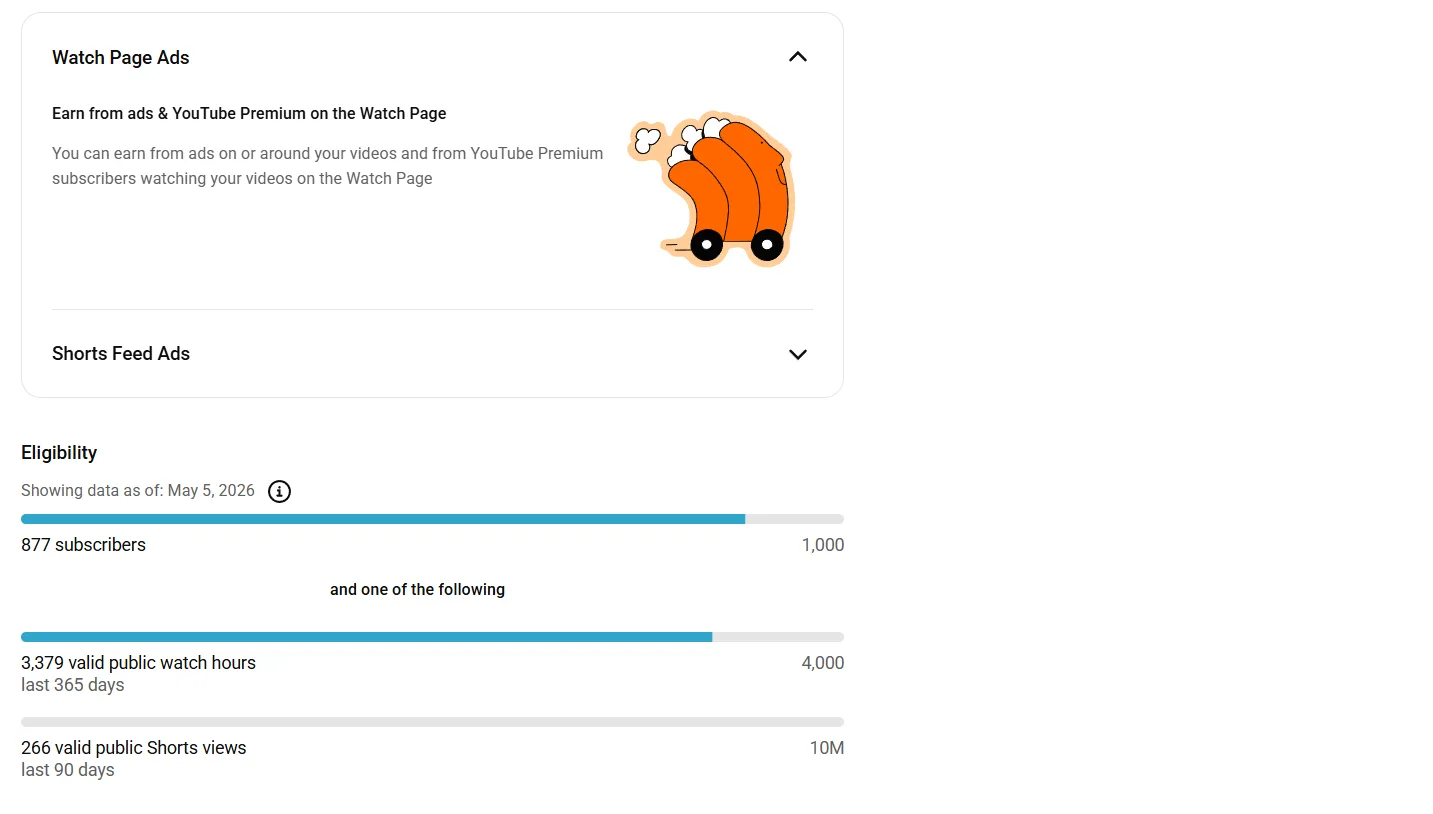
- 4,000 valid public watch hours YouTube in the last 12 months
- No active Community Guidelines strikes on the channel
The word "valid" carries more weight than most creators realize. YouTube does not count all watch time equally, and several common traffic sources are explicitly excluded from the monetization calculation.
What does NOT count toward your 4,000 hours:
- YouTube Shorts views, regardless of volume
- Views on private or unlisted videos
- Views on deleted videos
- Watch time generated through Google Ads paid campaigns
- Views from accounts flagged for inauthentic engagement
The 12-month rolling window adds another layer of complexity. YouTube watch hours do not accumulate permanently. Hours earned more than 12 months ago drop off the counter automatically, which means a channel that was close to the threshold but slowed down on uploads can go backwards without publishing a single new video.
The gap between increasing YouTube watch hours strategies that work and those that waste time comes down to one decision: shifting focus away from discovery-driven content and toward retention-driven formats that accumulate hours efficiently per view. Everything in this guide is built around that shift. The Shorts algorithm guide covers how to make Shorts feed into long-form watch time rather than replace it.
Audit Your Analytics to Identify the 'Leak'
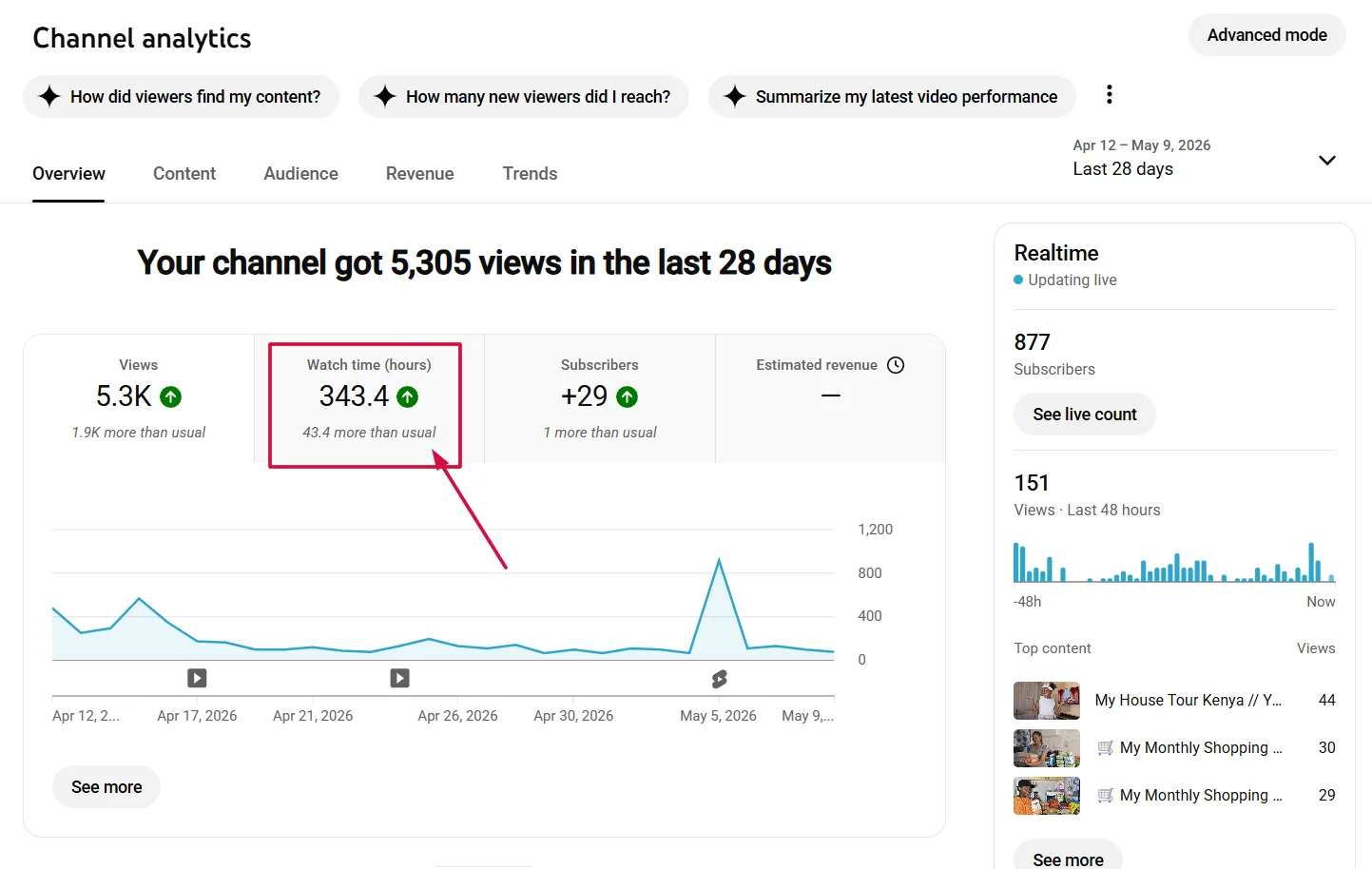
Before changing your content strategy, you need to know exactly where your YouTube watch hours are being lost. YouTube Studio contains all the data required to diagnose the problem precisely. The issue for most creators is not that the data is unavailable. It is that they are looking in the wrong place.
How to find your watch hour data:
- Open YouTube Studio and click on the Earn tab in the left sidebar. This provides the most accurate progress bar toward your monetization requirements, including your current valid watch hour total against the 4,000-hour threshold.
- Navigate to the Analytics tab and select the Reach report to identify which videos are driving discovery versus which are driving retention.
- Open the Engagement report and sort by Watch Time (Hours) to find your highest-retention videos. These are your most valuable assets and your blueprint for future content.
- Click into individual video analytics and open the Audience Retention graph. Look specifically for the drop-off point in the first 30 seconds across your existing videos.
| Metric | Where to Find It | What it Tells You |
|---|---|---|
| Valid Watch Hours | Earn tab, monetization progress bar | Actual progress toward YPP threshold |
| Watch Time by Video | Analytics, Engagement report | Which content retains viewers longest |
| Audience Retention Graph | Individual video analytics | Where viewers are dropping off |
| Traffic Sources | Analytics, Reach report | Which formats drive discovery vs. retention |
Once you have identified your top retention videos, calculate your Watch Hour Gap. Take your remaining hours needed, divide by the days left in your 12-month window, and you have a daily YouTube watch time increase free target to build your content calendar around.
Run a full retention audit on your channel in minutesChannel Audit pulls every retention curve, drop-off point, and traffic source into one report so the leak is visible before you script your next video. Free to try.Try Channel Audit →Implement the 10-Minute 'Evergreen' Framework
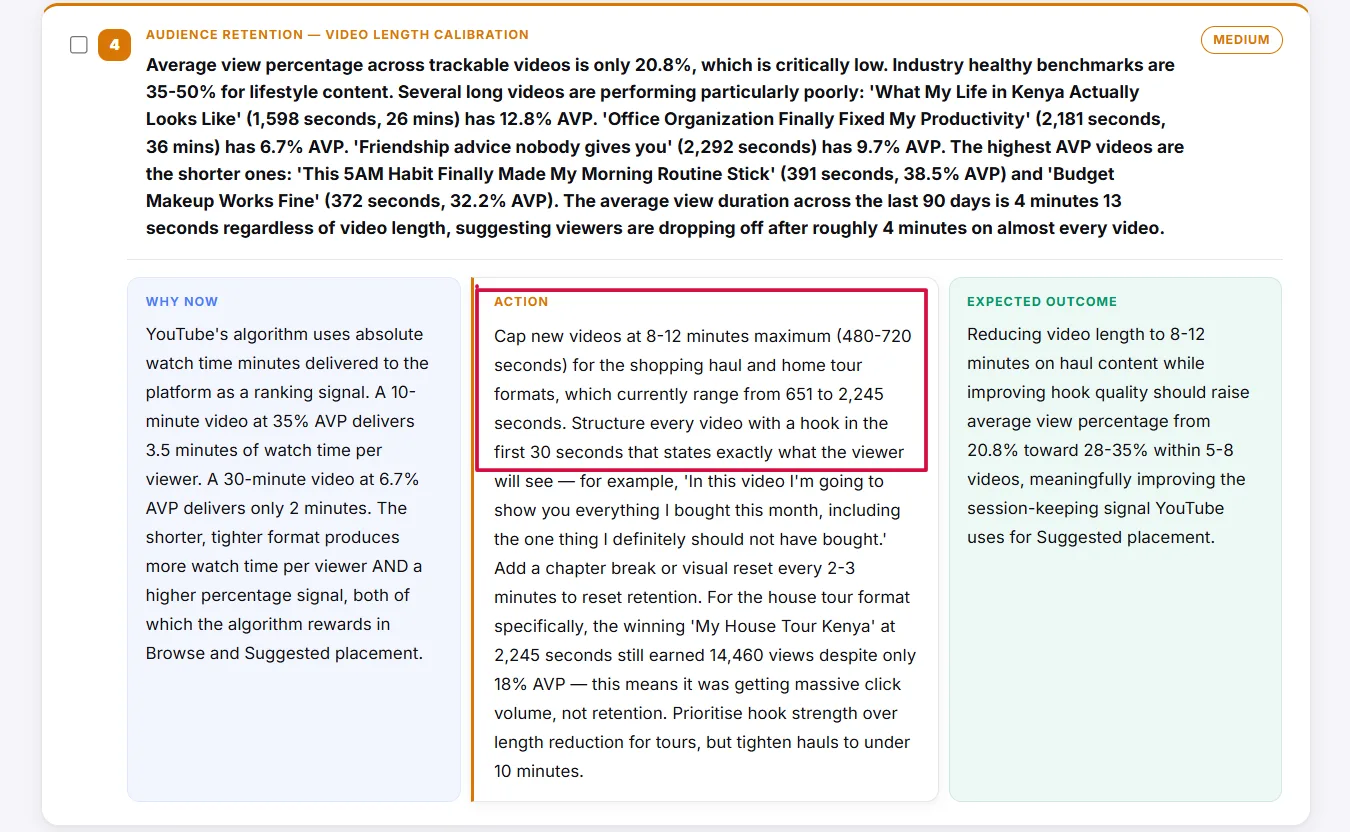
The fastest legitimate path to get 4000 watch hours on YouTube is not publishing more videos. It is publishing longer, higher-retention videos on topics with permanent search demand. The math makes this undeniable.
A 10-minute video watched to 70% completion delivers 7 minutes of watch time per view. A 1-minute video watched to 100% delivers 1. Volume cannot compensate for that gap efficiently.
The 8 to 12 minute range is the Goldilocks zone for creators focused on YouTube watch hours for monetization. It is long enough to accumulate meaningful watch time per view, long enough to qualify for mid-roll ads once monetization is unlocked, and short enough to maintain the retention rates required to keep the algorithm distributing the content.
Content types that perform best in the 8 to 12 minute evergreen format:
- Step-by-step how-to tutorials targeting specific search queries
- Beginner's guides updated annually to stay relevant in search results
- Tool and software walkthroughs with practical, screen-recorded demonstrations
- Common mistakes breakdowns in high-CPM niches like finance, marketing, and SaaS
- Case studies showing a real process or real result from start to finish
Pro Tip: Trending content produces a view spike followed by a sharp decline. Evergreen content produces a slow build that compounds over months. A single well-optimized evergreen video can contribute hundreds of hours to your YouTube watch hours total long after the upload date, with zero additional effort.
The math comparison makes the strategic case clearly. 1,000 views on a 10-minute video with 70% average view duration generates approximately 116 hours of watch time. 10,000 views on a 1-minute video with 70% retention generates approximately 116 hours as well, but requires ten times the reach to produce the same result.
For a channel still building its audience, the 10-minute evergreen format is the only mathematically sound choice for hitting 4000 watch hours on YouTube efficiently. The video ideas framework breaks down which evergreen formats produce the strongest retention per minute.
Master the 30-Second Hook to Protect Your AVD
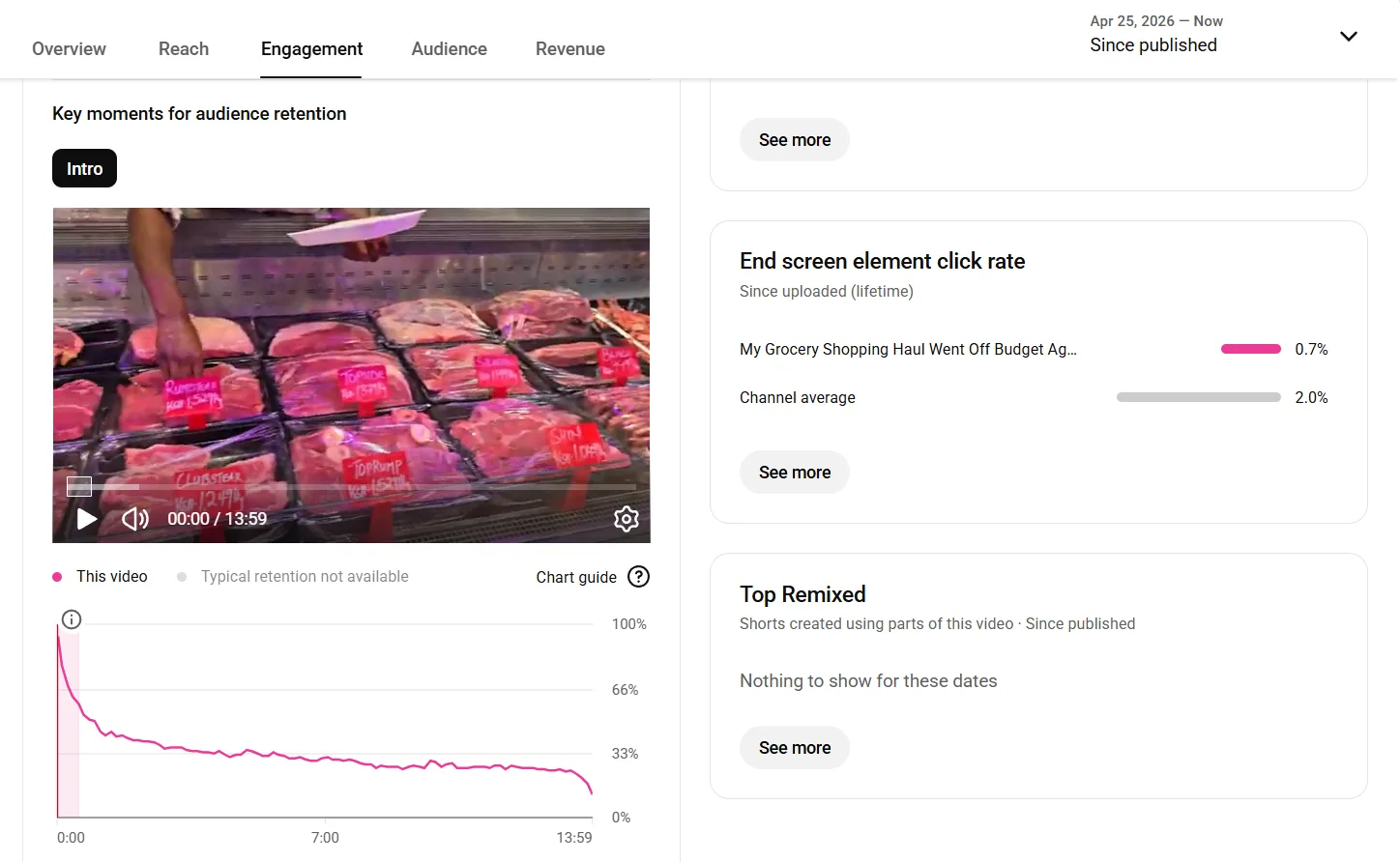
Watch time only accumulates when viewers stay. A perfectly optimized title and thumbnail can drive thousands of clicks, but if the first 30 seconds fail to hold attention, those clicks convert into seconds of watch time rather than minutes.
Retaining a viewer past the 30-second mark makes them 50% more likely to watch the entire video, which means the hook is not just an opening. It is the single highest-leverage moment in the entire video for increased YouTube watch hours.
The 30-Second Rule
The audience retention graph in YouTube Studio shows a predictable cliff between seconds zero and thirty for most underperforming videos. This is where viewers who clicked out of curiosity decide whether the content justifies their time. Every second of fluff in that window accelerates the drop-off and bleeds watch time that cannot be recovered later in the video.
Eliminating the Fluff Intro
Logo animations, lengthy greetings, and "in today's video we are going to" setups are the most common watch time killers on the platform. They delay the value delivery that the viewer clicked for, and they signal to a viewer who is already deciding whether to stay that their time is not being respected. The complete hook-writing walkthrough covers five formulas that replace the fluff intro entirely.
The Anatomy of a Strong Hook
| Bad Hook | Good Hook |
|---|---|
| "Hey guys, welcome back to the channel" | Immediately state the problem the video solves |
| Logo animation and music bed | Jump straight to the most compelling point |
| "Don't forget to like and subscribe" | Promise a specific outcome within the first 10 seconds |
| Lengthy backstory before the content | Use an open loop: "By the end of this video you will know exactly how to..." |
Open Loops
An open loop is a question or promise introduced early in the video that can only be resolved by watching further. Structured correctly, open loops create a psychological commitment to continue watching that compounds directly into higher AVD and stronger YouTube watch hours accumulation across every video that applies the technique. The 2026 YouTube SEO blueprint covers the AVD and CTR thresholds the algorithm rewards once retention is solved.
Use Live Streaming as a Mathematical Multiplier
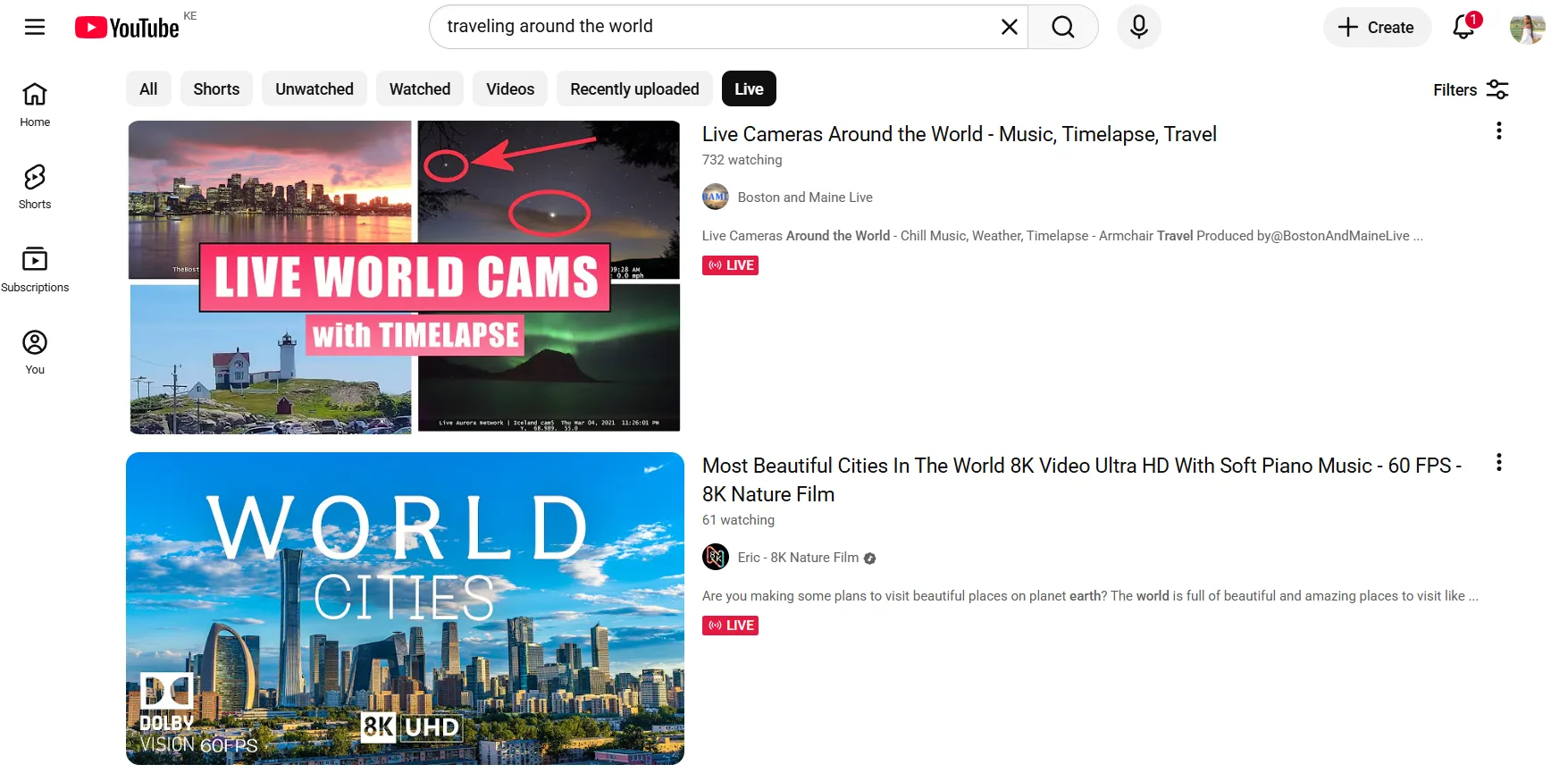
Live streaming is the only format on YouTube where YouTube watch hours accumulate in real time across every concurrent viewer simultaneously. A single well-executed stream can generate more valid watch time in one session than a week of standard uploads, and it requires no editing, no post-production, and no thumbnail design to produce.
The Live Stream Formula
The math is straightforward. Every concurrent viewer watching for the full duration of a stream contributes their individual watch time to your total.
- 50 concurrent viewers watching a 1-hour stream = 50 watch hours in a single session
- 50 concurrent viewers watching a 2-hour stream = 100 watch hours in a single session
- 100 concurrent viewers watching a 2-hour stream = 200 watch hours in a single session
A creator who runs two streams per week at those numbers can accumulate over 1,000 hours in five weeks, making live streaming the most efficient YouTube watch hours booster available without violating any platform policies.
3 Live Stream Ideas That Drive High Attendance and Retention
- Live channel audits. Review real subscriber channels in your niche in real time.
- Q&A sessions. Answer niche-specific questions from your audience directly.
- Live tutorials. Walk through a process or tool in real time with viewer participation.
Critical Warning: Live streams must be archived and set to Public visibility after the stream ends to count toward your public watch hours YouTube total. A stream set to private or unlisted after broadcast generates zero contribution to your 4,000-hour goal regardless of how many viewers attended.
Engagement tactics like live polls, pinned questions, and periodic shoutouts keep concurrent viewers in the stream longer, which directly multiplies the watch hour total generated per session and compounds the effectiveness of every future stream as your audience grows.
Engineer Binge-Watching with Playlist Sequencing
Individual video duration determines how much watch time a single view generates. Session duration determines how much watch time a single viewer generates. The difference between those two numbers is where playlist sequencing creates its advantage, and it is one of the most underused levers available for YouTube watch time increase free.
The Binge Blueprint
- Create Series playlists in YouTube Studio that group related videos into a logical viewing sequence. When a viewer finishes one video in a Series playlist, Auto-play queues the next automatically, turning a single view into a multi-video session.
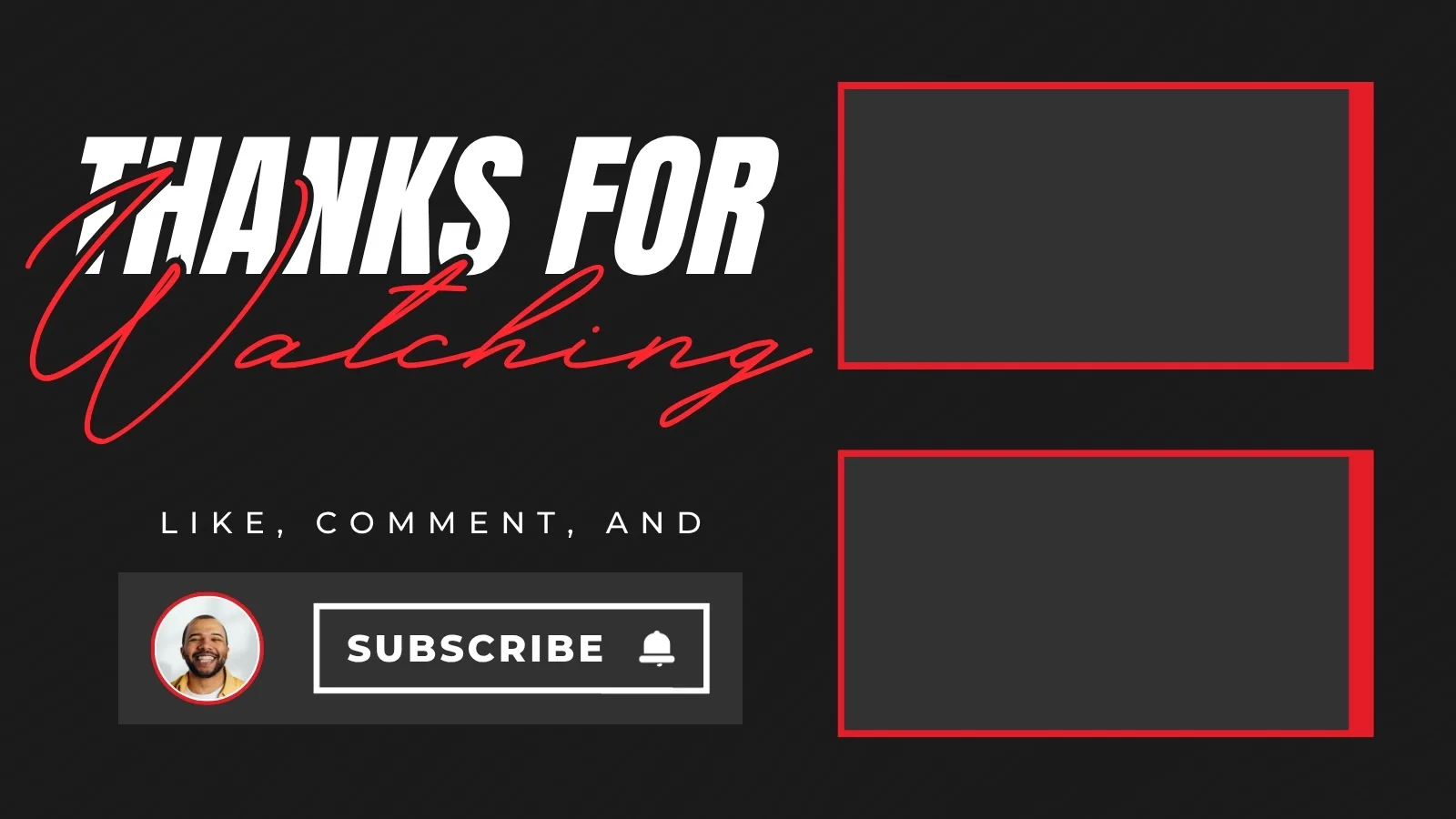
- Design your End Screen around a single directive. Replace generic subscribe buttons with a direct link to the next logical video in the sequence. The End Screen should function as a signpost, not a farewell.
- Pin a comment on every video linking to the full playlist or the next related video. Viewers who scroll to comments are already engaged, making them the highest-probability candidates for continued watching.
- Build Content Hubs around complex topics that cannot be fully addressed in a single video. A five-part series on a specific skill or process gives a motivated viewer a structured reason to watch all five videos in a single session.
End Screen Setup for Maximum Session Continuation
- Left panel: Link to the most relevant next video in the sequence.
- Right panel: Link to the playlist containing the current video.
- Center or overlay: A single spoken directive pointing to the left panel video.
Every additional video a viewer watches in a session multiplies the YouTube watch hours generated per unique visitor, which makes playlist architecture one of the highest-return structural investments a channel focused on get 4000 watch hours on YouTube can make. The channel optimization blueprint covers playlists alongside the rest of the channel-level retention system.
The 'Watch Hour Trap': Why Buying Hours is a Channel Killer
Searching for a YouTube watch hours booster will surface dozens of services promising to deliver your 4,000 hours overnight. Every single one of them is a direct path to channel termination, and no legitimate monetization strategy starts with violating YouTube's Terms of Service.
YouTube's detection systems are specifically designed to identify inauthentic engagement patterns. Bot traffic generates watch time in ways that real human behavior never does, and the algorithm flags those patterns quickly. Channels that use these services risk losing monetization eligibility permanently or being terminated without appeal.
Three risks no creator should accept:
- Channel termination. YouTube reserves the right to permanently delete channels found using inauthentic engagement services, taking every video, every subscriber, and every legitimate hour earned with it.
- The Dead Channel effect. Purchased hours pollute your analytics with bot data, destroying the retention and engagement signals that drive organic reach. The result is a channel that technically has hours but receives zero algorithmic distribution.
- Zero revenue impact. Bots do not click ads. Bought YouTube watch hours do not translate into ad revenue, affiliate clicks, or any other income stream. The hours are worthless beyond a number on a progress bar that will be removed anyway.
The only YouTube watch time increase free strategy that works long term is the one built on real viewer retention, structured content formats, and session engineering. Everything in this guide delivers that outcome without putting your channel at risk.
Frequently Asked Questions
How many watch hours do I need to monetize on YouTube?
4,000 valid public watch hours in the trailing 12 months, alongside 1,000 subscribers and no active Community Guidelines strikes. All three conditions have to be met at the same time before the Partner Program application unlocks.
Do YouTube Shorts count toward the 4,000 watch hours?
No. Shorts views never contribute to the long-form watch hours requirement, regardless of how many views a Short accumulates. Shorts monetize through a completely separate revenue pool and threshold.
Do watch hours expire?
Yes. YouTube uses a rolling 12-month window, so hours earned more than a year ago drop off the counter automatically. A channel that stalls after getting close to the threshold can lose ground without a single new upload.
What is the best video length for building watch hours efficiently?
The 8 to 12 minute range, often called the evergreen sweet spot. It is long enough to accumulate meaningful watch time per view and qualify for mid-roll ads later, while staying short enough to protect retention. A 10-minute video watched to 70% delivers seven times the watch time of a 1-minute video watched in full. That range holds for most niches, though our measurement of 30,360 real uploads found travel and gaming typically run well past it while music, news, and cooking sit below.
Does live streaming help reach 4,000 hours faster?
Yes, because every concurrent viewer contributes their own watch time simultaneously. Fifty viewers watching a two-hour stream generate 100 watch hours in a single session, a pace no standard upload can match one-to-one.
Can I buy watch hours to reach monetization faster?
No. Every paid watch-hours service violates YouTube's Terms of Service and risks permanent channel termination. Bot traffic also pollutes retention data, which suppresses algorithmic distribution even on real, legitimate content uploaded afterward.
Do private or unlisted video views count toward watch hours?
No. Only views on public videos count toward the 4,000-hour requirement. Views on private, unlisted, or deleted videos are explicitly excluded from the calculation.
Does watch time from paid ads count toward the 4,000 hours?
No. Watch time generated through Google Ads or other paid promotion is excluded from the monetization calculation, along with views from accounts flagged for inauthentic engagement.