TubeBuddy and vidIQ are the two most widely used YouTube growth tools on the market. Both have real users, real results, and genuine reasons to pay for them. Choosing between them is not a question of which one is better. It is a question of which problem you are trying to solve.
The wrong choice does not just waste money. It wastes the time you spend learning a tool that was never built for the stage your channel is at or the decisions you are trying to improve.
This comparison covers features, pricing, user experience, and the specific use cases where each tool delivers the most value. By the end you will know exactly which one fits your current situation, whether using both together makes sense, and what neither tool covers well enough to rely on alone.
The Core Difference Between TubeBuddy and vidIQ
Before comparing individual features, understanding the fundamental difference in how each tool is designed saves you from picking the wrong one based on a feature list alone.
TubeBuddy is a post-publish optimization engine. It is built around the question: how do I make the content I have already published perform better? Its strongest features sit on the back end of content creation. A/B testing titles and thumbnails on live videos, bulk processing descriptions and tags across your entire library, and auditing individual video health after upload.
vidIQ is a pre-publish research and discovery tool. It is built around the question: what should I be creating in the first place? Its strongest features sit at the front end of content creation. Keyword validation, competitor tracking, trending topic feeds, and AI-powered idea generation before you film a single frame.
| TubeBuddy | vidIQ | |
|---|---|---|
| Primary purpose | Post-publish optimization | Pre-publish research |
| Strongest stage | After upload | Before filming |
| Core question answered | How do I improve what I published? | What should I create next? |
| Built around | SEO, A/B testing, bulk tools | Keyword research, AI ideas, competitor tracking |
| Best for | Optimizing existing content | Validating new content ideas |
Every feature comparison that follows makes more sense with this distinction in mind. A creator who needs help deciding what to film next will be frustrated by TubeBuddy's strengths. A creator who needs to improve the performance of an existing library will underuse vidIQ's best features.
Feature Comparison
Here is how tubebuddy vs vidiq breaks down across the six features that matter most for channel growth:
| Feature | TubeBuddy | vidIQ | Winner |
|---|---|---|---|
| Keyword Research | Solid keyword explorer with competition scoring and tag suggestions | More comprehensive with search volume, trend data, and related keywords | vidIQ |
| SEO and Metadata | Strong tag suggestions, SEO scorecard on every video, direct YouTube Studio integration | Good metadata suggestions but less depth on tag recommendations | TubeBuddy |
| Competitor Analysis | Basic competitor tracking, limited to channel-level data | Deep competitor tracking, views per hour, trending video monitoring across multiple channels | vidIQ |
| AI Features | AI title and thumbnail generators, feels generic and less integrated | AI Daily Ideas, AI coach pulling from your channel analytics, more deeply integrated | vidIQ |
| A/B Testing | The only tool in this category offering full A/B testing on titles, thumbnails, descriptions, and tags on live videos | Limited A/B testing across all plans, no equivalent to TubeBuddy's depth | TubeBuddy |
| Bulk Processing | Industry leading. Bulk find and replace, bulk thumbnail overlays, scheduled publish across entire video library | No equivalent bulk processing tools | TubeBuddy |
Keyword Research
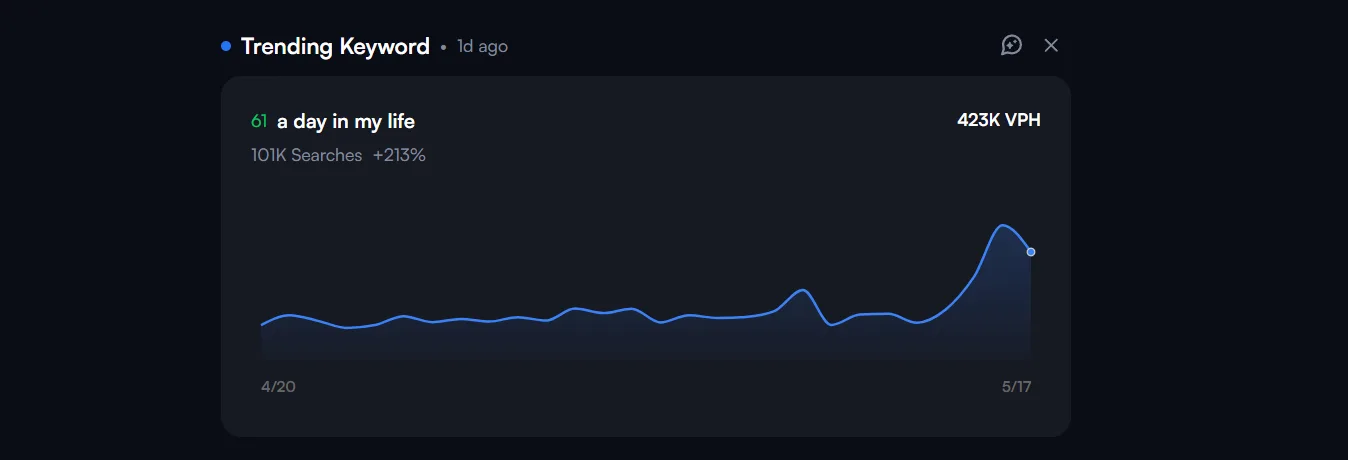
vidIQ returns more data per search including trend graphs, related keyword clusters, and competition scores. TubeBuddy's keyword explorer is functional but returns fewer data points per query. For creators making keyword decisions before filming, vidIQ or tubebuddy on this feature is not close.
SEO and Metadata
TubeBuddy's SEO scorecard sits directly inside YouTube Studio and grades every video's metadata in real time during upload. It flags missing tags, weak descriptions, and title issues before you publish. vidIQ offers similar guidance but with less granular scoring at the video level.
Competitor Analysis
vidIQ tracks competitor channels over time and surfaces which videos are gaining momentum by views per hour. That data tells you what is working in your niche before you commit to a topic. TubeBuddy's competitor tracking is channel-level only with no video-level momentum data.
AI Features
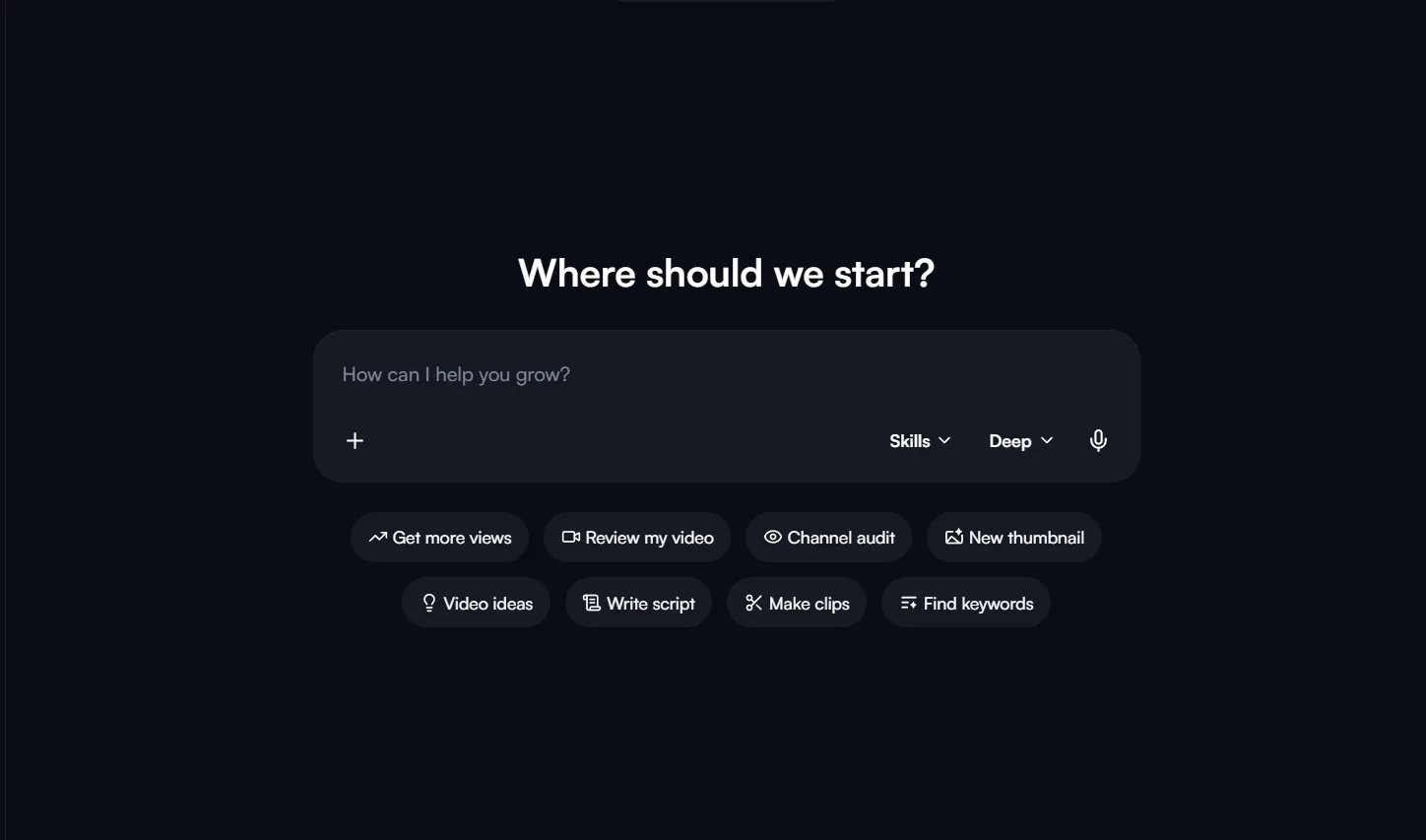
vidIQ's AI Daily Ideas generates personalized video topics based on your niche, current trends, and audience behavior. The AI coach pulls from your actual channel analytics to give specific optimization suggestions. TubeBuddy has added AI title and thumbnail generators but they feel less connected to your channel's specific data.
A/B Testing
This is TubeBuddy's clearest advantage. No other tool in this category offers full A/B testing on live videos across titles, thumbnails, descriptions, and tags simultaneously. For creators who want data on what packaging drives the most clicks, which is better tubebuddy or vidiq on this feature has one answer.
Bulk Processing
TubeBuddy's bulk tools have no equivalent in vidIQ. Updating descriptions, adding end screens, or overlaying thumbnails across hundreds of videos in one action saves hours of manual work for creators with large existing libraries.
Pricing Comparison
vidiq vs tubebuddy pricing is one of the clearest areas where the two tools diverge. TubeBuddy costs significantly less at every tier and its most useful features unlock at a lower price point.
| Plan | TubeBuddy | vidIQ |
|---|---|---|
| Free | Basic keyword explorer, limited tag suggestions, video analytics | Basic keyword research, 3 competitor slots, trending videos |
| Entry Paid | Pro: $3.60/month (annual) | Boost: $19/month (annual) |
| Mid Tier | Star: $6/month (annual) | Boost+: $39/month (annual) |
| Top Tier | Legend: $9/month (annual) | Max: $49/month (annual) |
| Small Channel Discount | 50% off for channels under 1,000 subscribers | No equivalent discount |
The pricing gap at the entry tier is the most significant number in this comparison. TubeBuddy Pro at $3.60 per month includes A/B testing and keyword research. vidIQ's first genuinely useful paid tier starts at $19 per month, and its AI coach, which is the feature most creators pay for vidIQ to access, does not unlock until the Max plan at $49 per month.
For budget-conscious creators, is vidiq better than tubebuddy on price has one answer. TubeBuddy delivers more usable features at every price point below $20 per month.
vidIQ's higher pricing is partially justified by the depth of its AI features and structured coaching at the Max tier. The Max plan includes live group coaching sessions and expert consultations that TubeBuddy has no equivalent for. For creators who want human guidance alongside tool access, that premium has genuine value.
The small channel discount is worth highlighting specifically. TubeBuddy offers 50% off all paid plans for channels under 1,000 subscribers. That brings the Pro plan to approximately $1.80 per month, making it the most affordable paid YouTube growth tool available at the early channel stage.
Quick Note: Both tools offer free plans worth testing before committing to a paid tier. Neither charges cancellation fees and both allow downgrading to free rather than cancelling entirely.
Free Plan Comparison
Both vidiq and tubebuddy offer free plans worth using before spending anything. The question is which free plan delivers more useful data for a creator with zero budget.
| Feature | TubeBuddy Free | vidIQ Free |
|---|---|---|
| Keyword Research | Limited explorer, basic tag suggestions | 5 related keywords per search with volume and competition scores |
| Competitor Tracking | None | Up to 3 competitor channels with top 6 trending videos |
| Video Analytics | Basic view, comment, and like summary | Views per hour on any YouTube video |
| SEO Scorecard | Limited | Basic optimization suggestions |
| AI Features | None | Limited AI idea suggestions |
| Bulk Processing | None | None |
| A/B Testing | None | None |
vidIQ's free plan delivers more actionable data than TubeBuddy's free tier. The ability to track three competitor channels and see their trending videos by views per hour is genuinely useful research capability at zero cost. The keyword search returning five results with volume and competition scores gives a beginner enough data to make basic content decisions without paying anything.
TubeBuddy's free plan is more limited in scope. The basic tag suggestions and video analytics are useful reference points but do not give a beginner enough data to meaningfully improve content decisions on their own.
Quick Note: For a creator with no budget deciding between vidiq or tubebuddy on the free plan alone, vidIQ is the stronger starting point. It gives you more data to work with before you need to consider upgrading.
User Interface and Ease of Use
Both tools operate primarily as browser extensions that integrate directly into YouTube and YouTube Studio. The difference in how they present data and where their strongest functionality lives has a meaningful impact on how useful each tool feels day to day.
vidIQ has the stronger web dashboard. The interface is modern, uncluttered, and built around a clear left sidebar navigation with distinct sections for keyword research, competitor tracking, and AI ideas.

Core tools are accessible without opening YouTube, which means you can do research independently of the platform. The extension loads quickly, presents data cleanly, and does not cause noticeable interface slowdown inside YouTube Studio.
The tradeoff is a steeper learning curve. vidIQ's depth of analytics and the volume of data it surfaces across keyword research and competitor tracking can feel overwhelming for a creator who is new to YouTube growth tools. The data is there but knowing which numbers to act on first is not always obvious.
TubeBuddy is more beginner friendly in terms of guided optimization. The SEO scorecard that appears on every video during upload tells you exactly what is missing and what to fix before you publish. That guided approach reduces the decision fatigue that comes with staring at raw data and trying to interpret it independently.
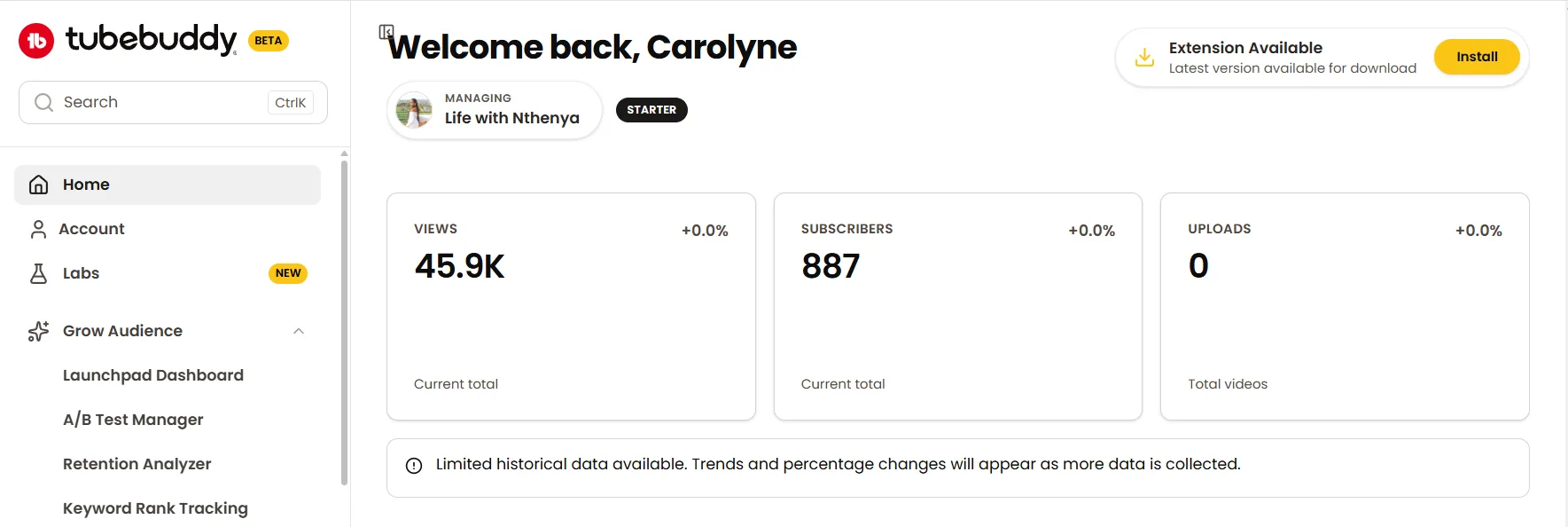
The limitation is TubeBuddy's web dashboard. It feels secondary to the extension and offers limited functionality outside of YouTube Studio. Most of TubeBuddy's value is only accessible with YouTube open, which makes standalone research sessions less practical than vidIQ's web-first approach.
| TubeBuddy | vidIQ | |
|---|---|---|
| Web Dashboard | Limited, extension-first | Modern, fully functional |
| Beginner Friendliness | Higher, guided optimization | Lower, steeper learning curve |
| Data Depth | Moderate | High |
| Works Without YouTube Open | No | Yes |
| Interface Speed | Fast | Fast |
Quick Note: For a beginner who wants guidance rather than raw data, TubeBuddy's interface removes more friction. For a creator comfortable interpreting analytics who wants research capability independent of YouTube, vidIQ's dashboard is the stronger daily driver.
Who Should Use TubeBuddy
TubeBuddy is the right tool for creators whose primary growth challenge is improving the performance of content they are already publishing consistently.
If you have a regular upload schedule and want data-driven tools to optimize what you are putting out, TubeBuddy delivers more value per dollar than any comparable tool in the market.
Choose TubeBuddy if:
- You want to A/B test thumbnails and titles on live videos to find what drives the highest CTR. This is TubeBuddy's single most powerful feature and nothing else in this category matches it.
- You have a large existing video library and need to update descriptions, tags, or thumbnails across multiple videos without doing it manually one by one.
- You are on a tight budget and need the most useful paid features at the lowest possible price point. TubeBuddy Pro at $3.60 per month, or $1.80 for channels under 1,000 subscribers, is the most affordable entry into paid YouTube optimization tools.
- You want SEO guidance built directly into the upload flow. TubeBuddy's scorecard tells you what to fix before you publish rather than after the video has already lost its early distribution window.
- You are a beginner who wants a tool that tells you what to do rather than presenting raw data you have to interpret yourself.
TubeBuddy is less suited for creators who:
- Have not yet established a consistent upload schedule. A/B testing and bulk processing tools require a volume of content to be genuinely useful.
- Need help deciding what to create before they film. TubeBuddy's keyword research is functional but not deep enough to be a primary content strategy tool.
- Want AI-powered idea generation or structured coaching alongside their tool access.
Who Should Use vidIQ
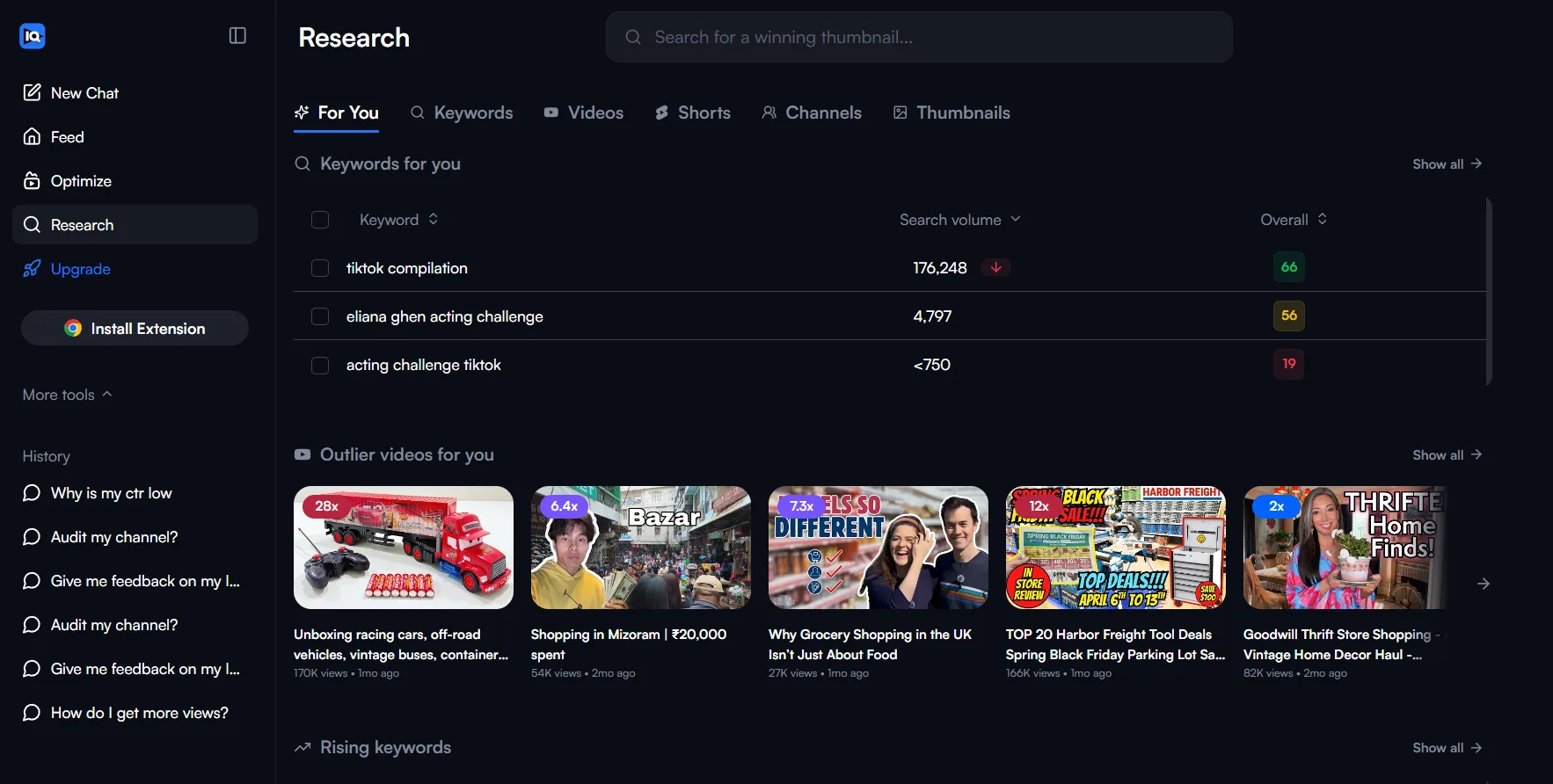
vidIQ is the right tool for creators whose primary growth challenge is figuring out what to create before they film it. If you are publishing consistently but struggling to find topics with real demand, or if your videos are not getting picked up by search and suggested feeds, vidIQ's research and discovery tools address those problems more directly than TubeBuddy does.
Choose vidIQ if:
- You want AI-powered video idea generation that pulls from your niche, current trends, and what similar channels are publishing. The Daily Ideas feature removes the blank page problem for creators who struggle with consistent topic research.
- You want to track competitor channels over time and see which of their videos are gaining momentum by views per hour. That data tells you what is working in your niche before you commit time and resources to a topic.
- You want structured coaching alongside your tool access. vidIQ's Max plan includes live group coaching sessions and expert consultations that give you human guidance on top of the data the tool surfaces.
- You want deep keyword research with trend graphs, related keyword clusters, and competition scoring to validate topics before filming. vidIQ returns significantly more data per keyword search than TubeBuddy.
- You do research sessions independently of YouTube and need a fully functional web dashboard that works without the platform open.
vidIQ is less suited for creators who:
- Are on a tight budget. The free plan is generous but the first genuinely useful paid tier starts at $19 per month, and the AI coach does not unlock until $49 per month.
- Have a large existing video library that needs systematic optimization. vidIQ has no bulk processing tools to handle that workload efficiently.
- Want full A/B testing on live videos. vidIQ offers limited A/B testing across all plans but nothing comparable to TubeBuddy's depth on this feature.
Can You Use Both Together
Yes. TubeBuddy and vidIQ can run simultaneously as browser extensions without technical conflicts. Many established creators use both, leveraging vidIQ for pre-publish research and idea validation and TubeBuddy for post-publish optimization and A/B testing.
The combined setup makes most sense when:
- You are publishing consistently enough that both the research and optimization workflows are active at the same time. A creator uploading once per week benefits from vidIQ's topic research at the start of the week and TubeBuddy's A/B testing data on the previous upload simultaneously.
- You have the budget for both. At minimum that means vidIQ's Boost plan at $19 per month plus TubeBuddy Pro at $3.60 per month, a combined cost of approximately $23 per month on annual billing.
- You have enough videos published that TubeBuddy's bulk processing and A/B testing features have meaningful data to work with.
When using both does not make sense:
- If your channel is under 20 videos, the optimization tools in TubeBuddy have limited data to act on. Start with vidIQ's free plan for research and add TubeBuddy once you have a consistent publishing rhythm and a library worth optimizing.
- If budget is a constraint, pick the tool that addresses your biggest current problem. A new channel with no consistent topic strategy needs vidIQ first. A channel with 50 videos and declining CTR needs TubeBuddy first.
Quick Note: Running both extensions simultaneously does make the YouTube interface busier. Both tools add data overlays to video pages and the YouTube Studio dashboard. Some creators toggle one off while actively using the other to keep the interface clean.
What Neither Tool Does Well
Both tubebuddy vs vidiq comparisons across the web focus on what each tool does well. The more useful question for a creator making a long-term investment in a growth tool is what neither of them covers adequately.
1. Neither tool gives you a comprehensive channel audit
TubeBuddy audits individual video health at the metadata level. vidIQ surfaces channel-level analytics and competitor data. Neither connects your SEO performance, CTR, audience retention, traffic sources, demographic data, and competitor benchmarking into a single structured audit that tells you exactly where your channel stands and what to prioritize fixing first.
2. Neither tool connects data to a prioritized action plan
Both tools surface data. Neither consistently tells you which data point represents your highest leverage improvement opportunity right now. A creator looking at vidIQ's keyword scores and TubeBuddy's A/B test results simultaneously still has to decide independently which problem to address first. That decision requires a level of analytical judgment most creators are still developing.
3. Neither tool benchmarks your channel against competitors in your specific niche
vidIQ tracks competitor videos by views per hour. TubeBuddy offers basic channel comparisons. Neither gives you a structured side-by-side assessment of how your CTR, retention, posting frequency, and SEO compare to the channels your target audience is already watching in your niche.
4. Neither tool is built around your own channel's performance data as the primary input
Both tools pull from platform-wide keyword and trend data. Neither builds its recommendations primarily from what your specific channel's analytics show is working and what is not.
These gaps are not criticisms of either tool. TubeBuddy and vidIQ are genuinely strong at what they are designed to do. The gaps exist because both were built as browser extensions layered on top of YouTube, not as channel strategy platforms built around your own performance data.
If those gaps describe the problem you are trying to solve, ytgrowth.io is built specifically around them. The Channel Audit runs a 10-dimension analysis covering CTR, retention, traffic sources, demographics, SEO, and competitor benchmarking in your specific niche.
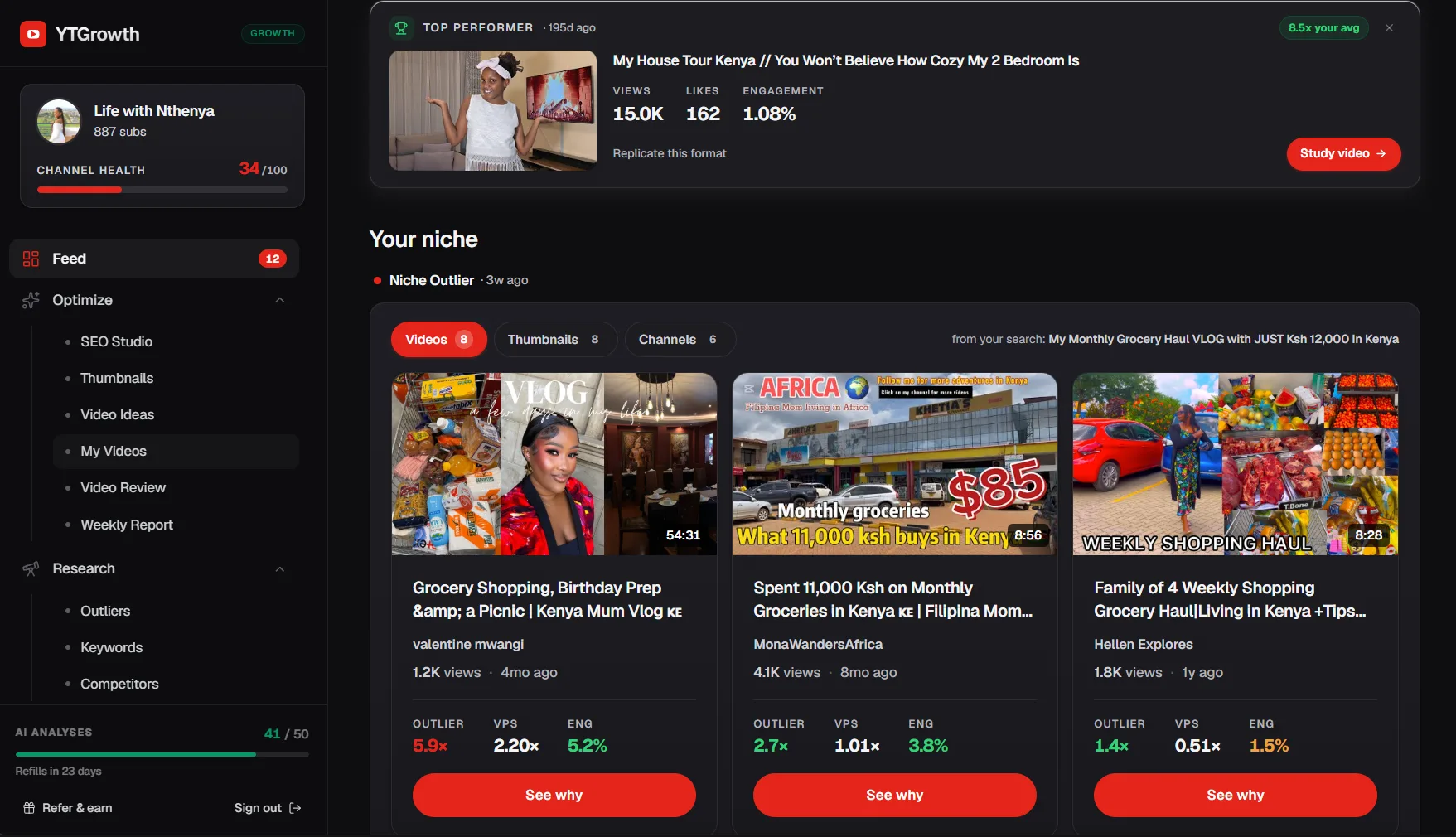
The SEO Studio and Keyword Explorer connect keyword data directly to your channel's content strategy. And the weekly performance report tells you the single highest priority action to take before your next upload, removing the decision fatigue that raw data from either TubeBuddy or vidIQ alone cannot address.
See what TubeBuddy and vidIQ leave on the tableChannel Audit ties CTR, retention, SEO, demographics, and competitor benchmarking into one prioritized action plan built around your specific channel, not platform-wide averages. Free to try.Try Channel Audit →Frequently Asked Questions
Is vidIQ better than TubeBuddy for beginners?
For beginners with no budget, vidIQ's free plan delivers more actionable data including competitor tracking and keyword scores. For beginners willing to spend a small amount, TubeBuddy Pro at $1.80 per month for channels under 1,000 subscribers offers guided SEO optimization that requires less analytical experience to act on. Both are beginner friendly for different reasons.
Which is better for keyword research, vidIQ or TubeBuddy?
vidIQ wins on keyword research. It returns more data points per search including trend graphs, related keyword clusters, and competition scores. TubeBuddy's keyword explorer is functional but returns fewer data points and is better suited as a secondary research tool than a primary one.
Are vidIQ and TubeBuddy free?
Both offer free plans. vidIQ's free plan includes basic keyword research, three competitor slots, and views per hour data. TubeBuddy's free plan includes limited tag suggestions and basic video analytics. Neither free plan unlocks the tools that make each platform most valuable. vidIQ's free plan delivers more useful data for a creator at zero budget.
Which is better, vidIQ or TubeBuddy, for small channels?
TubeBuddy is the stronger choice for small channels on a budget. The 50% discount for channels under 1,000 subscribers brings the Pro plan to approximately $1.80 per month, making it the most affordable paid YouTube growth tool available. vidIQ's paid plans start at $19 per month, which is a significant cost difference for a channel still building toward its first monetization milestone.
Can I use vidIQ and TubeBuddy together?
Yes, both run as browser extensions with no technical conflicts, and many established creators use vidIQ for pre-publish research and TubeBuddy for post-publish optimization at the same time. It makes the most sense once a channel is publishing consistently enough for both workflows to have real data to act on, and least sense under about 20 published videos.
What do neither TubeBuddy nor vidIQ do well?
Neither connects CTR, retention, traffic sources, demographics, and competitor benchmarking into one prioritized action plan built around your specific channel. Both surface data, but neither consistently tells you which data point is your highest-leverage fix right now, that judgment call is still left to the creator.
The Verdict: Two Good Tools Built for Different Problems
TubeBuddy and vidIQ are both worth using. The mistake is treating them as direct substitutes when they are designed for different stages of the content creation process.
Choose TubeBuddy if your primary need is optimizing content you are already publishing. A/B testing, bulk processing, and guided SEO at upload are its strongest features and nothing else in this category matches them at its price point.
Choose vidIQ if your primary need is figuring out what to create before you film it. Keyword validation, competitor momentum tracking, and AI-powered idea generation are where it delivers the most value, particularly for creators whose biggest challenge is consistent topic research rather than post-publish optimization.
Use both if your budget allows and your channel is publishing consistently enough that both the research and optimization workflows are running simultaneously.
Neither tool replaces the need to understand your own channel's performance data at a deeper level. Keyword scores and A/B test results are inputs into a growth strategy, not the strategy itself. The creators who grow fastest are the ones who combine the right tools with a clear understanding of what their specific channel's analytics are telling them to prioritize.
Which is better, tubebuddy or vidiq is ultimately the wrong question. The right question is which problem your channel needs to solve right now and which tool is built specifically for that problem.