YouTube processes over 3 billion searches every month. Every one of those searches is a viewer looking for a specific answer, a specific format, or a specific creator. The videos that show up are not always the best ones. They are the ones built around what people are searching for.
Most creators skip this step entirely. They pick a topic based on what feels relevant, write a title that describes the video, and upload hoping the algorithm picks it up. Some get lucky. Most do not. The ones who grow consistently are doing something different before they ever open a camera.
The right YouTube keyword research tools turn that guesswork into a process. They tell you what your audience is searching for, how competitive each topic is, and which gaps your competitors are leaving open. The difference between a video that pulls 50,000 views in its first month and one that stalls at 400 is often a single keyword decision made before filming started.
This guide compares every major option available in 2026, from free tools any creator can use today to paid platforms built for serious growth, so you can build a research process that works for your channel size and budget.
What YouTube Keyword Research Requires
Not every tool that calls itself a YouTube keyword tool delivers the same thing. Some return autocomplete suggestions with no volume data. Others show search volume estimates with no way to assess competition. A few connect keyword data directly to your channel's performance so the research leads somewhere actionable.
Four things separate a useful tool from one that just adds noise to your workflow.
| Criteria | What It Means | Why It Matters |
|---|---|---|
| Search volume accuracy | Estimated monthly searches for a keyword on YouTube | Tells you whether real demand exists before you film |
| Competition scoring | How many strong videos are already targeting the keyword | Tells you whether a smaller channel can realistically rank |
| Trend signals | Whether search volume is rising, falling, or stable | Tells you whether to build around a keyword now or wait |
| Channel connection | Whether keyword data links to your own channel's gaps and audience behavior | Tells you which keywords are worth targeting for your specific channel, not just in general |
Most free tools cover the first two criteria partially. The fourth is where the gap between basic keyword tools and a proper growth platform becomes visible. A keyword with strong search volume means nothing if your channel has no existing traction in that topic cluster and no content gap to exploit. The tools that connect research to channel data close that gap.
YouTube Studio: The Free Starting Point
Before spending anything on a third-party tool, every creator should exhaust what YouTube Studio already provides. It is the only platform with direct authenticated access to your channel's actual data, and its keyword signals are based on real viewer behavior, not estimates.
The Inspiration tab inside YouTube Studio Analytics is the most underused YouTube keyword tool available to any creator. It shows you topics your existing audience is actively searching for, content gaps your channel has not covered yet, and rising queries in your niche pulling views on other channels. All of it is free and updated continuously based on your actual audience data.
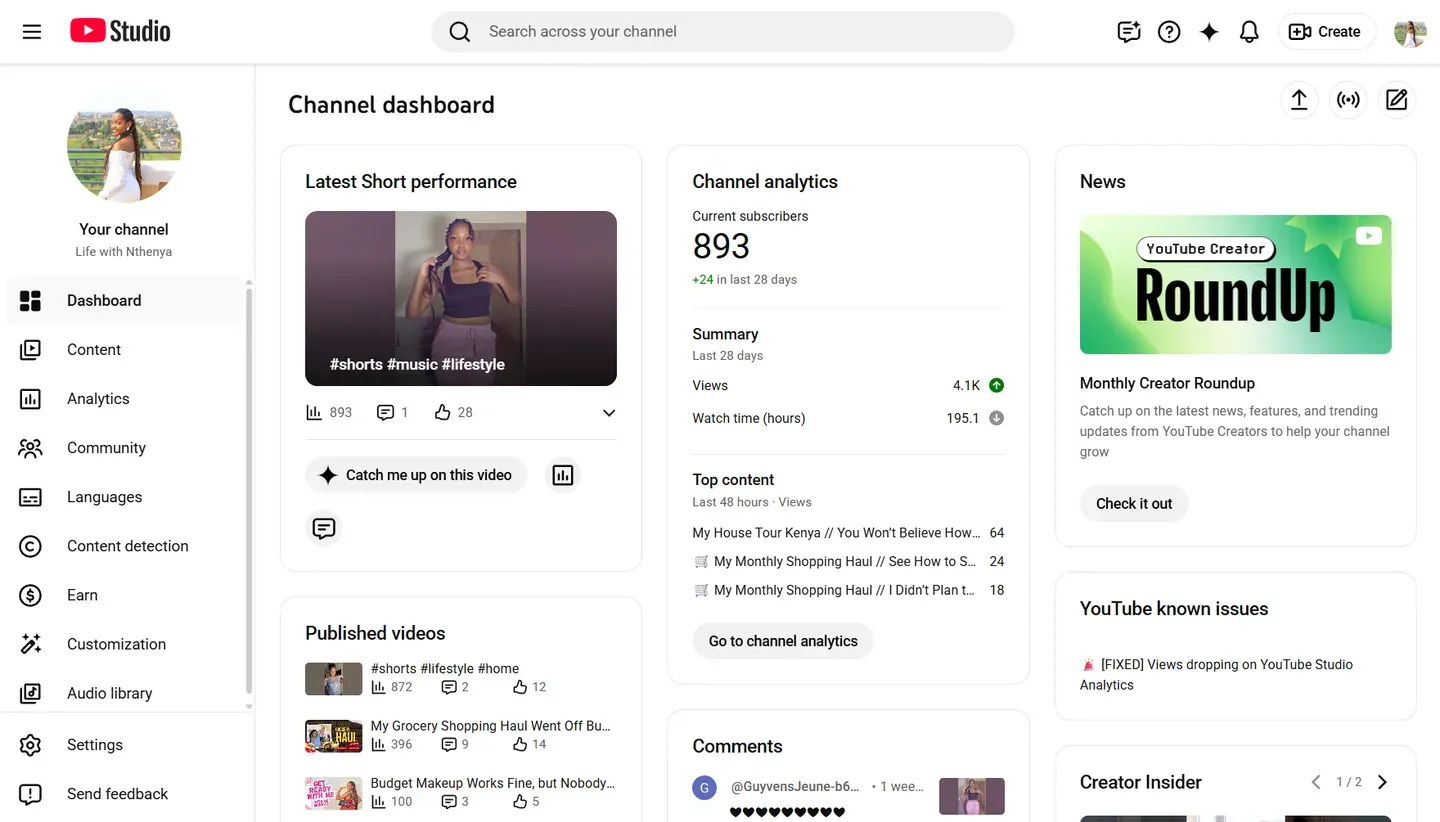
The search terms report under the Content tab shows you which exact phrases viewers typed into YouTube before finding your videos. That data tells you which keywords are already sending you traffic and which related terms you have not yet built content around.
Where YouTube Studio runs out is on the competitive side. It shows you demand signals from your own audience but it cannot tell you how difficult a keyword is to rank for, what your competitors are targeting, or whether a topic has enough broader search volume to justify a standalone video. That is where a dedicated YouTube keyword finder becomes necessary.
Use YouTube Studio first. If the Inspiration tab surfaces a topic with clear demand from your existing audience, that is your highest confidence starting point before you validate anything with a paid tool.
Pro Tip: Open the Inspiration tab and the search terms report side by side once a week. Any topic that appears in both lists, a content gap surfaced by Inspiration AND a phrase already sending you traffic, is the single highest confidence video idea you can act on. The demand is confirmed by your audience twice over before you commit a single hour to filming.
The Core YouTube Keyword Tools Compared
Choosing the best YouTube keyword research tool depends entirely on what decision you are trying to make. The tools below cover the main options available in 2026, each with a different approach to keyword data and a different strength.
1. vidIQ Keyword Research
vidIQ is built specifically for YouTube and is one of the most widely used options for pre-publish keyword decisions. Its keyword score combines estimated search volume and competition into a single number, giving you a quick read on whether a topic is worth targeting before you film.
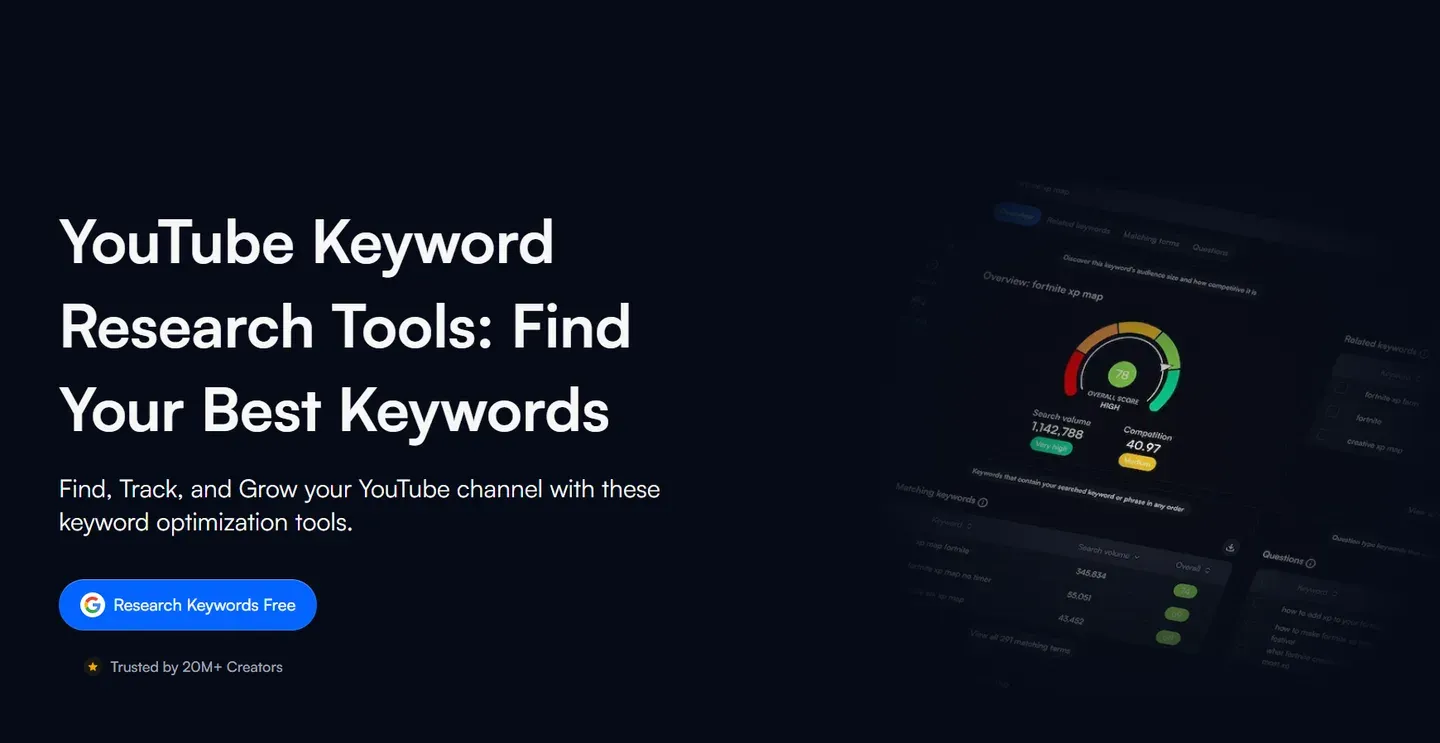
When you search a term, vidiq keyword research surfaces related keywords, tag suggestions, and competitor videos already ranking for that phrase. The browser extension integrates directly with YouTube so the data sits alongside your upload workflow rather than in a separate dashboard. For creators who want to validate a topic idea quickly and see what the competition looks like, it covers the core need well.
Where vidIQ falls short is on connecting keyword data to your own channel's performance. It tells you what is searchable in general but not which keywords your specific audience is already responding to or which content gaps your channel is best positioned to fill.
2. TubeBuddy Keyword Explorer
TubeBuddy takes a different approach. Its keyword explorer sits directly inside YouTube Studio via a browser extension and grades every keyword with an SEO score that factors in search volume, competition, and your channel's existing strength in that topic area.
The channel strength element is what makes TubeBuddy's keyword data more contextual than most tools. A keyword that is highly competitive for a 500k subscriber channel may be very winnable for a 5k subscriber channel in the same niche, and TubeBuddy's scoring reflects that difference.
It also flags keyword opportunities directly on competitor videos as you browse, which speeds up gap research considerably.
TubeBuddy is stronger on post-publish optimization than pre-publish research. Its bulk processing tools, A/B testing, and SEO scorecard on every upload are where it delivers the most value. As a standalone keyword finder for YouTube, it is solid but secondary to its broader optimization toolkit.
3. Keyword Tool IO for YouTube
Keyword tool io YouTube pulls long-tail keyword suggestions directly from YouTube's autocomplete, which means every result reflects something real viewers have typed into the search bar. It supports multiple languages and countries, making it useful for creators targeting non-English audiences or regional search behavior.
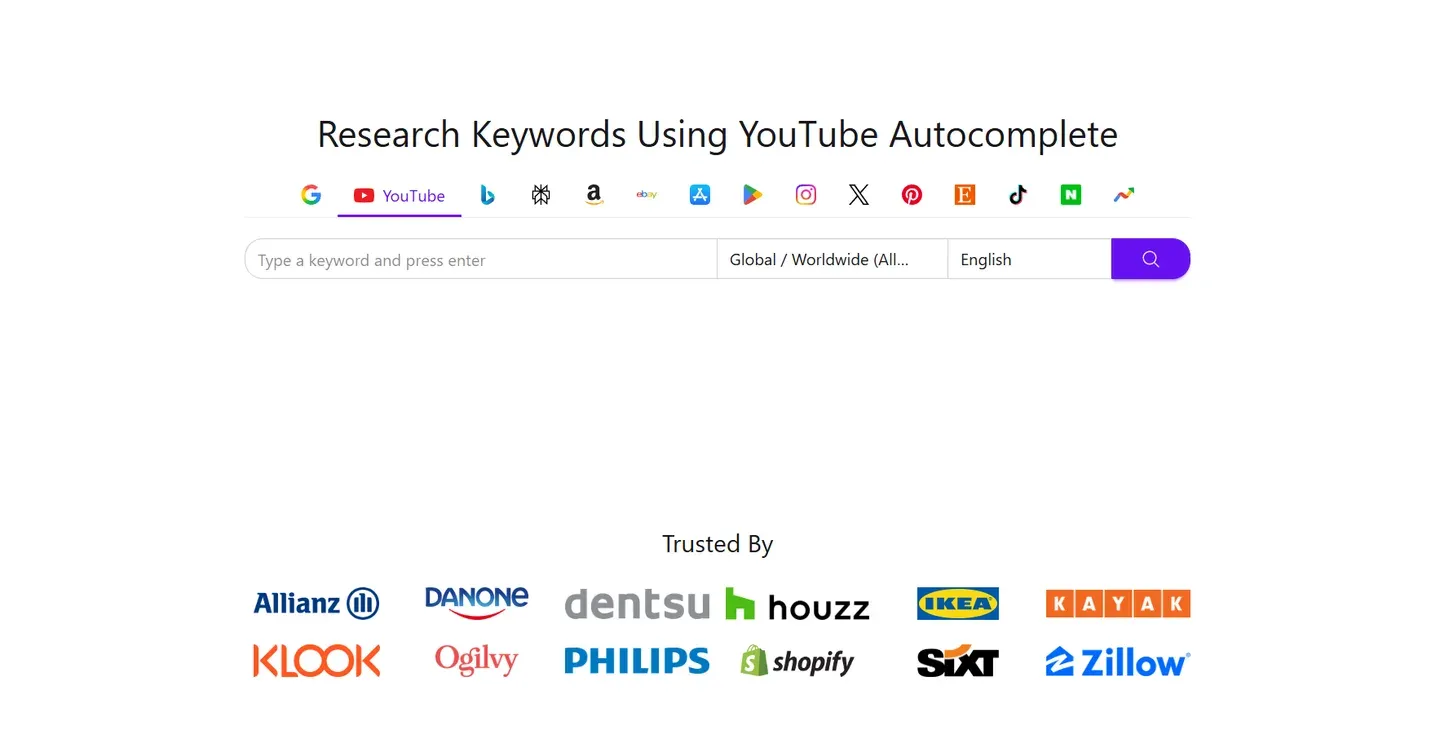
The limitation on the free plan is significant. Search volume, competition data, and trend signals are all locked behind the paid tier. On the free version you get keyword ideas without the data needed to prioritize them, which makes it a starting point for brainstorming rather than a complete research workflow.
4. ytgrowth.io Keyword Explorer
The gap that vidIQ, TubeBuddy, and keyword tool io all share is that their keyword data exists in isolation from your channel. They tell you what is searchable across YouTube but not what is most relevant to your specific audience or where your channel has the strongest case for ranking.
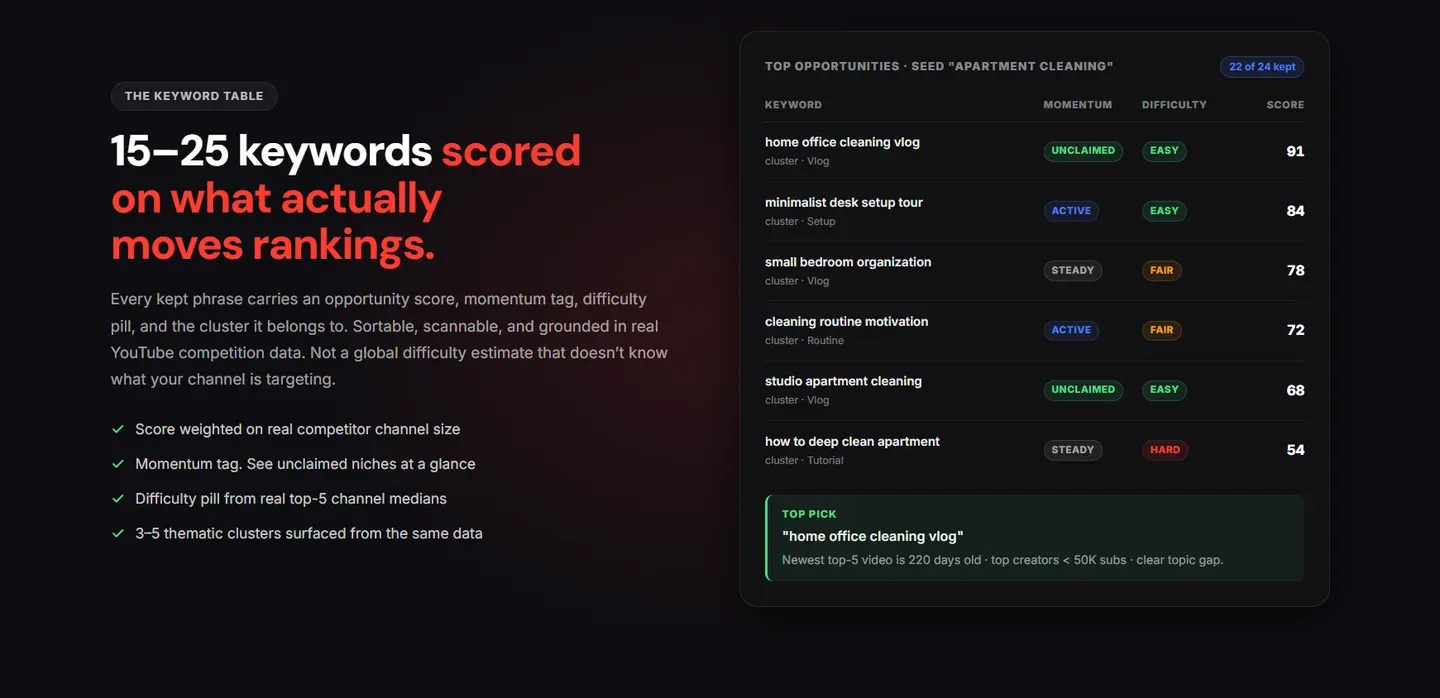
ytgrowth.io's Keyword Explorer closes that gap. It surfaces search volume and competition data alongside your channel audit findings, so keyword decisions are informed by what your audience is already responding to, which topics your competitors are ignoring, and where your channel has existing traction to build from.
A keyword decision made with that context is a fundamentally different decision from one made against a generic search volume score.
Pro Tip: Treat the competition score as a relative number, not an absolute one. A keyword scored "high competition" is still very winnable if every ranking video is over two years old, runs under 5 minutes, or has weak thumbnails. Open the top 5 videos for any keyword you are considering and audit them like you would your own. The gap you can see in their packaging is often bigger than any algorithmic score suggests.
| Tool | Free Plan | Keyword Depth | Competition Scoring | Connected to Channel Data | Best For |
|---|---|---|---|---|---|
| YouTube Studio | Yes | Demand signals only | No | Yes | Starting point, audience intent |
| vidIQ | Yes (limited) | Strong | Yes | No | Pre-publish topic validation |
| TubeBuddy | Yes (limited) | Strong | Yes, channel-adjusted | Partial | Post-publish optimization |
| Keyword Tool IO | Yes (no volume data) | Long-tail suggestions | Paid only | No | Brainstorming, non-English research |
| ytgrowth.io | Yes (5 analyses) | Strong | Yes | Yes | Channel-connected keyword decisions |
Google Keyword Planner for YouTube
Google Keyword Planner was built for Google Search advertising, not for YouTube content strategy. That distinction matters before you spend time pulling data from it.
What google keyword planner for YouTube can tell you is whether a topic has broad search demand across Google. If a keyword pulls strong monthly search volume on Google, there is a reasonable case that related intent exists on YouTube as well. For creators in niches where Google and YouTube searches overlap heavily, such as tutorials, how-to content, and product reviews, it is a useful supplementary signal.
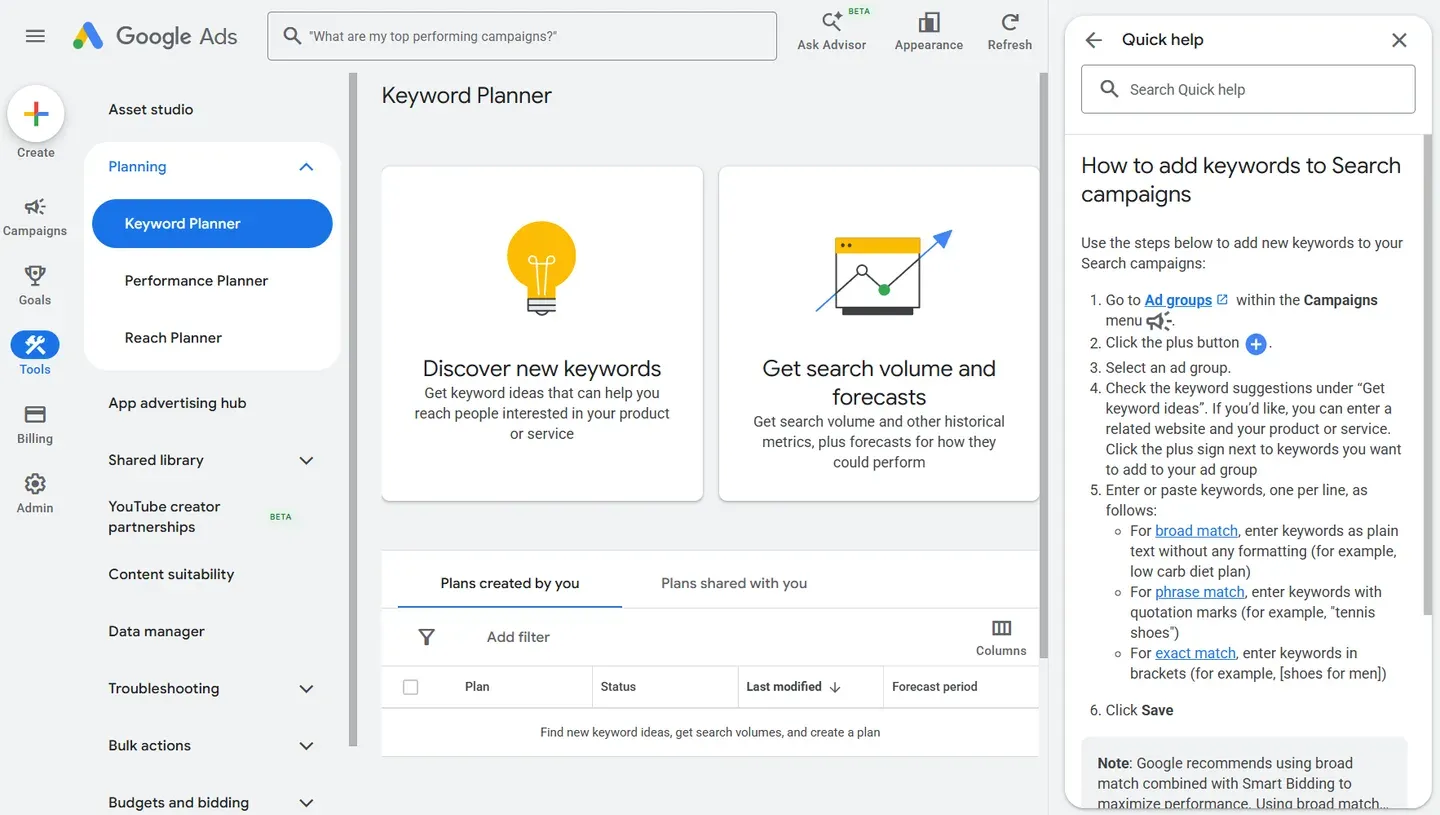
What it cannot tell you is YouTube-specific search volume, how competitive a keyword is on YouTube, or how that keyword performs against your channel's existing content. Google Keyword Planner measures advertiser demand, not viewer behavior on YouTube.
The numbers it returns reflect what businesses are bidding on in Google Ads, which correlates loosely with YouTube search demand but is not the same data set.
The most practical use for Google Keyword Planner in a YouTube research workflow is topic validation at the broad level. If a keyword has no Google search volume, it likely has limited YouTube demand as well. If it has strong Google volume, verify it with a YouTube-native tool before building a video around it.
Use it as a filter, not a foundation.
Pro Tip: Tutorial, how-to, and product review niches show the strongest overlap between Google search demand and YouTube search demand. Entertainment, vlogs, gaming reactions, and reaction-style content show almost none. If your channel sits in the second group, Google Keyword Planner data is close to noise for your decisions and you can safely skip it in favor of YouTube-native tools.
Free YouTube Keyword Research Tools Worth Knowing
Not every useful research signal requires a paid subscription. Several free YouTube seo keyword search options give creators enough data to make informed decisions, especially in the early stages of a channel.
1. ytgrowth's Free Keyword Research Tool
Our own free keyword research tool sits in this group with no login and no card. Type any topic and it expands YouTube autocomplete into dozens of real keyword ideas, then scores each one from 0 to 100 on how winnable it is for a smaller channel.
It is the one free option here that pairs keyword ideas with a difficulty read. For terms already in the shared library it also shows the competition behind them, the size of the ranking channels and the view ceiling, the context that raw autocomplete and RyRob leave out. Every search adds to that library, so the data deepens over time.
2. Google Trends Set to YouTube Search
Google Trends has a filter that restricts results to YouTube search data specifically, making it a genuinely different data set from its default web search view. You enter a keyword, switch the source to YouTube Search, and see how interest in that topic has moved over time, how it compares to related terms, and which regions are driving the most searches.
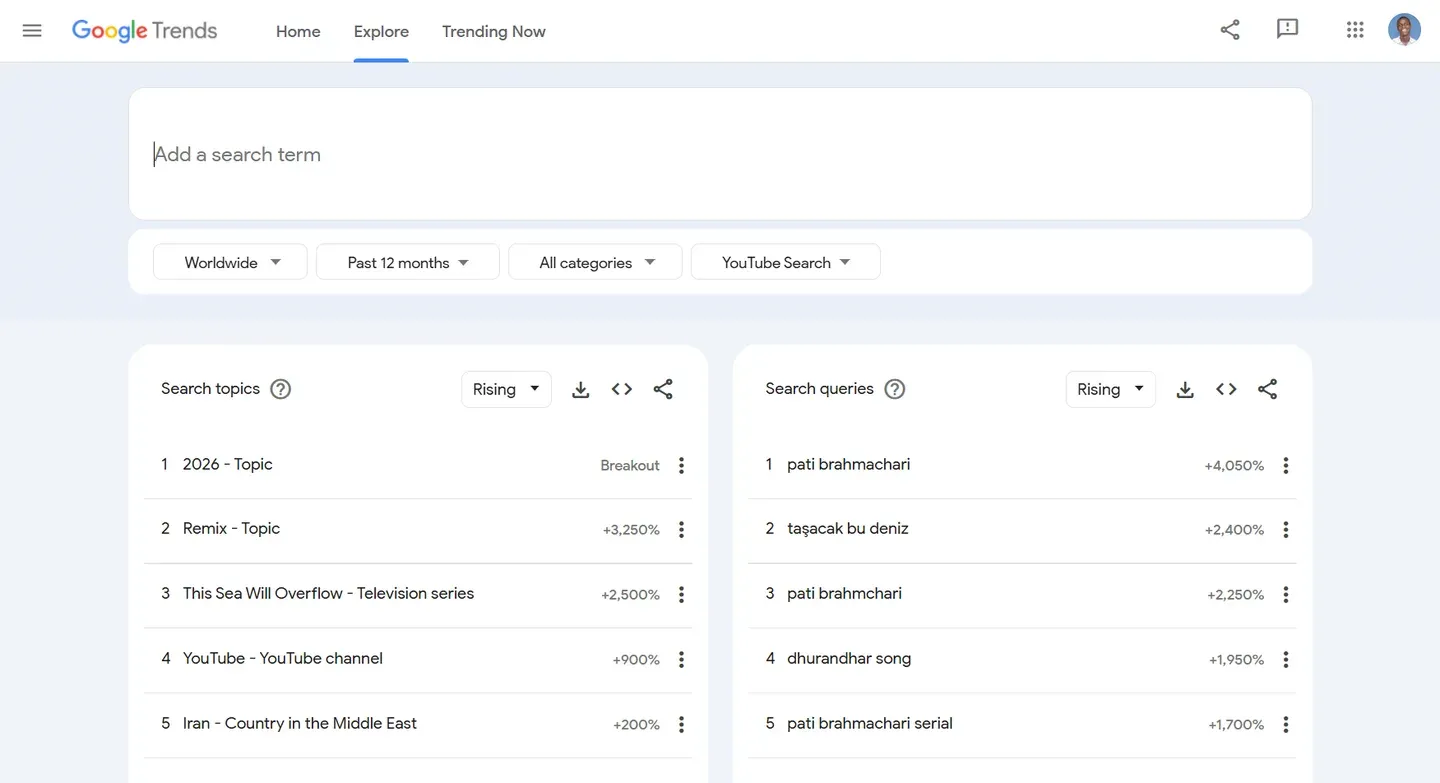
It does not show raw search volume numbers, but the directional data is reliable and free. A topic with a clear upward trend on Google Trends YouTube is worth validating further with a paid tool. A topic in decline is worth reconsidering regardless of what other tools show.
3. YouTube Autocomplete
Typing a keyword into the YouTube search bar and reading the autocomplete suggestions is the simplest YouTube keyword tool free available to any creator. Every suggestion reflects real searches made by real viewers. Adding a letter after your main keyword cycles through variations and surfaces long-tail phrases you may not have considered.
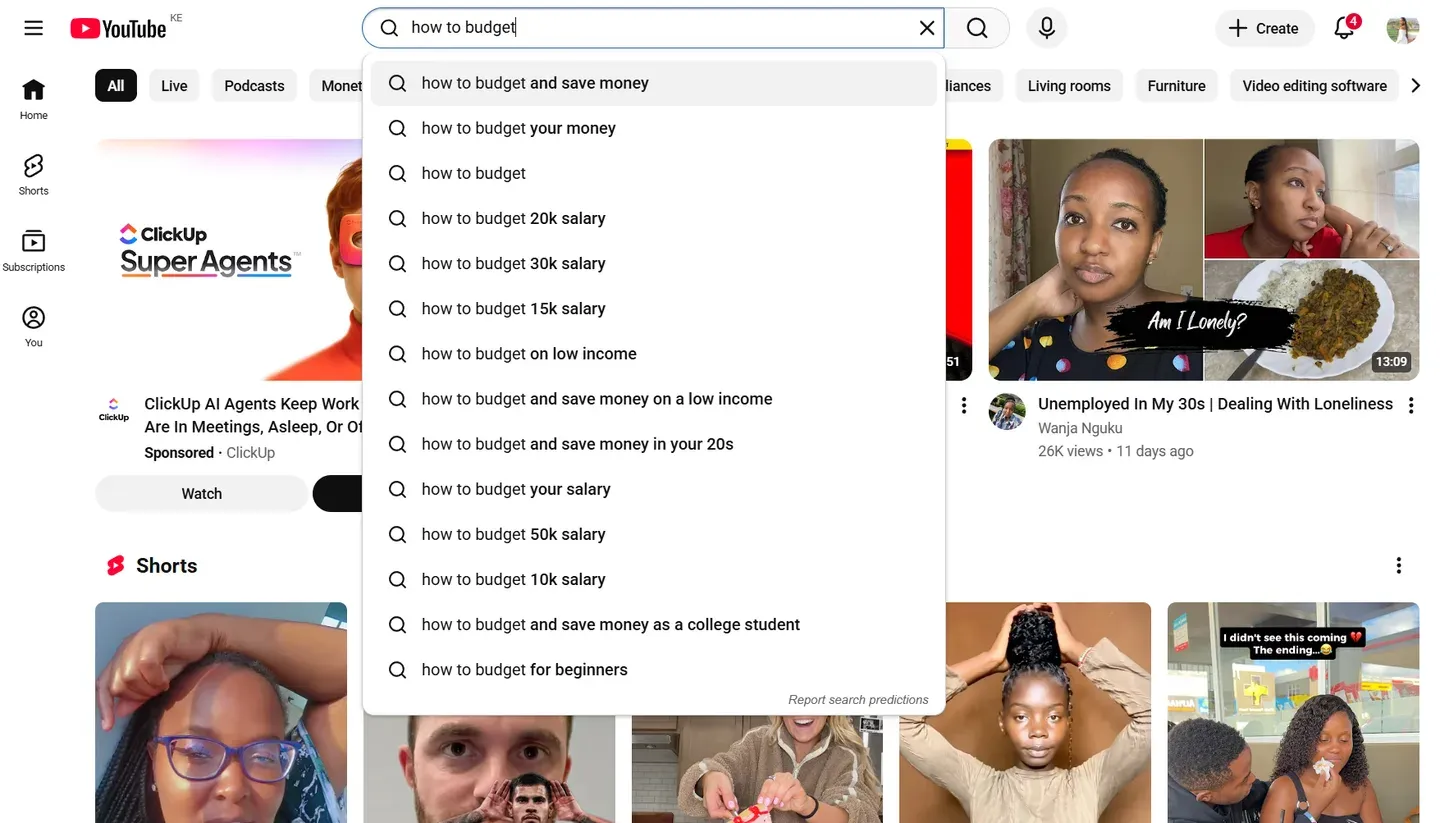
It takes two minutes and requires nothing beyond a YouTube account. The limitation is that it gives you no volume or competition data, so it works best as a brainstorming layer before you move to a tool with proper metrics.
4. RyRob's Free Keyword Tool
RyRob's free keyword tool pulls YouTube-specific suggestions for a seed keyword and returns a list of related phrases without requiring a signup or payment. It is limited in depth but useful for beginners who want a quick expansion of a topic idea before committing to a paid platform.
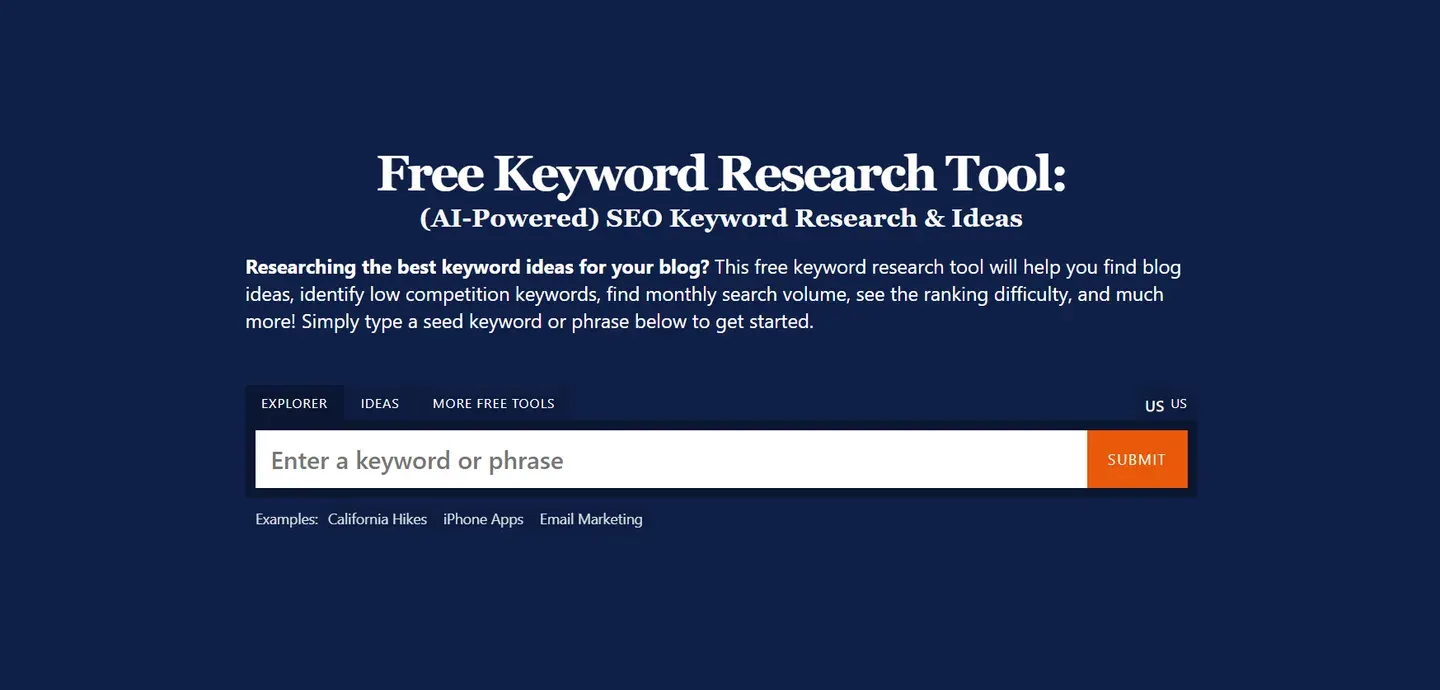
The honest ceiling on Google Trends, autocomplete, and RyRob is the same. They tell you what people are searching for but not how competitive those searches are or whether your specific channel can rank for them. They are the right starting point and the wrong finishing point for a serious keyword research workflow.
More YouTube Keyword Tools Worth Knowing
The tools above cover what most creators need, but a complete 2026 comparison should account for the rest of the field too. Each of these shows up across the major keyword-tool roundups, and each fills one specific gap.
| Tool | Free tier | Best for |
|---|---|---|
| Ahrefs YouTube Keyword Tool | Yes (limited) | A quick volume and difficulty read on a seed keyword, no signup |
| Keyword Tool Dominator | Yes (limited) | Real-time YouTube autocomplete pulls across regions |
| Ubersuggest | Freemium | Cross-checking Google and YouTube demand in one view |
| Keywords Everywhere | Paid (low cost) | Inline search volume on the YouTube bar as you browse |
| Kparser | Yes | Bulk long-tail autocomplete expansion |
| 1of10 | Paid | AI outlier search: keywords behind videos beating their channel size |
| Semrush Keyword Analytics for YouTube | Paid | YouTube volume inside a full SEO suite |
| Morningfame | Paid (low cost) | Guided keyword and topic scoring for newer channels |
None of these change the core workflow. Start with your own audience data, validate with one tool that gives competition and trend, then act. A second or third tool only earns its place if it answers a question your main one cannot.
How to Find YouTube Keyword Search Trends
Knowing what people search for today is half the job. Knowing what they will search for next week is where channels pull ahead of the competition.
YouTube keyword search trends fall into two categories that require different responses. A viral spike is a topic that surges for 24 to 72 hours then collapses. A sustained trend rises gradually over weeks or months and holds search volume long enough to build evergreen content around. Chasing spikes is a losing game for most creators. Identifying sustained trends early is where the real leverage sits.
Three methods work reliably for spotting sustained trends before they peak.
- Google Trends YouTube filter: Set the source to YouTube Search and watch the directional curve on any topic you are considering. A keyword with a steady upward slope over 90 days is a sustained trend worth building around. A sudden vertical spike followed by a drop is a signal to wait, not act.
- YouTube Studio Inspiration tab: The Content Gaps section inside the Inspiration tab flags topics your audience is actively searching for that your channel has not yet covered. These are not general trends. They are trends specific to your existing viewer base, which makes them higher confidence opportunities than anything a generic tool surfaces.
- ytgrowth.io Keyword Explorer: Surfaces trend momentum data alongside search volume and competition scores, so you can see whether a keyword is rising or plateauing before committing to it. Combined with the channel audit data, it tells you not just that a trend exists but whether your channel is positioned to take advantage of it right now.
The goal is not to react to trends. It is to identify them early enough to publish before the competitive window closes.
Pro Tip: The publishing window on a sustained trend usually lasts 4 to 8 weeks before competition floods in and ranking gets dramatically harder. If you spot a topic on a clean upward curve in Google Trends and your audience is already searching for related phrases inside YouTube Studio, give it priority over your normal content calendar. The early-mover advantage on a rising query is one of the largest distribution boosts a smaller channel can earn organically.
How to Build a YouTube Keyword Research Workflow
Having the right tools means nothing without a process that connects them. Most creators who use keyword tools still underperform because they run research in isolation from their content decisions. The workflow below fixes that.
Step 1: Start with YouTube Studio
Open the Inspiration tab and check the Content Gaps section for your niche. Every topic listed there is something your audience is already searching for that your channel has not yet covered. These are your highest confidence starting points because the demand signal comes directly from your own viewer base.
Check the search terms report under the Content tab at the same time. The phrases already sending you traffic reveal which keyword clusters your channel has existing traction in. Building new videos around those clusters is almost always more effective than starting from a completely new topic area.
Step 2: Validate with a Dedicated Keyword Tool
Take the topics surfaced in Step 1 and run them through a dedicated tool to check search volume, competition, and trend direction. This is where vidIQ, TubeBuddy, or ytgrowth.io's Keyword Explorer come in.
You are not looking for the highest volume keyword. You are looking for the keyword with the strongest combination of real demand, manageable competition, and upward trend momentum that your channel can realistically rank for.
A YouTube keyword finder at this stage is a validation tool, not a discovery tool. Discovery already happened in Step 1.
Step 3: Cross-Check Against Your Channel's Content Gaps
Before committing to a topic, confirm that it fits into a content cluster your channel is already building. A standalone video on an isolated keyword rarely compounds the way a video that reinforces an existing topic cluster does. ytgrowth.io's Competitor Analysis feature is useful here as it shows which topics your closest competitors are ignoring, giving you a gap to own rather than a crowded field to enter.
| Workflow Step | Tool | What You Are Looking For |
|---|---|---|
| Step 1: Demand signals | YouTube Studio Inspiration tab | Topics your audience searches for that you have not covered |
| Step 2: Validate the keyword | vidIQ, TubeBuddy, or ytgrowth.io | Search volume, competition score, trend direction |
| Step 3: Check content gaps | ytgrowth.io Competitor Analysis | Topics competitors ignore that your channel can own |
Pro Tip: Build a running list of 10 to 15 validated keywords ahead of time rather than researching one topic at a time. When you batch research weekly, you can pick the strongest opportunity from a shortlist instead of locking into the first idea that passes the filter. The best keyword in a list of 15 is almost always meaningfully better than the only keyword in a list of 1.
Frequently Asked Questions
What is the best free YouTube keyword research tool?
YouTube Studio is the strongest free option because its data comes directly from your own audience rather than estimates. The Inspiration tab and search terms report together give you demand signals no third-party tool can replicate without a paid subscription.
To go beyond your own channel data, Google Trends set to YouTube Search and YouTube autocomplete are the most reliable free supplements. If you want keyword ideas that come pre-scored on difficulty without a login, ytgrowth's free keyword research tool adds the opportunity read those raw-suggestion tools leave out.
Is Google Keyword Planner useful for YouTube?
It is useful as a broad filter but not as a primary research tool. Google Keyword Planner measures advertiser demand on Google Search, not viewer behavior on YouTube. The two overlap in some niches but they are not the same data set. Use it to validate that a topic has general search demand before running it through a YouTube-native tool.
How accurate are YouTube keyword finder tools?
No third-party tool has direct access to YouTube's internal search volume data. Every estimate is built from panel data, autocomplete signals, and proprietary algorithms. Accuracy varies by tool and by keyword.
The directional signals, whether a keyword is high or low competition and whether its trend is rising or falling, are generally more reliable than the exact volume numbers. Treat the figures as ranges rather than precise counts.
How do I find YouTube keyword search trends before they peak?
The most reliable method is the Google Trends YouTube Search filter combined with the Inspiration tab in YouTube Studio. Watch for keywords with a steady upward curve over 60 to 90 days rather than sudden spikes. ytgrowth.io's Keyword Explorer adds trend momentum data to search volume and competition scores, so you can assess whether a keyword is still worth targeting or already past its growth window.
The Right Tool Is the One That Leads to a Decision
No single tool wins across every use case. The right stack depends on where your channel is, what decision you are trying to make, and how much of your research budget is worth spending at your current stage.
What stays constant regardless of channel size is the process. Start with the demand signals your own audience is already giving you inside YouTube Studio. Validate with a dedicated tool that gives you competition scoring and trend direction. Cross-check against your channel's content gaps before you commit to filming anything.
The creators who grow consistently are not the ones running the most keyword searches. They are the ones who connect research to decisions. A keyword that fits your channel's existing traction, targets a gap your competitors have left open, and has real search demand behind it is worth ten times the effort of a high-volume keyword you have no realistic path to ranking for.
That is what a good keyword research workflow produces. Not a list of topics. A ranked set of opportunities your specific channel can act on.