YouTube Studio is the starting point for every creator's analytics workflow. It is free, accurate, and covers your own channel's performance data better than any third-party platform can. It is also where most creators stop, which is exactly where the gap begins.
The best YouTube analytics tools fill what YouTube Studio leaves open. Competitor data, keyword research, A/B testing, bulk optimization, and cross-channel reporting are all outside YouTube Studio's scope. The right third-party tool depends entirely on which of those gaps is limiting your growth right now.
This guide covers the strongest YouTube analytics options available, organized by the specific problem each one solves, with a recommended stack by channel size so you know exactly which tools to layer on top of YouTube Studio at every stage of your channel's growth.
What YouTube Studio Covers and What It Misses
Every creator's analytics workflow should start with YouTube Studio. It is the only platform with authenticated access to your channel's actual data including CTR, retention, revenue, and audience demographics. Every third-party tool either supplements this data or estimates metrics it cannot directly access.
Understanding what YouTube Studio covers and where it runs out tells you exactly which external tool you need before spending anything.
| Feature | YouTube Studio | Third-Party Tools |
|---|---|---|
| Your own CTR and retention | Full access | Cannot access directly |
| Traffic sources and search terms | Full access | Limited or estimated |
| Revenue and RPM | Full access | Estimated only |
| Audience demographics | Full access | Limited |
| Competitor channel data | Not available | Core strength |
| Keyword research and SEO scoring | Basic (Inspiration tab only) | Core strength |
| A/B testing thumbnails and titles | Not available | TubeBuddy only |
| Bulk video optimization | Not available | TubeBuddy only |
| Cross-channel reporting | Not available | Agency tools only |
| Channel audit framework | Not available | Varies by tool |
The gap on the right side of this table is where third-party tools earn their place. No single external tool fills every gap. The strongest approach is YouTube Studio as the foundation with one or two targeted tools layered on top based on your specific growth challenge.
One important clarification on YouTube analytics api: Developers can connect directly to YouTube's data via the YouTube Analytics API to build custom dashboards and reporting systems. This is a technical integration path used by agencies and enterprise teams, not a consumer tool. The tools in this guide are all built on top of that API and present the data in accessible interfaces without requiring any coding.
How to Choose the Right YouTube Analytics Tool
Most creators pick a YouTube channel analytics tool based on which one they see recommended most often. That approach produces tools with features you never use and gaps in the areas where you need help.
One 2026 shift worth noting first: AI is now baked into most of these tools. YouTube Studio added AI-generated insight summaries, and vidIQ and TubeBuddy both layer generative title, thumbnail, and idea suggestions on top of their analytics. Treat those features as a speed boost on interpretation, not a replacement for reading the underlying numbers yourself.
Ask these five questions before choosing any tool:
What Specific Problem Am I Trying to Solve?
A creator struggling to find video topics needs a keyword research tool. A creator with low CTR needs A/B testing capability. A creator benchmarking against competitors needs external channel data. The problem comes first. The tool follows.
Do I Need Data on My Own Channel or Other Channels?
YouTube Studio already covers your own channel comprehensively. If your primary need is YouTube analytics for other channels, competitor tracking tools are your priority. If your primary need is optimizing your own content, SEO and audit tools are more valuable.
What Is My Budget?
Free tools cover a surprising amount of ground. YouTube Studio, Social Blade's free tier, and vidIQ's free plan together provide enough data for a channel under 1,000 subscribers to make informed content decisions without spending anything.
What Is My Channel Size?
A channel with 10 videos needs different tools than a channel with 200 videos. Bulk optimization tools add no value without an existing library. A/B testing requires consistent upload volume to generate statistically meaningful results.
Do I Need a Standalone Tool or an Integrated Platform?
Some creators prefer one platform that covers keyword research, competitor tracking, and channel auditing together. Others prefer best-in-class tools for each function. Both approaches work. The integrated approach saves time. The best-in-class approach produces deeper data in each category.
Best YouTube Analytics Tools for Keyword Research and SEO
Keyword research and SEO tools help you find topics with real search demand before you film and optimize your metadata before you publish. This is the most populated category in the best YouTube analytics tool market and the one where the differences between platforms matter most.
1. vidIQ
vidIQ is the strongest dedicated keyword research tool in this category. It returns search volume, competition scores, and related keyword clusters for any topic you search.
The Keyword Inspector surfaces long-tail variations with lower competition than head terms, which is particularly valuable for smaller channels trying to rank against established competitors. The AI Daily Ideas feature pulls trending topic suggestions from your niche based on what similar channels are currently gaining traction on.
Pricing starts at $7.50 per month on annual billing. The free plan includes basic keyword research with five related keywords per search and competition scoring. See the full vidIQ review for the complete pricing breakdown and where users hit friction.
2. TubeBuddy
TubeBuddy's keyword explorer is functional but returns fewer data points per search than vidIQ. Its strongest SEO feature is the scorecard that appears directly inside YouTube Studio during upload, grading your title, description, and tags in real time before you publish.
For creators who want guided optimization at the point of upload rather than standalone keyword research, TubeBuddy's integrated approach removes more friction than vidIQ's separate dashboard.
Pricing starts at $3.60 per month on annual billing with a 50% discount for channels under 1,000 subscribers.
3. ytgrowth.io
The Keyword Explorer and SEO Studio in ytgrowth.io take a different approach from both vidIQ and TubeBuddy. Rather than treating keyword research as a separate workflow from your channel's performance data, ytgrowth.io connects search volume and competition scoring directly to your channel's existing content gaps.
For a quick check with no login, the free keyword research tool gives scored keyword ideas straight from YouTube autocomplete, a fast way to size up a topic before you open a full platform.
The SEO Studio covers full metadata optimization across title, description, tags, and hashtags in one structured workflow, and the results are informed by what your specific audience is already searching for rather than platform-wide keyword data alone.
| Tool | Keyword Depth | SEO Scoring | Upload Integration | Free Plan |
|---|---|---|---|---|
| vidIQ | High | Strong | Separate dashboard | Yes |
| TubeBuddy | Medium | Strong | Direct YouTube Studio | Yes |
| ytgrowth.io | High | Comprehensive | Full metadata workflow | Yes |
Best YouTube Analytics Tools for Competitor Research
Understanding what competing channels are doing is one of the most valuable inputs a creator can have, and it is the area where YouTube Studio offers nothing at all. The tools in this category fill that gap by surfacing public data on any YouTube channel including subscriber growth trends, top performing videos, upload frequency, and estimated view counts.
1. Social Blade
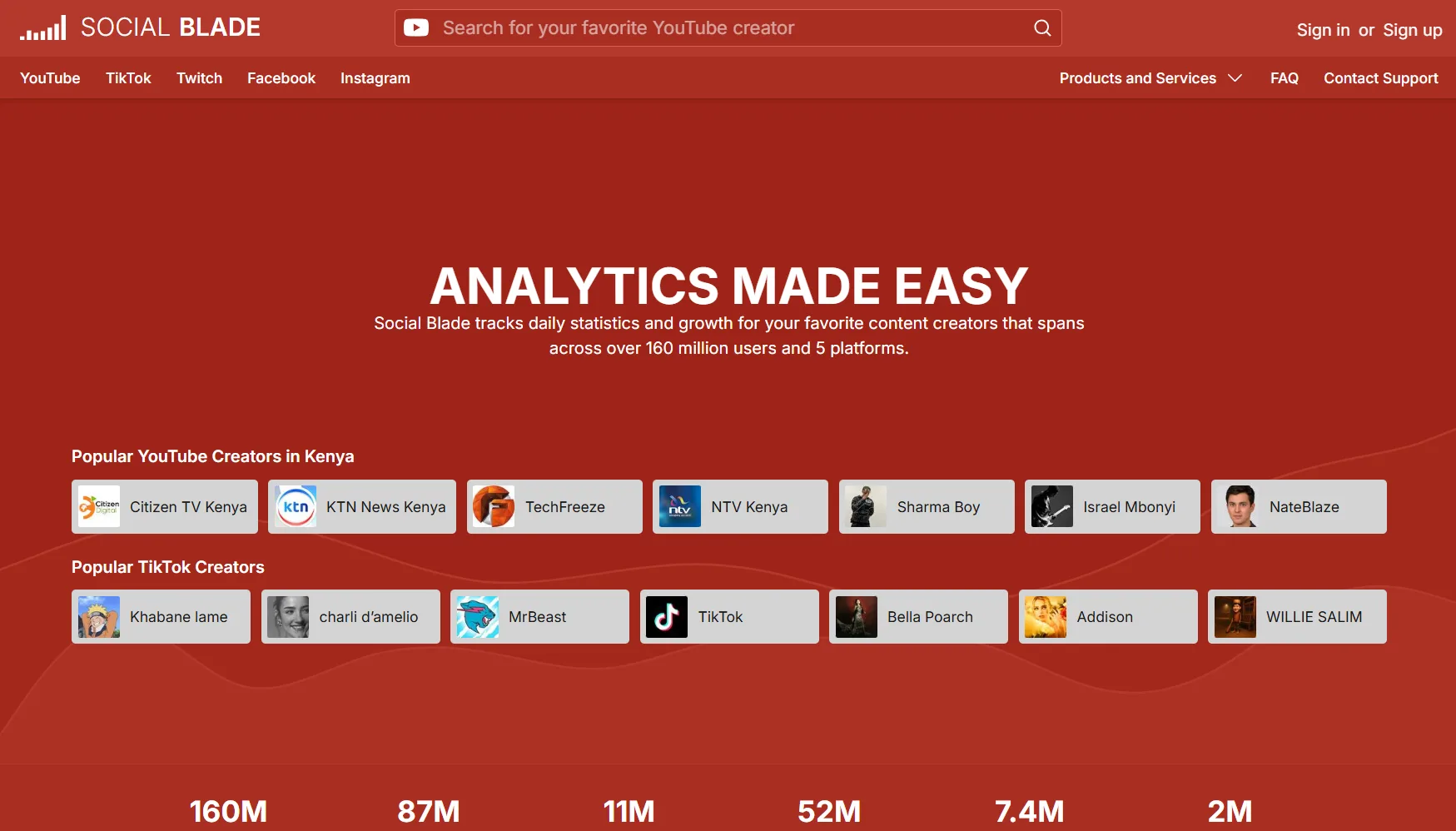
Social Blade is the most widely used free tool for tracking public YouTube channel analysis data. It shows historical subscriber and view trends for any public channel, estimated monthly earnings ranges, and a growth grade based on recent performance trajectory. The data is publicly available and updates regularly making it a reliable starting point for competitor research at zero cost.
The limitation is depth. Social Blade shows you what happened to a competitor's channel over time but not why. It cannot surface which specific videos drove growth spikes or which topics are generating the most engagement on competing channels.
2. vidIQ
vidIQ's competitor tracking goes deeper than Social Blade by showing views per hour on individual competitor videos. That metric reveals which videos are currently gaining momentum on a competing channel in real time, giving you an early signal on which topics are performing well in your niche before you commit to filming.
The Boost and Max plans allow tracking multiple competitor channels simultaneously with alerts when a competitor publishes a new video that is gaining traction quickly.
3. OutlierKit
OutlierKit specializes in identifying outlier videos that perform significantly above a channel's average. For YouTube analytics for other channels, this feature is particularly useful because it surfaces the specific videos where a competitor broke through their normal performance ceiling. Those outlier topics represent the highest opportunity angles in your niche.
4. Viewstats
Viewstats, built by the team behind MrBeast, focuses on public channel analytics and outlier detection. It charts long-run view and subscriber history for any channel, flags the uploads that beat a channel's own baseline by the widest margin, and includes thumbnail split-testing for your own videos. It runs on a free tier with paid plans for deeper data.
Because it was designed around how a large creator studies the platform, Viewstats is strongest for spotting which topics and thumbnails are breaking out across channels in your niche. Like every external tool, it reads only public data, so it cannot see a competitor's private retention or revenue.
5. ytgrowth.io
The Competitor Analysis feature in ytgrowth.io surfaces which topics competing channels are gaining traction on, which content gaps they are leaving open, and how your key metrics compare against theirs across CTR, retention, and posting consistency.
Unlike tools that show raw competitor data without context, ytgrowth.io connects competitor insights directly to content recommendations so the research translates into specific videos worth making.
What No Tool Can Show You About Other Channels
It is worth being clear about the limits of YouTube video analytics for other channels. No third-party tool has authenticated access to a competitor's private metrics. CTR, audience retention, revenue, and demographic data are never accessible externally.
Every competitor tool works with publicly available data only. The private metrics that matter most for understanding why a video performed well remain exclusive to the channel owner inside YouTube Studio.
| Tool | Competitor Tracking | Video Momentum Data | Outlier Detection | Free Plan |
|---|---|---|---|---|
| Social Blade | Channel-level trends | No | No | Yes |
| vidIQ | Channel and video level | Yes, views per hour | Limited | Yes |
| OutlierKit | Video level | Yes | Yes, core feature | Yes |
| ytgrowth.io | Channel and content gaps | Yes | Yes, via Outliers feature | Yes |
Best YouTube Analytics Tools for Channel Auditing
A structured channel audit requires more than checking individual metrics in isolation. It requires connecting your CTR, retention, SEO performance, traffic sources, audience data, and competitor benchmarks into one structured assessment that tells you where your channel stands and what to prioritize fixing first.
This is the category where most tools fall shortest and where the gap between a keyword research tool and a dedicated audit platform becomes most visible.
1. vidIQ
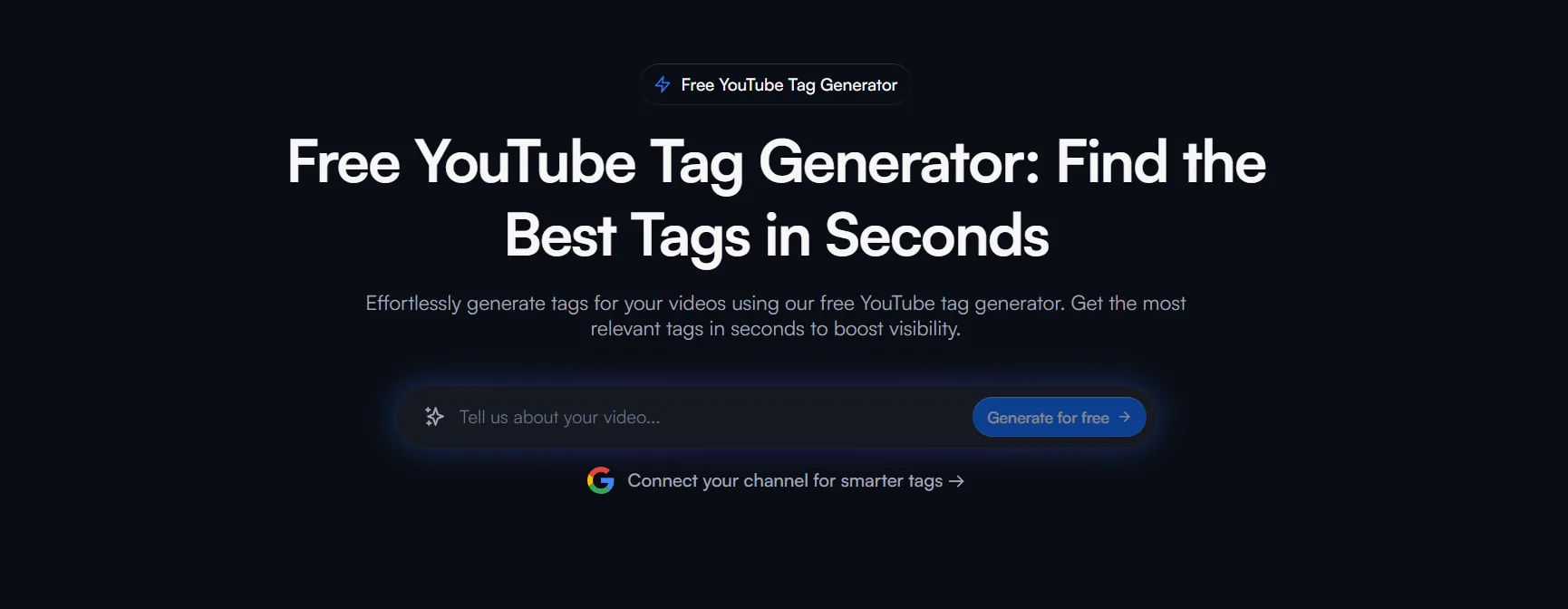
vidIQ's channel audit surfaces your best performing videos, flags underperforming content, and tracks subscriber gains and losses over time. It gives you a useful high-level overview of channel health but stops short of connecting those findings to a prioritized action plan. The audit tells you what is happening without consistently telling you what to do about it first.
2. TubeBuddy
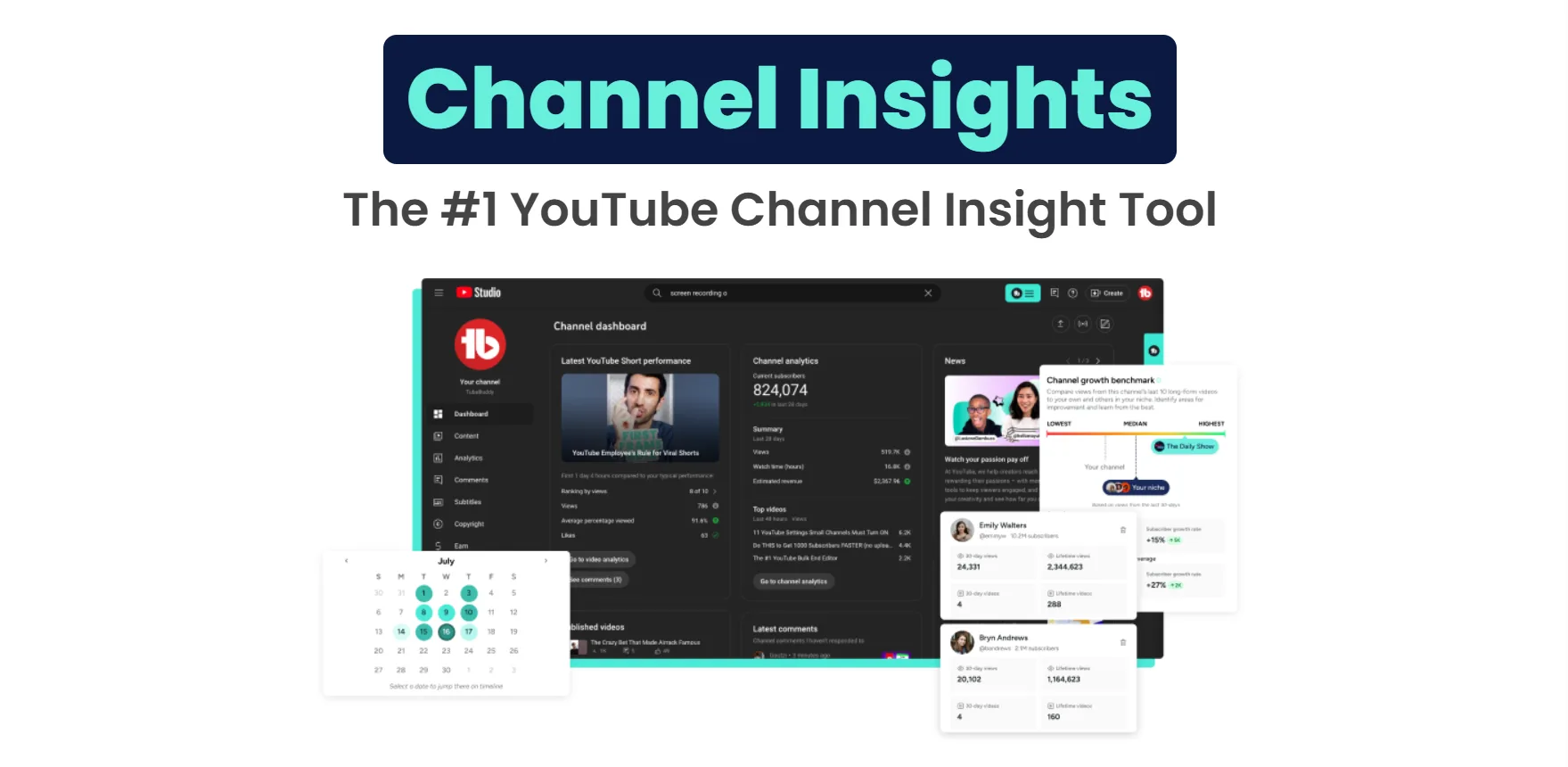
TubeBuddy's channel health report covers SEO scorecard data across your video library and identifies metadata gaps at scale. Its strongest audit capability is bulk identification of videos with weak tags, missing descriptions, or low SEO scores across your entire back catalog. For creators with large libraries, that bulk audit saves significant manual review time.
What TubeBuddy does not cover is performance benchmarking against competing channels. Its audit is entirely inward-facing, comparing your videos against each other rather than against the channels your audience is also watching.
3. ytgrowth.io
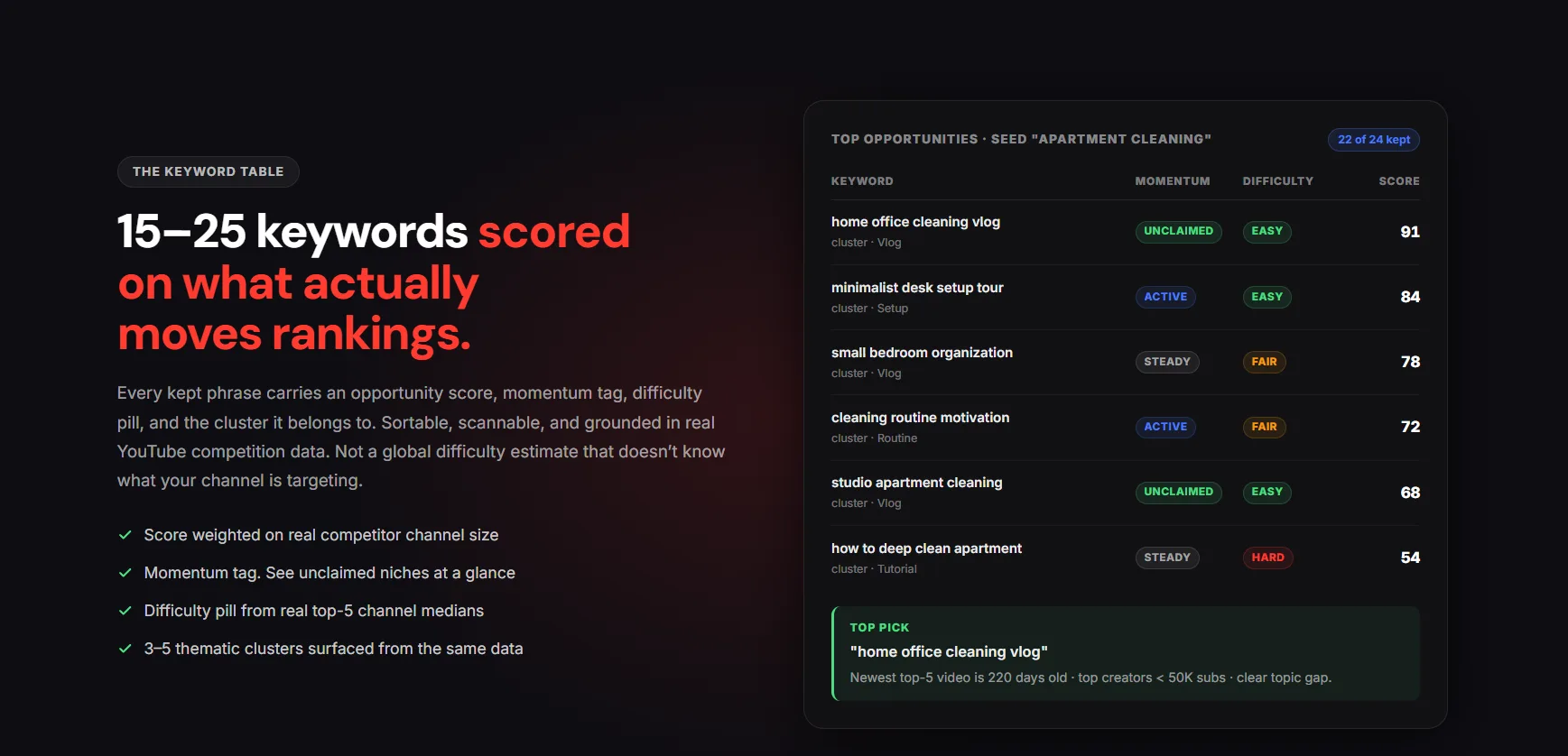
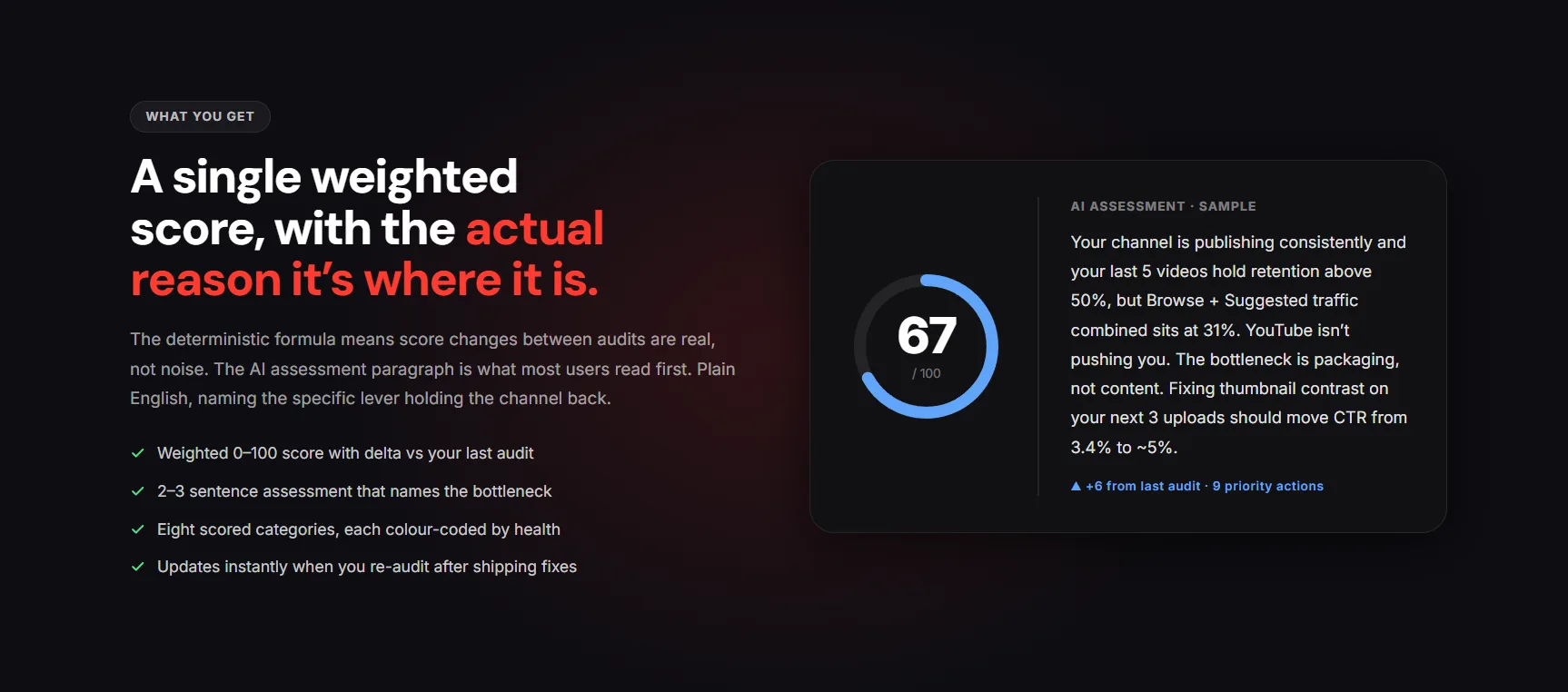
The Channel Audit in ytgrowth.io is built specifically around the gap both vidIQ and TubeBuddy leave open. It runs a 10-dimension analysis covering CTR, retention, traffic sources, demographics, SEO performance, posting consistency, and competitor benchmarking in your specific niche.
Rather than presenting raw data for the creator to interpret, it surfaces a prioritized action plan identifying the single highest impact improvement to make before the next upload.
The audit also benchmarks your key metrics against the channels your target audience is already watching, giving you the competitive context that an inward-facing audit cannot provide.
| Tool | Audit Depth | Competitor Benchmarking | Prioritized Action Plan | Free Plan |
|---|---|---|---|---|
| vidIQ | Medium | Limited | No | Yes |
| TubeBuddy | Medium | No | No | Yes |
| ytgrowth.io | Comprehensive, 10 dimensions | Yes, niche-specific | Yes | Yes |
Best YouTube Analytics Tools for Agencies and Brands
Agencies and brands managing YouTube channels have different requirements from individual creators. A social media manager running five client channels needs cross-platform reporting, white-label dashboards, and the ability to present performance data to stakeholders without manually pulling numbers from YouTube Studio every week.
1. Sprout Social
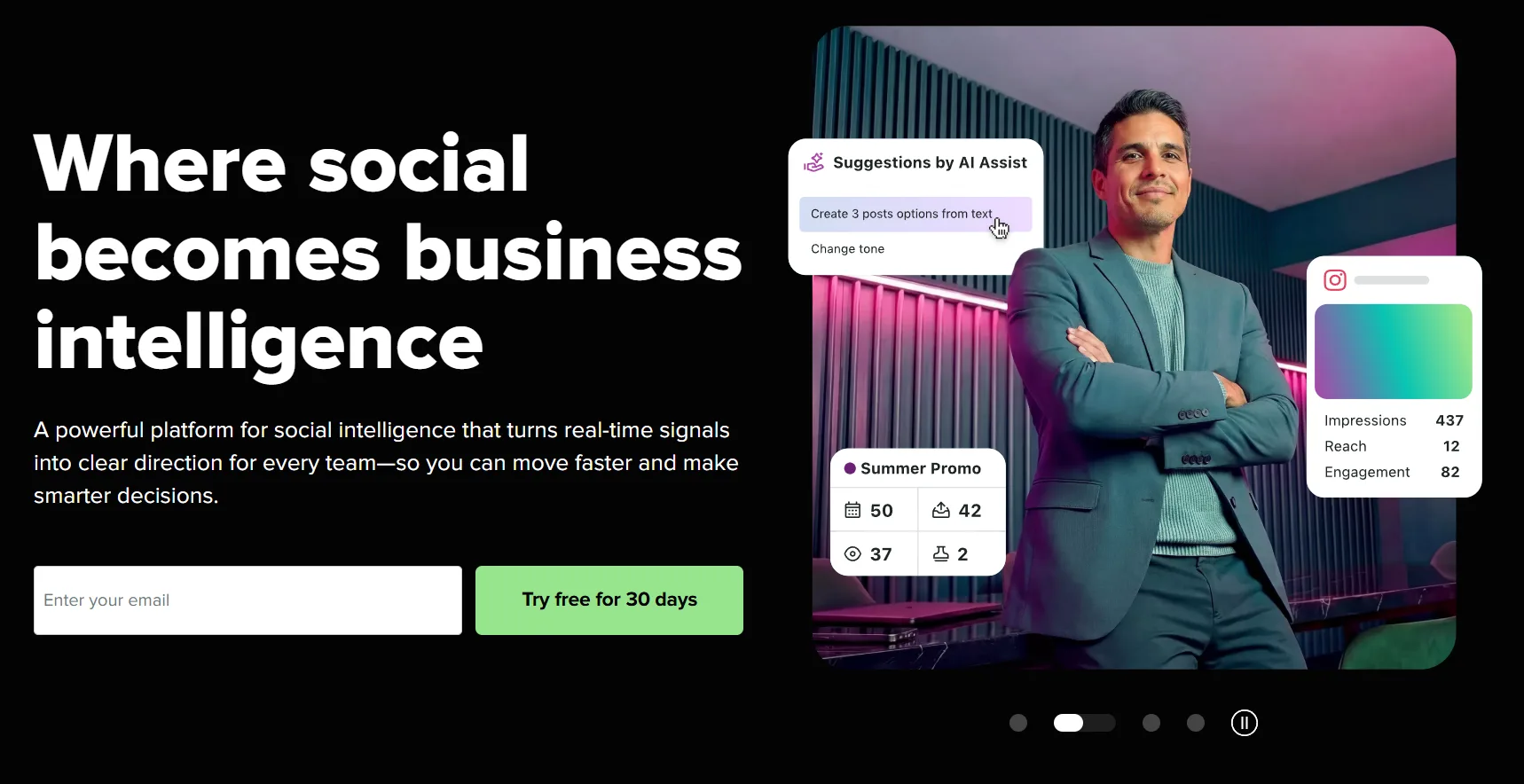
Sprout Social is the strongest option for agencies needing YouTube analytics as part of a broader social media management workflow. It covers YouTube alongside Instagram, Facebook, X, and LinkedIn in one unified dashboard, which makes it the practical choice for teams managing multi-platform content calendars rather than YouTube-only strategies.
Its YouTube-specific analytics cover views, watch time, engagement rate, and audience demographics with exportable reports suitable for client presentations. The limitation is depth. Sprout Social covers YouTube analytics at a channel summary level rather than the granular video-level data that growth-focused creators need.
Pricing starts at $249 per month making it unsuitable for individual creators but justified for agencies billing multiple clients.
2. Brand24
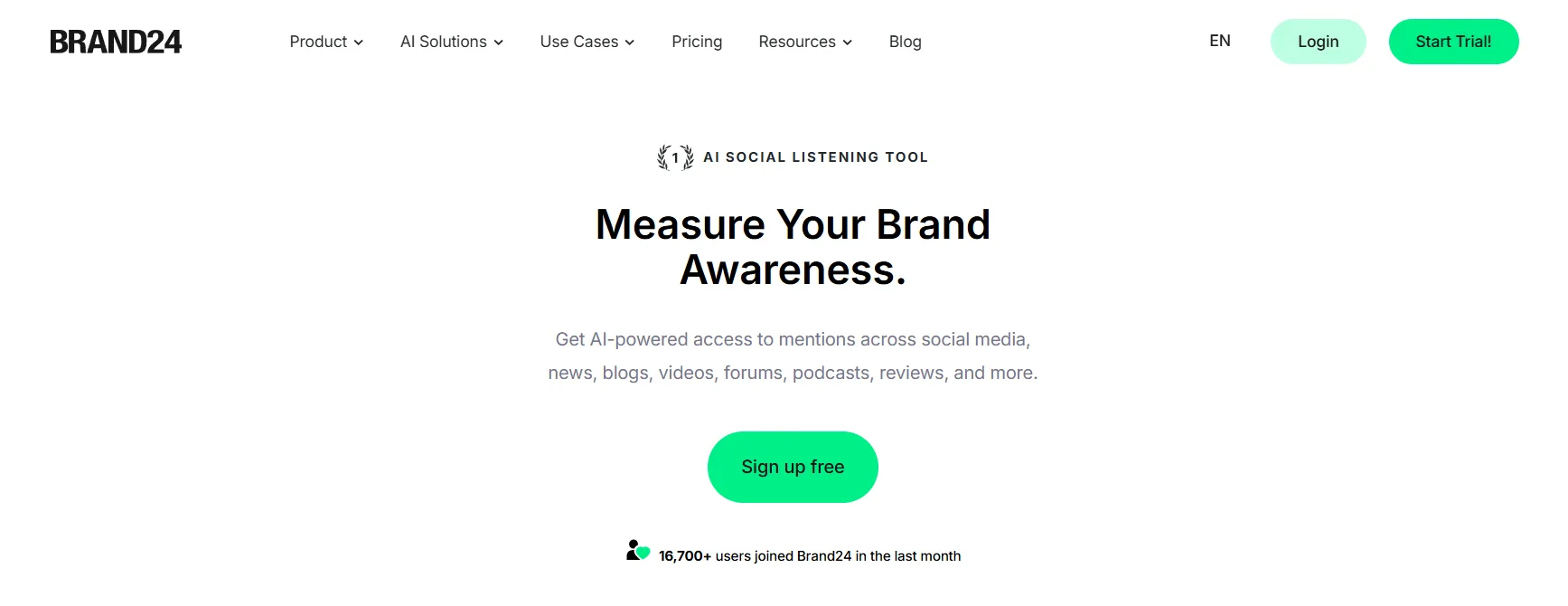
Brand24 is primarily a social listening tool that monitors brand mentions across the web including YouTube comments and video descriptions. For brands running influencer partnerships or tracking how their products are being discussed in YouTube content, Brand24 surfaces YouTube insights that YouTube Studio does not cover at all.
Its YouTube analytics cover mention volume, sentiment analysis, and reach estimates across videos mentioning a brand or keyword. It is not a channel growth tool. It is a brand monitoring tool with YouTube coverage built in.
YouTube influencer analytics is a specific use case Brand24 handles well. Brands researching a creator before a partnership can use it to track how often a creator mentions specific topics, what sentiment their audience expresses in comments, and how their reach has trended over time.
3. ytgrowth.io
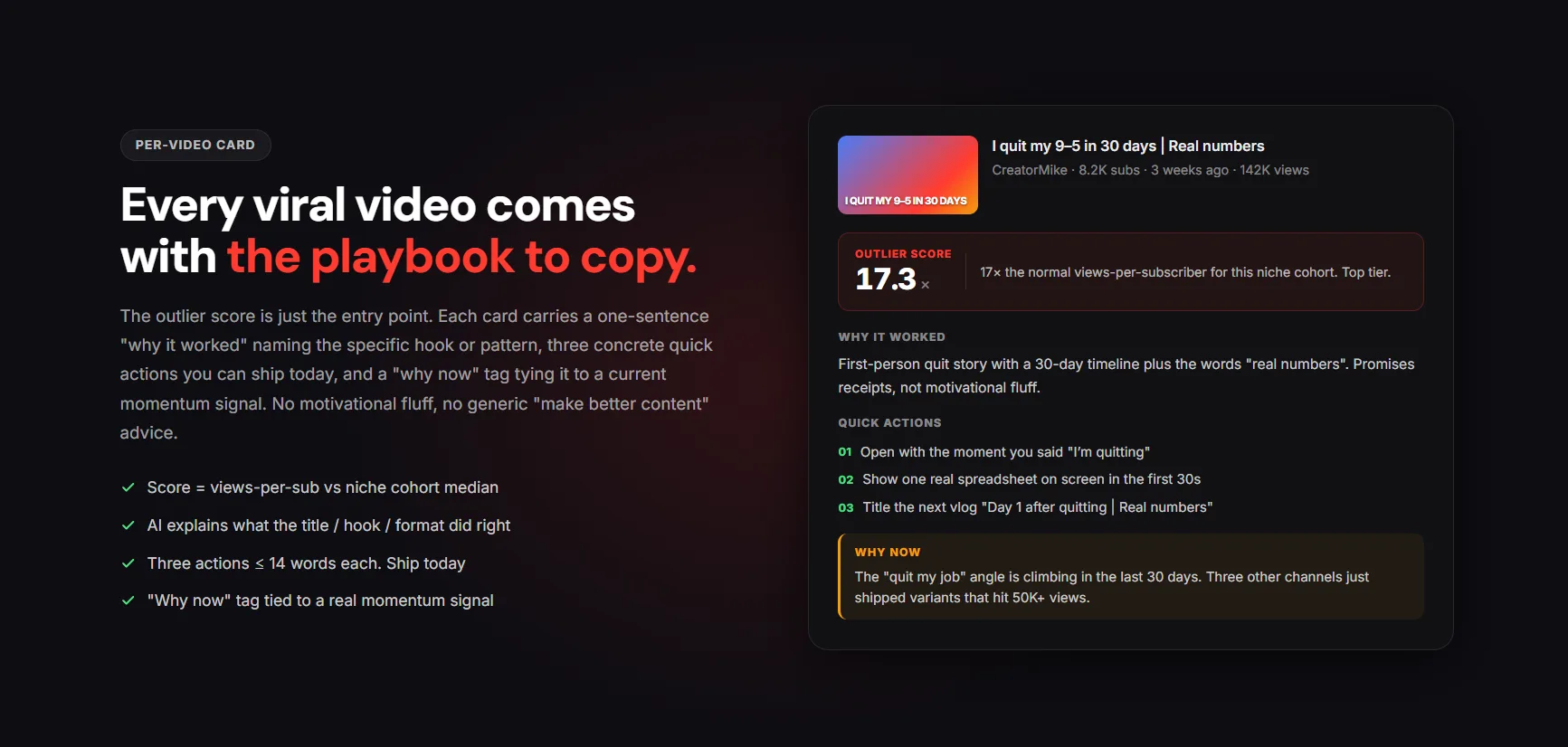
The Agency plan in ytgrowth.io is built for teams managing multiple YouTube channels simultaneously. It supports up to 10 channels under one account, giving agencies a single platform to run channel audits, track competitor benchmarks, and manage keyword research across all client channels without switching between accounts.
The weekly performance report feature delivers an automated summary of each channel's key metrics and the single highest priority action for the week, which removes the manual reporting burden that agencies typically handle in spreadsheets or separate dashboard tools.
For agencies focused exclusively on YouTube growth rather than multi-platform social media management, ytgrowth.io covers more channel-specific depth than Sprout Social at a significantly lower price point.
| Tool | Best For | YouTube Depth | Cross-Platform | Free Plan |
|---|---|---|---|---|
| Sprout Social | Multi-platform agency reporting | Channel summary level | Yes | No |
| Brand24 | Brand monitoring, influencer research | Mention and sentiment tracking | Yes | Limited trial |
| ytgrowth.io | YouTube-focused agencies, multi-channel management | Comprehensive, 10 dimensions | YouTube only | Yes |
Best Free YouTube Analytics Tools
Not every creator needs a paid tool. The free options available in 2026 cover enough ground for a channel under 1,000 subscribers to make informed content decisions without spending anything, and Viewstats adds a free tier for public channel history and outlier data on top of them. Knowing where each free tool runs out tells you exactly when upgrading becomes necessary.
1. YouTube Studio (Free)
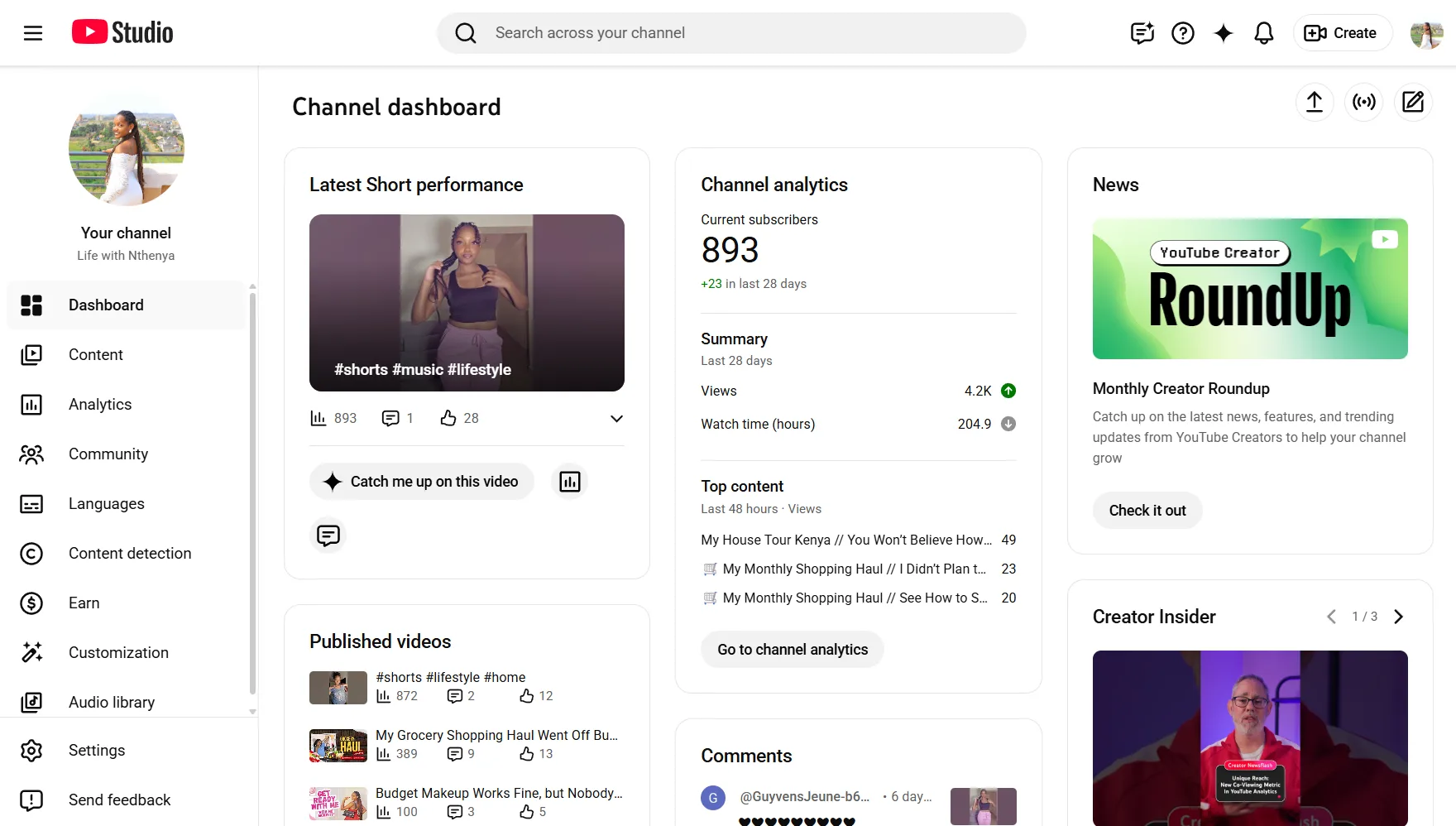
YouTube Studio is the strongest free YouTube analytic platform available and the one no paid tool replaces. It provides authenticated access to your own channel's CTR, retention, traffic sources, audience demographics, and revenue data with no usage limits or paywalls. Every creator regardless of channel size should have YouTube Studio as the foundation of their analytics workflow before adding anything else.
2. Social Blade (Free)
Social Blade's free tier tracks public subscriber and view trends for any YouTube channel. For creators researching competitors or benchmarking their own growth trajectory against similar channels, it delivers useful data at zero cost. The free tier shows 90 days of historical data with basic growth grade scoring.
3. vidIQ (Free Plan)
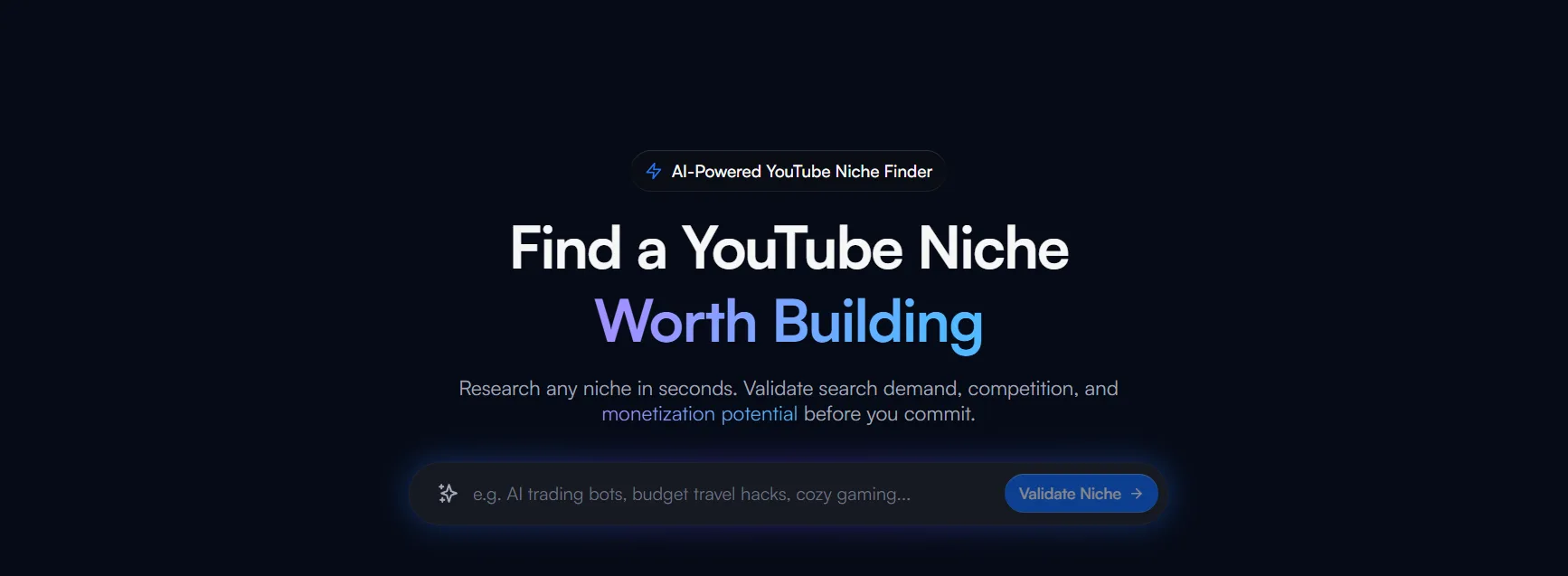
vidIQ's free plan includes basic keyword research returning five related keywords per search with volume and competition scores, three competitor channel slots with trending video tracking, and views per hour data on any YouTube video. For a beginner channel with no budget, this combination of keyword research and competitor tracking covers the two most common gaps YouTube Studio leaves open.
4. ytgrowth.io (Free Plan)
ytgrowth.io's free plan includes three lifetime analyses, one channel connection, and access to the core SEO and keyword research tools. For a new creator wanting to run an initial channel audit and identify their highest priority improvement before committing to a paid plan, the free tier delivers enough structured insight to inform the first 90 days of content strategy.
When free tools are no longer enough:
- You are publishing consistently and need A/B testing data to improve CTR
- You want to track more than three competitor channels simultaneously
- You need bulk metadata optimization across an existing video library
- You want a structured channel audit with competitor benchmarking rather than individual metric checks
| Tool | What the Free Plan Covers | Main Limitation |
|---|---|---|
| YouTube Studio | Full own-channel data | No competitor data |
| Social Blade | Public channel trends, 90 days | No video-level data |
| vidIQ | 5 keywords per search, 3 competitors | Limited research depth |
| ytgrowth.io | Free trial, core SEO tools, 1 channel | Limited trial volume |
Recommended Tool Stack by Channel Size
The best YouTube analytics app for your channel depends as much on where you are in your growth journey as it does on which features you need. A new channel and an established channel have fundamentally different data needs and different budgets to work with.
Here are three recommended stacks covering every stage of channel growth:
Under 1,000 Subscribers: Free Foundation Stack
At this stage your priority is understanding your own channel data and finding topics with real search demand. You do not yet have enough upload history for A/B testing to produce statistically meaningful results and bulk optimization tools have nothing to work on yet.
- YouTube Studio: Full channel analytics at no cost
- vidIQ Free: Basic keyword research and three competitor slots
- Social Blade Free: Public competitor growth tracking
- ytgrowth.io Free: Initial channel audit and SEO Studio for metadata optimization
Total cost: Free
1,000 to 10,000 Subscribers: Growth Stack
At this stage you have enough upload history to identify content patterns, enough impressions for A/B testing on thumbnails to produce reliable data, and enough competitors worth tracking systematically.
- YouTube Studio: Full channel analytics foundation
- TubeBuddy Pro: A/B testing on thumbnails and titles, SEO scorecard at upload
- ytgrowth.io: Channel audit, Keyword Explorer, Competitor Analysis, and weekly performance reports
This stack covers keyword research, metadata optimization, CTR testing, and structured channel auditing in one workflow without duplicating functionality across tools.
10,000+ Subscribers: Scale Stack
At this stage your library is large enough to benefit from bulk optimization, your analytics have enough historical depth to identify meaningful performance patterns, and competitor benchmarking becomes a core part of content strategy rather than occasional research.
- YouTube Studio: Full channel analytics foundation
- TubeBuddy Legend: Bulk processing across back catalog, advanced A/B testing
- ytgrowth.io Growth or Agency plan: Comprehensive channel audit, multi-channel competitor tracking, SEO Studio, and automated weekly reporting
- Social Blade: Ongoing public competitor growth monitoring at no additional cost
Agencies: Client Management Stack
- YouTube Studio: Per-client channel analytics
- ytgrowth.io Agency plan: Multi-channel audit, competitor benchmarking, and automated weekly reports across all client channels
- Sprout Social: Cross-platform reporting for clients managing YouTube alongside other social channels
- Brand24: Influencer research and brand mention monitoring for partnership campaigns
YouTube Analytics Tools Comparison Table
Here is a full side-by-side comparison of every tool covered in this guide across the features that matter most for channel growth:
| Tool | Best For | Keyword Research | Channel Audit | Competitor Data | A/B Testing | Bulk Optimization | Free Plan |
|---|---|---|---|---|---|---|---|
| YouTube Studio | Own channel data foundation | Basic | No | No | No | No | Yes |
| vidIQ | Keyword research, SEO, AI ideas | High depth | Basic | Yes, video level | Limited | No | Yes |
| TubeBuddy | A/B testing, bulk optimization, SEO | Medium depth | Basic | Limited | Yes, full | Yes | Yes |
| Social Blade | Public competitor tracking | No | No | Yes, channel level | No | No | Yes |
| OutlierKit | Outlier and content strategy research | No | No | Yes, video level | No | No | Yes |
| Viewstats | Outlier detection, public channel history | No | No | Yes, video level | Yes, thumbnails | No | Yes |
| ytgrowth.io | Channel audit, SEO, competitor analysis | High depth | Comprehensive | Yes, niche-specific | No | No | Yes |
| Sprout Social | Agency multi-platform reporting | No | No | Limited | No | No | No |
| Brand24 | Brand monitoring, influencer research | No | No | Mention tracking | No | No | Limited trial |
Key Takeaways From the Table
- No single tool covers every category. YouTube Studio plus one or two targeted tools produces better results than one platform trying to do everything.
- ytgrowth.io is the only tool in this comparison offering a comprehensive channel audit with competitor benchmarking and a prioritized action plan in one workflow.
- TubeBuddy is the only tool offering full A/B testing on live videos, which remains its clearest competitive advantage.
- vidIQ leads on keyword research depth and AI-powered content ideas among the dedicated creator tools.
- Free plans across YouTube Studio, vidIQ, Social Blade, OutlierKit, and ytgrowth.io together cover enough ground for a new channel to operate without spending anything.
Frequently Asked Questions
What Is the Best Free YouTube Analytics Tool?
YouTube Studio is the strongest free YouTube analytic platform available because it provides authenticated access to your own channel's complete performance data at no cost. For competitor research and keyword data beyond YouTube Studio, vidIQ's free plan and Social Blade's free tier together cover the most common gaps without spending anything.
Can I See Analytics for Other YouTube Channels?
Yes, but with limitations. Third-party tools like Social Blade, vidIQ, and ytgrowth.io surface publicly available data on any YouTube channel including subscriber trends, estimated views, and top performing videos. No external tool can access private metrics like CTR, audience retention, or revenue from another creator's channel. Those metrics remain exclusive to the channel owner inside YouTube Studio.
Do I Need a Third-Party YouTube Analytics Tool?
Not immediately. YouTube Studio covers your own channel's performance data comprehensively at no cost. A third-party tool becomes necessary when you need competitor data, keyword research beyond YouTube Studio's basic Inspiration tab, A/B testing capability, or a structured channel audit with benchmarking against competing channels in your niche.
What Is the Best YouTube Analytics Tool for Small Channels?
The free stack of YouTube Studio, vidIQ's free plan, and ytgrowth.io's free tier covers everything a channel under 1,000 subscribers needs to make informed content decisions. YouTube Studio handles your own data. vidIQ handles keyword research and basic competitor tracking. ytgrowth.io handles the initial channel audit and metadata optimization workflow.
What Is the Best YouTube Analytics App for Tracking Channel Growth Over Time?
Social Blade is the strongest free option for tracking historical growth trends on any public channel. For tracking your own channel's growth across all performance dimensions over time, YouTube Studio's date range comparison feature and ytgrowth.io's quarterly channel audit together give you the most complete picture of how your key metrics are trending.
Is Viewstats Better Than VidIQ?
They solve different problems. Viewstats is built around public channel history and outlier detection, so it is stronger for studying what is breaking out across other channels and testing thumbnails. vidIQ is built around keyword research, SEO scoring, and AI idea generation for your own uploads. Most serious creators use one of each rather than choosing between them.
Do YouTube Analytics Tools Need Access to My Channel?
It depends on what they do. Public-data tools like Social Blade and Viewstats need no access at all, since they only read what is already visible on any channel. Tools that score or optimize your own videos, like vidIQ or TubeBuddy, ask you to connect your channel through Google's official sign-in, which you can revoke anytime in your Google account. No reputable tool needs your password, and none can see another creator's private metrics.
Pick the Tool That Solves Your Specific Problem
The best YouTube analytics tools are not the most popular ones. They are the ones built for the specific problem your channel is facing right now.
Start with YouTube Studio. It is free, accurate, and covers your own channel's performance data better than any third-party platform. Add tools on top of it only when you hit a specific gap it cannot fill. Need keyword research before you film? Add vidIQ. Need A/B testing on live videos? Add TubeBuddy. Need a structured channel audit with competitor benchmarking? Add ytgrowth.io.
The recommended stacks in Section 9 give you a clear starting point at every channel size. Follow them in order rather than adding every tool at once. Each addition should solve a specific problem you have already identified in your YouTube Studio data, not a problem you think you might have someday.
Better YouTube analytics does not come from having more tools. It comes from knowing which metrics to act on, which gaps your current setup leaves open, and which tool fills each gap most directly. That clarity is worth more than any premium subscription applied without a clear purpose.