A thumbnail can be beautifully designed, perfectly composed, and completely invisible on a mobile screen because the dimensions were wrong from the start. Blurry images, cut-off text, and black bars are not creative failures. They are technical ones, and they cost clicks before a single viewer makes a conscious decision about the content.
YouTube thumbnail size is where the technical and the creative intersect. Get the specs wrong and the design never gets a fair chance. Get them right and you have a compliant, high-resolution asset that still needs to be designed around mobile screens, timestamp overlays, and split-second human attention.
This guide covers both sides of that equation, from the exact YouTube thumbnail dimensions YouTube requires to the mobile-first design principles that determine whether a technically perfect thumbnail converts.
Why Your Thumbnail Dimensions Are Costing You Clicks
Click-Through Rate is one of the heaviest ranking signals in YouTube's algorithm. A video with strong CTR gets distributed wider, shown to more non-subscribers, and competes more effectively in search results. The thumbnail is responsible for the majority of that CTR, which makes a technically broken thumbnail one of the most damaging and most fixable problems on any channel.
Wrong YouTube thumbnail size creates problems that compound silently. A thumbnail uploaded at incorrect dimensions gets stretched, compressed, or letterboxed with black bars. A file that exceeds the size limit gets rejected entirely. An image designed at the wrong YouTube thumbnail aspect ratio loses critical visual information when YouTube crops it for different placements across search, suggested, and mobile feeds.
Mobile users account for the majority of YouTube views globally, and mobile screens render thumbnails at a fraction of their desktop size. Text that looks readable on a 1080p monitor becomes an unreadable blur on a phone screen. Faces that read clearly on desktop disappear into noise on mobile. Every YouTube thumbnail dimension decision is ultimately a mobile-first decision.
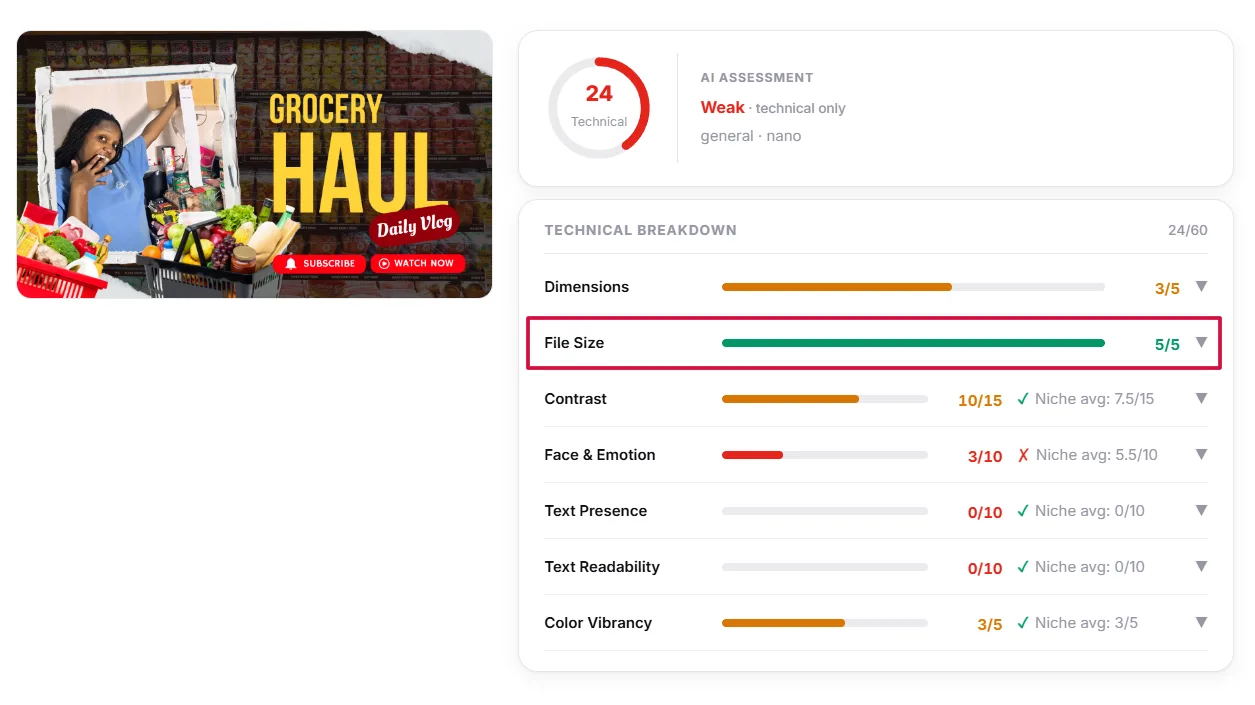
Tools like Thumbnail IQ analyze your existing thumbnails against top-performing competitors in your niche, identifying exactly where your visual packaging is losing ground before the viewer even decides whether to click. Getting the technical foundation right is the prerequisite. Everything built on top of it is what drives growth.
The Gold Standard Specs Every Creator Needs to Know
The technical requirements for YouTube thumbnail size 2026 have not changed dramatically, but the bar for quality has risen alongside the growth of 4K displays and high-resolution mobile screens. Meeting the minimum is no longer enough. Understanding the full specification range is what separates thumbnails that look sharp everywhere from those that look acceptable nowhere.
The core specs:
- Recommended resolution: 1280 x 720 pixels
- Minimum width: 640 pixels
- Required YouTube thumbnail aspect ratio: 16:9
- Maximum file size: 2MB
- Accepted formats: .JPG, .PNG, .GIF, .BMP
The 16:9 YouTube thumbnail aspect ratio is non-negotiable. Any image uploaded outside this ratio gets letterboxed with black bars on the sides or top, which immediately signals an amateur production quality to every viewer who sees it in search results or the suggested feed.
| Specification | Minimum | Standard | 4K |
|---|---|---|---|
| Resolution | 640 x 360px | 1280 x 720px | 3840 x 2160px |
| Aspect Ratio | 16:9 | 16:9 | 16:9 |
| File Size | Under 2MB | Under 2MB | Under 2MB |
| Display Quality | Acceptable | Sharp | Premium |
The 1280 x 720 standard remains the strongest choice for most creators because it delivers sharp YouTube thumbnail resolution across every surface, desktop, mobile, tablet, and TV, without pushing file sizes toward the 2MB ceiling. Uploading at 1920 x 1080 is technically possible but requires careful compression to stay within the file size limit without degrading visual quality.
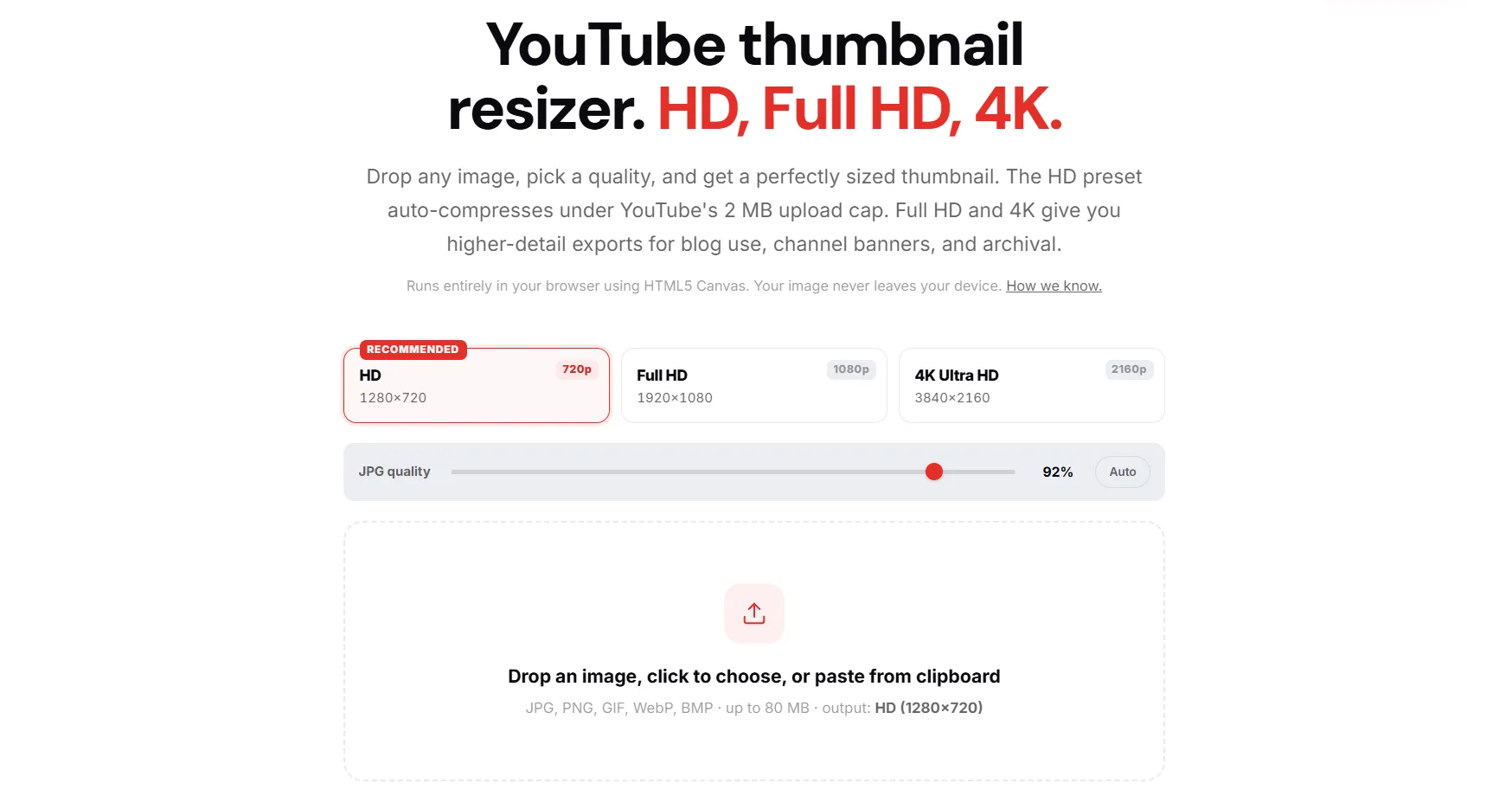
The emerging 4K trend is worth noting for creators targeting high-end displays and connected TV audiences, where YouTube thumbnail resolution at 3840 x 2160 delivers a noticeably sharper image. For most beginner and intermediate creators, 1280 x 720 remains the practical gold standard that balances quality and compliance without additional compression complexity.
File Formats and the 2MB Limit
Choosing the wrong file format for a YouTube thumbnail size upload is a small technical decision with a visible creative cost. Each format handles color, transparency, and compression differently, and the wrong choice either inflates your file size past the 2MB ceiling or degrades the visual quality of a thumbnail that took hours to design.
Format breakdown:
- .JPG. Best for thumbnails built around photography, real faces, and complex background imagery. JPG compresses photographic data efficiently, keeping file sizes manageable without significant visible quality loss at YouTube thumbnail resolution.
- .PNG. Best for thumbnails with bold graphics, flat colors, text overlays, and transparent elements. PNG preserves sharp edges and clean color blocks that JPG compression tends to blur.
- .GIF. Technically accepted but rarely appropriate. Limited color range makes it a poor choice for high-quality thumbnail design.
- .BMP. Accepted but produces unnecessarily large file sizes with no quality advantage over JPG or PNG.
The 2MB YouTube thumbnail file size limit is a hard ceiling with no exceptions. YouTube rejects any file that exceeds it regardless of how well-designed the thumbnail is.
Pro Tip: If your PNG file exceeds 2MB, run it through a free compressor like Squoosh or TinyPNG before uploading. Both tools reduce file size significantly without visible quality loss at standard YouTube thumbnail dimensions. For JPG files, exporting at 85 to 90 percent quality in any design tool keeps the file sharp and well within the size limit.
The fastest way to diagnose whether your thumbnail format and file size are contributing to underperformance is to run a Thumbnail IQ audit, which benchmarks your visual assets against top-performing channels in your niche and flags technical issues alongside design weaknesses in the same report.
The Safe Zone: Designing Around YouTube's Timestamp
A technically perfect YouTube thumbnail size can still lose clicks if the design ignores how YouTube displays thumbnails across its interface. The most common and most damaging design mistake is placing critical text, faces, or branding in areas that YouTube's own interface elements cover automatically.
The Dead Zone
The bottom right corner of every YouTube thumbnail is covered by the video duration timestamp. Any text, logo, or visual element placed in that area is partially or fully hidden from the viewer before they ever decide to click. This applies across every surface including search results, suggested videos, and the mobile home feed.
Treat the bottom right 20 percent of the thumbnail canvas as dead space. Nothing important belongs there.
The Rule of Thirds
Dividing the thumbnail canvas into a 3x3 grid creates six intersection points where the human eye naturally lands first. Placing the primary visual element, a face, a bold stat, or a key object, on one of those intersections rather than dead center produces a more dynamic composition that reads faster and holds attention longer at thumbnail scale.
Mobile Text Readability and Dark Mode
YouTube thumbnail safe zone design must account for how small thumbnails render on mobile screens. Text should be limited to four or five words maximum, set in a bold sans-serif font large enough to read at 120 pixels wide. High-contrast color combinations like white text on dark backgrounds and yellow text on dark backgrounds consistently outperform low-contrast designs at mobile scale.

Dark mode usage has grown significantly across both desktop and mobile YouTube interfaces. A thumbnail designed exclusively for light mode can lose contrast and visual punch when viewed in dark mode. Testing your YouTube thumbnail dimensions and color choices against both interface modes before publishing is a small step that protects CTR across the full range of viewing conditions your audience uses. The channel optimization blueprint covers the broader thumbnail psychology rules that pair with these technical specs.
How to Create and Resize Your Thumbnail
Getting the design right means nothing if the export process introduces compression artifacts, wrong dimensions, or an oversized file that YouTube rejects. These step-by-step workflows cover the three most common tools creators use to produce correctly sized thumbnails at the right YouTube thumbnail resolution.
Canva
- Open Canva and select Create a Design.
- Choose the YouTube Thumbnail preset, which automatically sets the canvas to 1280 x 720 pixels.
- Design within the canvas, keeping critical elements out of the bottom right corner.
- Before exporting, check that no text or branding sits outside the YouTube thumbnail safe zone.
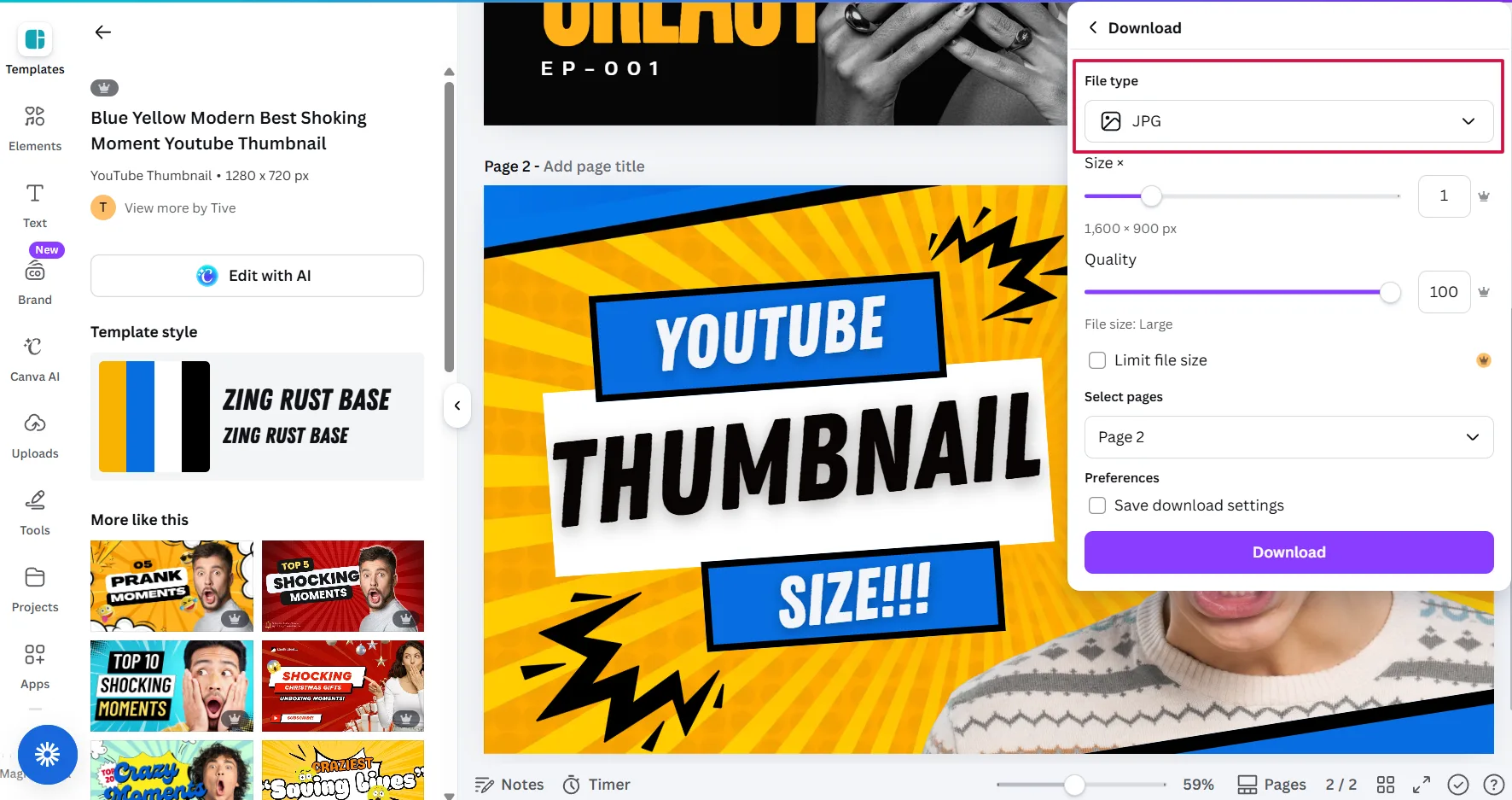
- Click Download, select JPG for photo-heavy designs or PNG for graphic-heavy designs.
- Check the file size before uploading. If it exceeds 2MB, reduce the JPG quality slider to 85 percent or run the PNG through TinyPNG.
Photoshop
- Open Photoshop and create a New Document.
- Set width to 1280 pixels, height to 720 pixels, and resolution to 72 DPI.
- Design your thumbnail, using guides to mark the bottom right dead zone.
- When ready to export, go to File, Export, Export As.
- Select JPG at 85 to 90 percent quality or PNG-8 for flat graphic designs.
- Confirm the file size stays under the YouTube thumbnail file size limit of 2MB before saving.
Free Web Tools
For creators who need to resize images for YouTube thumbnails without design software, Adobe Express and Canva's free tier both offer YouTube thumbnail presets that handle the dimensional setup automatically.
For resizing existing images to the correct YouTube thumbnail dimensions, tools like YTGrowth's Thumbnail Resizer, Squoosh, PicResize, and Adobe Express allow pixel-precise resizing with format conversion and compression controls in a single workflow, with no software installation required.
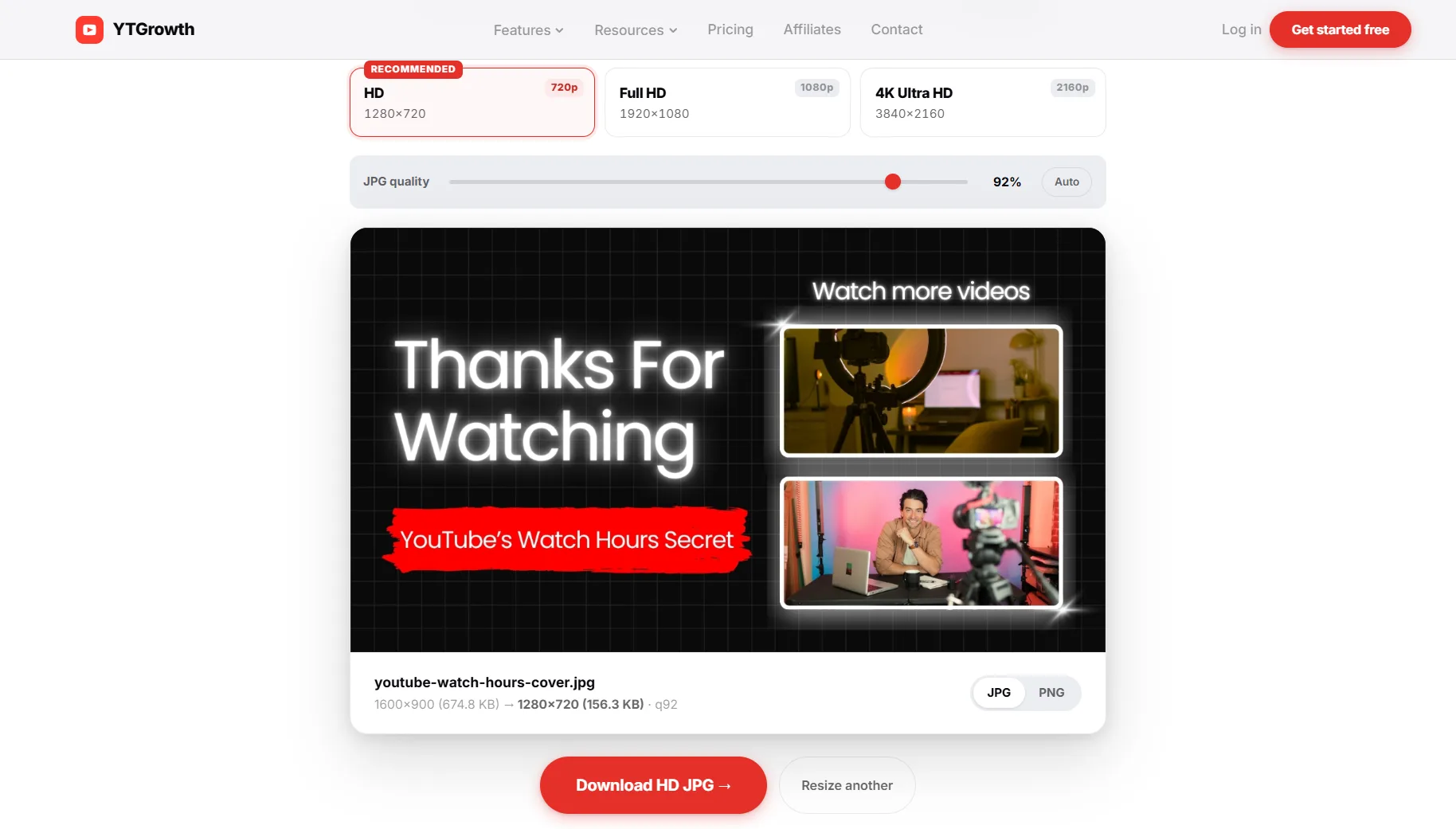 Resize any image to perfect YouTube specs in secondsThe free Thumbnail Resizer crops and exports to 1280 x 720 in the browser, no signup, no install. Drop the file in, download the upload-ready version.Try the resizer →
Why Your Thumbnail Was Rejected or Looks Blurry
Technical errors at the upload stage are almost always traceable to one of four root causes. Each one has a direct fix that takes less than five minutes to apply.
- "File is too large" error. Your image exceeds the 2MB YouTube thumbnail file size limit. Open the file in Canva, Photoshop, or Squoosh and re-export at a lower quality setting. For JPGs, 85 percent quality delivers a visually identical result at a fraction of the original file size. For PNGs, run the file through TinyPNG before uploading.
- "Invalid file type" error. YouTube only accepts .JPG, .PNG, .GIF, and .BMP formats. If your file is saved as a .WEBP, .TIFF, or .PSD, convert it to JPG or PNG using any free online converter or by re-exporting from your design tool with the correct format selected.
- Thumbnail looks blurry on desktop or mobile. The source file was uploaded below the recommended YouTube thumbnail resolution of 1280 x 720 pixels. A low-resolution file gets stretched to fit YouTube's display requirements, and stretching produces pixelation and blur. Always start from a 1280 x 720 canvas, never scale up from a smaller image.
- Important text or branding is cut off. Critical design elements were placed outside the YouTube thumbnail safe zone or directly in the bottom right dead zone where the timestamp overlay sits. Reposition all key text, faces, and logos to the upper two thirds of the canvas and away from the right edge.
Running a Thumbnail IQ audit after fixing these issues gives you a benchmark against top performers in your niche, confirming that your thumbnails are not just technically compliant but competitively designed for clicks. The 2026 YouTube SEO blueprint covers the CTR thresholds the algorithm rewards once your thumbnails are in shape.
The Right Size Is the Entry Fee
A correctly sized thumbnail is not the finish line. It is the entry fee. Every creator uploading at the right YouTube thumbnail dimensions with the right file format is meeting the same baseline requirement. What separates thumbnails that earn clicks from those that get scrolled past is what happens after the technical foundation is in place.
Mobile-first composition, safe zone awareness, high-contrast color choices, and bold readable text are the design decisions that convert a compliant thumbnail into a high-CTR asset. Those decisions compound across every video on the channel, building the visual consistency that makes a channel recognizable in search results and the suggested feed.
Use Thumbnail IQ to benchmark your thumbnails against the top performers in your niche, fix the technical gaps this guide identified, and treat every upload as an opportunity to close the distance between where your YouTube thumbnail size 2026 strategy is now and where your click-through rate needs to be.