Consistent uploading does not guarantee growth. Most channels that are not growing have one specific fixable problem they have never identified because they have never looked for it systematically. Finding it is also the difference between fixing a channel and deleting one that could have been saved.
A YouTube channel audit is the process of examining every dimension of your channel's performance against measurable benchmarks to find exactly where growth is stalling. It is not a content review. It is a diagnostic that tells you whether your problem is discoverability, clickability, retention, or audience conversion, and which one to fix first.
This guide walks through every step of a complete audit YouTube channel process using data you already have access to in YouTube Studio, plus a consolidated checklist you can run every quarter.
What Is a YouTube Channel Audit and Why It Matters
A YouTube channel audit is a structured review of your channel across four performance dimensions: whether viewers can find your content, whether they click on it when they do, whether they watch it once they click, and whether watching converts them into subscribers.
Most creators whose channel is not growing have a problem in exactly one of these four dimensions. Finding which one it is requires looking at specific metrics in a specific order, not guessing based on how the last few videos performed.
| Dimension | What It Measures | Key Metric |
|---|---|---|
| Discoverability | Can viewers find your content through search and suggested feeds | Impressions, traffic sources, search ranking |
| Clickability | Do viewers click when they see your content | Click-through rate (CTR) |
| Watchability | Do viewers stay once they click | Average view duration, retention rate |
| Subscriber Conversion | Does watching convert viewers into subscribers | Subscriber rate, new vs returning viewer ratio |
A one-time audit has a shelf life of approximately 90 days before the data becomes stale and the recommendations outdated. The channels growing consistently in 2026 run quarterly audits, tracking key metrics over time so each audit builds on the findings of the last one rather than starting from scratch.
The audit process below covers all four dimensions in order. Work through each step before moving to the next. The order matters because each dimension feeds into the one that follows it.
Step 1: Audit Your Channel Branding and Profile
New visitors decide whether to subscribe to your channel before they watch a single video. Your banner, profile picture, channel description, and trailer are the first signals a new viewer processes when they land on your channel page. Weak branding suppresses subscriber conversion before your content gets a chance to work.
Channel Name and Handle
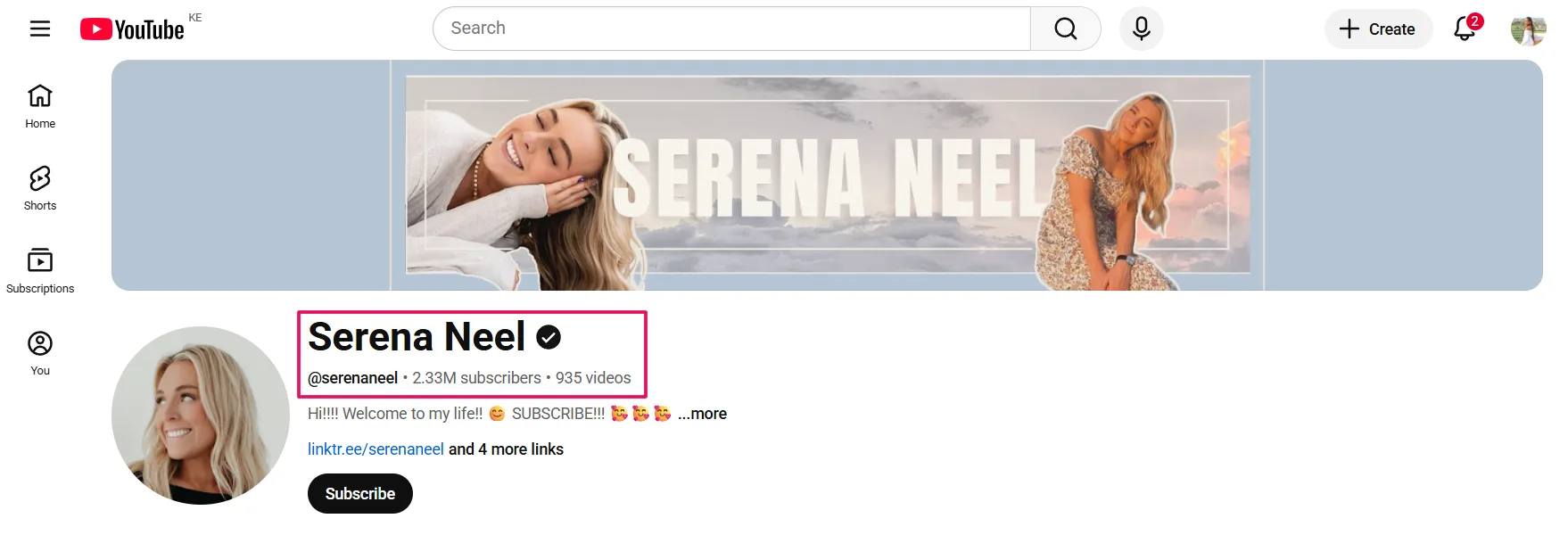
Your channel name should communicate your niche clearly enough that a first-time visitor understands what the channel covers without reading anything else. Your handle should be consistent with your presence on other platforms and clean enough to be memorable.
Profile Picture
Renders at approximately 36 pixels on mobile. A logo or face that is clear and recognizable at small sizes works. A busy image with text or multiple elements at that size becomes unreadable and looks unpolished.
Banner
Check how your banner renders on mobile since over 70% of YouTube traffic comes from mobile devices. Text that appears in the safe zone on desktop often gets cropped on mobile. Keep the core message and visual within the central third of the banner dimensions. The YouTube banner size guide covers the exact 2560x1440 spec and safe zone measurements this check is based on.
Channel Description
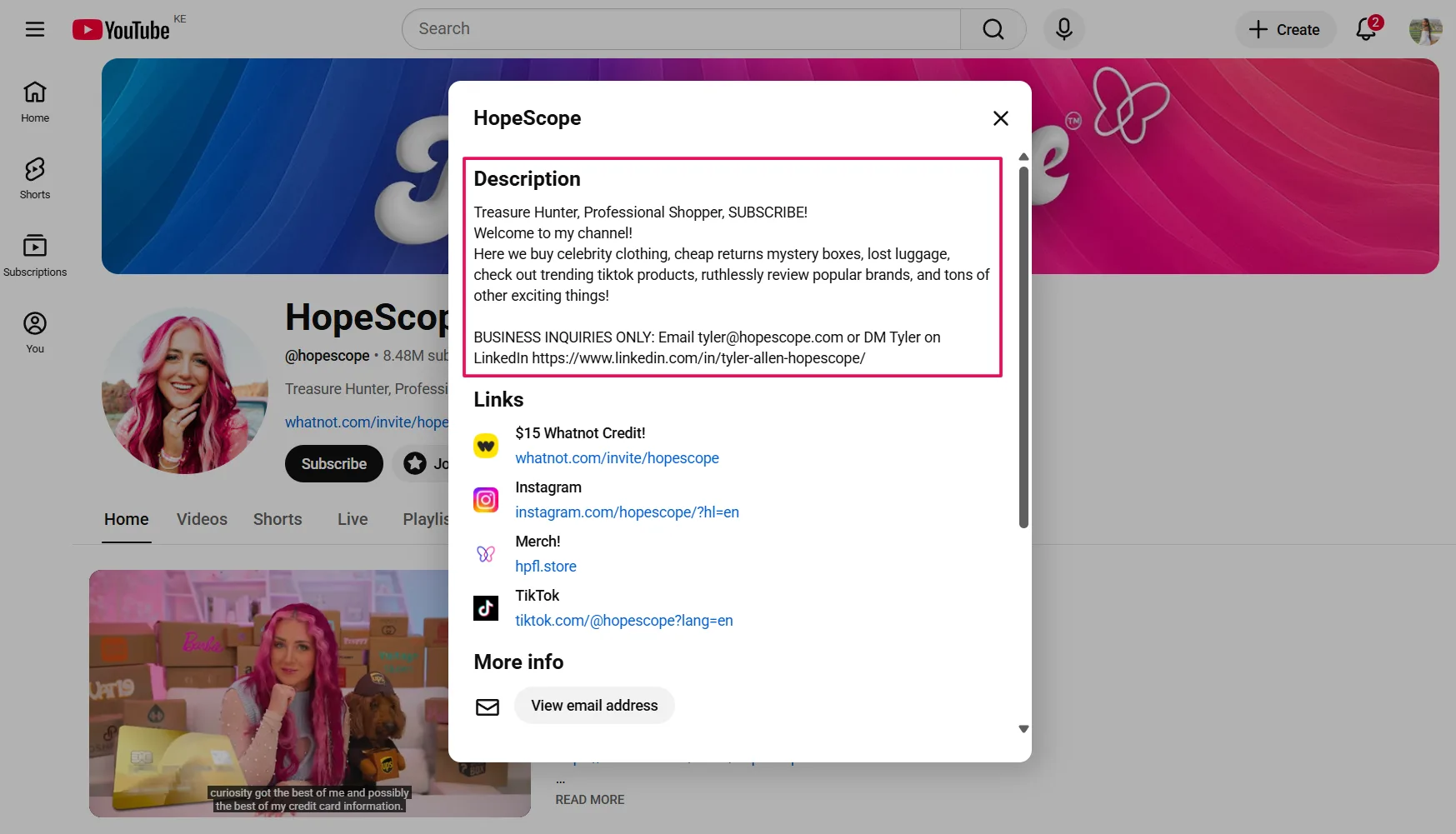
A description under 50 words wastes one of your strongest SEO assets. YouTube reads your channel description to understand your content category and match your channel to relevant searches. Write at least 200 words covering your niche, your target viewer, and your upload schedule with natural keyword placement throughout.
Channel Trailer
Keep it under 60 seconds. Cover three things: who you are, what the channel delivers, and why a new visitor should subscribe. Start with your strongest hook in the first five seconds and skip any intro animation or music that delays the message.
Step 2: Audit Your SEO and Metadata
Weak metadata is the most common reason a well-produced video gets no search traffic. YouTube reads your title, description, tags, chapters, and hashtags to categorize your content and match it to search queries. Missing or inaccurate signals in any of these fields limit your discoverability before a single viewer sees the thumbnail.
Work through this checklist for your last 10 uploaded videos:
Titles
- Primary keyword appears in the first half of the title
- Title is under 60 characters to avoid truncation in search results
- Title matches the specific search intent of the target viewer, not just the general topic
Descriptions
- Primary keyword appears in the first two sentences
- Description is at least 200 words with natural keyword variation throughout
- Timestamps and chapters are included for videos over 5 minutes
Tags
- 8 to 10 tags per video combining the primary keyword, long-tail variations, and niche-specific phrases
- No single-word tags and no irrelevant trending terms
- Tags are consistent with the title and description topic
Hashtags
- 3 to 5 hashtags in the description following the 3-tier framework: one broad, two niche-specific, one brand
- Hashtags placed in the description, not the title
End Screens and Cards
- Every video has at least one end screen promoting another video or playlist
- Cards are placed at natural content reference points, not randomly
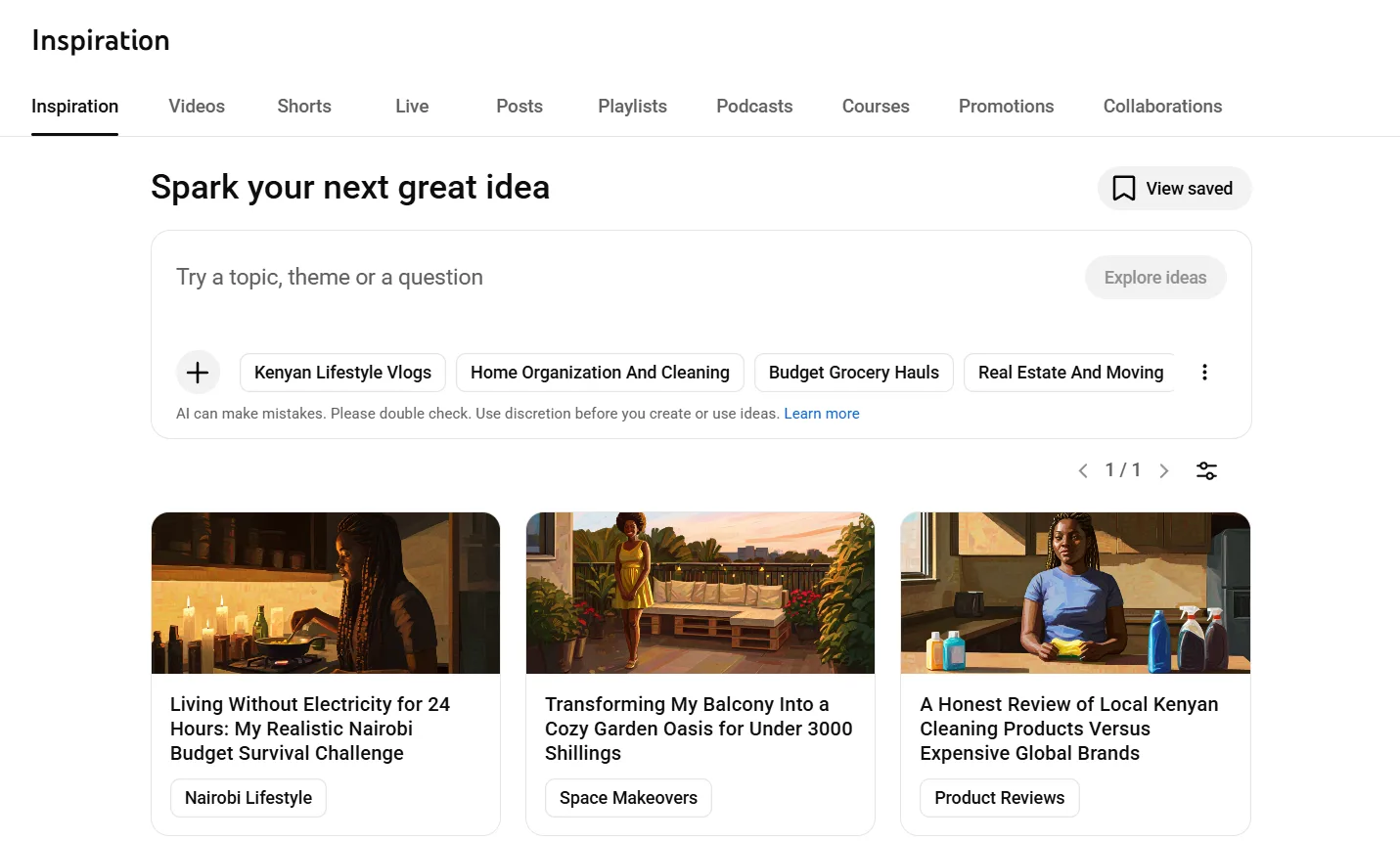
Pro Tip: Open the Inspiration tab in YouTube Studio Analytics and type your core niche topic into the search bar. The Content Gaps section shows you topics your audience is actively searching for that you have not yet covered. Every gap identified is a video idea with pre-validated demand and an SEO opportunity your existing library is missing.
Step 3: Audit Your CTR and Thumbnails
CTR is the metric that determines whether the algorithm continues distributing your content after the initial test period. A video with low CTR tells YouTube that viewers are not interested in the content when they see it, which reduces how often it shows the video to new audiences regardless of how strong the content itself is.
How to find your CTR data:
- Open YouTube Studio and click Analytics in the left menu.
- Click the Reach tab at the top of the Analytics page.
- Scroll down to the Impressions and how they led to watch time card.
- Click See More to view CTR broken down by individual video.
- Sort by impressions to find videos with high visibility but low CTR. These are your highest leverage optimization targets.
CTR benchmarks by channel size:
| Channel Size | Average CTR | Strong CTR |
|---|---|---|
| Under 1,000 subscribers | 3% to 5% | Above 6% |
| 1,000 to 10,000 subscribers | 4% to 6% | Above 8% |
| 10,000 to 100,000 subscribers | 3% to 5% | Above 7% |
| 100,000+ subscribers | 2% to 4% | Above 6% |
A video pulling high impressions but sitting below its benchmark CTR is a thumbnail or title problem, not a content problem. Updating the thumbnail or title on an existing video resets its distribution test with the algorithm and can revive traffic that has completely stopped.
The most common thumbnail problems that suppress CTR:
- Low contrast between subject and background making the thumbnail hard to read at small sizes
- Too much text competing with the visual for attention
- No clear focal point or emotional signal in the image
- Face expression that is neutral rather than high-emotion
- Thumbnail and title communicating different messages rather than reinforcing the same one
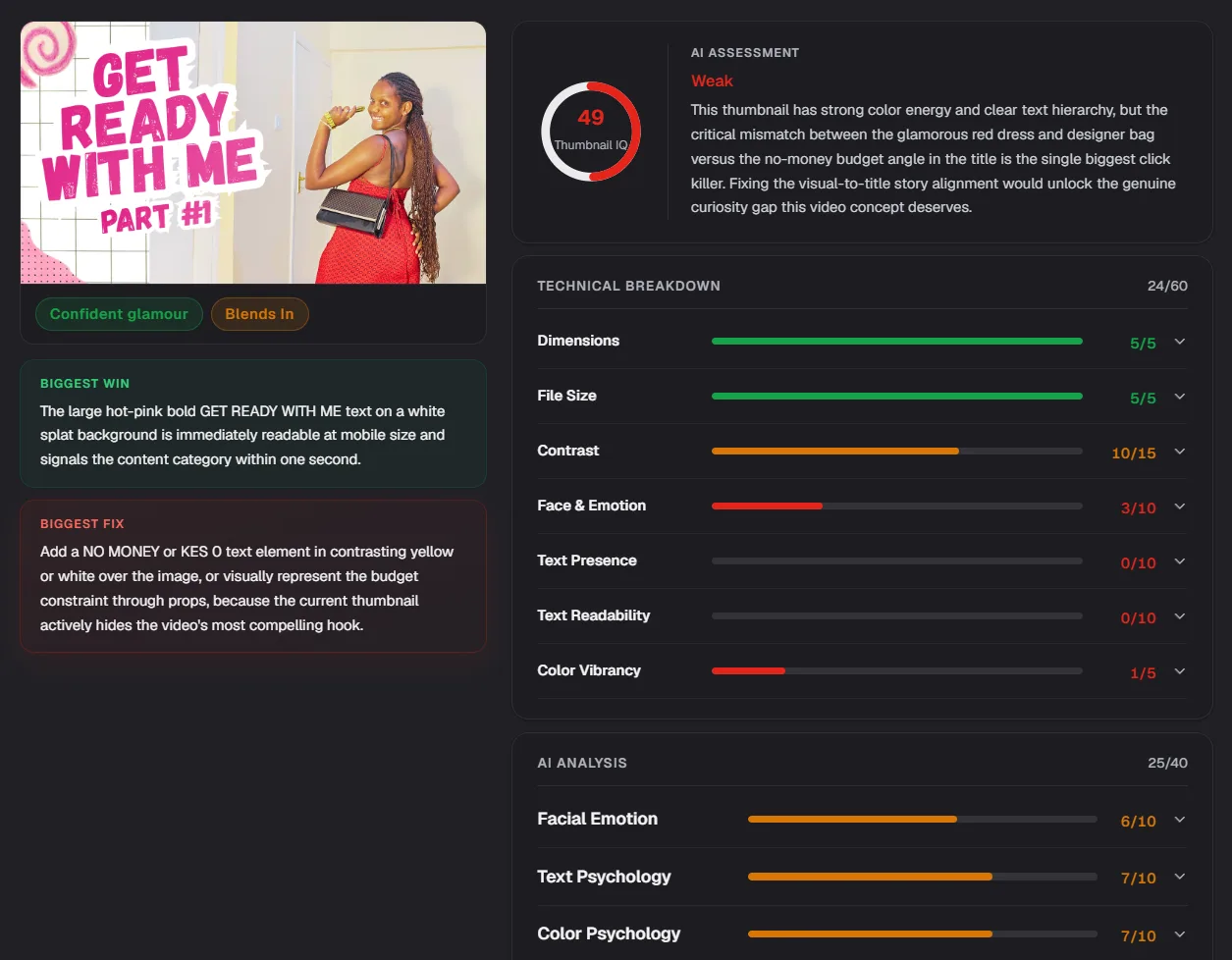
For new uploads, test your thumbnail before a single impression is wasted. The Thumbnail IQ feature in ytgrowth.io scores your thumbnail against niche benchmarks using a two-layer analysis covering visual hierarchy and algorithm signals, giving you a data-backed assessment of whether your thumbnail is competitive before you publish.
Step 4: Audit Your Audience Retention
Retention is the signal YouTube weights most heavily when deciding whether to recommend a video beyond its initial test audience. Strong CTR earns the click. Strong retention earns the distribution. A video that loses viewers in the first 30 seconds signals low quality to the algorithm regardless of how well the thumbnail performed.
How to find your retention data:
- Open YouTube Studio and click Analytics in the left menu.
- Click the Engagement tab at the top of the Analytics page.
- Scroll down to Top Videos and click any video to open its individual analytics.
- Click the Engagement tab within the video analytics and scroll to the Audience Retention graph.
- Read the curve shape to identify which retention pattern applies to your videos.
The three retention patterns and what they mean:
| Pattern | Shape | What It Signals | Fix |
|---|---|---|---|
| Sharp early drop | Steep fall in first 30 seconds | Intro is not delivering on the title promise | Rewrite the hook to deliver value immediately |
| Gradual decline | Steady downward slope throughout | Content is too long for the depth it delivers | Tighten the edit and remove filler sections |
| Cliff drop at specific timestamp | Sudden drop at one point | Specific content problem at that moment | Watch the video from 30 seconds before that timestamp and identify the cause |
Retention Benchmarks
A retention rate above 50% is strong for videos under 5 minutes. For videos between 5 and 15 minutes, above 40% is the target. Below 30% on any video length signals a structural content problem worth addressing before the next upload.
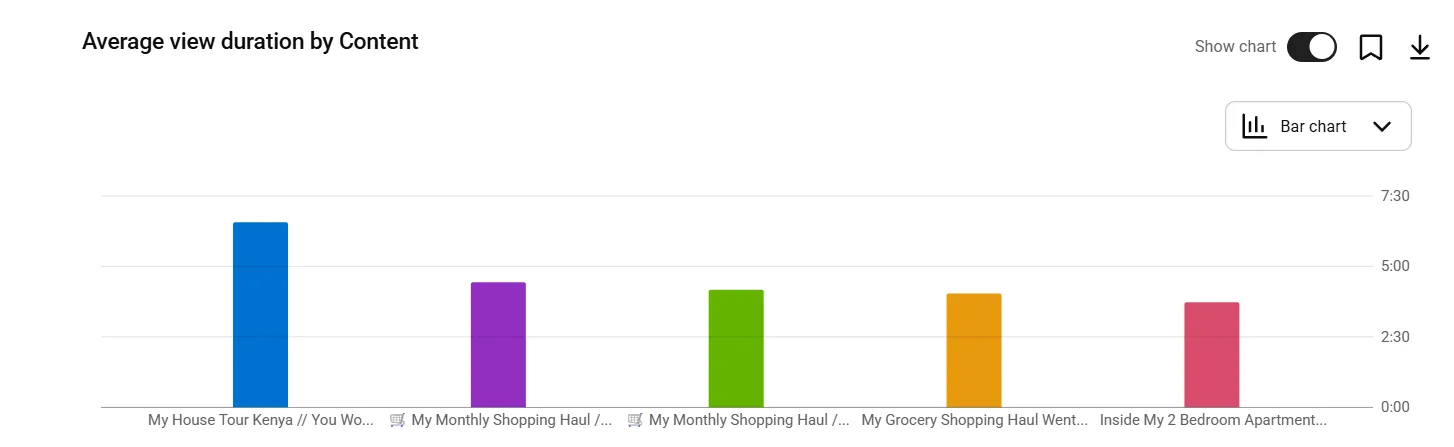
Average view duration is a secondary retention metric worth tracking across your full library. Divide your total watch time by total views to find your channel-wide average view duration. If that number is declining across consecutive uploads, your content structure or intro quality is weakening over time regardless of individual video performance.
Pro Tip: Watch your three lowest-retention videos back to back with the retention graph open in a second tab. Look for patterns in where viewers drop off across all three. If the same type of moment causes drops across multiple videos, that pattern is a content habit to eliminate rather than a one-off editing issue.
Step 5: Audit Your Traffic Sources
Traffic sources tell you how viewers are finding your content and which discovery pathways your channel is over-relying on. A channel dependent on a single traffic source is one algorithm update away from a significant view drop. A channel with balanced traffic across multiple sources is more resilient and has more growth levers to pull.
How to find your traffic source data:
- Open YouTube Studio and click Analytics in the left menu.
- Click the Reach tab at the top of the Analytics page.
- Scroll down to Traffic Sources and click See More for the full breakdown.
- Review the percentage split across all source types for your selected time period.
The four core traffic sources and what they signal:
| Traffic Source | What It Means | Healthy Share |
|---|---|---|
| Browse Features | Viewers finding your content on the YouTube homepage | 20% to 40% |
| Suggested Videos | YouTube recommending your content alongside other videos | 20% to 40% |
| YouTube Search | Viewers finding your content through search queries | 15% to 30% |
| External | Traffic from social media, websites, or email | 5% to 15% |
What an unhealthy traffic source split looks like:
A channel pulling over 60% of views from browse features is heavily dependent on algorithmic amplification. When that amplification slows, which it always does after an initial push, views drop sharply with no search traffic to stabilize them.
A channel pulling under 10% from YouTube search has a keyword and metadata problem. Search traffic is the most stable long-term traffic source because it is driven by consistent viewer demand rather than algorithmic momentum that rises and falls unpredictably.
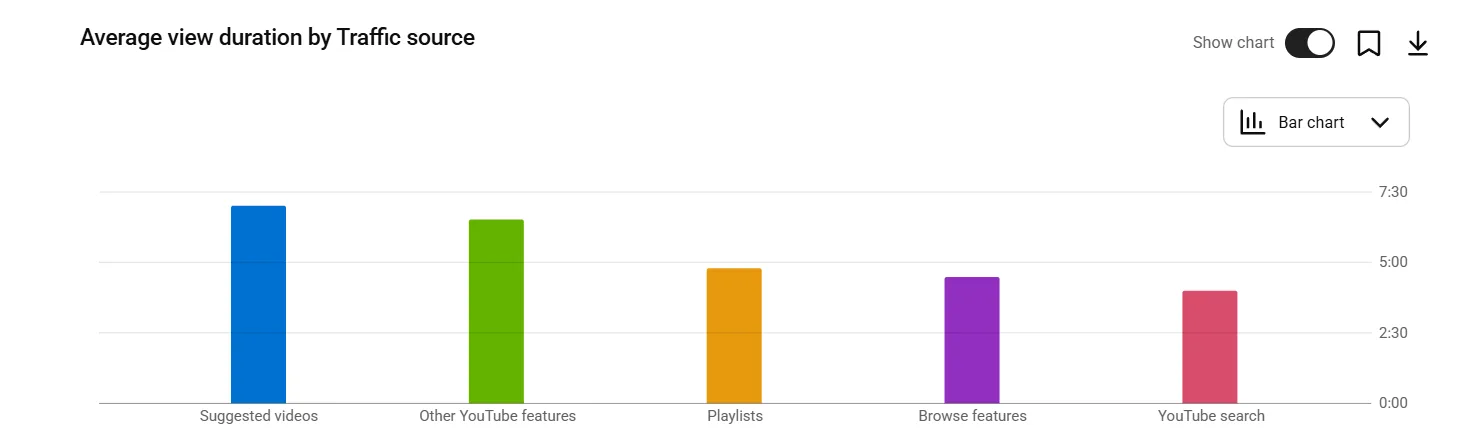
A channel pulling over 30% from external sources is dependent on promotion outside YouTube. That is a distribution risk if the external platform changes its algorithm or the creator stops promoting.
Pro Tip: Click into your Search traffic source and review the specific search terms driving views. These are the exact phrases viewers typed before finding your content. Any search term driving significant traffic that you have not yet built a dedicated video around is a confirmed content opportunity with pre-validated demand sitting inside your own analytics.
Step 6: Audit Your Audience Data
Understanding who is watching your channel and how engaged they are tells you whether your content is attracting the right audience and converting them into the kind of viewers that drive long-term growth. High view counts with weak audience data is a warning sign, not a success signal.
How to find your audience data:
- Open YouTube Studio and click Analytics in the left menu.
- Click the Audience tab at the top of the Analytics page.
- Review the four key data points covered below.
New vs Returning Viewers
A healthy growing channel pulls a consistent percentage of new viewers on every upload. If returning viewers account for more than 70% of your total views consistently, your content is not reaching beyond your existing subscriber base. New viewer acquisition requires search-optimized content that pulls in viewers who have never found your channel before.
Subscriber Demographics
Review the age, gender, and geographic breakdown of your subscribers. If your content is designed for a specific audience but your demographics show a different profile entirely, there is a mismatch between who you are creating for and who the algorithm is serving your content to. That mismatch is usually a niche clarity or keyword targeting problem.
Watch Time Per Subscriber
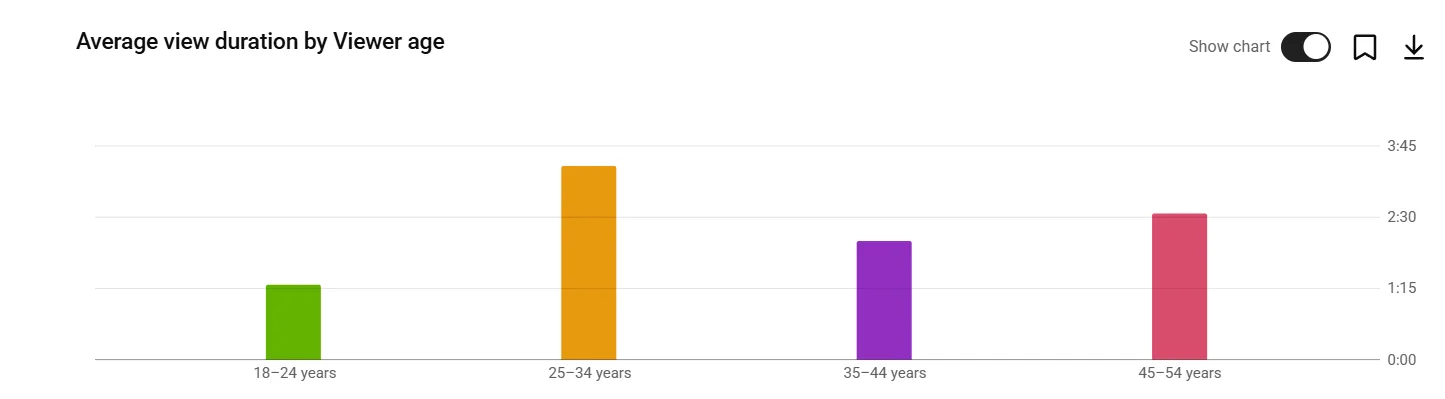
Divide your total monthly watch time by your subscriber count. This metric reveals whether your subscriber base is becoming more or less engaged over time. A declining watch time per subscriber alongside growing subscriber numbers means new subscribers are less engaged than existing ones. This commonly happens when Shorts or viral content attracts subscribers who do not match your core audience profile.
Subscriber-to-View Ratio
What percentage of your views come from subscribers versus non-subscribers. A ratio below 20% from subscribers suggests strong discoverability but weak subscriber loyalty. Above 80% from subscribers suggests strong loyalty but limited reach beyond your existing base.
Step 7: Audit Your Competitor Benchmarks
Auditing your own channel in isolation tells you how you are performing against your own historical data. It does not tell you whether your CTR, retention, and posting frequency are competitive within your niche. Without that context, every metric is ambiguous. A 4% CTR looks acceptable until you discover every competing channel in your niche averages 7%.
How to Identify Your Benchmark Competitors
Pick three to five channels in your niche that are growing consistently and have a similar or slightly larger subscriber count than yours. These are your direct benchmarks, not the largest channels in your space.
A channel with 10 million subscribers operates with algorithmic momentum and brand recognition that makes direct comparison misleading for a smaller channel.
What to Benchmark Across Each Competitor
- Posting frequency: How many videos per week are they publishing. If your competitors are publishing twice per week and you are publishing once per fortnight, frequency is a growth gap worth addressing.
- Title structure: What keyword patterns appear consistently in their highest-performing titles. Are they front-loading primary keywords. Are they using question formats, numbered lists, or outcome-based titles. Patterns across their top 10 videos reveal what title structure their audience responds to most.
- Thumbnail style: What visual elements appear consistently across their highest CTR videos. Color palette, face expression, text volume, and contrast levels. Consistent patterns across top performers are not coincidental.
- Topic gaps: Which topics are their audiences asking about in the comments that the channel has not covered. Every unanswered question in a competitor's comment section is a content opportunity their audience is actively requesting that you can address first.
- Upload timing: When are their most viewed videos published. Consistent patterns in upload day and time can reveal when their audience is most active, which is likely similar to your shared target audience.
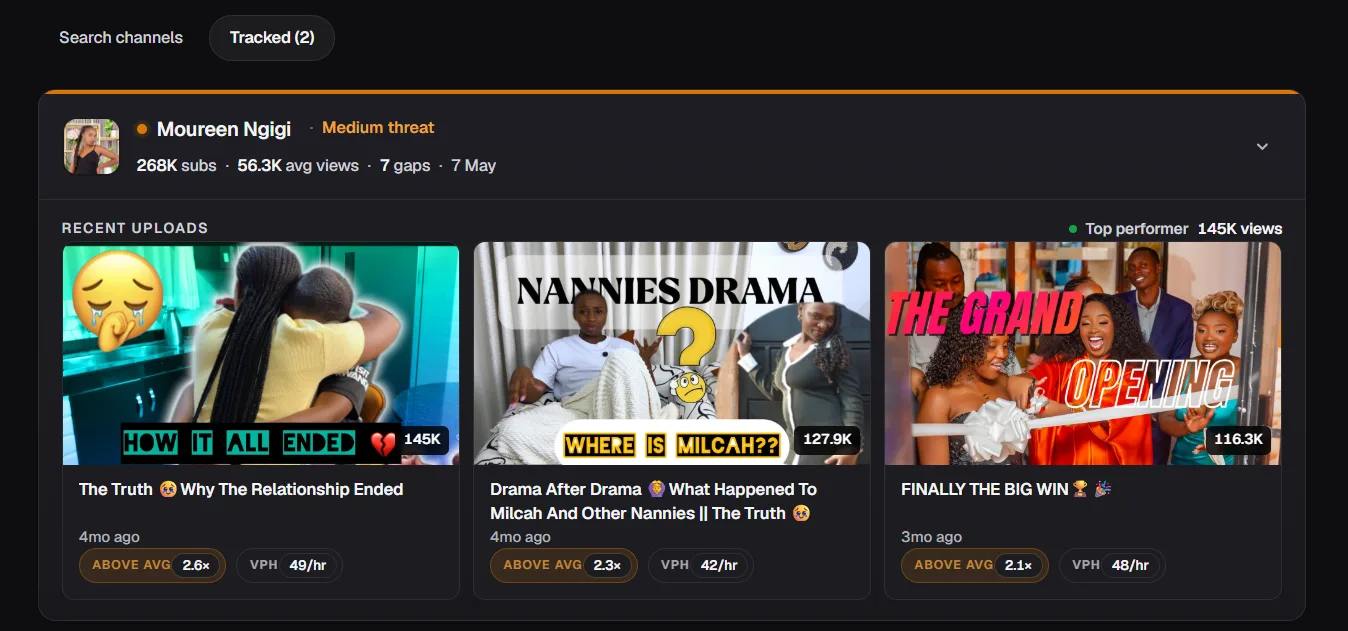
The Competitor Analysis feature in ytgrowth.io tracks competing channels in your niche and surfaces which videos are gaining momentum, which topics they are leaving open, and how your key metrics compare against theirs across CTR, retention, and posting consistency.
Step 8: Audit Your Shorts Performance
Shorts require a separate audit dimension from long-form content because they serve a different function in your channel's growth system. In 2026, between 30 and 50% of new subscribers on growing channels come from Shorts discovery. Treating Shorts performance as an afterthought in your audit means missing one of the most significant subscriber acquisition levers available.
How to Find Your Shorts Data
- Open YouTube Studio and click Analytics in the left menu.
- Click Content at the top of the Analytics page.
- Use the content type filter to isolate Shorts from long-form videos.
- Review the metrics below separately from your long-form performance data.
What to Audit in Your Shorts Performance
- Shorts to long-form conversion rate: Of the viewers who discover your channel through Shorts, what percentage go on to watch your long-form content. A low conversion rate means your Shorts are attracting an audience that does not match your long-form viewer profile. This happens when Shorts cover topics unrelated to your main content pillars.
- Subscriber retention from Shorts: Are subscribers acquired through Shorts watching your long-form uploads. Check whether Shorts-driven subscriber spikes correspond with increased watch time on long-form content. If they do not, your Shorts are building a subscriber count that does not reflect genuine audience engagement.
- Shorts content alignment: Every Short should connect to a long-form video or a broader content theme. A Short that exists in isolation may generate impressions but rarely builds the kind of engaged audience that compounds into long-term channel growth.
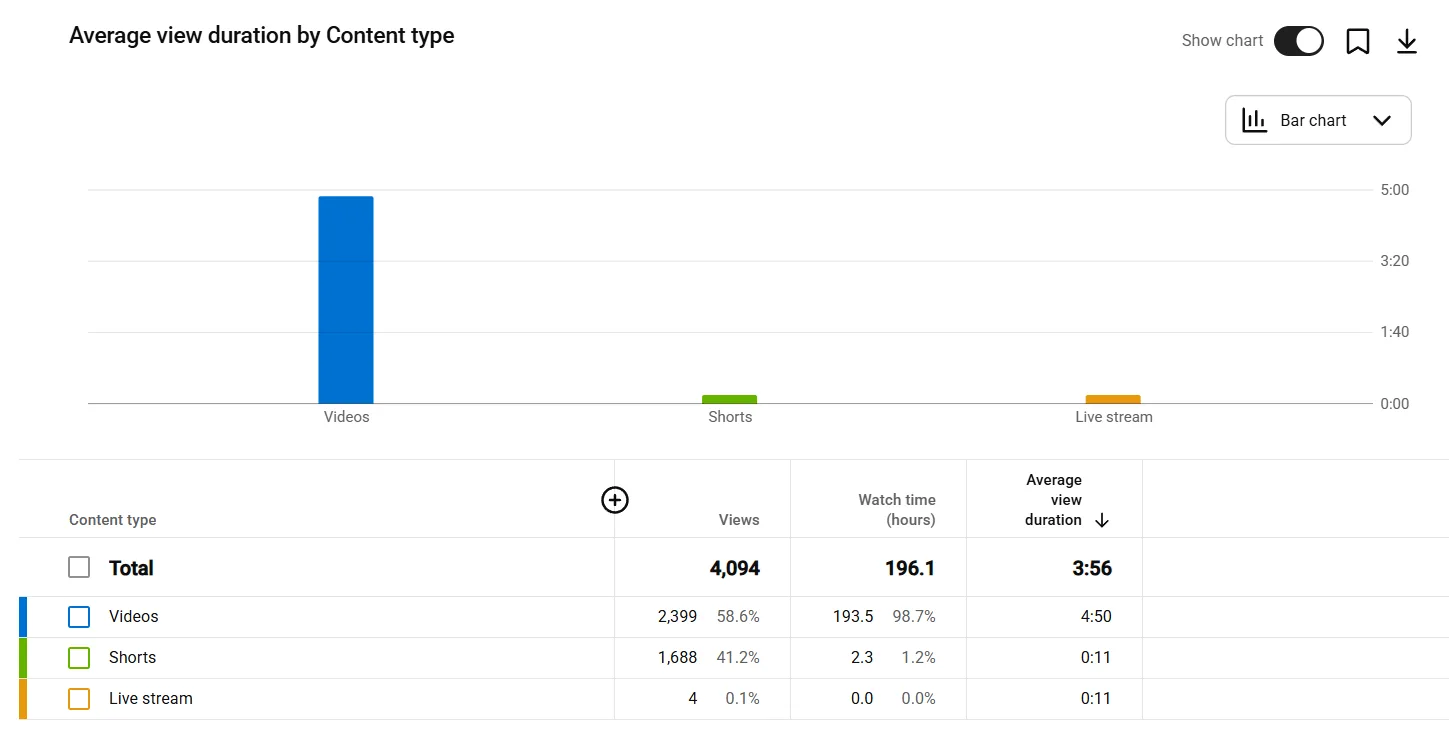
Pro Tip: Use your highest-retention long-form videos as the source material for Shorts. Clip the single most valuable moment from each video and publish it as a Short with a clear call to action pointing to the full video. This approach attracts Shorts viewers who are already interested in your core content and converts them into long-form viewers more reliably than standalone Shorts topics.Run a full channel audit in under 30 secondsChannel Audit runs the same 10-dimension analysis you just read through, surfaces your single highest priority fix, and benchmarks your CTR, retention, and SEO against competitors in your specific niche. Free to try.Try Channel Audit →
The YouTube Channel Audit Checklist
Use this YouTube channel audit checklist every quarter. Work through each category in order and note any item that fails its check as a priority action for the next 30 days.
Branding and Profile
- Channel name clearly communicates the niche
- Handle is clean, memorable, and consistent across platforms
- Profile picture is recognizable at 36 pixels on mobile
- Banner renders correctly on mobile with core message in the central third
- Channel description is at least 200 words with natural keyword placement
- Channel trailer is under 60 seconds and covers who, what, and why subscribe
SEO and Metadata
- Primary keyword appears in the first half of every title
- Every title is under 60 characters
- Every description is at least 200 words
- Primary keyword appears in the first two sentences of every description
- Every video has 8 to 10 relevant tags with no single-word or irrelevant terms
- Videos over 5 minutes have timestamped chapters
- Every video has 3 to 5 hashtags in the description following the 3-tier framework
CTR and Thumbnails
- Channel CTR is at or above benchmark for channel size and niche
- No video with high impressions is sitting below 4% CTR
- Thumbnails have high contrast, clear focal point, and strong emotional signal
- Thumbnail and title are reinforcing the same message on every video
- Low CTR videos have been identified and flagged for thumbnail or title update
Audience Retention
- Average view duration is above 40% across the last 10 uploads
- No sharp drop in the first 30 seconds on recent videos
- Retention graph has been reviewed for every video published in the last 90 days
- Cliff drops at specific timestamps have been identified and addressed
Traffic Sources
- Search traffic accounts for at least 15% of total views
- No single traffic source accounts for more than 60% of total views
- Top search terms have been reviewed and content gaps identified
- External traffic sources are active and diversified
Audience Data
- New viewers account for at least 30% of total views
- Subscriber demographics match the target audience profile
- Watch time per subscriber is stable or improving quarter over quarter
- Subscriber-to-view ratio from subscribers is above 20%
Competitor Benchmarks
- Three to five direct competitor channels have been identified and reviewed
- CTR, retention, and posting frequency benchmarked against competitors
- Competitor topic gaps identified and added to content calendar
- Title and thumbnail patterns from top competitor videos reviewed
Shorts Performance
- Shorts analytics reviewed separately from long-form content
- Shorts to long-form conversion rate is above 10%
- Every Short connects to a long-form video or content theme
- Shorts subscriber retention on long-form uploads confirmed
How Often Should You Run a YouTube Channel Audit
The standard YouTube channel audit cadence is quarterly. Every 90 days gives enough time for meaningful data to accumulate since your last audit while keeping the findings current enough to act on. An audit run less frequently than quarterly risks missing trend shifts, algorithm changes, and competitor movements that compound into larger problems the longer they go unaddressed.
The recommended audit schedule:
Quarterly: Full Audit
Run every step in this guide across all eight dimensions. Use the checklist to track which items pass and which need attention. Compare results against the previous quarter to identify whether key metrics are improving, declining, or plateauing.
Monthly: Focused Audit
Run a single-dimension check on whichever metric showed the most concern in your last full audit. If CTR was the problem, review your thumbnail and title performance monthly until it stabilizes above benchmark. If search traffic was low, check your metadata and keyword targeting monthly until the traffic source split improves.
Unscheduled: Triggered Audit
Run an immediate partial audit when any of the following occur:
- A significant and unexplained drop in views or impressions over a 7-day period
- A viral video that brought a large influx of new subscribers to audit whether they match your core audience
- Before a content pivot or niche shift to establish a baseline before the change takes effect
- After a major YouTube algorithm update that affects how your content is being distributed
Pro Tip: Create a simple tracking spreadsheet with your key metrics from each quarterly audit. CTR, average view duration, search traffic percentage, new viewer ratio, and watch time per subscriber. Tracking these five numbers across four quarters gives you a trend line that is far more actionable than any single audit result in isolation.
Free YouTube Channel Audit Tools
Running a complete YouTube channel audit free does not require a paid subscription to any third party platform. YouTube Studio contains most of the data you need to work through every step in this guide at no cost.
YouTube Studio (Free)
YouTube's native analytics platform covers the majority of a complete audit. The Reach, Engagement, Audience, and Revenue tabs give you CTR, retention, traffic sources, demographic data, and revenue metrics without leaving the platform.
The Inspiration tab surfaces keyword gaps and rising search terms in your niche. For most creators running a quarterly audit, YouTube Studio alone covers seven of the eight audit dimensions in this guide.
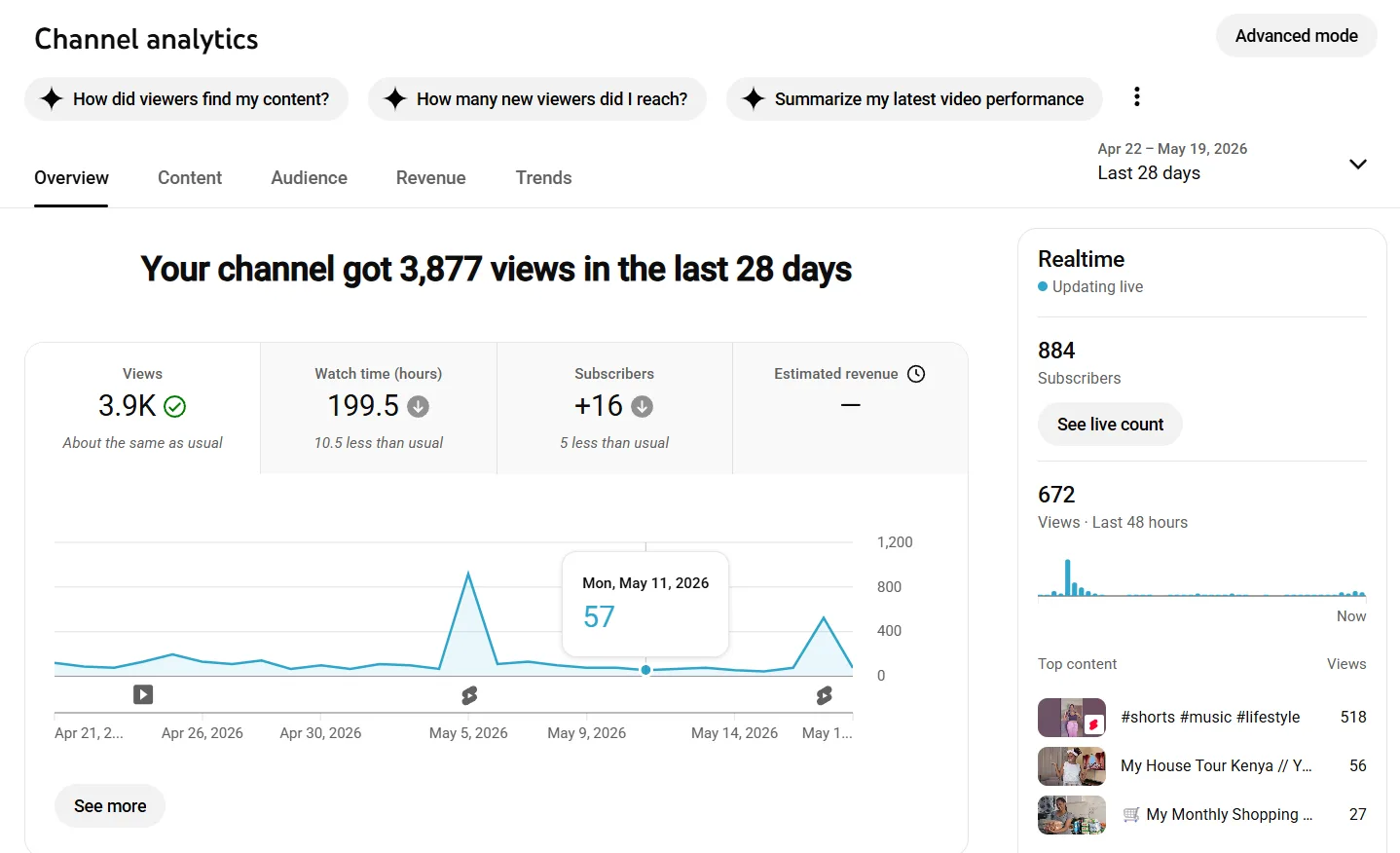
What YouTube Studio does not cover well is competitor benchmarking. It shows your own channel data with no structured way to compare your metrics against competing channels in your niche. That gap requires an external tool.
YTGrowth
For a structured audit that automates the full process, the Channel Audit in ytgrowth.io runs a 10-dimension analysis covering CTR, retention, traffic sources, demographics, SEO performance, and competitor benchmarking in your specific niche.
What makes it different from manually pulling data across multiple tools is the output. Rather than leaving you with a spreadsheet of numbers to interpret, it surfaces your single highest priority fix and benchmarks your channel against competitors automatically.
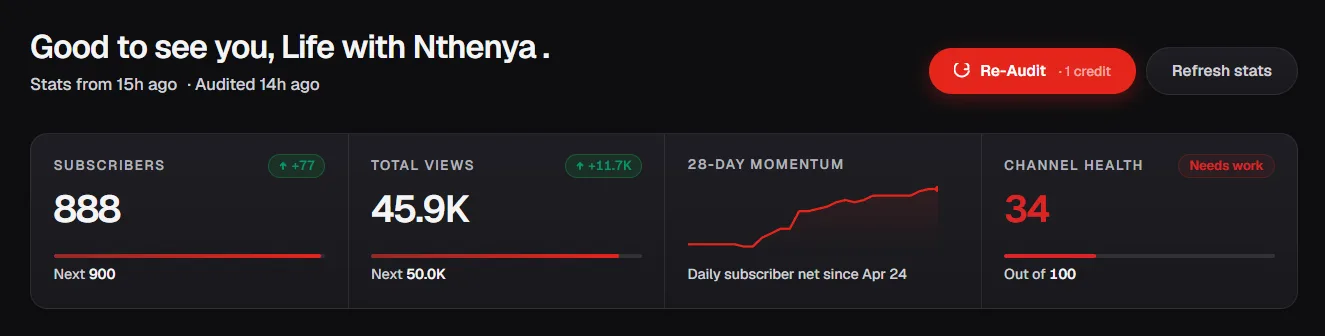
For creators who want a complete YouTube channel audit online without spending hours on manual data collection, it compresses a three-hour audit into under 30 seconds.
Make Auditing a Habit, Not a Rescue Mission
Most creators only run a YouTube channel audit when growth has already stalled for months. By that point, small fixable problems have compounded into larger ones that take longer to reverse.
A quarterly audit run on a consistent schedule catches problems before they compound. A CTR that drops from 6% to 4% over two quarters is a one-video thumbnail fix. The same drop ignored for a year becomes a channel-wide packaging problem that takes months of systematic updates to correct.
The eight steps in this guide cover every dimension that determines whether your channel grows or stalls. Branding and profile, SEO and metadata, CTR and thumbnails, audience retention, traffic sources, audience data, competitor benchmarks, and Shorts performance. Each one feeds into the next. A weakness in any single dimension limits what every other dimension can achieve.
Run the checklist every 90 days. Track your five key metrics across quarters. Fix the highest priority item first before moving to the next. That process applied consistently is what separates channels that grow predictably from channels that post consistently and wonder why nothing changes.