Most creators treat YouTube tags as a box to tick before hitting publish. They add a few obvious keywords, maybe copy what a competitor used, and move on. Here is the honest truth for 2026: that is close to the right amount of effort to spend on them.
Tags are a minor ranking signal, not a primary one. YouTube itself says tags play a minimal role in discovery, useful mainly for catching common misspellings and disambiguating your topic. What decides where your video goes is your title, thumbnail, description, captions, and above all whether viewers keep watching. Spend your effort there first, then add tags as a quick finishing step.
This guide covers how tags really work in 2026, exactly how to add them, the difference between tags and hashtags, and the free tools that build a solid tag list for you in seconds so you can move on to the levers that move the needle.
What Makes a Tag Drive Views
Not all tags for YouTube videos perform equally. A tag only drives views when it has three qualities working together: real search volume, manageable competition, and direct relevance to your specific video.
Search volume tells you how many people are actively typing that phrase into YouTube. A tag with no search volume does not connect your video to any active demand. It sits in your metadata doing nothing.
Competition level tells you how many other videos are already targeting that same tag. High volume with high competition means established channels with large audiences will consistently outrank you. The sweet spot is a tag with solid search volume and a competition score low enough for a smaller channel to rank.
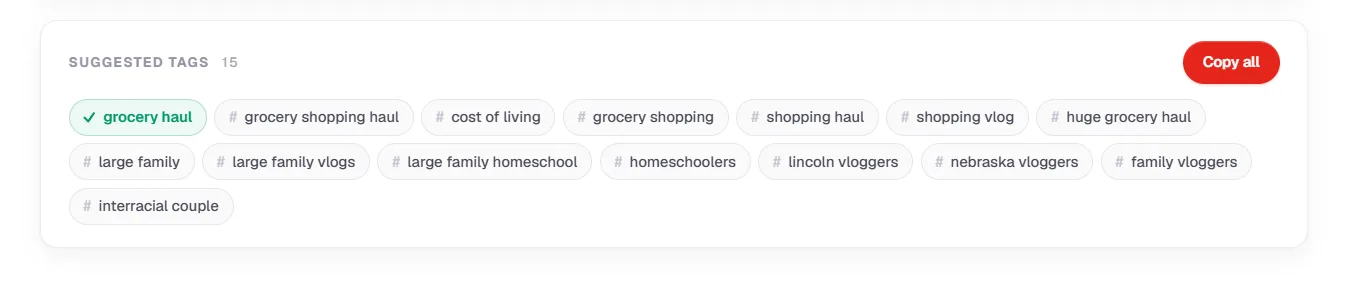
Relevance is the most important of the three. YouTube cross-references your tags against your title, description, and video content. A tag that does not match your actual content confuses the algorithm and can trigger a misleading metadata flag.
Pro Tip: A specific long-tail tag like "how to get YouTube tags for views as a small channel" will outperform a broad tag like "youtube tips" for a new channel every time. Broad tags put you in a pool of millions. Specific tags put you in front of the exact viewer looking for what you made.
The goal is not to find the most popular tag. It is to find the most accurate tag with the highest realistic ranking potential for your channel size.
How to Add Tags on YouTube
Tags live in a spot most creators never scroll to. Here is exactly where to add them, on a new upload or an existing video.
- In YouTube Studio, open Content and click the video you want to edit, or start a new upload.
- On the video details page, scroll down and click Show more.
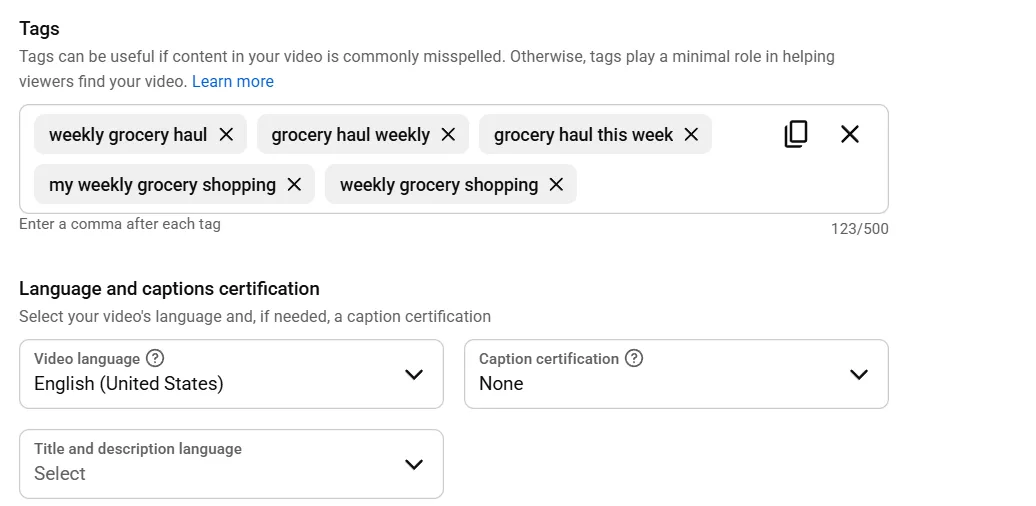
- Find the Tags field and enter your tags separated by commas.
- Click Save.
Two limits to know: the tags field holds up to 500 characters, and 5 to 15 relevant tags is plenty. Put your primary keyword first, since the earliest tags carry slightly more weight, then add a few close variants and one or two broader category terms. To skip the manual work, our free YouTube tag generator builds a clean, relevant list for any topic in seconds.
The Best Tags for YouTube by Content Type
The best tags for YouTube videos are not universal. What works for a gaming channel will not work for a cooking channel. Tags need to match the content category because the algorithm uses them to place your video inside a specific content ecosystem.
Here is a breakdown of high-performing tag structures by niche:
Gaming
- Specific game title (e.g., #Warzone, #Minecraft)
- Gameplay format (e.g., #FPS, #OpenWorld)
- Skill level (e.g., #GamingTips, #BeginnerGuide)
- Platform (e.g., #PCGaming, #MobileGaming)
Education and Tutorials
- Topic plus skill level (e.g., "python for beginners", "excel tutorial advanced")
- Problem-based phrases (e.g., "how to fix", "how to set up")
- Outcome-based phrases (e.g., "learn photoshop fast", "study tips for exams")
Food and Cooking
- Dish name plus format (e.g., "easy pasta recipe", "quick breakfast ideas")
- Dietary tags (e.g., "vegan meals", "high protein recipes")
- Time-based tags (e.g., "15 minute dinner", "meal prep Sunday")
Commentary and Entertainment
- Topic plus opinion signal (e.g., "youtube drama explained", "honest review")
- Current event hooks (e.g., "reaction to", "responding to")
- Audience tags (e.g., "relatable content", "funny moments")
How-To and DIY
- Action plus subject (e.g., "how to build a PC", "how to start a podcast")
- Tool or platform specific (e.g., "canva tutorial", "notion setup guide")
- Result-focused (e.g., "fix slow wifi", "grow instagram fast")
Pro Tip: Always include one tag that names your specific topic and one that names the format. For example, "pasta recipe" names the topic and "quick dinner ideas" names the format and intent. Together they give the algorithm two distinct categorization signals from one video.
The best tags for YouTube are the ones that accurately describe both what your video is about and who it is for. Niche specificity consistently outperforms broad category tags for channels under 100k subscribers.
YouTube Hashtags vs Tags: Which Drives More Views
YouTube hashtags and metadata tags are both part of your tagging strategy, but they drive views through completely different mechanisms. Conflating the two is one of the most common setup errors creators make.
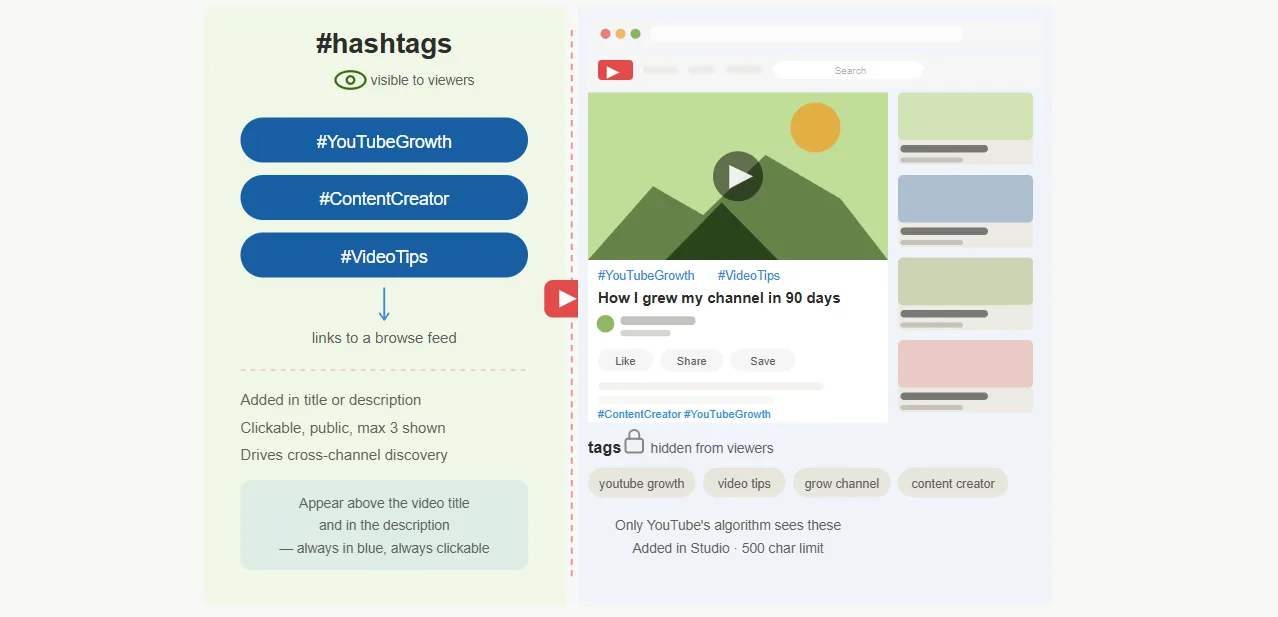
Metadata tags are hidden inside YouTube Studio. They feed the algorithm directly, influencing search rankings and suggested video placements. Viewers never see them. Their job is purely algorithmic categorization.
Best YouTube hashtags are visible in your description and sometimes above your video title on mobile. They are clickable and lead viewers to a feed of similar content. Their job is feed discovery, pulling in viewers who are browsing by topic rather than searching for a specific phrase.
| Hashtags | Metadata Tags | |
|---|---|---|
| Visible to viewers | Yes | No |
| Drives search ranking | No | Yes |
| Drives feed discovery | Yes | No |
| Placement | Title or description | YouTube Studio Tags field |
| Clickable | Yes | No |
Both drive views but at different stages of the distribution process. Metadata tags get your video into search results. YouTube hashtags get your video in front of browsers already watching similar content.
Pro Tip: Treat hashtags and metadata tags as two separate research tasks. Your hashtag list should reflect what is trending in your niche right now. Your metadata tag list should reflect what your target viewer is searching for consistently over time.
Skipping either one leaves a gap in your distribution strategy. Use both on every upload.
How to Find the Most Searched Keywords on YouTube
The most searched keyword on YouTube in your niche is not always the most obvious one. Finding it requires using the right research methods, not guessing based on what you think your audience searches for.
Here is the step by step process:
- Open YouTube and type your broad topic into the search bar. Do not press enter. The autocomplete suggestions that appear are real search queries from real viewers, ranked by search frequency.
- Note every autocomplete suggestion that is relevant to your content. These are your starting keywords.
- Add a letter after your topic to surface more variations. Typing "youtube tags a", "youtube tags b", and so on returns a different set of autocomplete suggestions each time.
- Go to the YouTube Explore page and check the Trending section for your content category. Tags built around trending topics spike in search volume fast and can deliver short-term view bursts.
- Run your shortlisted keywords through a YouTube keyword research tool free option to check search volume and competition scores before committing to them.
Pro Tip: Seasonal and event-based keywords are high-velocity but short-lived. A tag like "back to school study tips" spikes every August. Build a separate tag list for seasonal content and swap it in during the relevant window rather than using the same evergreen tags year-round.
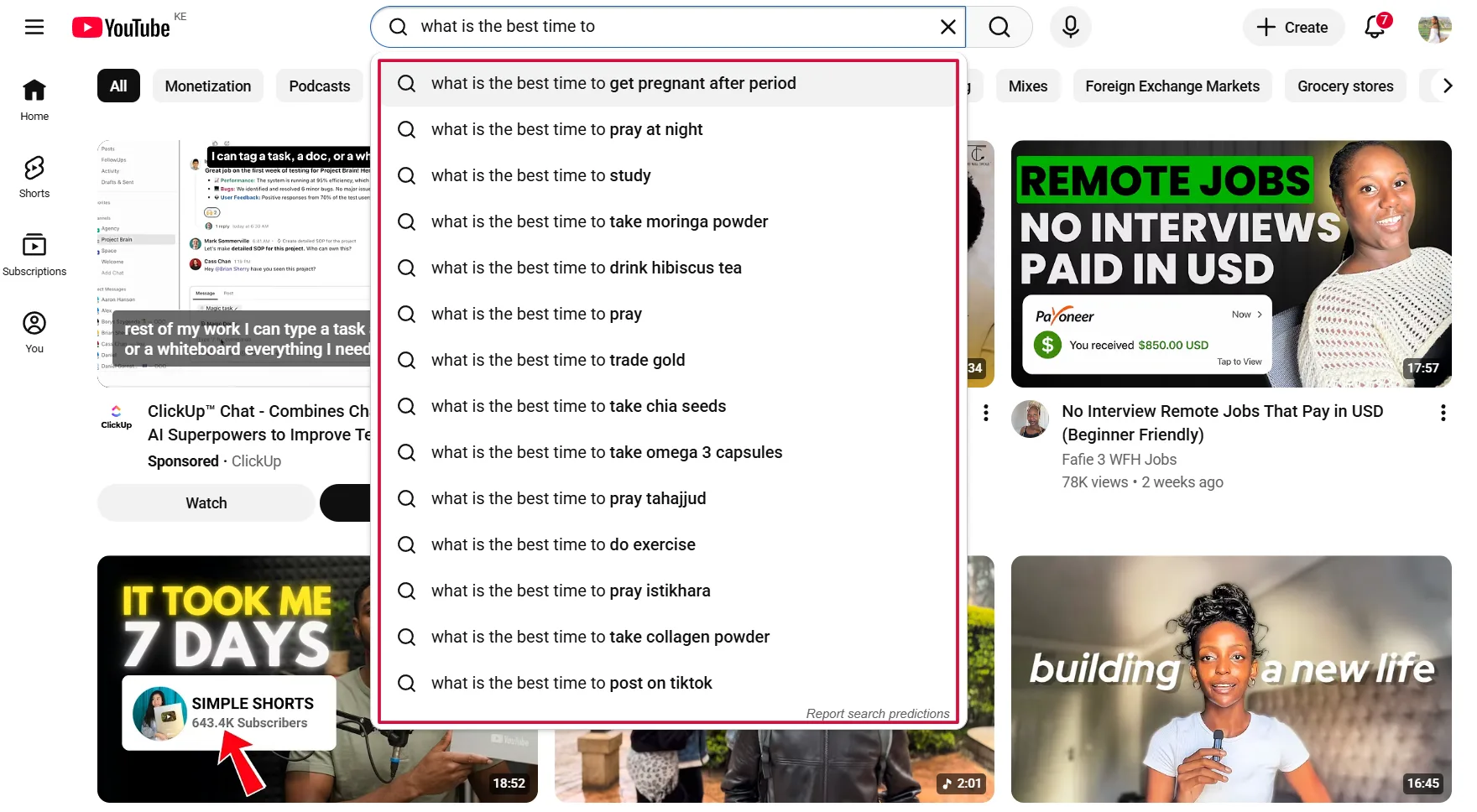
For a faster and more complete view of which keywords are driving traffic in your niche right now, the Keyword Explorer in YTGrowth pulls live YouTube search data and surfaces high-volume, low-competition keyword opportunities your competitors may have missed. It removes the manual work of cycling through autocomplete variations one letter at a time.
What to prioritize in your keyword research:
- Phrases with consistent monthly search volume over spikes
- Keywords that match the exact intent of your video
- Long-tail variations with lower competition than the head term
- Phrases your target viewer would type, not phrases you would use to describe your own content
How to Build a Complete Tag List for Every Video
A complete tag list for tags for YouTube videos combines three layers: a primary keyword tag, supporting niche tags, and long-tail variations. Each layer serves a different part of the distribution system.
Here is the process for building one from scratch before every upload:
- Identify your primary keyword: This is the single most accurate phrase describing your video's topic. It goes in your title, the first line of your description, and the Tags field.
- Find 3 to 5 supporting niche tags: These are related phrases that describe the sub-topic, format, or audience of your video. Use your keyword research results from the previous section to pick these.
- Add 2 to 3 long-tail variations: These are specific phrases that match lower competition search queries. They may bring less volume individually but collectively drive consistent search traffic.
- Select your YouTube hashtags for the description: Apply the 3-tier framework: one broad tag like #Shorts or #YouTube, two niche-specific tags, and one brand tag. Our free hashtag generator builds the set for you if you would rather not pick them by hand.
- Review the full list for consistency: Every tag should reinforce the same topic signal. Remove anything that does not directly relate to the specific video.
Pro Tip: Build a master tag template for each content series you produce. If you post weekly tutorials on the same topic, 70% of your tags will be consistent across every video. Only the primary keyword and one or two specific tags need to change per upload. This saves research time and strengthens the algorithm's understanding of your channel's niche over time.
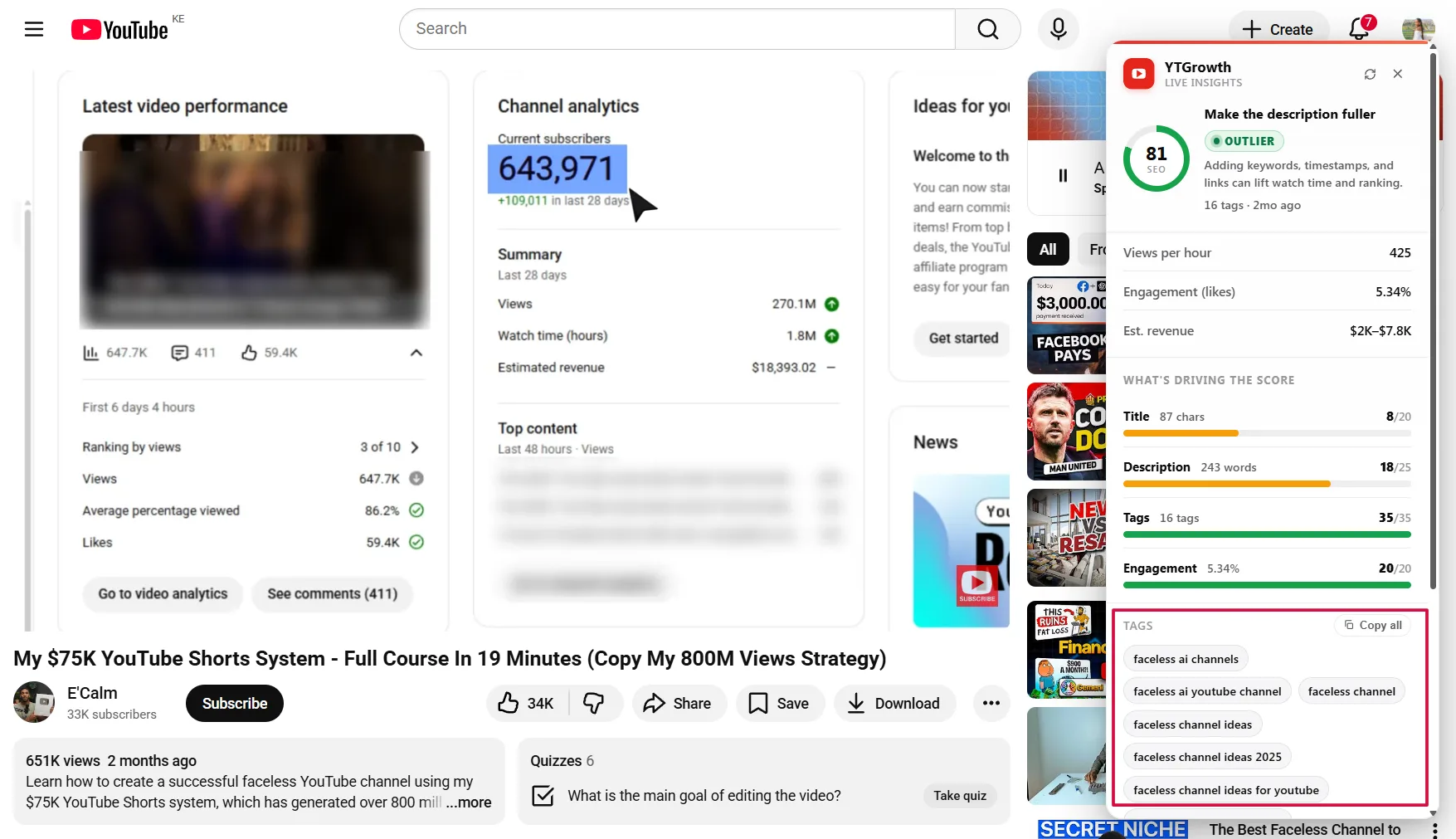
A complete tag list for one video should include:
- 1 primary keyword tag
- 3 to 5 supporting niche tags
- 2 to 3 long-tail keyword variations
- 3 to 5 best YouTube hashtags in the description
- 1 brand hashtag
That is a maximum of 15 tags total across both the Tags field and the description. Enough to give the algorithm clear signals without crossing into over-tagging territory.
Generate a full tag list in secondsSkip the manual research. Our free YouTube tag generator turns any topic into a clean, relevant tag list you can paste straight into Studio. No signup.Open the tag generator →Tags That Never Work and Why Creators Keep Using Them
Bad tag advice spreads fast on YouTube. Most of it comes from creators who got lucky once and turned it into a system. These are the tag types that consistently fail to drive views, and the fix for each one.
Mistake: Using single-word tags
Fix: Single-word tags like "gaming" or "food" place your video in a pool of millions with no specificity. Replace every single-word tag with a phrase of at least three words. "gaming tips for beginners" targets a specific audience and a specific intent. "gaming" targets no one in particular.
Mistake: Copying a competitor's full tag list
Fix: Your competitor's tags are built around their channel size, audience, and content history. A tag that ranks well for a 500k subscriber channel will not rank the same way for a 2k subscriber channel.
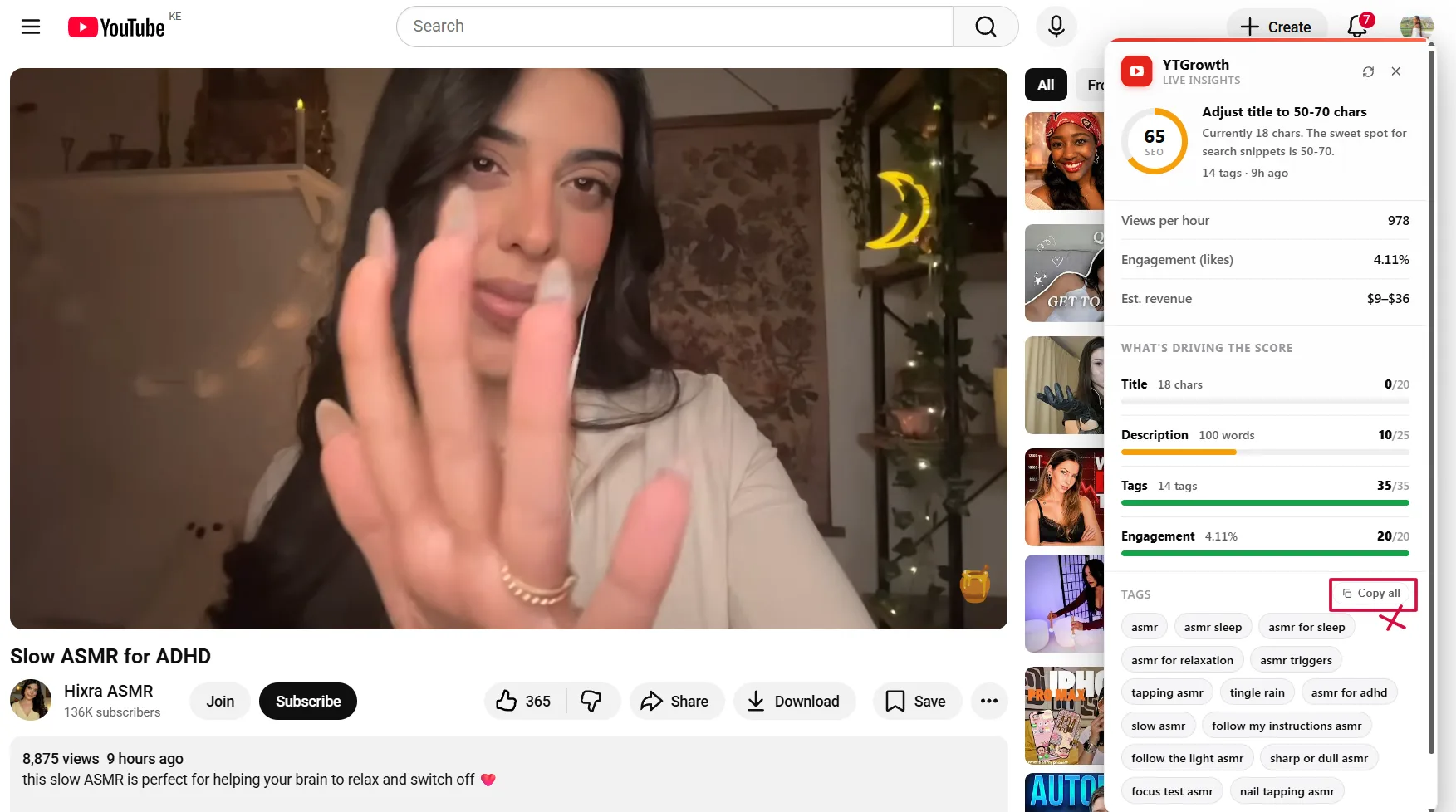
Use competitor research to identify tag opportunities they are missing, not to duplicate what they are already dominating. The Competitor Analysis feature in YTGrowth shows you exactly which topics and keywords competing channels are leaving open.
Mistake: Adding irrelevant trending tags to chase volume
Fix: Using YouTube tags to get views that have no connection to your video content is classified as misleading metadata by YouTube. It does not boost views. It triggers algorithmic suppression and can result in a strike against your channel. Only use tags your video directly relates to.
Mistake: Using the same tag list on every video regardless of topic
Fix: A static tag list copied across every upload tells the algorithm nothing specific about individual videos. Each video needs a tag list built around its own primary keyword and specific topic. Your brand tags can stay consistent but everything else should be researched and refreshed per upload.
Keeping Your Tags Current
YouTube tags for views are not a set and forget system. Search behavior shifts, trends change, and keywords that drove traffic six months ago may have lost volume or gained too much competition to rank for today.
Here is how to keep your tag strategy current without rebuilding it from scratch every month:
- Check your YouTube Studio analytics every 30 days: Look at the Search tab under Traffic Sources. If a tag that previously drove impressions has dropped off, it is time to replace it with a fresher keyword.
- Monitor the YouTube Explore page weekly: New trending topics in your niche are tag opportunities. Build a swipe file of emerging keywords and test them on your next upload.
- Revisit your top performing videos every quarter: If a video that used to rank well is losing search traffic, update the tags and description with freshly researched keywords. YouTube re-indexes updated metadata.
- Track seasonal keywords on a calendar: YouTube tags to get views around events, holidays, and annual trends have predictable traffic windows. Prepare your seasonal tag lists two to three weeks before the peak period, not during it.
Pro Tip: When you update tags on an older video, also update the first two lines of the description with the same primary keyword. Consistent signals across both placements strengthen the re-indexing signal and give the update a better chance of recovering lost search rankings.
The channels that maintain consistent search traffic are not just researching tags at upload. They are treating best tags for YouTube videos as a living system that gets reviewed, tested, and refined on a regular schedule.
Frequently Asked Questions About YouTube Tags
Do YouTube Tags Still Matter in 2026?
Barely. YouTube says tags play a minimal role in discovery, useful mainly for catching misspellings and disambiguating your topic. Your title, thumbnail, description, captions, and viewer retention decide where your video goes. Add a few relevant tags as a finishing step, then spend your real effort on those.
How Many Tags Should I Use on a YouTube Video?
Five to fifteen relevant tags is plenty. The field holds up to 500 characters total, but filling it is pointless. Put your primary keyword first, add a few close variants and one or two broader category terms, and stop there. Extra loosely related tags do nothing and can read as spam.
How Do I Add Tags to a YouTube Video?
In YouTube Studio, open Content, click the video, scroll down and click Show more, then enter your tags in the Tags field separated by commas and click Save. You can add tags during a new upload or edit them on any existing video the same way.
How Do I See Another Video's Tags?
YouTube hides tags from viewers, so you need a tag extractor tool or a browser extension to read them. Paste the video URL into an extractor and it lists the tags the creator used. Treat it as light research, not a template to copy, since tags carry little weight anyway.
Are YouTube Tags the Same as Hashtags?
No. Metadata tags are hidden inside Studio and only feed the algorithm's categorization. Hashtags are visible in your description and above the title on mobile, are clickable, and pull in viewers browsing a topic. Hashtags do more visible work in 2026, so treat them as the higher priority of the two.
Build a Tagging System, Not a Tag List
YouTube tags for views are not about finding magic keywords. They are about building a consistent research and placement system that compounds over time.
Every video you upload is an opportunity to send the algorithm a clear, accurate signal about your content. The creators pulling consistent search traffic are not guessing. They research before they film, place tags deliberately across title, description, and the Tags field, and audit their performance regularly.
The difference between a channel that grows through search and one that relies entirely on luck comes down to process. Research your primary keyword before you record. Build your tag list around volume, competition, and relevance. Apply the same system on every upload without shortcuts.
If you want to run that process faster and with better data, the Keyword Explorer and Competitor Analysis tools in YTGrowth give you live search volume, competition scoring, and competitor keyword gaps in one place. Everything you need to turn YouTube tags to get views from a guessing game into a repeatable growth system.